
Philips Hue White and Color Ambiance Gradient Lightstrip Manual
PDF manual · 12 Pages
English



Quick check
Incorrect answer, please try again.
Chat with your Philips Hue White and Color Ambiance Gradient Lightstrip manual using AI
Get instant AI answers from your Philips Hue White and Color Ambiance Gradient Lightstrip manual
Ask anything about the Philips Hue White and Color Ambiance Gradient Lightstrip. Answers come from this manual, with the pages they are based on.
Ask a Question
Do you recommend White and Color Ambiance Gradient Lightstrip?
Yes No
QuoSuscipit38
6 months ago
Does the adhesive hold well over heat sources like radiators, and is the cable length sufficient for hidden installation?
Frequently Asked Questions
Yes, it works via Bluetooth directly with your smartphone. However, connecting a Hue Bridge unlocks advanced features like remote access, automation routines, and integration with third-party smart home devices.
Is this answer helpful?
Clean the wall surface thoroughly, peel off the protective film from the adhesive tape, and press the strip firmly against the wall or ceiling. Connect the controller to power and pair it with the app.
Is this answer helpful?
You can connect up to four 2-meter strips together, reaching a maximum total length of 8 meters. For longer runs, additional extension cables or separate controllers may be needed, but the total distance must not exceed 10 meters.
Is this answer helpful?
No, this specific model is designed for indoor use only. It is not waterproof or weather-resistant, so exposure to rain or extreme temperatures could damage the electronics.
Is this answer helpful?
It displays over 16 million colors and all shades of white light ranging from warm to cool tones. The gradient feature allows these colors to blend softly onto surrounding surfaces.
Is this answer helpful?
Yes, when used with the Hue Sync software or compatible apps, the lights can react to audio frequencies or video content on your screen, creating an immersive entertainment experience.
Is this answer helpful?
Advantages and Disadvantages
Advantages

- Creates stunning wall gradients for immersive atmosphere
- Compatible with major voice assistants for hands-free control
- Easy installation with strong adhesive backing included
- Energy-efficient LED technology ensures low power consumption
- Seamless integration with Philips Hue ecosystem and apps
Disadvantages

- Requires a Hue Bridge for advanced features beyond basic Bluetooth
- Maximum total length of 10 meters limits large room coverage
- Adhesive may lose grip on textured or dusty surfaces over time
- Higher initial cost compared to standard non-gradient LED strips
- Limited to 2 meters per base unit requiring multiple kits for larger areas
Product Specification
Light source
20W, warm white-daylight white (560-6500K), RGBW, dimmable, 1600lm
Features
dimmable, white color tone control, RGB color control (up to 16 million different colors), sleep mode, wake-up mode, night mode, timer, programmable lighting settings
Smart Home
App control (Bluetooth, ZigBee, Apple HomeKit), voice assistant (Amazon Alexa, Apple Siri, Google Assistant, Microsoft Cortana, Samsung Bixby)
Protection class
IP20
Safety class
2
Dimensions
78.74in (L)
Note
A gateway from the manufacturer may be required for full functionality. This may also change via a firmware update. Please note the manufacturer-specific details!
Product Description
Transform Your Space with Philips Hue Gradient Lightstrip
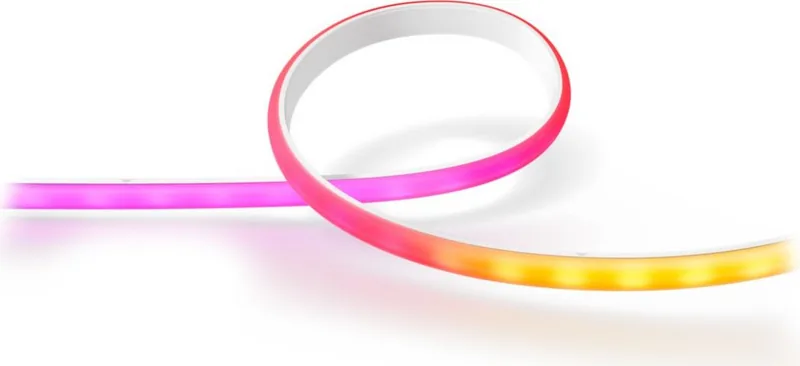
Elevate your home ambiance with the Philips Hue White and Color Ambiance Gradient LED Lightstrip Basis 2m. This innovative lighting solution brings a new dimension to interior design by projecting light onto walls and ceilings, creating an immersive gradient effect that standard strips cannot match. Whether you are hosting a party, winding down for the evening, or simply enjoying a movie night, this lightstrip adapts instantly to set the perfect mood.
The core of this product lies in its unique ability to display millions of colors while simultaneously illuminating the surface behind it. The 2-meter length is ideal for framing televisions, mirrors, or accentuating architectural features. Installation is straightforward, requiring only a few minutes to stick the strip to a clean, dry surface and connect it to your existing Hue ecosystem. Once connected via Bluetooth or the Hue Bridge, you gain full control over brightness, color temperature, and dynamic scenes through the intuitive Philips Hue app.
Beyond simple on-off functionality, this system integrates seamlessly with voice assistants like Alexa, Google Assistant, and Siri. You can create routines that sync with your daily schedule or link lights to music and movies for a truly cinematic experience. The energy-efficient LEDs ensure long-lasting performance without skyrocketing electricity bills. With the Gradient technology, the light transitions smoothly from one hue to another, eliminating harsh lines and providing a soft, professional glow that enhances any room's aesthetic.
Important Notes
- Ensure the surface is dust-free before applying the adhesive backing.
- The maximum cable length between strips is limited to 10 meters for optimal performance.
- Always refer to the official user manual for specific safety guidelines regarding electrical connections.
Search for 67,706 Manuals online


Type-in Brand or Model
SmartHomeFan99
4 months ago
Is the Hue Bridge required for setup and voice control, or can it work with just Bluetooth?
Manual.ly
4 months ago
The Philips Hue Ambiance Gradient Lightstrip features Bluetooth connectivity, allowing you to set it up and control basic functions directly from your smartphone without a bridge. However, to enable voice control via Alexa or Siri, access to the full range of scenes, and integration with other smart home devices, a Hue Bridge is required. Additionally, certain advanced features like the entertainment sync mode with TV or music require the Hue Sync Box. While the bridge adds an extra cost, it unlocks the product's full potential.