
Philips Hue Play Gradient Lightstrip Manual
PDF manual · 1 Pages
English


Quick check
Incorrect answer, please try again.
Chat with your Philips Hue Play Gradient Lightstrip manual using AI
Get instant AI answers from your Philips Hue Play Gradient Lightstrip manual
Ask anything about the Philips Hue Play Gradient Lightstrip. Answers come from this manual, with the pages they are based on.
Ask a Question
Do you recommend Play Gradient Lightstrip?
Yes NoFrequently Asked Questions
This specific model is designed for monitors ranging from 32 to 34 inches in diagonal measurement. It ensures a perfect fit for most modern ultrawide displays within this size bracket.
Is this answer helpful?
Yes, a Hue Bridge is required to access the full range of features including synchronization with your screen content and remote control via the mobile app without direct Bluetooth limitations.
Is this answer helpful?
Absolutely. Once connected to the Hue ecosystem, you can control the gradient lightstrip using popular voice assistants such as Amazon Alexa, Google Assistant, and Apple Siri.
Is this answer helpful?
Installation is generally simple. The strip comes with pre-applied adhesive backing. You just clean the back of your monitor, peel the protective film, and press the strip into place along the top and sides.
Is this answer helpful?
Yes, by providing ambient lighting that matches the brightness and color of your screen, it reduces the contrast between the bright display and the dark room, which helps minimize eye fatigue.
Is this answer helpful?
While primarily designed for flat monitors, the flexible nature of the strip allows it to conform slightly to gently curved screens, though performance may vary depending on the curvature radius.
Is this answer helpful?
Advantages and Disadvantages
Advantages

- Advanced gradient technology syncs perfectly with screen content
- Easy installation with strong adhesive backing
- Seamless integration with major voice assistants
- Reduces eye strain during extended viewing sessions
- High-quality LED output with vibrant color accuracy
Disadvantages

- Compatible only with monitors between 32 and 34 inches
- Requires a separate Hue Bridge for full functionality
- Higher price point compared to standard LED strips
- Setup process may be confusing for non-tech users initially
- Adhesive may lose strength in very humid environments over time
Product Specification
Features
dimable, white color temperature control, RGB color control (up to 16 million different colors), sleep mode, wake-up mode, night mode, timer, programmable lighting settings, Hue Play HDMI Sync Box optional
Protection class
IP20
Safety class
2
Note
A gateway from the manufacturer may be required for full functionality. This may also change via a firmware update. Please note the manufacturer-specific details!
Product Description
Experience Immersive Lighting with the Philips Hue Play Gradient LightStrip
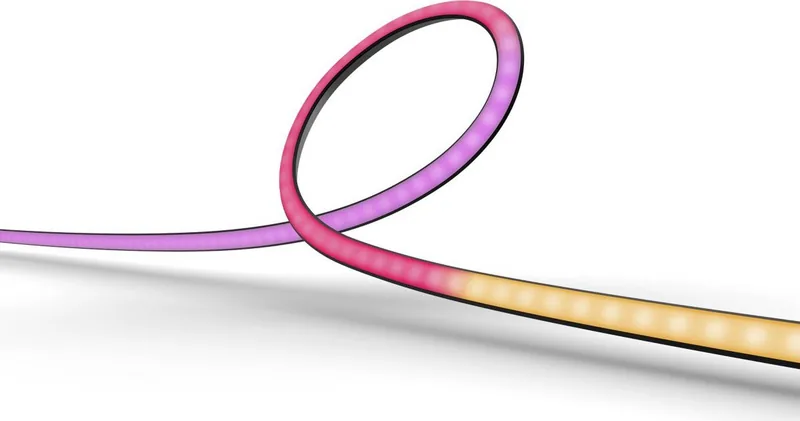
Transform your entertainment space into a cinematic haven with the Philips Hue Play Gradient LightStrip. This advanced lighting solution is designed specifically to sync with your TV screen, creating an ambient glow that extends beyond the edges of your display. The gradient technology allows for smooth color transitions that mimic the content on your screen, providing a depth and realism that standard backlights simply cannot achieve.
The product features a unique strip design that adapts to various monitor sizes, ranging from 32 to 34 inches. It utilizes a sophisticated sensor system to detect colors in real-time, ensuring that every scene you watch is bathed in perfectly matched hues. Whether you are gaming, watching movies, or streaming your favorite shows, the light creates a seamless extension of the visual experience, reducing eye strain while enhancing immersion.
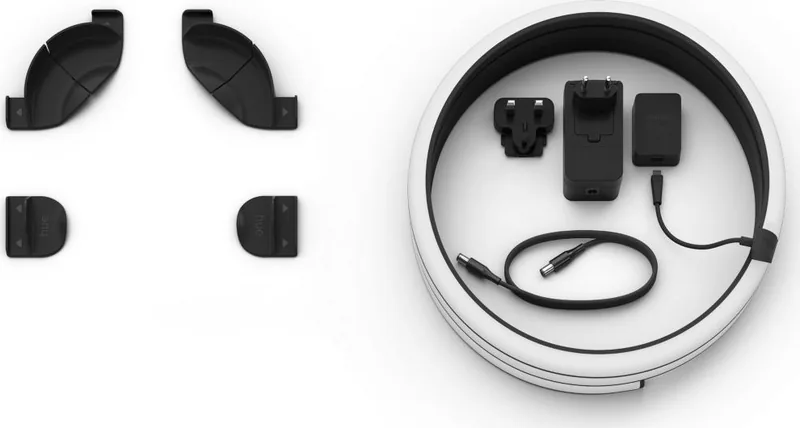
Installation is straightforward and requires no complex wiring. The strip attaches easily behind your monitor using adhesive backing, and the included hub connects directly to your home network via Wi-Fi or Zigbee. Once set up, you can control the lights through the intuitive Philips Hue app, allowing you to adjust brightness, select specific scenes, or enable automated routines that turn the lights on when you start your PC. The ability to integrate with voice assistants like Alexa, Google Assistant, and Apple HomeKit adds another layer of convenience to your smart home ecosystem.
Beyond entertainment, this lightstrip offers versatility for any room. You can use it as a stylish accent light for a desk setup or create dynamic party modes for gatherings. The high-quality LEDs ensure long-lasting performance with vibrant colors that remain consistent over time. By combining cutting-edge technology with sleek design, the Philips Hue Play Gradient LightStrip stands out as a premium choice for anyone looking to elevate their digital environment.
Note: Ensure your monitor size falls within the recommended range for optimal fit. Always refer to the official manual for detailed safety guidelines and troubleshooting steps.
Search for 67,706 Manuals online


Type-in Brand or Model