
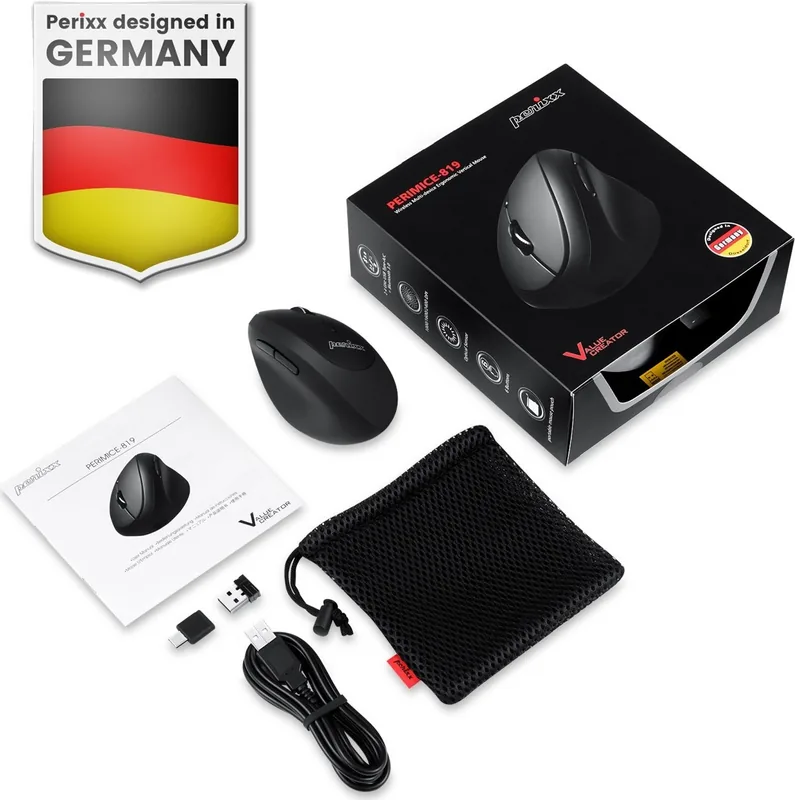

Perixx PERIMICE-819 Manual
PDF manual · 23 Pages
English



Quick check
Incorrect answer, please try again.
Ask a Question
Do you recommend PERIMICE-819?
Yes NoFrequently Asked Questions
Yes, it is fully compatible with both Windows and Mac operating systems.
Is this answer helpful?
Use the button on the bottom to easily toggle between the two connection modes.
Is this answer helpful?
It lasts for months on a single charge depending on your level of usage.
Is this answer helpful?
It is designed primarily for right-handed ergonomics to ensure optimal performance.
Is this answer helpful?
No, it works plug and play on most systems without needing extra drivers.
Is this answer helpful?
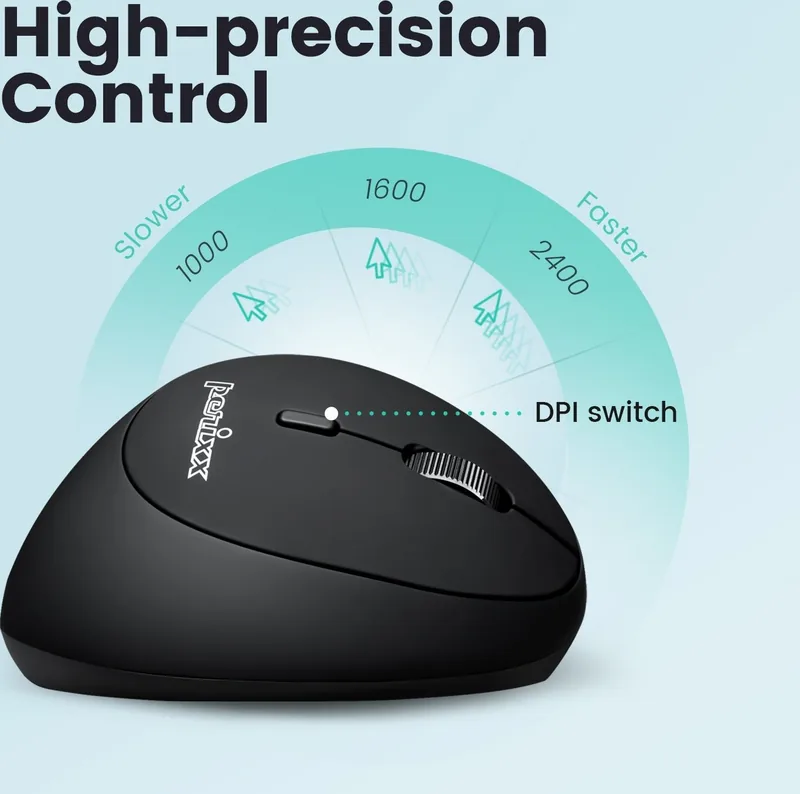
It features adjustable DPI settings to customize mouse tracking speed for tasks.
Is this answer helpful?
Advantages and Disadvantages
Advantages

- Ergonomic vertical design reduces wrist strain
- Dual connectivity with Bluetooth and USB
- Long battery life for extended use
- Compatible with Windows and Mac
- Silent click mechanism for quiet work
Disadvantages

- Requires adjustment period for vertical shape
- May be too large for small hands
- No RGB lighting options
- Price higher than basic mice
- Right-handed design limits left users
Product Specification
Compatibility
Right Hand (Vertical)
Buttons
6 (total), 2 (main), 1 (top), 2 (left), 1 (scroll wheel click)
Scroll Wheel
1x 2-Way
Tracking
Red LED/IR
Resolution
2400dpi, reducible to 1600/1000dpi
Polling Rate
125Hz (Wireless 2.40GHz); 90Hz (Wireless Bluetooth)
Lighting
N/A
Connectivity
Wireless (2.40GHz), USB-A (USB-A Receiver) or Wireless (Bluetooth 3.0, Bluetooth 5.0)
Power Supply
Battery (Built-in, 300mAh)
Dimensions (WxHxD)
2.64x2.28x4.13 in
Approximate Volume
6.53 in^3 (approximate shape)
Color
Solid, Black, Logo
Features
Thumb rest, storable receiver
Product Description
Product Overview
Welcome to the world of ergonomic computing with the Perixx PERIMICE-819 Wireless Ergonomic Vertical Mouse black, USB/Bluetooth Manual. This device is meticulously designed for professionals who constantly suffer from wrist strain or carpal tunnel syndrome. The innovative vertical design aligns your hand in a natural handshake position, reducing pronation stress significantly during long work hours. Unlike traditional mice, this model encourages a neutral wrist posture that is vital for long-term muscle health and injury prevention. It is a popular choice for office workers seeking comfort.
Wireless Features
Wireless connectivity is a standout feature here that enhances user flexibility across different environments. You can switch between Bluetooth and USB receiver modes effortlessly with a single button press. This dual connection technology allows for seamless interaction with multiple devices like laptops or desktops simultaneously. The battery life is excellent, ensuring you do not face unexpected interruptions during critical work sessions or busy meetings throughout the day. The sleek black finish adds a professional look to any modern desk setup without clashing with monitor colors or peripherals.
Ergonomic Comfort
Ergonomics are key for long-term health in an increasingly digital world where screen time dominates. Using this vertical mouse helps prevent repetitive strain injuries effectively over extended periods. The textured side buttons offer additional customization for power users who need extra shortcuts for complex tasks. Navigation becomes smooth with adjustable DPI settings that suit various specific tasks like graphic design or coding. You will find yourself working longer without fatigue building up in your forearm or wrist area quickly. Many users report a significant reduction in pain after switching to this specific model from standard flat mice previously. The installation process is straightforward with the included manual guide for quick setup and configuration.
Performance and Setup
Performance remains consistent under heavy daily use conditions in professional environments. The high-quality optical sensor tracks accurately on various surfaces including glass or standard mouse pads easily. It is fully compatible with both Windows and Mac operating systems without driver hassles. The silent click mechanism is perfect for office environments where noise reduction is necessary for colleagues. You can adjust the scroll speed to match your specific workflow needs quickly. Make sure to download the manual for detailed configuration options.
Conclusion
Overall, this mouse represents a vital commitment to health and productivity in the modern home office. It is a smart investment for anyone typing or mousing all day long in demanding roles. Avoid the temptation of standard flat mice if pain is already a concern during work. The PERIMICE-819 offers relief and reliability you can depend on daily for years. Upgrade your workspace today for better health outcomes and improved efficiency in your daily professional tasks.
Search for 67,732 Manuals online


Type-in Brand or Model
Megane Armstrong
5 months ago
Can the battery be charged while the mouse is in use, and does it come with a USB-C receiver?
Manual.ly
5 months ago
Yes, you can recharge the battery while using the mouse. The package includes two receivers: one USB-A and one USB-C, ensuring compatibility with various devices. Connection options support both wireless and Bluetooth modes.