

Perixx PERIMICE-719 L Manual
PDF manual · 13 Pages
English



Quick check
Incorrect answer, please try again.
Chat with your Perixx PERIMICE-719 L manual using AI
Get instant AI answers from your Perixx PERIMICE-719 L manual
Ask anything about the Perixx PERIMICE-719 L. Answers come from this manual, with the pages they are based on.
Ask a Question
Do you recommend PERIMICE-719 L?
Yes NoFrequently Asked Questions
Yes. The PERIMICE-719 L is designed specifically for left-handed operation, with an ergonomic form and button placement intended for the left hand.
Is this answer helpful?
It uses a 2.4 GHz wireless receiver. Store the receiver in the built-in compartment when transporting the mouse or when it is not being used.
Is this answer helpful?
The mouse provides 800, 1200, and 1600 DPI settings. Press the DPI switch to change sensitivity. The LED flashes once, twice, or three times to show the selected level.
Is this answer helpful?
It has seven buttons, including primary and secondary click buttons, a scroll wheel with middle click, forward and back navigation buttons, and a DPI switch.
Is this answer helpful?
It requires one AA battery. A flashing LED serves as a low-battery indicator, and the power switch can be used to reduce battery use when the mouse is idle.
Is this answer helpful?
The stated operating system requirement is Windows 7 or later. Check your computer settings and available receiver port before use.
Is this answer helpful?
Advantages and Disadvantages
Advantages

- Purpose-built ergonomic shape for left-handed users.
- Seven-button layout includes back, forward, scroll, and DPI controls.
- Three DPI settings: 800, 1200, and 1600.
- 2.4 GHz wireless receiver includes onboard storage.
- Low-battery indicator and power switch help manage AA battery use.
Disadvantages

- Designed only for left-handed users.
- Requires one AA battery rather than using a rechargeable internal battery.
- 125 Hz report rate is aimed at everyday productivity, not high-speed gaming.
- Compatibility is specified for Windows 7 or later.
- Vertical ergonomic shapes may require an adjustment period.
Product Specification
Suitability
left hand (vertical)
Buttons
6 (total), 2 (main), 1 (top), 2 (right), 1 (scroll wheel click)
Scroll wheel
1 x 2-way
Sensor
red LED/IR
Resolution
1,600 dpi, reducible to 1,200/800 dpi
Lighting
N/A
Connection
wireless (2.4 GHz), USB-A (USB-A receiver)
Power supply
1 x AA
Dimensions (W x H x D)
2.64 x 2.64 x 4.13 in
Approximate volume
7.51 in3 (approximate shape)
Weight
3.6 oz
Color
solid color, black, logo
Special features
thumb rest, reduced click noise, stowable receiver
Product Description
Perixx PERIMICE-719 L Ergonomic Left-Handed Mouse, USB - Read, Download & Print Free
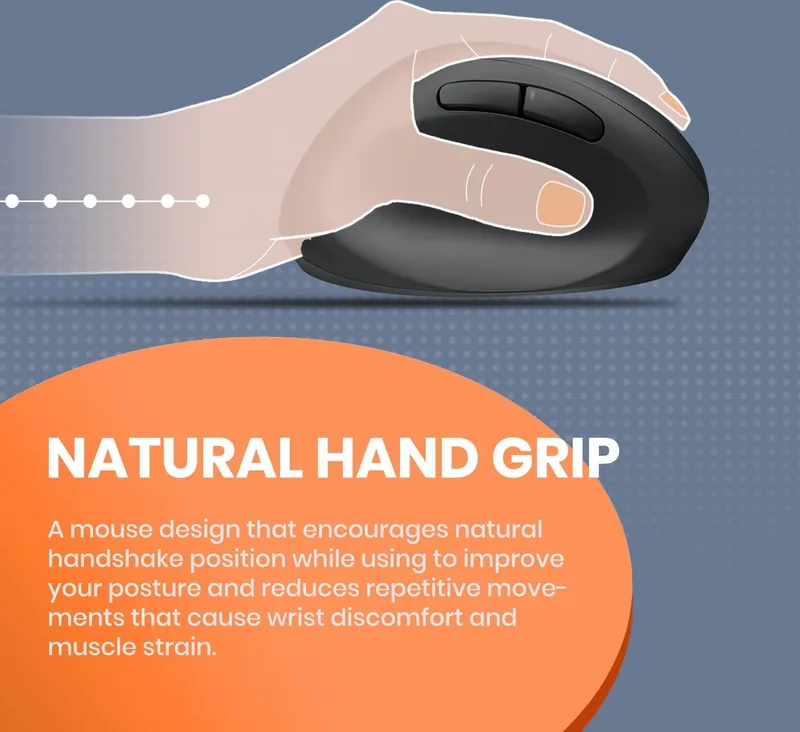
The Perixx PERIMICE-719 L is a left-handed ergonomic mouse created for users who want a more natural hand position during everyday computer work. Its vertical-style contour supports the hand in a handshake-like posture, helping left-handed users move away from the flat shape common to standard mice. It is a practical choice for office tasks, browsing, home computing, and other routines that involve long periods of pointing and clicking.
Designed exclusively for left-handed operation, this mouse places its primary and secondary buttons where they are easy to reach with the left hand. It also includes a scroll wheel with middle-click functionality, plus forward and back buttons for convenient navigation in browsers and supported applications. With seven buttons in total, the layout gives users useful controls without making the mouse feel overly complicated.
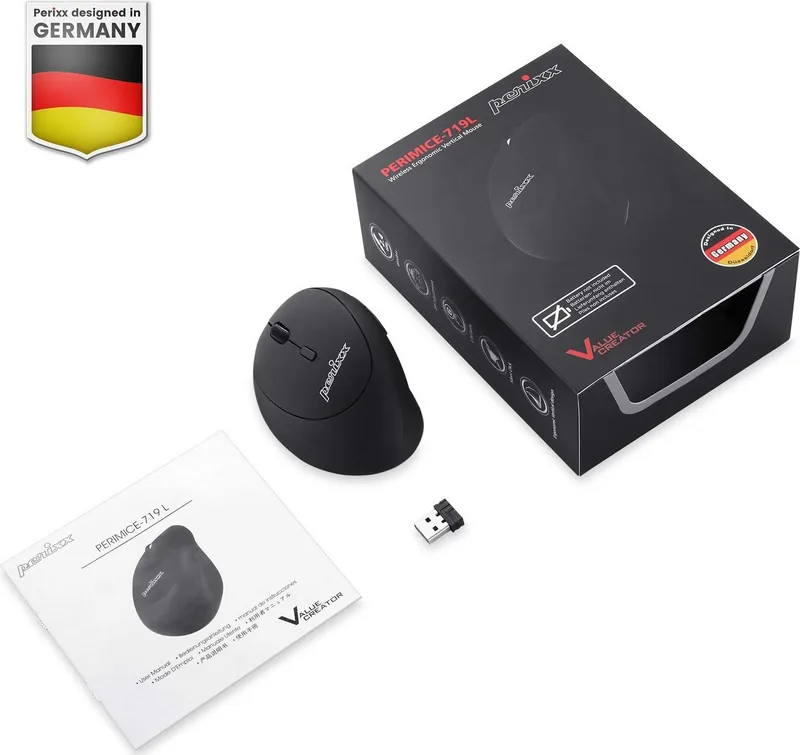
Wireless connectivity is handled through a 2.4 GHz receiver, allowing a clean desk setup without a trailing cable. The receiver can be stored inside the mouse when it is not in use, which is helpful for travel or keeping small accessories together. A bottom power switch lets users turn the mouse off when carrying it or when they want to conserve battery power.
The PERIMICE-719 L offers three selectable sensitivity settings: 800, 1200, and 1600 DPI. A dedicated DPI switch makes it simple to adjust cursor movement for detailed spreadsheet work, ordinary desktop use, or faster navigation across larger displays. LED flashes indicate the selected level: one flash for 800 DPI, two for 1200 DPI, and three for 1600 DPI.
At 105 x 67 x 58 mm and 81 g, the mouse has a compact, manageable profile for many workspaces. It uses one AA battery and includes a low-battery indicator that flashes when power is running low. The stated tracking speed is 30 IPS, maximum acceleration is 10G, and the report rate is 125 Hz. Its ABS construction and rated durability of one million button presses support regular day-to-day use.
Notes
The mouse is specified for Windows 7 or later. For comfortable use, allow time to adapt to the ergonomic angle and take regular breaks during extended computer sessions. Keep the device dry, avoid drops, and clean it with a dry cloth or soft brush.
Search for 67,732 Manuals online


Type-in Brand or Model