
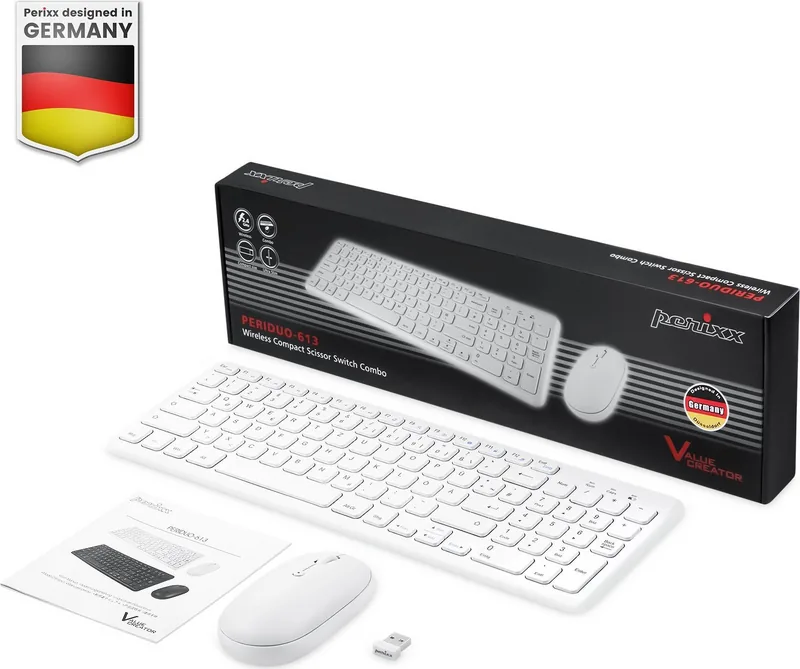
Perixx Periduo-613 Manual
PDF manual · 30 Pages
English



Quick check
Incorrect answer, please try again.
Chat with your Perixx Periduo-613 manual using AI
Get instant AI answers from your Perixx Periduo-613 manual
Ask anything about the Perixx Periduo-613. Answers come from this manual, with the pages they are based on.
Ask a Question
Do you recommend Periduo-613?
Yes NoFrequently Asked Questions
This wireless keyboard and mouse set is compatible with Windows 7 and all later versions of the Windows operating system. It works seamlessly without requiring additional software installation.
Is this answer helpful?
To reconnect, insert fresh batteries, turn on the device, and press specific key combinations. For the keyboard, press ESC and Q simultaneously until the light blinks, then release and plug in the receiver. For the mouse, press the scroll wheel and right button together before inserting the receiver.
Is this answer helpful?
Yes, the mouse features adjustable DPI settings. You can switch between 1200, 1600, and 4800 DPI to suit different tasks, whether you need precision for detailed work or speed for gaming and browsing.
Is this answer helpful?
Both the keyboard and the mouse require standard AA batteries. These are typically sold separately and provide a convenient power source for portable use.
Is this answer helpful?
Yes, the keyboard uses membrane technology with a travel distance of about 2mm, offering a comfortable and quiet typing experience suitable for long sessions of document creation or data entry.
Is this answer helpful?
No, the mouse included in the Perixx Periduo 613 does not have extra programmable side buttons. It focuses on essential functions like left-click, right-click, scroll wheel, and DPI adjustment.
Is this answer helpful?
Advantages and Disadvantages
Advantages

- Easy plug-and-play wireless setup with no drivers needed
- Adjustable DPI settings (1200/1600/4800) for custom mouse speed
- Multimedia function keys for quick media and volume control
- Durable membrane keyboard with quiet keystrokes
- Compatible with Windows 7 and later operating systems
Disadvantages

- Keyboard uses membrane switches which may lack clicky feedback
- Mouse lacks programmable side buttons for advanced users
- Battery life depends on usage and requires regular AA replacements
- Fixed cable length for the USB receiver might limit placement options
- Only supports Windows OS, limiting cross-platform utility
Product Specification
Package Contents
Mouse, Keyboard
Layout
US
Connection
Wireless (2.40GHz)
Tracking (Mouse)
LED-red/IR 1600dpi, reducible to 1200/800dpi
Features
Numpad, Chiclet
Product Description
Discover the Perixx Periduo 613: The Ultimate Wireless Combo
The Perixx Periduo 613 is a versatile wireless keyboard and mouse set designed to enhance your daily computing experience. This combo offers a seamless blend of functionality and comfort, making it an ideal choice for both home offices and professional workspaces. Whether you are typing long documents or navigating through complex spreadsheets, this device ensures precision and ease of use.
A Seamless Wireless Experience
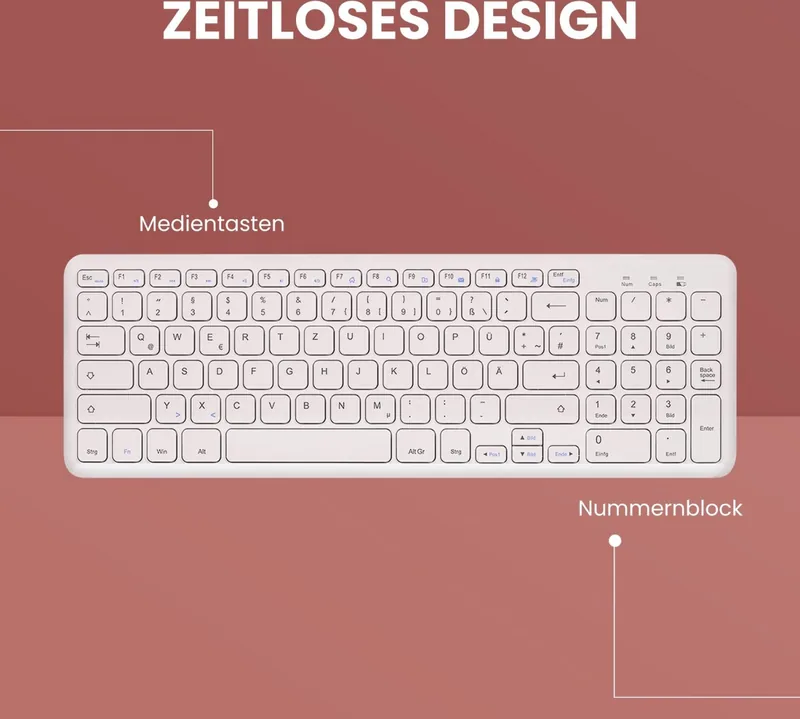
Connectivity is effortless with the included USB receiver. Simply plug it in, insert the batteries, and start working immediately without any complicated driver installations. The wireless range allows you to sit back comfortably while maintaining a stable connection. The keyboard features a full-sized layout with 96 keys, utilizing membrane technology for a quiet and responsive typing feel. Each key has a travel distance of approximately 2 millimeters, providing tactile feedback that satisfies typists who prefer a soft touch.
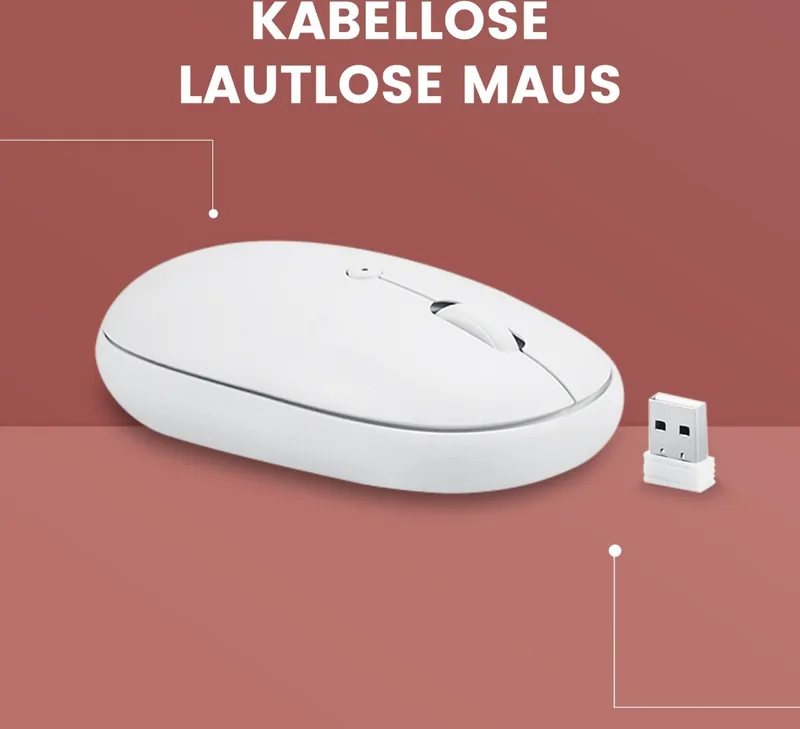
The accompanying mouse complements the keyboard perfectly with its ergonomic design. It supports adjustable DPI settings ranging from 1200 to 4800, allowing you to switch between slow, precise movements and fast cursor speeds depending on your task. The high report rate ensures smooth tracking on various surfaces, while the durable switches can withstand up to one million clicks. Three LED indicators provide clear status updates for Num Lock, Caps Lock, and battery levels, keeping you informed at all times.
Versatile Functionality
One of the standout features of the Perixx Periduo 613 is its multimedia capabilities. The function keys allow you to control media players, adjust volume, mute audio, and access favorites directly from your keyboard. This convenience means you do not need to interrupt your workflow to manage music or videos. The system requirements are minimal, supporting Windows 7 and above, ensuring broad compatibility with most modern computers.
Built with durability in mind, the materials used include ABS plastic, which is resistant to wear and tear. The set operates on standard AA batteries, offering a cost-effective power solution. Always remember to keep the devices away from extreme temperatures and liquids to maintain their longevity. With the Perixx Periduo 613, you get a reliable, efficient, and user-friendly peripheral set that meets the demands of everyday computing tasks.
Search for 67,732 Manuals online


Type-in Brand or Model