

Perixx Periduo-610 Manual
PDF manual · 30 Pages
English



Quick check
Incorrect answer, please try again.
Chat with your Perixx Periduo-610 manual using AI
Get instant AI answers from your Perixx Periduo-610 manual
Ask anything about the Perixx Periduo-610. Answers come from this manual, with the pages they are based on.
Ask a Question
Do you recommend Periduo-610?
Yes NoFrequently Asked Questions
The device is compatible with Windows 7 and all subsequent versions. It works plug-and-play without requiring additional drivers.
Is this answer helpful?
For the keyboard, insert batteries, turn it on, press ESC and Q simultaneously until the LED flashes, then release and insert the receiver. For the mouse, press the scroll wheel and right button together while inserting the receiver.
Is this answer helpful?
The maximum ambient temperature during operation should not exceed 40 degrees Celsius to ensure safe usage and prevent damage.
Is this answer helpful?
Yes, the mouse supports speeds up to 4800 DPI and has a high report rate, making it suitable for casual gaming and general navigation.
Is this answer helpful?
No, the Perixx Periduo 610 uses a standard 2.4GHz wireless receiver and requires no special software installation.
Is this answer helpful?
You will need four AAA batteries in total: two for the keyboard and two for the mouse.
Is this answer helpful?
Advantages and Disadvantages
Advantages

- Dedicated multimedia keys for easy volume and media control
- Adjustable DPI settings (1200/1600/4800) for versatile mouse speed
- Long battery life with standard AAA power source
- Durable ABS construction with 3 million keystroke lifespan
- Simple 2.4GHz wireless connection with one USB receiver
Disadvantages

- Membrane keyboard may lack tactile feedback for typists preferring mechanical switches
- No backlit keys for use in low-light environments
- Mouse lacks programmable side buttons for advanced customization
Product Specification
Package Contents
Mouse, Keyboard
Layout
US
Connection
Wireless (2.40GHz)
Sensor (Mouse)
LED-red/IR 1600dpi, reducible to 1200/800dpi
Features
Numeric keypad, Chiclet
Product Description
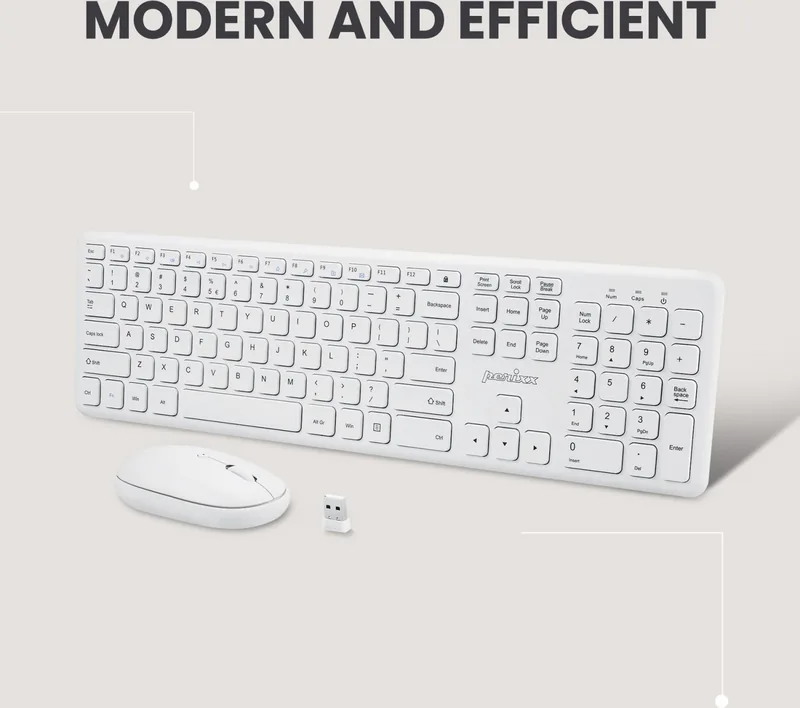
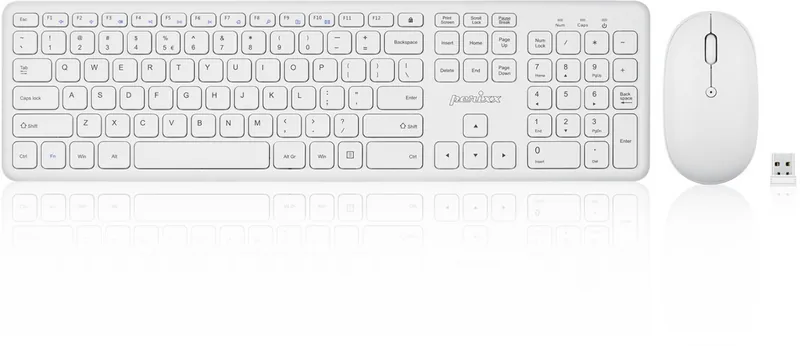
Discover the Perixx Periduo 610 Wireless Combo
The Perixx Periduo 610 is a versatile wireless input solution designed for users seeking a seamless blend of functionality and comfort. This combo features a full-sized membrane keyboard and an ergonomic optical mouse, both connecting effortlessly via a single USB receiver. The design prioritizes ease of use with dedicated multimedia keys that allow you to control volume, play media, and launch applications without breaking your workflow.
The keyboard boasts a standard layout with 107 keys, offering a comfortable typing experience with a key travel distance of 2.35mm. It supports Windows 7 and above, ensuring broad compatibility across most modern systems. The durable ABS construction guarantees longevity, with a lifespan of up to 3 million keystrokes. Its compact dimensions of 432 by 121 millimeters make it suitable for any desk setup while maintaining a professional aesthetic.
Paired with the keyboard is a high-precision wireless mouse featuring adjustable DPI settings of 1200, 1600, and 4800. This flexibility allows users to switch between slow, precise movements for detailed work and fast sweeps for gaming or navigation. The mouse also includes a maximum acceleration of 16G and a report rate of 125Hz for responsive tracking. Like the keyboard, it runs on AAA batteries and connects via a 2.4GHz wireless interface, providing a reliable connection range of up to 10 meters.
Both devices are powered by two AAA batteries each, eliminating the need for constant charging. The system includes intuitive pairing instructions, allowing you to reconnect devices quickly if the signal is lost. Whether for office productivity, casual browsing, or light creative tasks, the Perixx Periduo 610 delivers consistent performance in a sleek, user-friendly package.
Important Usage Notes
To ensure the longevity of your device, avoid exposing it to extreme temperatures above 40 degrees Celsius. Do not disassemble the unit or expose it to liquids. Clean only with a dry cloth or soft brush. Keep open flames away from the product to prevent fire hazards.
Search for 67,732 Manuals online


Type-in Brand or Model