

Perixx Periboard-210 Manual
PDF manual · 21 Pages
English



Quick check
Incorrect answer, please try again.
Ask a Question
Do you recommend Periboard-210?
Yes NoFrequently Asked Questions
Yes, the keyboard works seamlessly with macOS systems without requiring additional drivers.
Is this answer helpful?
No, the Perixx Periboard-210 does not feature built-in backlighting for the keys.
Is this answer helpful?
The cable length is standard but may vary slightly depending on the manufacturing batch.
Is this answer helpful?
It is suitable for casual gaming but may not offer the speed required for competitive play.
Is this answer helpful?
The dimensions are approximately 432mm in width and 121mm in depth.
Is this answer helpful?
Advantages and Disadvantages
Advantages

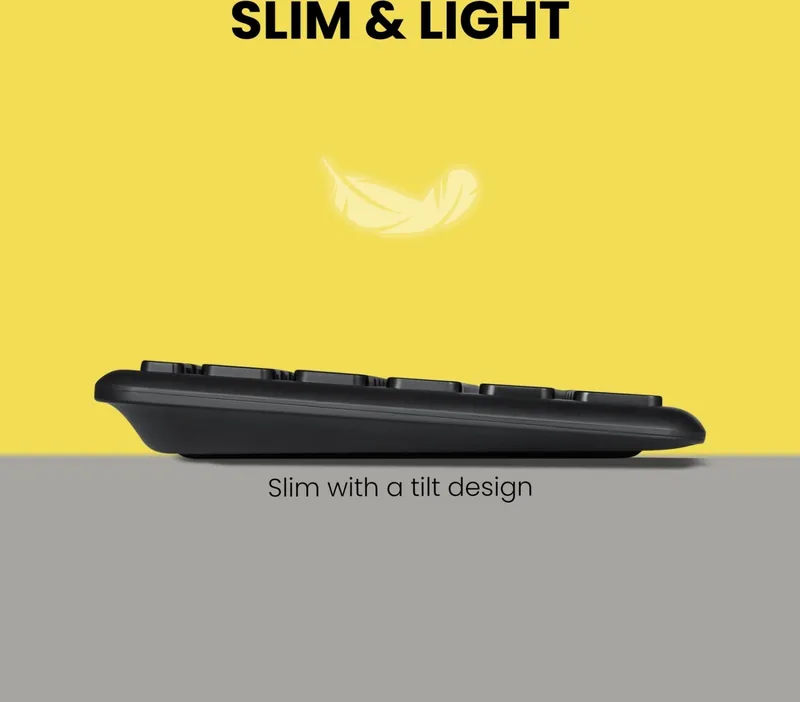
- Ergonomic design reduces hand strain
- Plug-and-play compatibility with multiple OS
- Compact size saves desk space
- Dedicated function keys for quick access
- Sleek and professional appearance
Disadvantages

- No backlighting for low-light environments
- Basic cable length may limit placement options
- Non-mechanical keys lack premium feel
Product Specification
Type
Rubber Dome
Lighting
N/A
Keycap Level
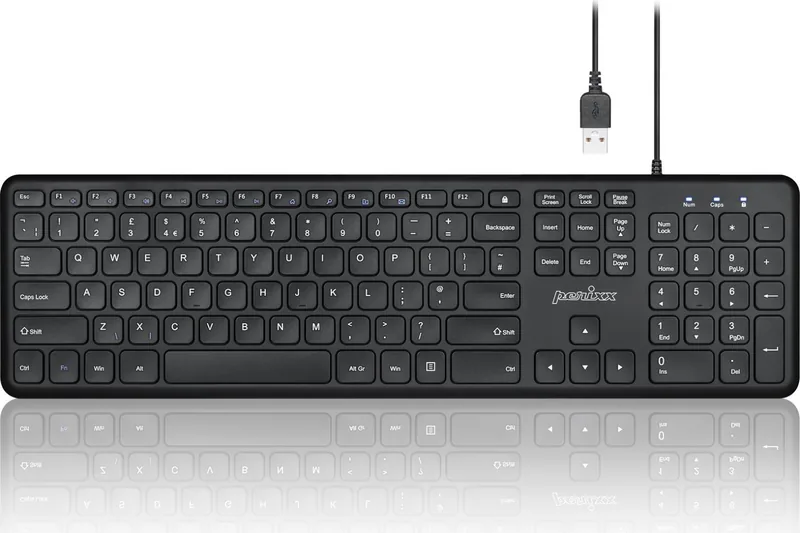
regular, with frame, chiclet
Keycap Format
flat
Keycap Crown
straight
Numeric Keypad
Standard
Cursor Block
Standard
Control Keys
Standard
Enter Key
shortened
Delete Key
Standard
Status Indicator
Capslock, Num, Scroll
Wrist Rest
N/A
Chassis
Plastic
Chassis Color
solid, black
Keycap Finish
solid, black
Key Legend
solid, white
Power Supply
USB
Dimensions (WxDxH)
17.01x0.75x4.76in
Weight
13.05oz
Features
Fn Key
Product Description
Discover the Perixx Periboard-210 for Seamless Typing
The Perixx Periboard-210 stands out as a versatile input device designed to meet the diverse needs of modern users. This keyboard combines functionality with a compact design, making it an excellent choice for home offices, small workspaces, and casual gaming setups. Its layout is intuitive, ensuring that users can navigate through tasks with ease while maintaining high productivity levels throughout the day.
One of the standout features of this model is its ergonomic consideration. The keys are spaced comfortably to reduce strain during extended typing sessions. Whether you are writing documents, managing spreadsheets, or engaging in light gaming, the tactile feedback provided by the keys ensures a satisfying experience. The inclusion of dedicated function keys allows for quick access to essential commands, streamlining your workflow without the need for complex key combinations.
The Perixx Periboard-210 also prioritizes compatibility across various platforms. It connects effortlessly to computers running different operating systems, allowing for a plug-and-play setup that requires minimal configuration. This adaptability makes it a reliable companion for both personal and professional environments where flexibility is key. Users appreciate the straightforward installation process, which eliminates the frustration often associated with driver updates or complex setup procedures.
Beyond its core functionality, the keyboard boasts a sleek aesthetic that complements any desk setup. The clean lines and subtle design elements ensure it looks professional yet approachable. For those who value both form and function, the Periboard-210 delivers on both fronts. It serves as a practical tool that enhances efficiency while adding a touch of style to your workspace.
In summary, the Perixx Periboard-210 offers a balanced mix of performance, comfort, and design. It is an ideal solution for anyone seeking a dependable keyboard that handles everyday computing tasks with grace. By focusing on user experience and reliability, this product continues to be a popular choice among tech enthusiasts and casual users alike.
Important Notes
- Ensure the surface is flat for optimal performance.
- Regular cleaning helps maintain key responsiveness.
- Keep away from liquids to prevent damage.
Search for 67,732 Manuals online


Type-in Brand or Model