

Perixx Periboard-106 Manual
PDF manual · 12 Pages
English



Quick check
Incorrect answer, please try again.
Chat with your Perixx Periboard-106 manual using AI
Get instant AI answers from your Perixx Periboard-106 manual
Ask anything about the Perixx Periboard-106. Answers come from this manual, with the pages they are based on.
Ask a Question
Do you recommend Periboard-106?
Yes NoFrequently Asked Questions
The product specifications explicitly list Windows 7 or later as the requirement. While it may function on Mac via USB it is designed for Windows.
Is this answer helpful?
The keyboard weighs approximately 790 grams providing a stable base without excessive mobility during use.
Is this answer helpful?
The cable length is specified as 1800 mm which allows for flexible positioning of the unit relative to the computer tower.
Is this answer helpful?
The keys are rated for ten million keypresses according to the product durability specifications provided in the manual.
Is this answer helpful?
Yes while the US version has 104 keys there are variations available for EU and JP layouts as well.
Is this answer helpful?
The device operates effectively between 0 to 40 degrees Celsius and can be stored between -20 to 60 degrees Celsius.
Is this answer helpful?
No it is a membrane keyboard which uses a rubber dome system rather than individual mechanical switches for each key.
Is this answer helpful?
Advantages and Disadvantages
Advantages

- Durable membrane switches rated for 10 million keypresses for long-term reliability
- Full-sized layout with numeric keypad ideal for data entry and office work
- USB Type-A plug and play compatibility with Windows 7 and later OS versions
- Solid ABS plastic construction ensures resistance to daily wear and tear
- Comfortable typing experience with optimized actuation travel distance of 2.79 mm
Disadvantages

- Single fixed cable length of 1800 mm limits placement flexibility for some desks
- Membrane switch technology may lack the tactile feel some gamers prefer
- No programmable keys or macro functionality included in standard model
- Non-backlit keys may be difficult to use in low light environments
- Bulky footprint at 456 mm width may require significant desk space
Product Specification
Layout
US
Type
Rubber Dome
Backlight
N/A
Keycap Height
Standard, with frame
Keycap Type
Standard
Keycap Profile
Concave
Numpad
Standard
Arrow Keys
Standard
Control Keys
Standard
Enter Key
Short
Delete Key
Standard
Status Indicator
Caps Lock, Num Lock, Scroll Lock
Wrist Rest
N/A
Housing
Plastic
Connection
Wired (59.06 inches), USB-A 2.0
Power
USB
Dimensions (WxHxD)
17.95x1.34x6.65 inches
Weight
1.72 lbs
Features
FN Key
Product Description
The Perixx Periboard-106: A Solid Choice for Everyday Typing
When it comes to reliable input devices the Perixx Periboard-106 stands out as a robust solution for office workers and casual gamers alike. This wired full-sized membrane keyboard is designed to provide consistent performance across a wide range of tasks. Whether you are balancing spreadsheets or typing out reports the tactile feedback provided by this unit ensures accuracy. If you are looking for details regarding the Perixx Periboard-106 US Manual or general specifications this overview covers the essentials of what makes this device a staple for desktop setups. It represents a practical approach to peripheral hardware without unnecessary frills.
Ergonomics and Build Quality
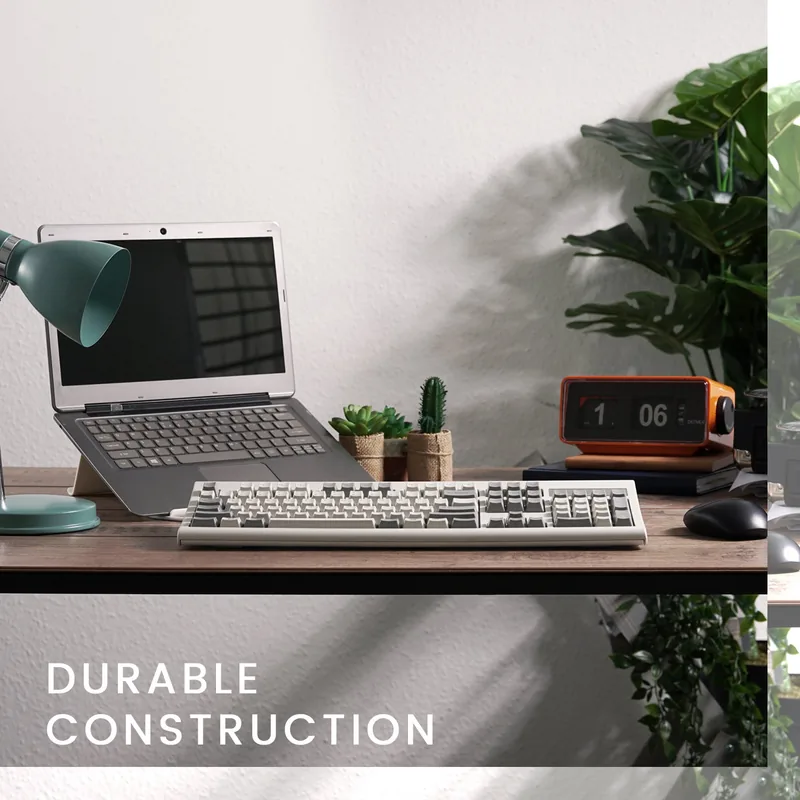
The keyboard features a classic full-sized layout with a number pad ensuring you have every key at your fingertips for data entry tasks. Constructed from durable ABS plastic the chassis is built to withstand daily wear and tear in busy work environments. The dimensions measure approximately 456 mm in length and 169 mm in width with a slim profile height that fits comfortably under monitor stands. Despite its sturdy build it weighs in at around 790 grams offering enough heft to prevent sliding during aggressive typing without being too heavy to move around when necessary. The cable attaches securely at the top center maintaining a tidy desk appearance.
Technical Specifications
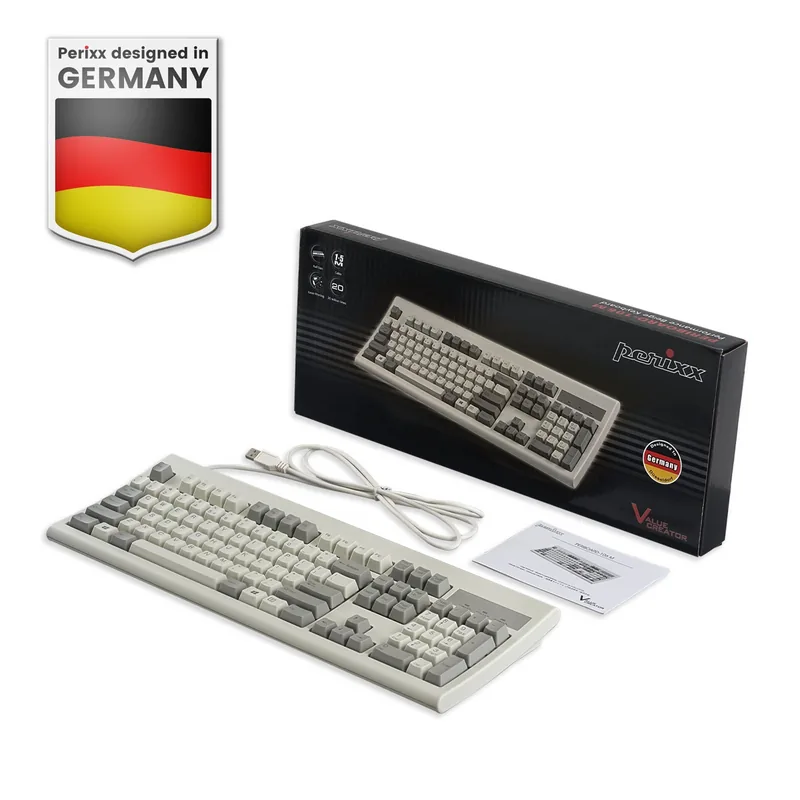
One of the standout features is the membrane switch technology. Unlike mechanical switches membrane keys offer a softer feel which many users prefer for long typing sessions where silence is key. The actuation travel is set at roughly 2.79 mm with a total travel distance of 3.81 mm. This design supports a lifespan of ten million keypresses ensuring a robust experience for users daily. The interface relies on a standard USB Type-A connection making it plug-and-play compatible with Windows 7 and later operating systems. The included cable runs to 1800 mm giving you ample flexibility to position your computer tower several feet away.
Environmental Considerations
The device operates well within standard room temperatures functioning effectively between 0 to 40 degrees Celsius for optimal performance. Storage temperatures can range wider accommodating environments from -20 to 60 degrees Celsius which is beneficial if you need to ship or store the unit for extended periods in various climates. The US layout includes 104 keys providing the standard configuration most North American users expect. For those requiring specific regional layouts variations exist for EU and JP markets ensuring global availability.
Notes on Usage
It is advisable to avoid exposing the unit to extreme moisture. Remember to keep the cable free from sharp bends. Clean gently with a dry cloth to prevent dust accumulation. Check for driver updates if using older OS versions to ensure compatibility. This device offers excellent value for money in a competitive market. Its durability allows for heavy usage without failure. Many users appreciate the straightforward installation process.
Search for 67,732 Manuals online


Type-in Brand or Model