
PeakTech 3450 Manual
PDF manual · 74 Pages
English



Quick check
Incorrect answer, please try again.
Chat with your PeakTech 3450 manual using AI
Get instant AI answers from your PeakTech 3450 manual
Ask anything about the PeakTech 3450. Answers come from this manual, with the pages they are based on.
Ask a Question
Do you recommend 3450?
Yes NoVideo Manual
P3450 PeakTech 3450 - Multímetro con cámara térmica de 80x80px
Frequently Asked Questions
The 3450 offers True RMS DC, AC and AC+DC voltage and current, resistance, capacitance, frequency, duty cycle, diode and continuity tests, plus temperature via K-type probe. It integrates an 80×80 thermal imager (21°×21° FOV) with live DMM overlay and image capture.
Is this answer helpful?
Press HOLD to freeze the display, then press the UP (SAVE) softkey to store a bitmap with measurement overlays to the SD card. Saved images can be reviewed on the device, transferred via Bluetooth to the Thermview+ app or analyzed with PC software.
Is this answer helpful?
The meter is rated CAT III 1000V and CAT IV 600V with pollution degree 2. Current inputs are fused (10A and mA/µA fuses), and the manual warns against exceeding range limits, working in wet conditions, or measuring high-energy installations without proper precautions.
Is this answer helpful?
Thermal sensitivity is <0.1°C NETD; accuracy is specified as ±3°C or ±3% of reading under certain conditions. Emissivity can be set between 0.01 and 0.99 to improve surface temperature accuracy for different materials.
Is this answer helpful?
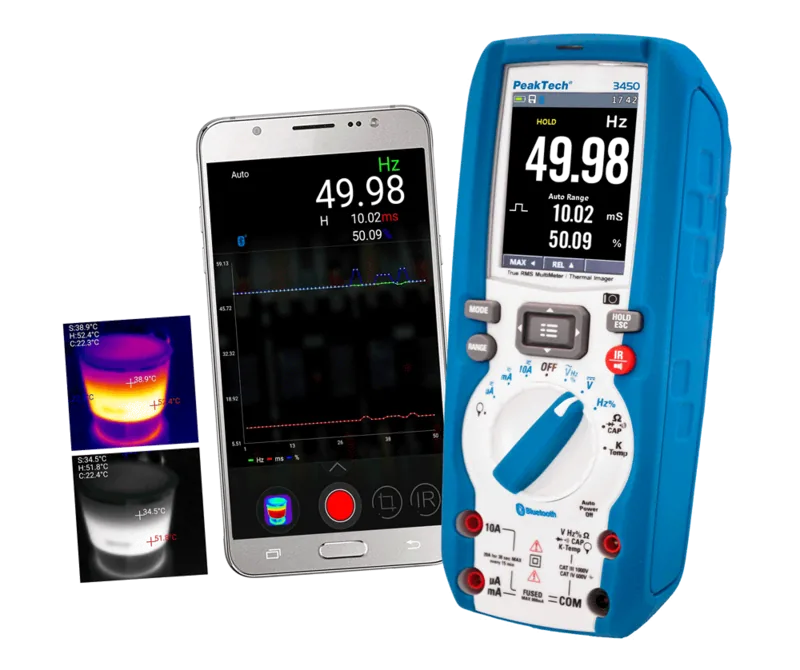
Yes — the device supports Bluetooth 4.0 Low Energy. Install the Thermview+ app (Android/iOS) to connect, transfer images and view live data. PC software is also available for thermal analysis and reviewing saved images.
Is this answer helpful?
Field of view is 21°×21° with IFOV ~4.53 mrad; for accurate spot measurements ensure the target area is larger than the instrument’s D:S requirement (practical D:S is typically 2–3× the theoretical spot size). Small targets at distance may yield inaccurate readings.
Is this answer helpful?
Keep the housing clean with a damp cloth, avoid solvents, remove battery for long storage, and replace fuses with correct ratings. Factory calibration is supplied; annual recalibration is recommended for sustained measurement accuracy.
Is this answer helpful?
Advantages and Disadvantages
Advantages

- Integrated True RMS multimeter and thermal imager with 80×80 IR sensor and 50 Hz frame rate.
- Robust safety ratings: CAT III 1000V / CAT IV 600V, IP65 housing and fused current inputs.
- Bluetooth 4.0 and Thermview+ app for wireless image transfer and PC software for analysis.
- Comprehensive measurement suite: AC/DC TRMS voltage/current, frequency, capacitance, K-type temperature.
- Datalogger, SD image capture, MAX/MIN/PEAK and relative measurement modes for detailed diagnostics.
Disadvantages

- Thermal resolution (80×80) limits fine-detail imaging compared with higher-end IR cameras.
- Accuracy specifications vary by range and conditions; precise work may require frequent calibration.
- 10A current range limited by fuse and time (avoid >30s on 10A measurements to prevent damage).
- Passive IFOV/spot-size requires planning distance for accurate thermal measurements on small targets.
- Battery is rechargeable but limited to a single 7.4V 1500mAh pack—long field sessions may need spare power.
Product Specification
Measurement range
max. 600A, max. 1000V, max. 600kΩ
Scope of delivery
Case, Charger, 1x Battery, Test leads, Temperature sensor, Magnetic holder
Product Description
PeakTech 3450 Wärmebild-Multimeter — PeakTech 3450 Wärmebild-Multimeter Manual
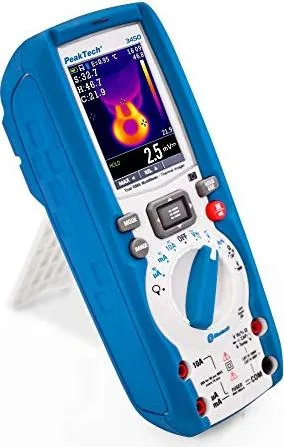
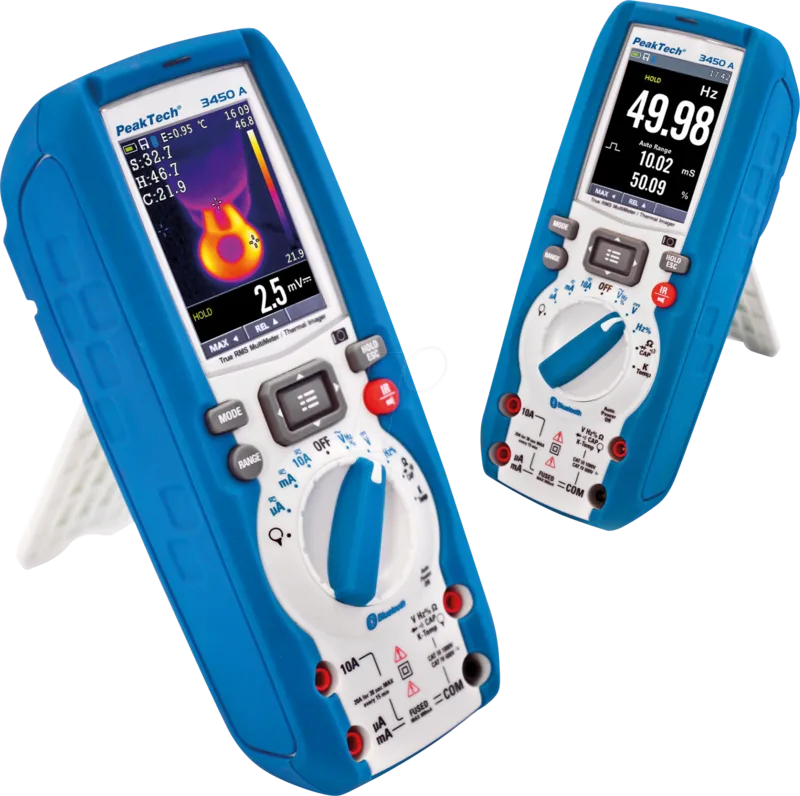
The PeakTech 3450 combines a professional True RMS digital multimeter with an integrated thermal imager, designed for technicians, electricians and field service professionals. With a 2.8" color TFT display, Bluetooth 4.0 connectivity and an 80×80 IR sensor, it merges precise electrical measurements and thermal imaging into one rugged, IP65-rated handheld instrument. The unit supports DC, AC and AC+DC TRMS voltage and current measurements, resistance, capacitance, frequency, diode and continuity tests, plus temperature via a K-type probe. A non-contact voltage (NCV) detector, laser pointer, built-in work light and SD card image capture further expand practical utility.
Built for safety and accuracy, the 3450 meets European directives for electromagnetic compatibility and low-voltage equipment and is rated CAT III 1000V / CAT IV 600V. It features multiple protections and fuses for current ranges, and offers selectable manual or auto-ranging, MAX/MIN/PEAK capture, relative measurements, and a datalogger with configurable sampling intervals. Thermal imaging delivers a 21°×21° field of view, <0.1°C NETD sensitivity, 50 Hz frame rate, and emissivity adjustment for more accurate surface temperature readings across −20°C to +260°C (extended K-probe range available). Images and measurement overlays can be saved to microSD and analyzed later with the Thermview+ app or PC software via Bluetooth.
Ergonomically, the device provides clearly labeled jacks for COM, V, mA and 10A inputs, a rotary function switch, dedicated IR and HOLD/CAPTURE keys, and navigation buttons for menu control. The menu allows palette selection, temperature units (°C/°F/K), emissivity settings, language selection, brightness and auto power-off adjustments. Battery status, SD and Bluetooth indicators are shown on-screen along with temperature crosshairs (center, hot, cold) and a DMM readout below the thermal frame. Factory calibration is provided and annual recalibration is recommended for continued accuracy.
Whether troubleshooting electrical panels, locating thermal anomalies in mechanical systems, or documenting measurements for reports, the PeakTech 3450 offers an integrated workflow: measure, image, save and review. Its combination of thermal and electrical diagnostics, robust safety ratings and data capture features make it a versatile tool for industrial maintenance, HVAC, building inspection and electrical service work.
Notes
- Emissivity adjustment improves thermal accuracy on different materials.
- Use HOLD + SAVE to capture thermal frames with measurement overlays to SD card.
- Observe safety warnings: do not exceed rated voltages, verify fuses, and avoid wet conditions.
- Thermview+ app available for Android and iOS for wireless image transfer and analysis.
Search for 67,706 Manuals online


Type-in Brand or Model