
PeakTech 2040 Manual
PDF manual · 60 Pages
English



Quick check
Incorrect answer, please try again.
Chat with your PeakTech 2040 manual using AI
Get instant AI answers from your PeakTech 2040 manual
Ask anything about the PeakTech 2040. Answers come from this manual, with the pages they are based on.
2040 Maintenance Schedule
The device is factory calibrated. A repeat calibration after 1 year is recommended to ensure accuracy.
Check the device and test leads for insulation damage, cracks, or breaks before every use. Do not measure if damaged.
Clean the case regularly with a damp cloth and mild detergent. Do not use abrasive or corrosive cleaners.
Free maintenance reminders
Timed to your purchase date. Always free, unsubscribe anytime.
Ask a Question
Do you recommend 2040?
Yes NoFrequently Asked Questions
The maximum permissible input voltage is 1000V DC or ACrms. Exceeding this limit can damage the device and cause serious injury.
Is this answer helpful?
Press and hold the REL/USB key briefly until an RS-232 symbol appears in the display. Connect the USB cable to your PC to transmit measurement data.
Is this answer helpful?
The device operates on a 9V battery, specifically NEDA 1604 or 6F22 type. Replace it immediately when the low battery symbol appears to ensure accuracy.
Is this answer helpful?
Yes, it measures temperature from -20°C to +1000°C or -20°F to +1832°F using the included Type-K thermocouple. Ensure safe handling for high temperatures.
Is this answer helpful?
Yes, the device has overload protection. The 10A input is protected by a 10A fuse and the mA input by a 200mA fuse against overcurrent.
Is this answer helpful?
The factory confirms compliance with specifications. However, it is recommended to repeat calibration after one year to maintain high accuracy standards.
Is this answer helpful?
The package includes test leads, a 9V battery, a temperature adapter and probe, a carrying case, the operating manual, and a USB cable with software CD.
Is this answer helpful?
Advantages and Disadvantages
Advantages

- True RMS technology ensures high accuracy for AC measurements.
- High overvoltage category CAT III 1000V enables safe usage in fixed installations.
- USB interface facilitates long-term data recording with PC software.
- Inverted LCD display features a bargraph for trend visualization.
- Service flap allows easy access for battery and fuse replacement.
Disadvantages

- Requires a 9V battery which may need frequent replacement.
- Maximum voltage limit restricts use above 1000V settings.
- Accuracy decreases at higher ranges and frequencies.
- Backlight turns off automatically after fifteen minutes to save power.
- Size and weight may be bulky for pocket-sized portability needs.
Product Specification
Measurement Range
max. 20A, max. 1,000V, max. 200MΩ
Product Description
Expert Evaluation of the PeakTech 2040 True RMS 1000V Digital Multimeter Manual
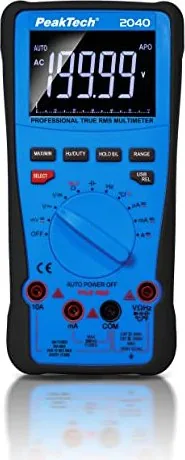
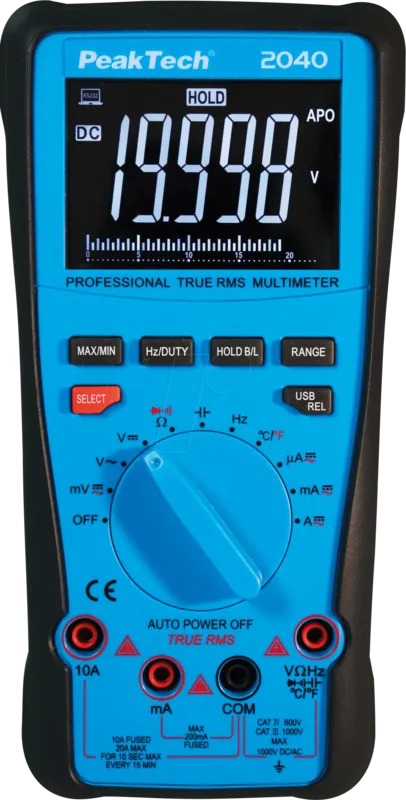
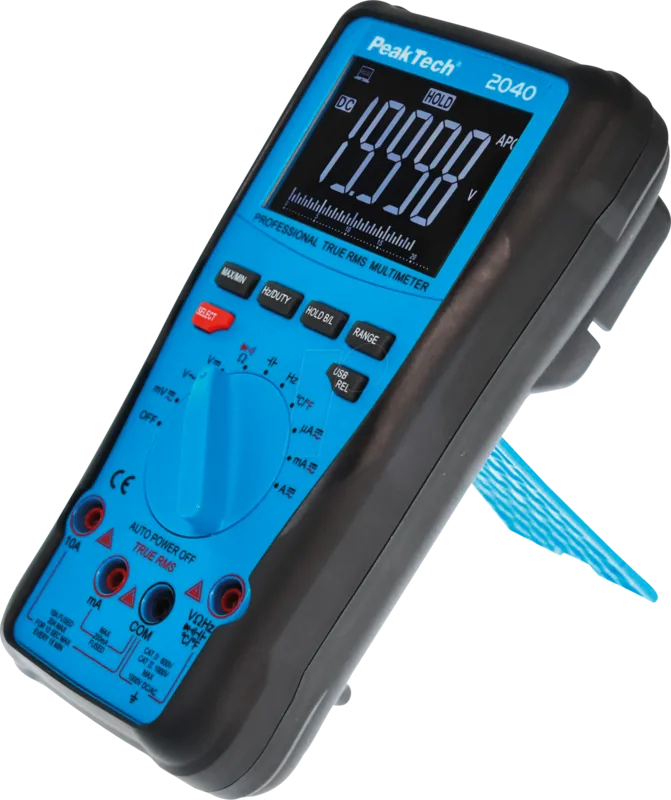
When working with high voltage electrical systems, accurate measurement is critical. The PeakTech 2040 True RMS 1000V Digital Multimeter Manual serves as a comprehensive guide for users looking to master this versatile instrument. This device is designed for professionals in industry and laboratories who require reliable data under demanding conditions. Its robust build features a double-insulated case with a rubber coating, ensuring durability during daily use and rough transport. Power consumption is minimal thanks to efficient design. The unit runs on a 9V battery, making it portable for field work without reliance on external power sources constantly.
Key Features and Capabilities
This multimeter stands out with its high overvoltage category rating of CAT III 1000V. Users can safely measure voltages in fixed installations without fear of injury. The 4 1/2 digit display offers 20000 counts, providing high resolution for small fluctuations. True RMS technology ensures accurate readings for AC voltage and current, even with complex waveforms. A USB interface allows for long-term data recording when connected to PC software, easier for technicians. The inverted LCD with a bargraph helps users see trends. Real time testing and logging is significantly improved for professional workflows.
Operational Safety and Maintenance
Safety is paramount when handling electrical equipment. Operating instructions outline strict guidelines, emphasizing protection against overvoltage and short circuits. Users must ensure test leads are rated for voltage, with a limit of 1000V DC or AC. Regular maintenance includes checking insulation and replacing batteries promptly. The device includes a backlit display which enhances visibility in low-light environments, turning off after fifteen minutes.
Practical Applications
Beyond voltage and current, this tool measures resistance, capacitance, frequency, and temperature. The continuity test includes an audible alarm for quick checks. The included thermocouple allows temperature readings for HVAC or mechanical checks. Frequency measurements support duty cycle analysis, useful for signal monitoring. While the PeakTech 2040 is powerful, users must familiarize themselves with functions before measurement. Adhering to instructions ensures longevity and safety. It features a service flap for internal fuse replacement. It is crucial to verify all connections before starting measurement tasks to ensure data integrity and operator safety during all tasks performed.
Conclusion
Integrating this multimeter into your workflow brings efficiency. Whether for hobbyists or electricians, the combination of accuracy and connectivity makes it a top choice. The carrying case and software CD ensure a complete setup. Always refer to the instructions provided to maximize performance and understand safety protocols fully. You will find this meter highly effective for diverse testing scenarios.
Search for 67,706 Manuals online


Type-in Brand or Model