


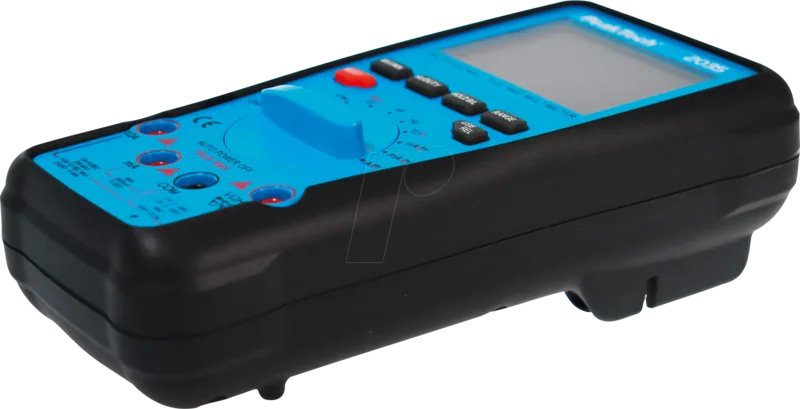
PeakTech 2035 Manual
PDF manual · 61 Pages
English



Quick check
Incorrect answer, please try again.
Chat with your PeakTech 2035 manual using AI
Get instant AI answers from your PeakTech 2035 manual
Ask anything about the PeakTech 2035. Answers come from this manual, with the pages they are based on.
2035 Maintenance Schedule
The manual recommends recalibrating the unit after one year of use to maintain measurement accuracy.
Check the multimeter and test leads for insulation damage, cracks, kinks, or breaks before every use. Do not measure if defects are found.
Clean the casing regularly with a damp cloth and mild detergent. Do not use caustic abrasives.
Replace the battery as soon as the low battery symbol appears to avoid inaccurate readings. Remove it if storing for more than a week.
Free maintenance reminders
Timed to your purchase date. Always free, unsubscribe anytime.
Ask a Question
Do you recommend 2035?
Yes NoFrequently Asked Questions
The device is rated for up to 1000V DC and AC for most ranges, with a safety category of CAT III 1000V for protected installations. Users must never exceed these limits to avoid serious injury or device destruction.
Is this answer helpful?
Yes, it can measure temperature using the supplied Type-K thermocouple probe. The measurement range covers from -20 degrees Celsius to 250 degrees Celsius. Ensure the unit is in the temperature mode before connecting the sensor.
Is this answer helpful?
The device features a USB interface that connects to a PC. Users can install the PeakTech DMM Tool software to record measurement data live. This allows for detailed analysis and saving of results for future reference without manual entry.
Is this answer helpful?
Yes, it offers automatic range selection for convenience. However, it also allows manual range selection via the Range button. Manual selection can increase response time by skipping the auto-search process if the user knows the approximate value.
Is this answer helpful?
It operates on a standard 9V NEDA 1604 battery. Users should replace it immediately when the battery symbol appears on the display to avoid incorrect readings.
Is this answer helpful?
You should never measure capacitance on a live circuit. The capacitor must be discharged first by shorting its pins to prevent electric shock and damage to the multimeter.
Is this answer helpful?
Yes, the device emits an audible signal when the resistance measured is below 50 Ohm, typically around 0.4 mA test current. This helps verify circuit continuity quickly during troubleshooting.
Is this answer helpful?
Advantages and Disadvantages
Advantages

- True RMS measurement ensures accuracy for distorted waveforms and modern electronics.
- Safe for high voltage installations with CAT III 1000V and CAT IV 600V ratings.
- Integrated USB interface allows direct connection to PC for data logging and analysis.
- Inverted backlit LCD display with bar graph for easy reading in various lighting conditions.
Disadvantages

- Requires a standard 9V battery which is consumed and needs regular replacement.
- Temperature probe maximum limit is 250C, which may be insufficient for industrial furnace work.
- Fuse replacement requires unscrewing the back case, which can be time-consuming for on-site repairs.
- Automatic power-off engages after 15 minutes, potentially interrupting long-term unattended monitoring tasks.
Product Specification
Measurement Range
max. 20A, max. 1,000V, max. 60MΩ
Product Description
PeakTech 2035 True RMS 1000V Digital-Multimeter Review
When selecting a tool for electrical diagnostics, professionals and hobbyists alike demand reliability and safety. The PeakTech 2035 True RMS 1000V Digital-Multimeter Manual outlines a robust device designed for versatility. Whether you are working in industrial settings or home labs, this unit stands out for its compliance with EU CE directives including low voltage and electromagnetic compatibility standards.
Safety First with CAT III Ratings
One of the most critical features is its safety classification. The device supports Overvoltage Category III up to 1000V. This means it can handle higher transient voltages found in distribution levels safely. CAT IV is rated at 600V. These categories ensure protection against shocks and device damage during standard electrical work. Users must follow safety warnings such as wearing protective gear and ensuring test leads are correctly connected to avoid shorts.
Advanced Measurement Capabilities
The multimeter offers True RMS measurement for AC voltage and current, ensuring accurate readings even on distorted waveforms. This is vital for modern electronics with variable frequencies. The display is an inverted LCD with 5999 counts, providing clear visibility. It also includes a bar graph for trend analysis. Features like Hold, Min/Max, and Relative measurement modes enhance flexibility during troubleshooting sessions. It can measure DC and AC voltage, resistance, capacitance, diode, continuity, temperature, and frequency.
Connectivity and Power
Data analysis is simplified via the integrated USB interface. This allows connection to PC software for long-term data logging. This is useful for monitoring fluctuations over time without manual entry. Power is supplied by a standard 9V battery. The automatic power-off function helps conserve energy after 15 minutes of inactivity. Users should charge the battery or replace it when the symbol appears on the screen to avoid inaccurate results. Phantom readings may appear when leads are open, which is normal and disappears when shorted.
Maintenance and Accessories
Proper care ensures longevity. The unit uses high-quality fuses accessible through a service flap on the back. Users are advised to check for insulation damage regularly and store the device in dry environments. The included accessories cover test leads, a carrying case, and a thermocouple for temperature measurements ranging from -20C to 250C. Regular cleaning with a damp cloth is recommended for the casing. Always replace fuses with the exact same specifications to maintain safety ratings.
Conclusion
This instrument represents a blend of safety, accuracy, and modern connectivity. It caters to professionals needing dependable tools for diverse electrical tasks while remaining user-friendly for enthusiasts. Remember to consult the manual for detailed calibration advice to maintain peak performance. Always follow safety protocols to prevent damage or injury during measurement tasks.
Search for 67,706 Manuals online


Type-in Brand or Model