
PeakTech 1404 Manual
PDF manual · 68 Pages
English



Quick check
Incorrect answer, please try again.
Chat with your PeakTech 1404 manual using AI
Get instant AI answers from your PeakTech 1404 manual
Ask anything about the PeakTech 1404. Answers come from this manual, with the pages they are based on.
Ask a Question
Do you recommend 1404?
Yes NoFrequently Asked Questions
The PeakTech 1404 model offers 100 MHz analog bandwidth and up to 1 GS/s real-time sampling rate. Bandwidth and sampling vary across the 1400–1404 series; confirm your model before use.
Is this answer helpful?
Match the probe attenuation switch (1X, 10X, etc.) to the oscilloscope channel menu setting. The default probe setting is 10X. Incorrect probe attenuation will give amplitude errors (e.g., 10× or 0.1× readings).
Is this answer helpful?
Yes — the Math menu includes FFT (2048-point transform) with selectable windows (Hamming, Rectangle, Blackman, Hanning, Kaiser, Bartlett). Use Vrms or dB formats and set acquisition/record length (≥10K recommended) for best results.
Is this answer helpful?
Insert a USB drive into the front USB Host port (FAT16/FAT32, cluster ≤4K). Use Utility → Save to store Wave (BIN/TXT/CSV), Configure, or Image (BMP). File names are editable; BIN files can be analyzed with supplied software.
Is this answer helpful?
The oscilloscope is earth-grounded and channels share a common ground. Do not connect probe grounds to different non-isolated potentials. For signals above 42 Vpk or high-power circuits, use insulated probes, disconnect USB and power where required, and follow probe voltage ratings.
Is this answer helpful?
Run Self Cal whenever the ambient temperature changes by 5°C or more, or after prolonged storage. Disconnect all probes before starting the self-calibration procedure to ensure optimal measurement accuracy.
Is this answer helpful?
Download the newer firmware and save it as Scope.update in the root of a FAT-formatted USB drive. Insert the drive, then Utility → Update → Start. Do not power off the instrument or remove the USB drive during the update.
Is this answer helpful?
Advantages and Disadvantages
Advantages

- 100 MHz bandwidth and up to 1 GS/s sampling (model 1404) for detailed signal capture
- Intuitive front-panel controls with Autoset, dedicated vertical/horizontal/trigger knobs
- FFT, math operations and X–Y display enable frequency and phase analysis
- Save/recall of 16 internal waveforms and USB export (BIN/TXT/CSV/BMP) for PC analysis
- Probe compensation output and guided setup, plus self-calibration routine for accuracy
Disadvantages

- Channels share common ground — cannot measure differential signals without isolation
- Probe 1X setting limits bandwidth (to ~5 MHz); proper attenuation required for full bandwidth
- USB drive formatting and file-size limits require FAT16/FAT32 formatting and specific cluster sizes
- Limited record length (10K) compared to high-end scopes — affects long-duration capture detail
- No isolated inputs — cautions required when measuring mains or high-voltage circuits
Product Specification
Display
yes
Features
2-Channel, 100MHz Bandwidth
Product Description
PeakTech 1404 Digital-Oszilloskop — Practical Guide and Overview
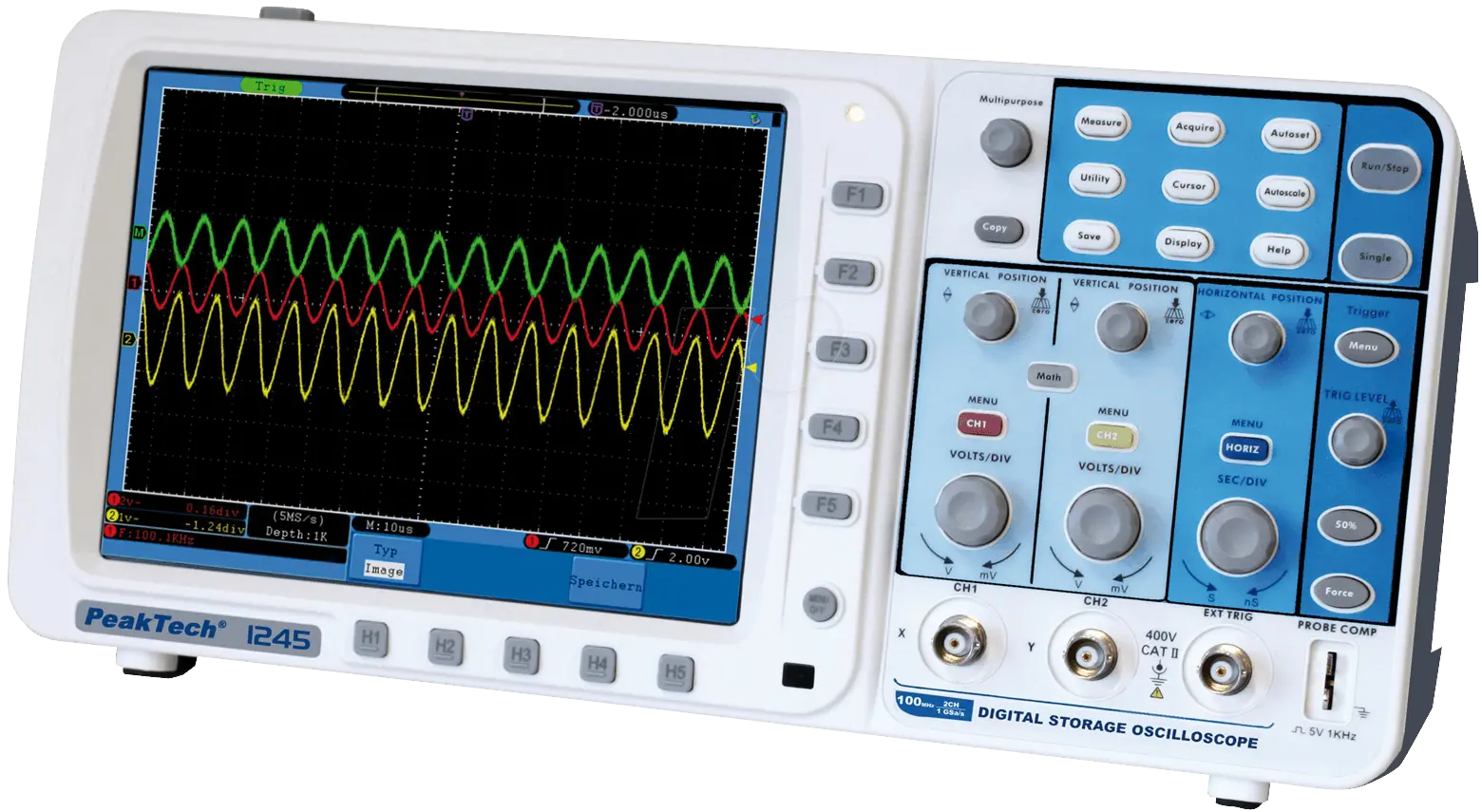
The PeakTech 1404 is a compact, two-channel digital storage oscilloscope offering a 100 MHz bandwidth and up to 1 GS/s real-time sampling. Designed for hobbyists, electronics technicians and bench engineers, it combines essential measurement features—auto setup, FFT, math operations, cursor and automatic measurements—with a straightforward front-panel layout and USB connectivity for saving waveforms and firmware updates.
Key features and workflow
The 7" color display shows waveforms, menus and measurement readouts. Two input channels accept standard 1 MΩ probes with selectable attenuation (1X, 10X, 100X, 1000X); the instrument provides probe compensation output (1 kHz, ~5 Vpp) and guides users through probe setup. Vertical and horizontal controls let you set scale and position; trigger controls include edge, video and alternate modes with adjustable coupling, slope and holdoff.
Autoset and Autoscale rapidly configure vertical/horizontal divisions and trigger settings for common signals (sine, square, video, DC/unknown). Acquisition modes include sample, peak-detect and averaging, useful for capturing fast spikes or reducing noise. The math menu supports CH1±CH2, ×, ÷ and FFT (2048-point transform, selectable windows), enabling frequency-domain analysis and Lissajous (X–Y) displays for phase checks.
Automatic measurements list up to eight parameters concurrently (period, frequency, Vpp, RMS, rise/fall time, duty cycle, counts, area, etc.). Cursors provide precise ΔV/ΔT and FFT cursor readouts. The scope stores 16 internal waveform objects and can save files (BIN/TXT/CSV) or BMP screenshots to USB storage. Firmware updates are supported via front-panel USB.
Practical use cases
- Rapid signal characterization with Autoset and automatic measurements.
- Capturing single-shot events using Single trigger and Peak Detect acquisition.
- Noise analysis and averaging to reveal low-level waveform details.
- Frequency analysis with FFT to identify harmonics and noise sources.
- Phase/transfer analysis using X–Y (Lissajous) mode for network phase shift.
Safety and maintenance
The scope meets CE directives for EMC and low-voltage safety. Grounding is required: channels share common ground, so use care when probing powered circuits. Observe probe voltage limits (max 400 V pk-pk) and use insulated probes above 42 Vpk. Regular probe compensation, self-calibration after significant temperature changes, and yearly calibration are recommended.
Notes
- Default probe attenuation is 10X; matching the probe switch and menu setting is essential for accurate amplitude readings.
- USB storage must be FAT16/FAT32 (allocation unit ≤4K) and up to 64 GB supported; some large drives may require special formatting tools.
- Firmware file must be named Scope.update and placed in the USB root.
Search for 67,706 Manuals online


Type-in Brand or Model