
PeakTech 1370 Manual
PDF manual · 111 Pages
English



Quick check
Incorrect answer, please try again.
Chat with your PeakTech 1370 manual using AI
Get instant AI answers from your PeakTech 1370 manual
Ask anything about the PeakTech 1370. Answers come from this manual, with the pages they are based on.
1370 Maintenance Schedule
Inspect the probe and unit for damage at regular intervals before use.
Charge the lithium-ion battery at least once every six months to maintain performance during prolonged storage.
Free maintenance reminders
Timed to your purchase date. Always free, unsubscribe anytime.
Ask a Question
Do you recommend 1370?
Yes NoFrequently Asked Questions
Connect probe to compensator, press Autoset, adjust screw until square wave is flat.
Is this answer helpful?
Edge, Video, Slope, Pulse, Runt, Window, Timeout, Nth Edge, Logic, and Bus triggers are supported.
Is this answer helpful?
Yes, format the USB to FAT and use the save menu to export images as BMP files.
Is this answer helpful?
It converts time domain waveforms into frequency domain data for spectral analysis.
Is this answer helpful?
No, it is integrated into the unit for combined testing capabilities.
Is this answer helpful?
Yes, use the USB port to install updates for improved system performance.
Is this answer helpful?
Check the technical specifications section for the exact bandwidth of your specific model number.
Is this answer helpful?
Advantages and Disadvantages
Advantages

- Touchscreen operation simplifies complex menu navigation
- Built-in multimeter supports voltage and current measurements
- FFT function converts waveforms into frequency components
- Multiple trigger types ensure stable signal capture
- USB and LAN connectivity enables data transfer
Disadvantages

- Probe compensation is required for accurate measurement results
- High voltage operation requires strict safety adherence
- Models vary within the series so check specific specs
- Screenshot save requires external USB memory storage
- Manual notes potential differences between model units
Product Specification
Display
yes
Features
4-channel, 60MHz bandwidth
Product Description
Detailed Analysis of the PeakTech 1370
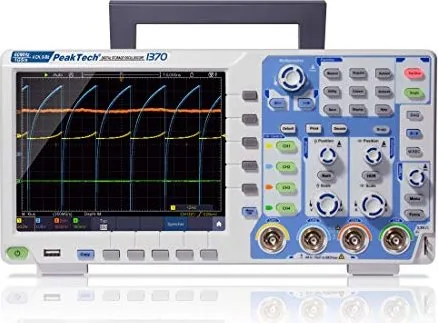
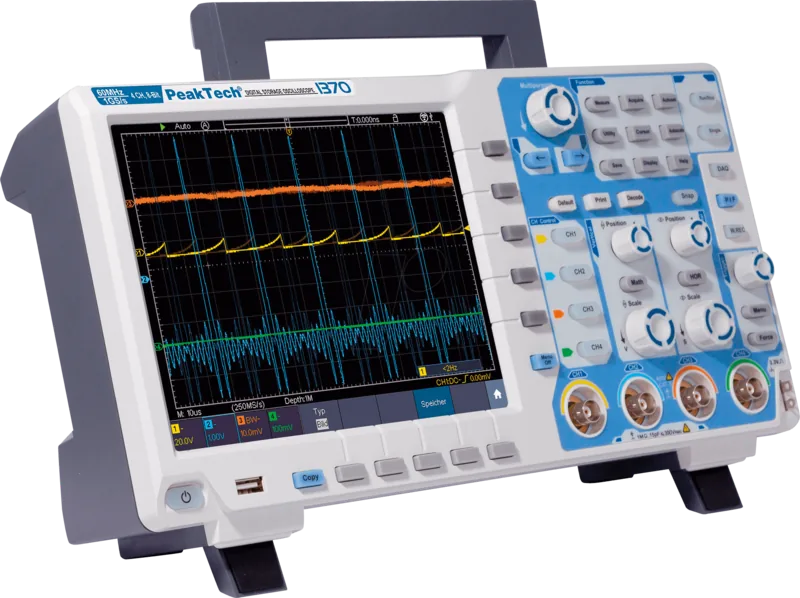
The PeakTech 1370 Digital Oscilloscope Manual provides essential information for operating this advanced electronic testing equipment. This versatile instrument integrates a digital memory oscilloscope with a built-in multimeter and function generator, catering to diverse engineering needs. The large touchscreen display simplifies navigation through complex menu structures and waveform analysis tasks. Users can adjust vertical sensitivity, horizontal time bases, and trigger settings using intuitive physical rotary knobs or touch gestures. The interface supports swiping motions to modify trigger levels and zooming capabilities for detailed waveform inspection.
Core Functionalities and Triggers
One of the standout capabilities is the Fast Fourier Transform function. This feature converts time-based waveforms into frequency components, aiding significantly in signal analysis for audio systems or system clock evaluations. The oscilloscope supports multiple trigger systems to ensure signal stability. Options include edge triggering, video triggering, slope triggering, pulse width, and various bus triggers like SPI, I2C, RS232, and CAN. Video triggering allows synchronization with standard signals such as NTSC or PAL. Connectivity options include USB ports, LAN connections, and WiFi support, allowing for seamless data transfer to connected computers or networked environments. The multimeter measures AC or DC voltage and current efficiently.
Safety, Calibration and Storage
Safety is a priority in the design and documentation. Clear instructions detail overvoltage categories and grounding requirements to prevent equipment damage or personal injury. Calibration is straightforward with self-calibration functions that adjust settings based on ambient temperature changes, ensuring accuracy across varying conditions. The device includes probe compensation features which are crucial for obtaining accurate readings. Incorrectly compensated probes can lead to significant measurement errors. Waveform storage on internal memory or external USB media permits recall and playback of captured data for later analysis. The save function supports storing configurations, screenshots, and movies for comprehensive documentation. USB formatting is required for external storage compatibility.
Advanced Tools and Maintenance
For advanced users, mathematical functions allow channel addition, subtraction, multiplication, or division of signals. Pass/fail testing enhances production line verification capabilities. The manual emphasizes correct probe damping settings to avoid common measurement errors. XY mode enables vector plotting for specific circuit testing scenarios. Frequency counters measure signals with high precision. Autoscale functions simplify initial setup by adjusting parameters automatically to fit the signal on the screen. Recording functions allow saving a sequence of frames to analyze intermittent faults. The function generator section enables creation of sine, square, ramp, and pulse signals with adjustable frequency. Users should verify specifications against specific model numbers in the 1340 to 1375 series. Adhering to safety guidelines prevents equipment damage during high voltage operations. Proper handling of test leads ensures longevity of the instrument. Battery status tracking is available for mobile setups. Cleaning requires a soft cloth and mild detergent only. XY mode is restricted from using cursor or trigger control simultaneously. Maintenance involves checking ventilation slots to prevent overheating during prolonged operation. Following the PeakTech 1370 Digital Oscilloscope Manual ensures maximum efficiency and safety for all operations.
Search for 67,706 Manuals online


Type-in Brand or Model