
PeakTech 1195 Manual
PDF manual · 122 Pages
English



Quick check
Incorrect answer, please try again.
Chat with your PeakTech 1195 manual using AI
Get instant AI answers from your PeakTech 1195 manual
Ask anything about the PeakTech 1195. Answers come from this manual, with the pages they are based on.
1195 Maintenance Schedule
Wipe the cabinet with a damp cloth and mild detergent. Do not use abrasives or solvents. Ensure no liquid enters the interior to prevent short circuits.
If the operating temperature is 5°C or higher than the last calibration, open the function menu and select Auto-calibration to recalibrate the device.
Ask a Question
Do you recommend 1195?
Yes NoFrequently Asked Questions
Press the DMM/OSC button located on the front panel. This key toggles the instrument between the digital storage oscilloscope mode for viewing waveforms and the digital multimeter mode for measuring voltage, current, resistance, and other electrical parameters.
Is this answer helpful?
The PeakTech 1195 offers a maximum sampling rate of 1 GSa/s (Giga Samples per second). This high speed allows the device to accurately capture fast-changing signals and short-duration pulses that slower instruments might miss.
Is this answer helpful?
Yes, the device supports saving data to a USB mass storage device. You can save screenshots as Bitmap files (.bmp) or measurement data as Vector files (.bin) by pressing the COPY button after connecting the USB stick.
Is this answer helpful?
Yes, the PeakTech 1195 includes a dedicated Cymometer function that displays the frequency of electrical waves on six digital digits. It can measure frequencies from 2 Hz up to the full bandwidth of the device in both single and alternating trigger modes.
Is this answer helpful?
A fully charged Li-Po battery provides approximately 4 hours of continuous operation. If the battery symbol appears on the screen, connect the AC adapter immediately to recharge the unit and ensure accurate readings.
Is this answer helpful?
If the operating temperature varies by more than 5 degrees Celsius, you should perform an Auto Calibration. This process recalibrates internal parameters to maintain measurement accuracy and precision under the new environmental conditions.
Is this answer helpful?
Advantages and Disadvantages
Advantages

- High sampling rate up to 1GSa/s ensures accurate capture of fast transients
- Dual functionality combines oscilloscope and multimeter in one portable unit
- 3.8-inch color LCD display provides clear visualization of complex waveforms
- Built-in Li-Po battery enables long-term operation without external power
- Advanced FFT and waveform math functions support deep signal analysis
Disadvantages

- Manual calibration may be required after significant temperature shifts
- Small capacitance measurements require an additional extension module
- Maximum input voltage limits must be strictly observed to prevent damage
- Video triggering requires specific standard settings which may limit flexibility
- Display resolution is fixed at 640x480 pixels which may limit detail in zoomed views
Product Specification
Display
Japanese
Features
2-channel, 62.83 MHz bandwidth
Product Description
PeakTech 1195 Digital Oscilloscope: A Versatile Dual-Function Instrument
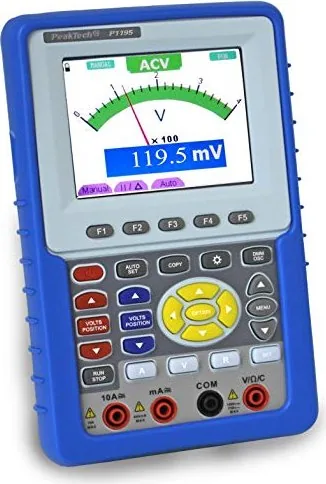
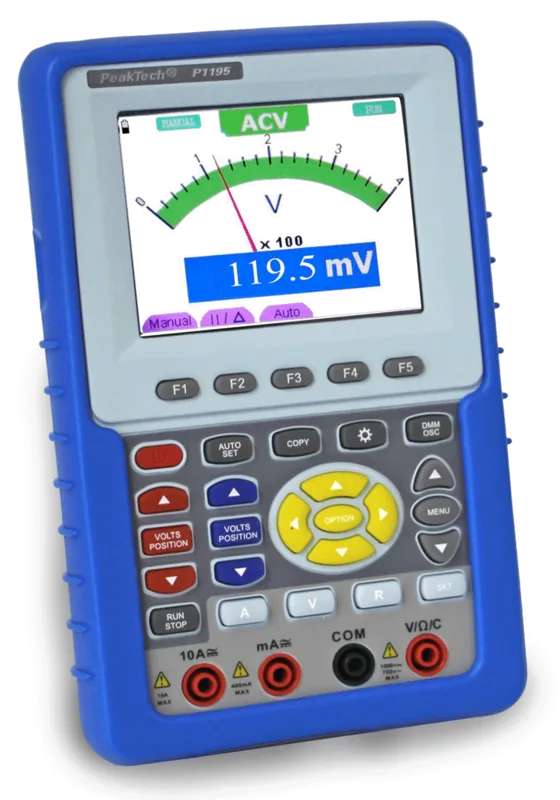
The PeakTech 1195 Digital Oscilloscope represents a significant leap in portable testing technology, combining high-performance signal analysis with robust multimeter capabilities in a single handheld unit. Designed for engineers, technicians, and hobbyists alike, this device offers a seamless transition between viewing complex waveforms and performing precise electrical measurements. The instrument features a vibrant 3.8-inch color LCD display that renders signals with exceptional clarity, allowing users to analyze transient events and steady-state conditions with ease.
At the heart of the PeakTech 1195 lies a powerful sampling engine capable of rates up to 1GSa/s, ensuring that even the fastest signal changes are captured accurately. The dual-channel architecture supports independent vertical and horizontal settings, enabling sophisticated comparisons between two different signals simultaneously. Whether you are troubleshooting a noisy power supply or analyzing the output of an audio amplifier, the auto-set function instantly optimizes time base, voltage scale, and trigger levels to provide a stable waveform view without manual fiddling.
Beyond oscilloscope duties, the unit transforms into a fully functional digital multimeter. This dual-mode operation covers DC and AC voltage, current, resistance, capacitance, diode testing, and continuity checks. The inclusion of a built-in Li-Po battery allows for extended field work away from mains power, while the USB connectivity facilitates easy data transfer to a PC for deeper analysis using the included software. Advanced features like FFT spectrum analysis, waveform math operations, and persistence modes make this tool indispensable for diagnosing intermittent faults and understanding signal integrity.
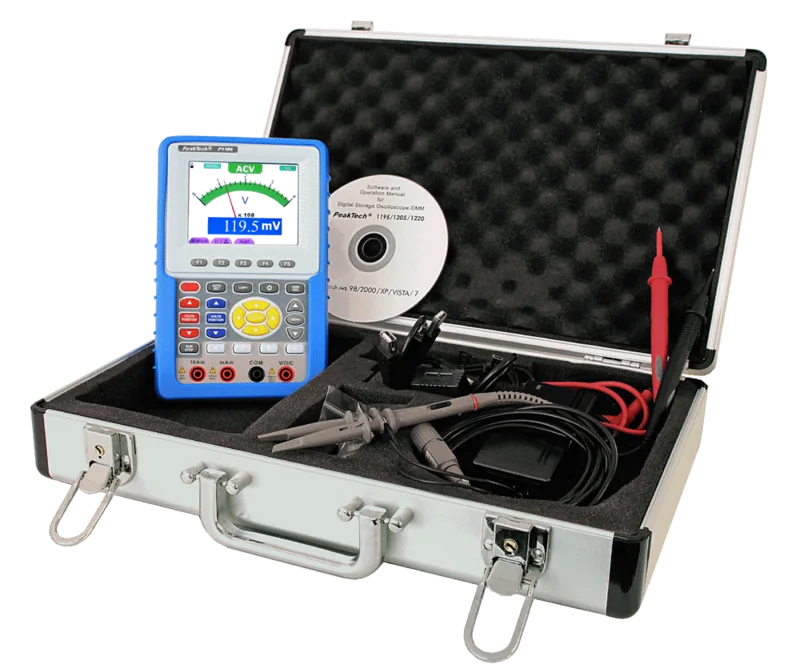
The PeakTech 1195 is built with safety as a priority, adhering to strict overvoltage category standards. Its compact design fits easily into a carrying case alongside essential accessories like probes and test leads. From the front panel's intuitive layout to the comprehensive menu system, every aspect is designed to streamline the diagnostic process. This instrument is not just a tool; it is a complete solution for modern electronic diagnostics, offering professional-grade performance in a user-friendly package.
Key Notes
- Ensure the device is calibrated if the temperature changes by more than 5 degrees Celsius.
- Use the provided extension module for measuring very small capacitances accurately.
- Always discharge capacitors before performing resistance or continuity tests.
- The Cymometer feature on the 1195 model provides real-time frequency readouts.
- Data can be saved directly to a USB drive in either bitmap or vector formats.
Search for 67,706 Manuals online


Type-in Brand or Model