
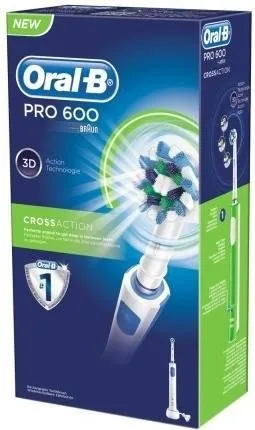
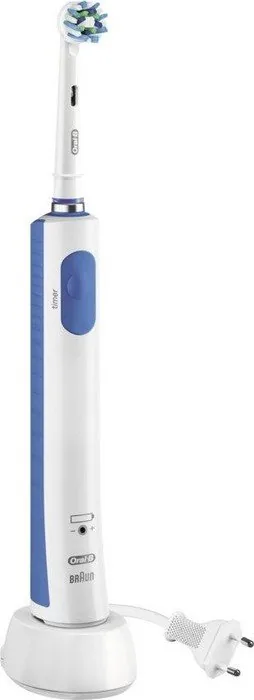

Oral-B PRO 600 Cross Action Manual
PDF manual · 11 Pages
English



Quick check
Incorrect answer, please try again.
Chat with your Oral-B PRO 600 Cross Action manual using AI
Get instant AI answers from your Oral-B PRO 600 Cross Action manual
Ask anything about the Oral-B PRO 600 Cross Action. Answers come from this manual, with the pages they are based on.
PRO 600 Cross Action Maintenance Schedule
Replace the brush head every 3 months or sooner if it becomes loose due to damage. Replace immediately if the product is dropped.
To maintain maximum battery capacity, unplug the charger and fully discharge the handle with regular use at least every 6 months.
Free maintenance reminders
Timed to your purchase date. Always free, unsubscribe anytime.
Ask a Question
Do you recommend PRO 600 Cross Action?
Yes NoFrequently Asked Questions
It uses angled bristles designed to reach around each tooth more effectively. This shape helps lift plaque and improve cleaning precision compared with a standard flat brush head.
Is this answer helpful?
Yes. If you press too hard while brushing, the toothbrush reduces pulsation to help protect your gums while still maintaining cleaning motion.
Is this answer helpful?
The built-in timer is designed for the recommended 2-minute brushing routine. It also signals every 30 seconds so you can clean all four sections of the mouth evenly.
Is this answer helpful?
Oral-B recommends replacing the brush head about every 3 months, or sooner if the bristles wear down, splay, or become loose from damage.
Is this answer helpful?
Yes, depending on the model and brush head used. The Sensitive mode and softer brush head options can offer a gentler brushing experience for delicate gums and teeth.
Is this answer helpful?
Rinse the brush head after use, clean the handle and head separately under running water, and wipe them dry before reassembling. The charger should be kept dry and cleaned only with a damp cloth.
Is this answer helpful?
Advantages and Disadvantages
Advantages

- CrossAction brush head uses angled bristles for precise plaque removal.
- Pressure sensor helps prevent brushing too hard and protects gums.
- Professional timer encourages full 2-minute brushing and even quadrant care.
- Simple charging system and waterproof handle make daily use convenient.
Disadvantages

- Full charging can take about 22 hours, which is relatively long.
- Battery life is limited to several days of normal use per charge.
- Brush heads need regular replacement, adding ongoing cost.
- Some brushing modes may vary by model, so features are not identical across versions.
Product Specification
Type
Electric toothbrush
Operating mode
Battery operated
Brush head
round
Cleaning programs
1
Timer
4x 30 seconds
Special features
Charge indicator light, Pressure control
Operating time
28min (7 days)
Scope of delivery
Charging station, 1x brush head (1x CrossAction)
Product Description
Oral-B PRO 600 Cross Action: Everyday Cleaning with Smart Guidance
The Oral-B PRO 600 Cross Action Manual points to a toothbrush built for simple, effective daily care. This model focuses on the essentials that matter most: reliable cleaning, easy handling, and helpful brushing guidance. At its core is the CrossAction brush head, designed with angled bristles that reach around each tooth to lift and remove plaque more efficiently than a manual brush.
One of the strongest advantages of this toothbrush is its built-in pressure sensor. If you brush too hard, the pulsation reduces so you can protect your gums while still keeping the oscillating motion active. That makes the brushing experience feel more controlled, especially for users who tend to press too firmly. The handle is also waterproof and made for bathroom use, which adds convenience to everyday routines.
The Oral-B PRO 600 Cross Action is easy to use and does not overload you with complicated settings. Depending on the version, it may include modes such as Daily Clean, Sensitive, and Whitening. Daily Clean offers standard everyday brushing, Sensitive is gentler on delicate areas, and Whitening gives a more polished clean for occasional or regular use. A professional timer helps you brush for the recommended two minutes, with 30-second signals that remind you to move to the next quadrant of your mouth.
Charging is straightforward as well. The handle sits on a basic charger, and a full charge can last for several days of regular use. The manual also notes that overcharging is not a concern, so it can remain on the charger for daily convenience. For best results, the brush head should be replaced every three months or sooner if the bristles wear out.
Overall, this toothbrush is a practical choice for users who want a dependable electric brush without unnecessary complexity. It combines the trusted Oral-B oscillating-rotating action with useful reminders and a comfortable design that supports better brushing habits over time.
Notes
- Use gentle movement and let the brush do most of the work.
- Replace the brush head regularly for best cleaning performance.
- If gum bleeding continues beyond a short adjustment period, consult a dental professional.
- Clean the handle and brush head separately after use for better hygiene.
Search for 67,706 Manuals online


Type-in Brand or Model
Lena Weber
9 months ago
I am considering the Oral-B Pro 600. Is it noticeably loud, and how long does it take to fully charge? I would use it in a household with more than one person.
Manual.ly
9 months ago
Many customers find the Pro 600 audible, so expect some sound during brushing. How loud it feels can also depend on your brushing pressure and which compatible brush heads you use. For charging, the Pro 600 is commonly reported to take a long time for a full charge (often an overnight charge, and some users mention up to around 20 hours for a complete charge depending on battery state). The built-in LED/charge indicator helps you see when it is charged. Battery runtime varies with how often and by how many people the handle is used, so in a multi-user household you may need to recharge more frequently. If you want the quietest experience, use gentle pressure and ensure the brush head is seated correctly.