
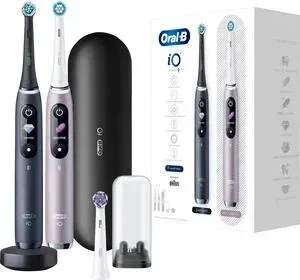
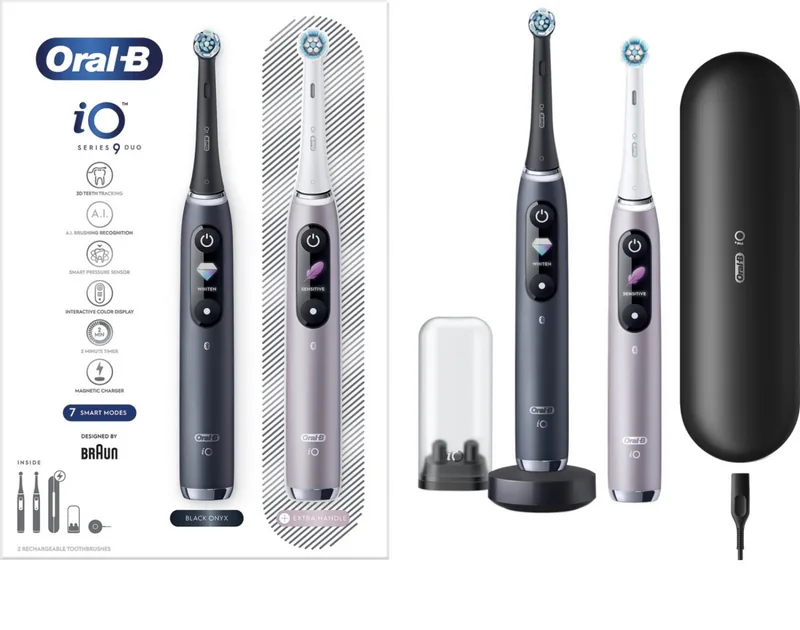
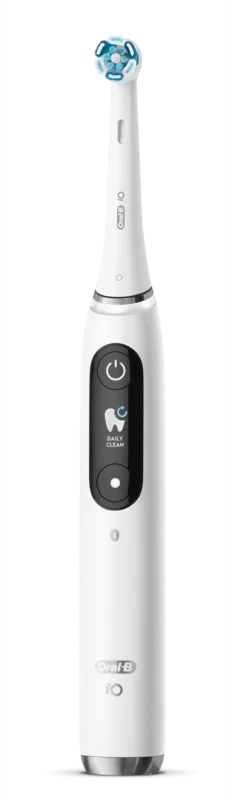
Oral-B iO Series 9 Manual
PDF manual · 110 Pages
English



Quick check
Incorrect answer, please try again.
Chat with your Oral-B iO Series 9 manual using AI
Get instant AI answers from your Oral-B iO Series 9 manual
Ask anything about the Oral-B iO Series 9. Answers come from this manual, with the pages they are based on.
iO Series 9 Maintenance Schedule
Replace the brush head every 3 months or sooner if bristles splay. Replace immediately if the handle is dropped.
Rinse brush head under running water with handle on. Remove head and clean handle and head separately, then dry before reassembling.
Unplug charger and clean regularly with a damp cloth.
Periodically check the entire product, cords, and accessories for damage. Do not use if damaged.
Free maintenance reminders
Timed to your purchase date. Always free, unsubscribe anytime.
Ask a Question
Do you recommend iO Series 9?
Yes NoFrequently Asked Questions
A full charge typically takes around 3 hours. If the battery empties completely, it may take at least 30 minutes to enable charging mode.
Is this answer helpful?
It is recommended to replace the brush head every 3 months or sooner if the bristles become splayed or the indicator color fades halfway.
Is this answer helpful?
You should always keep the toothbrush more than 15 centimeters from your pacemaker while turned on. Disable Bluetooth if you suspect interference.
Is this answer helpful?
The unit offers seven modes: Daily Clean, Sensitive, Gum Care, Whitening, Intense Clean, Super Sensitive, and Tongue Clean.
Is this answer helpful?
Yes, it connects via Bluetooth to the Oral-B App for iOS or Android to track brushing habits and customize settings.
Is this answer helpful?
Yes, there is a 2-year guarantee on the product commencing on the date of purchase covering material or workmanship defects.
Is this answer helpful?
The outer and inner case should be cleaned with a damp cloth only. The zipper pouch can be cleaned under running water.
Is this answer helpful?
Advantages and Disadvantages
Advantages

- Smart Pressure Sensor provides real-time feedback on brushing force to protect gums
- Interactive Display shows battery status, timer, and brushing mode information clearly
- Seven distinct brushing modes including Sensitive, Whitening, and Gum Care for specific needs
- Bluetooth connectivity with Oral-B App tracks habits and provides personalized coaching
- Includes Charging Travel Case for convenient power management during travel
Disadvantages

- High price point compared to standard electric toothbrushes
- Battery is non-replaceable and may require full device disposal when dead
- Requires specific Oral-B brush heads which are incompatible with third-party brands
- Must be kept away from pacemakers and used with caution near medical devices
Product Specification
Type
Electric Toothbrush
Power Source
Battery Powered
Brush Head
Round
Cleaning Programs
7
Timer
4 x 30 seconds
Product Description
Oral-B iO Series 9 Comprehensive Guide
The Oral-B iO Series 9 represents a significant leap forward in electric oral care technology. It combines powerful magnetic drive technology with smart feedback mechanisms to deliver a truly professional cleaning experience right from the comfort of your home. This device is meticulously designed to maximize time efficiency while simultaneously ensuring optimal gum health and thorough plaque removal for every user. Many dental professionals now recommend switching to electric tools for superior oral hygiene results compared to manual brushes.
Key Features and Technology
Central to the exceptional user experience is the vibrant interactive display located on the handle. This screen provides real-time feedback on current brushing modes, remaining battery life, and crucial pressure levels during use. The Smart Pressure Sensor is equally vital in protecting your gums from excessive force. It actively protects your oral tissues by signaling if you are brushing too hard. A green light indicates perfect pressure, while red warns of excess force that could cause damage.
Modes and Cleaning
The unit offers seven distinct modes to suit various dental needs. These include Daily Clean for standard routines and Sensitive for those with sensitive teeth. The Gum Care mode offers a gentle massage, while the Whitening mode polishes teeth over time. Intense Clean provides a deeper feel for stubborn plaque. Super Sensitive offers ultra-gentle care for extreme sensitivity, and Tongue Clean ensures fresh breath by targeting the tongue surface.
Connectivity and Accessories
Bluetooth connectivity allows seamless integration with the Oral-B App on your smartphone. This connection tracks brushing habits and guides users toward dentist-approved techniques with personalized coaching. Charging is made convenient with the included Charging Travel Case. This accessory ensures the handle remains powered during trips without needing immediate access to wall outlets. The case itself stores and charges the handle simultaneously. It also features a charging light to indicate status.
Maintenance and Notes
The Oral-B iO Series 9 stands out as a premium choice for daily oral hygiene. Its intelligent features promote better brushing habits through real-time data and visual cues. Whether you need gentle care or deep cleaning, this system adapts to your specific needs effortlessly. The system prevents battery overcharge automatically for longevity. It is recommended to use only genuine Oral-B brush heads to avoid damage. Third-party heads may harm the motor. Keep the unit dry and avoid submerging the handle during cleaning. Replace heads every three months to maintain hygiene standards. Consult a doctor if you have a pacemaker before use. This ensures safety and performance over time.
Search for 67,706 Manuals online


Type-in Brand or Model