
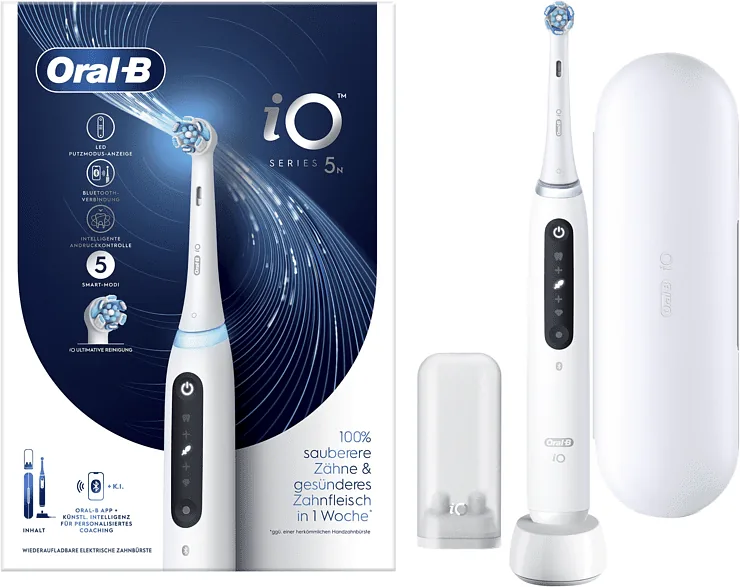
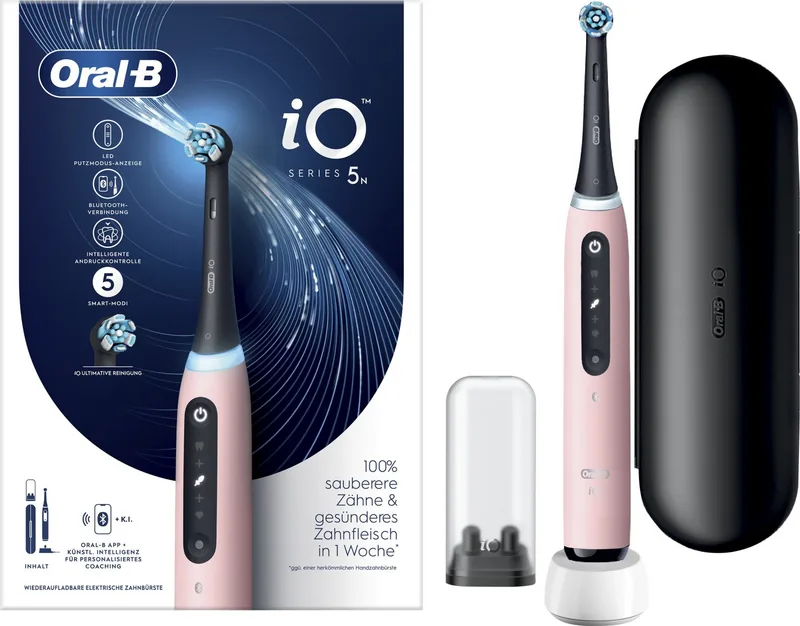
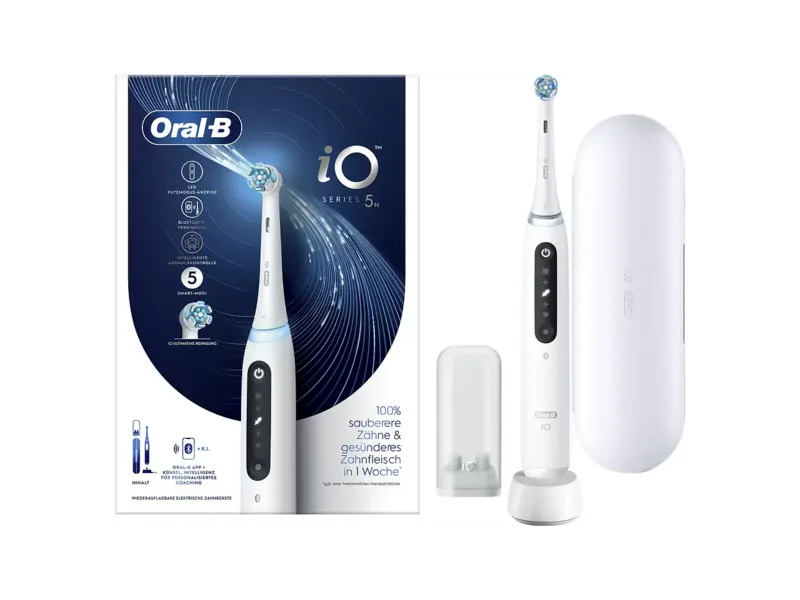
Oral-B iO Series 5N Manual
PDF manual · 166 Pages
English



Quick check
Incorrect answer, please try again.
Chat with your Oral-B iO Series 5N manual using AI
Get instant AI answers from your Oral-B iO Series 5N manual
Ask anything about the Oral-B iO Series 5N. Answers come from this manual, with the pages they are based on.
Ask a Question
Do you recommend iO Series 5N?
Yes NoFrequently Asked Questions
The toothbrush can offer Daily Clean, Intense, Sensitive, Super Sensitive, and Whiten modes. Daily Clean is the standard setting, while the others focus on higher-intensity cleaning, gentler care, or polishing. Exact mode availability may vary by package.
Is this answer helpful?
The light ring provides pressure feedback during brushing. White means more pressure may be needed, green indicates optimal pressure, and red means the user should reduce pressure. In selected modes, brush movement is reduced when excessive pressure is applied.
Is this answer helpful?
A full charge typically takes about 16 hours. The on/off button flashes white during charging and turns off when charging is complete. A red low-charge indicator flashes when the battery is running low.
Is this answer helpful?
Replace the brush head about every three months when brushing twice daily for two minutes. Replace it sooner if bristles are worn, splayed, or if the toothbrush has been dropped. The replacement reminder signals when a change is due.
Is this answer helpful?
Yes. It can connect through Bluetooth to the Oral-B App on compatible iOS and Android smartphones. The app can track brushing time and pressure, provide live coaching, and let users personalize selected toothbrush settings.
Is this answer helpful?
After brushing, rinse the brush head under running water while the handle is switched on. Remove the head and clean both parts separately, then dry them and allow them to air-dry. Unplug the charger before cleaning it with a damp cloth.
Is this answer helpful?
Advantages and Disadvantages
Advantages

- Smart Pressure Sensor uses color feedback to help prevent brushing too hard or too lightly.
- Five brushing modes support daily cleaning, intensive cleaning, sensitive care, extra-sensitive care, and whitening.
- 30-second pacing signals and a two-minute timer encourage complete, even brushing.
- Bluetooth and the Oral-B App offer brushing tracking, real-time coaching, and adjustable settings.
- Brush replacement reminder helps users maintain brush head hygiene and performance.
Disadvantages

- Full charging typically takes about 16 hours, which may be inconvenient for users who need quick charging.
- App features depend on a compatible smartphone with Bluetooth 4.2 or higher and may have connection limits.
- Brush heads are iO-specific, so standard Oral-B replacement heads are not compatible.
- The battery is non-replaceable and the handle should not be opened or disassembled.
- Included accessories and available modes can vary depending on the purchased package.
Product Specification
Type
Electric toothbrush
Power source
Battery powered (lithium-ion)
Brush head
Round
Brushing modes
5
Timer
2 min
Special features
App control (Bluetooth), charging indicator light, battery level indicator, pressure sensor
Package contents
Charging station, case, mini case for replacement brush heads, 1 replacement brush head (1 Ultimate Clean)
Product Description
Oral-B iO Series 5N - Read, Download & Print Free
The Oral-B iO Series 5N is a rechargeable electric toothbrush designed to make everyday oral care more guided, responsive, and personalized. It combines a smart pressure sensor, multiple brushing modes, a built-in timer, and Bluetooth connectivity to help users build consistent brushing habits. Its compact display and light ring provide clear feedback while brushing, without making the routine feel complicated.
Smarter feedback during every brush
A standout feature is the Smart Pressure Sensor. The light ring changes color to show whether brushing pressure is too light, optimal, or too hard. White indicates low pressure, green signals the recommended pressure, and red reminds the user to ease off. When excessive pressure is detected, brush head movement is reduced in selected modes to encourage gentler brushing.
The integrated timer supports the dentist-recommended two-minute routine. Short signals appear every 30 seconds to prompt a move to the next area of the mouth, while a longer signal marks the end of the session. Completing the full brushing time is also acknowledged with colorful light-ring illumination.
Modes for different oral care needs
The Oral-B iO Series 5N provides a selection of brushing modes that can suit daily cleaning, a more intensive clean, sensitive teeth and gums, extra-sensitive areas, and whitening-focused polishing. Available modes may differ by package, but the system is built to let users select a preferred setting and return to the last mode used.
Compatible Oral-B iO brush heads include Ultimate Clean, Gentle Care, and Radiant White options. These heads are made specifically for iO handles and should generally be replaced every three months, or sooner if the bristles appear worn. A brush replacement reminder uses a yellow or orange light and vibration to indicate when it may be time for a new head.
App connectivity and practical care
Bluetooth connectivity allows the toothbrush to pair with the Oral-B App on compatible iOS and Android smartphones. Through the app, users can review brushing time and pressure, receive real-time coaching, and personalize settings such as timer behavior, mode sequence, light-ring color, and brush head reminders. Bluetooth can also be switched off when needed, including in restricted locations.
Charging is handled through the supplied charger, with a full charge typically taking around 16 hours. A red low-charge indicator warns when power is running down. For care, rinse the brush head after use, clean the handle and head separately, and allow all pieces to air-dry before reassembly.
Notes
- Use only compatible Oral-B iO brush heads and the supplied charger.
- Consult a dental professional before use if receiving treatment for an oral condition.
- People with pacemakers should keep the powered toothbrush more than 15 cm away and disable Bluetooth if interference is suspected.
- The rechargeable Li-Ion battery is not user-replaceable.
Search for 67,706 Manuals online


Type-in Brand or Model