
Oral-B iO Series 4 Manual
PDF manual · 102 Pages
English



Quick check
Incorrect answer, please try again.
Chat with your Oral-B iO Series 4 manual using AI
Get instant AI answers from your Oral-B iO Series 4 manual
Ask anything about the Oral-B iO Series 4. Answers come from this manual, with the pages they are based on.
iO Series 4 Maintenance Schedule
Replace every 3 months or sooner if bristles splay. Replace after dropping the handle even if no damage is visible.
Rinse under running water with handle on. Remove brush head and clean separately. Wipe dry and air-dry before reassembling.
Unplug charger before cleaning. Clean regularly with a damp cloth.
Clean outer and inner parts with a damp cloth or under running water. Clean stains immediately.
Free maintenance reminders
Timed to your purchase date. Always free, unsubscribe anytime.
Ask a Question
Do you recommend iO Series 4?
Yes NoFrequently Asked Questions
A full charge typically takes about 16 hours. The on/off button blinks white during charging and the indicator turns off when fully charged. The toothbrush can remain on the charger without overcharging, but storing it on the charger only during actual charging is recommended for environmental reasons.
Is this answer helpful?
The light ring indicates pressure: green = optimal, red = too much pressure (reduce force), white or selected colour = low pressure. If red appears the toothbrush may reduce brush head movement in some modes to protect teeth and gums. Adjust pressure accordingly and periodically test the sensor by pressing lightly during brushing.
Is this answer helpful?
Install the Oral-B app on a compatible smartphone (Bluetooth 4.2+), launch the app and follow the in-app pairing steps. First pairing must be done via the app; subsequent connections are automatic. Bluetooth on the handle is enabled by default and can be toggled by holding the on/off button for 5 seconds.
Is this answer helpful?
Replace brush heads approximately every 3 months or sooner if bristles wear. Some heads have INDICATOR® bristles that fade about halfway after ~3 months. The toothbrush shows a yellow light and vibration as a replacement reminder; reset it by holding the mode button for 2 seconds or let it auto-reset after several days.
Is this answer helpful?
Accessories vary by model but commonly include a travel case (etui), brush head holder with cap, brush head stand, and different brush heads (Ultimate Clean, Gentle Care, Radiant White). Some holders and caps are dishwasher-safe and travel cases/pouches should be cleaned with a damp cloth.
Is this answer helpful?
The toothbrush contains a built-in non-replaceable Li‑Ion battery. Do not open the handle. For battery recycling and disposal, follow local electronic waste regulations and take the entire device to approved collection points; do not discard in household waste.
Is this answer helpful?
Yes. The toothbrush and travel case contain NdFeB magnets generating magnetic fields. If you use or have an implanted medical device, consult the device manufacturer or physician about safe use. Persons with pacemakers should keep the toothbrush more than 15 cm away while powered on and disable Bluetooth if interference is suspected.
Is this answer helpful?
Advantages and Disadvantages
Advantages

- Smart pressure sensor with visual feedback reduces risk of overbrushing and protects gums.
- Multiple brushing modes (Daily Clean, Sensitive, Whiten, Tongue Clean, Gum Care) for tailored care.
- Bluetooth + Oral-B app allows personalization of light ring, timer, mode sequence and habit tracking.
- Indicator bristles and brush-replacement reminder help maintain optimal brush head hygiene and timing.
- Travel case and optional accessories (holders, caps) provide convenient storage and portability.
Disadvantages

- Full charge takes ~16 hours; Li‑Ion battery is non-replaceable (handle disposal required for recycling).
- Bluetooth compatibility depends on smartphone (requires Bluetooth 4.2+); connection not guaranteed for all devices.
- Using non‑Oral‑B replacement heads can void warranty and may affect fit and performance.
- Smart features and timers can be limited or require app setup; some users may prefer simpler operation.
- Magnets (NdFeB) in handle/etui may pose issues for those with implanted medical devices.
Product Specification
Type
Electric toothbrush
Operating mode
Battery operation
Brush head
round
Cleaning programs
4
Timer
2 min
Special features
App control (Bluetooth), Charging indicator light, Charge level indicator, Pressure control
Scope of delivery
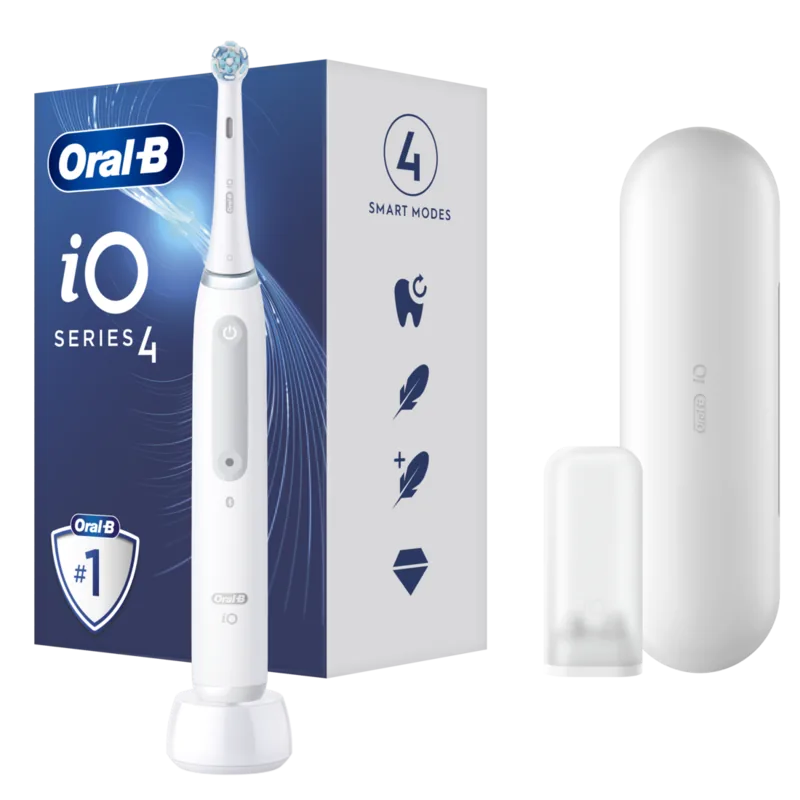
Charging station, Case, Mini case for brush heads, 1x brush head
Product Description
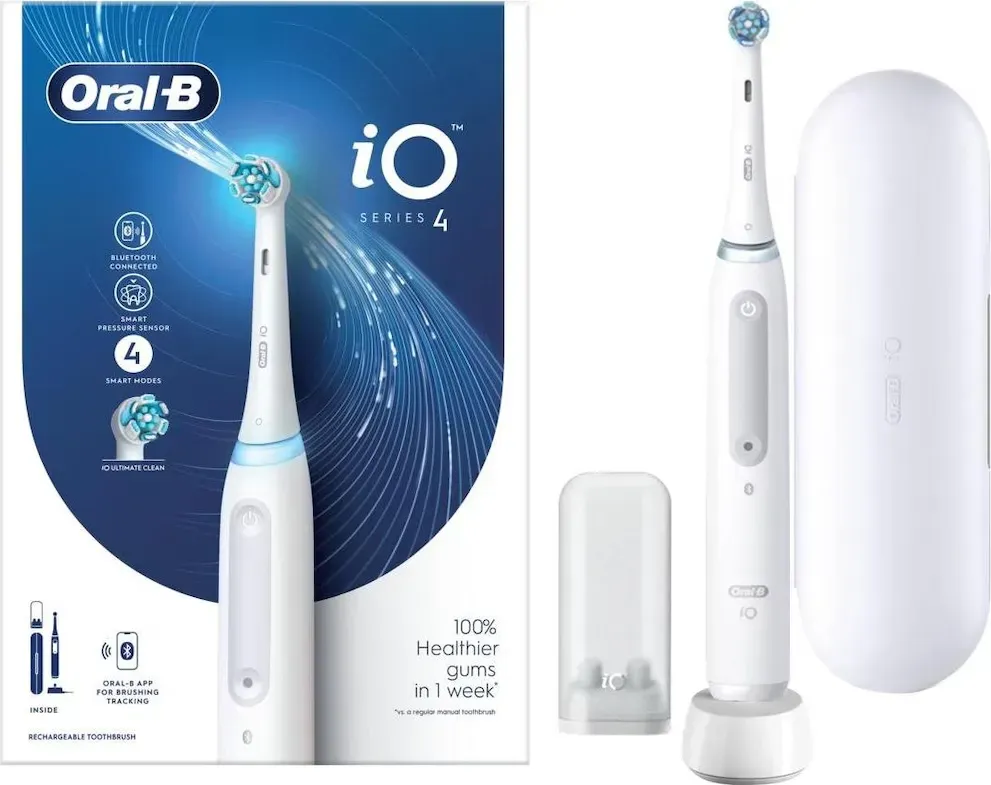
Oral-B iO Series 4 Quite White mit Etui Manual
The Oral-B iO Series 4 Quite White with travel case is a feature-rich electric toothbrush designed for effective daily oral care. Built around a smart pressure sensor, colourful light ring, multiple brushing modes and Bluetooth connectivity, it combines dentist-inspired brush heads with modern battery and app-driven personalization to support better brushing habits.
Beyond the core handle and charger, the package often includes model-dependent accessories such as a travel case (etui), brush head holders, and several brush head types (Ultimate Clean, Gentle Care, Radiant White). The device uses an intuitive interface with an on/off button, mode switch, low-charge indicator and brush replacement reminder. A full charge typically takes around 16 hours and the unit features a built-in Li‑Ion battery with protections to avoid overcharge. Important safety notes emphasize using only the supplied charger, keeping the toothbrush away from excessive heat, and supervising children under recommended ages.
The smart pressure sensor signals brushing pressure via the light ring: green for optimal, red for too much, and white (or a chosen colour via the app) for low pressure. When excessive pressure is applied some cleaning modes reduce brush head movement to protect teeth and gums. A 2-minute timer with 30-second quadrant reminders helps ensure recommended brushing time; the completion reward shows a colourful illumination.
Multiple brushing modes (availability may vary by model) let users choose Daily Clean, Intense, Sensitive, Super Sensitive, Whiten, Tongue Clean and Gum Care. Mode selection is done via the mode button and the toothbrush remembers the last used mode. Brush heads are dentist-inspired and include indicator bristles that fade over about three months with regular use, signaling replacement. A brush-replacement reminder provides visual and vibration alerts and can be reset.
Bluetooth connectivity pairs the toothbrush with the Oral-B app to personalize settings (light ring colour, timer, mode sequence, replacement reminders) and track brushing behaviour (time and applied pressure). First pairing is performed through the app; Bluetooth can be toggled on the handle. Compatibility requires Bluetooth 4.2+ on the smartphone and app availability may vary by region.
Maintenance is straightforward: rinse the brush head and handle under running water after use, separate and dry components before reassembly, and clean the charger with a damp cloth. Travel case and pouches are supported for clean, dry storage; some holders and caps are dishwasher-safe. The product carries a two-year guarantee and recycling guidance for batteries and electronic waste is provided.
Notes
- The toothbrush and travel case contain NdFeB magnets; consult medical device manufacturers if you have implanted devices.
- Keep the toothbrush at least 15 cm from pacemakers while in use.
- Only use Oral-B replacement brush heads to avoid fit/quality issues and voided warranty.
Pros and cons are listed below, followed by an FAQ for common user questions.
Search for 67,706 Manuals online


Type-in Brand or Model