
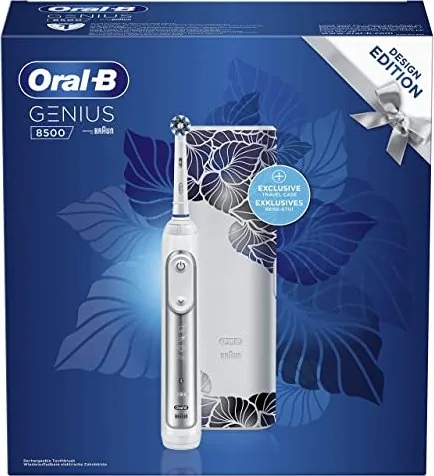
Oral-B Genius 8500 Manual
PDF manual · 117 Pages
English



Quick check
Incorrect answer, please try again.
Chat with your Oral-B Genius 8500 manual using AI
Get instant AI answers from your Oral-B Genius 8500 manual
Ask anything about the Oral-B Genius 8500. Answers come from this manual, with the pages they are based on.
Genius 8500 Maintenance Schedule
Replace the brush head every 3 months or sooner if bristles become worn. Indicator bristles fade to signal replacement need.
Rinse brush head under running water with handle on. Switch off, remove head, clean separately, and wipe dry before reassembling.
Periodically check the entire product, cords, and accessories for damage. Stop using if damaged and contact service.
Check operation by pressing moderately on the brush head during use; Smart Ring should light up red if pressure is excessive.
Free maintenance reminders
Timed to your purchase date. Always free, unsubscribe anytime.
Ask a Question
Do you recommend Genius 8500?
Yes NoFrequently Asked Questions
Press and hold both the On/Off button and the Mode button simultaneously for two seconds until the radio transmission display light turns on.
Is this answer helpful?
Oral-B does not recommend using non-Oral-B brush heads as they may void the warranty and could damage the handle or reduce cleaning performance.
Is this answer helpful?
Ensure the ambient temperature is between 5°C and 35°C. If it still does not charge, try placing it on the charger for at least 30 minutes to reactivate the battery.
Is this answer helpful?
Yes, but users with pacemakers should keep the turned-on toothbrush more than 6 inches (15 cm) away from the device to avoid potential interference.
Is this answer helpful?
A full charge typically takes about 15 hours, though the first activation may take longer if the battery was completely empty.
Is this answer helpful?
Only the removable inner inlay of the travel case is dishwasher safe. The outer case should be cleaned with a damp cloth only.
Is this answer helpful?
Advantages and Disadvantages
Advantages

- Smart Ring provides real-time visual feedback on pressure and Bluetooth status
- Advanced Bluetooth connectivity syncs perfectly with the Oral-B app for guided brushing
- Charging travel case includes a built-in smartphone holder for convenience
- Multiple brushing modes including Sensitive, Pro Clean, and Gum Care for versatility
- Long-lasting battery provides up to 14 days of use on a full charge
Disadvantages

- Higher price point compared to basic electric toothbrush models
- Requires a compatible smartphone with Bluetooth 4.0 or higher for full features
- Travel case is bulkier than standard non-charging travel cases
- Replacement brush heads can be expensive over time
- Initial setup requires downloading an app and pairing the device
Product Specification
Type
Electric toothbrush
Operating mode
Battery powered (Li-Ion)
Brush head
round
Cleaning programs
5
Timer
4 x 30 seconds
Features
App control, charging indicator light, battery status display, pressure sensor
Run time
56 min (14 days)
Package contents
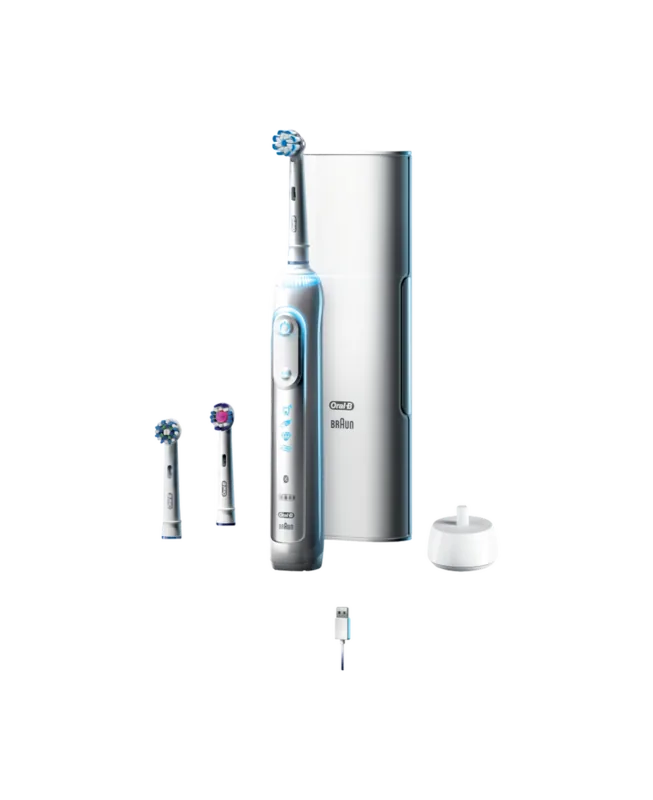
Charging station, case, 1x replacement brush
Product Description
Experience Precision with the Oral-B Genius 8500 Silver Design Edition
The Oral-B Genius 8500 Silver Design Edition represents the pinnacle of modern oral care technology, blending sophisticated aesthetics with intelligent cleaning features. This electric toothbrush is designed to provide a superior clean through its advanced oscillating-rotating action, which moves in thousands of movements per minute to remove plaque effectively. The sleek silver finish not only looks elegant on your bathroom counter but also signifies the premium quality built into every component.
One of the standout features of this model is the Smart Ring display. Located around the handle, this ring uses color-coded lights to guide you during brushing. It signals when you are applying too much pressure by turning red, preventing gum damage and enamel wear. It also indicates Bluetooth connectivity status and serves as a visual timer. The device connects seamlessly to the Oral-B app via Bluetooth, allowing you to track your brushing habits, receive real-time feedback, and customize your settings for optimal results. The app ensures you cover all areas of your mouth by guiding you quadrant by quadrant.
The Genius 8500 comes equipped with multiple brushing modes to suit different needs. Whether you prefer a standard daily clean, a deep pro-clean, or a gentle sensitive mode, there is a setting for everyone. Specialized modes like Gum Care offer a gentle massage for your gums, while the 3D White mode helps polish teeth naturally. The included charging travel case is a game-changer for travelers. It features a built-in smartphone holder, allowing you to watch videos or use the app while charging your toothbrush on the go. The case itself is compact and durable, ensuring your device stays protected and powered up wherever you travel.
Battery life is impressive, offering up to two weeks of regular use on a single charge. The handle is fully waterproof, making it safe to use in the shower. Cleaning is straightforward; simply rinse the brush head under water and wipe the handle dry. For best results, replace the brush head every three months, indicated by the fading blue bristles. This toothbrush is more than just a cleaning tool; it is a smart companion dedicated to maintaining your dental health with precision and style.
Search for 67,706 Manuals online


Type-in Brand or Model