
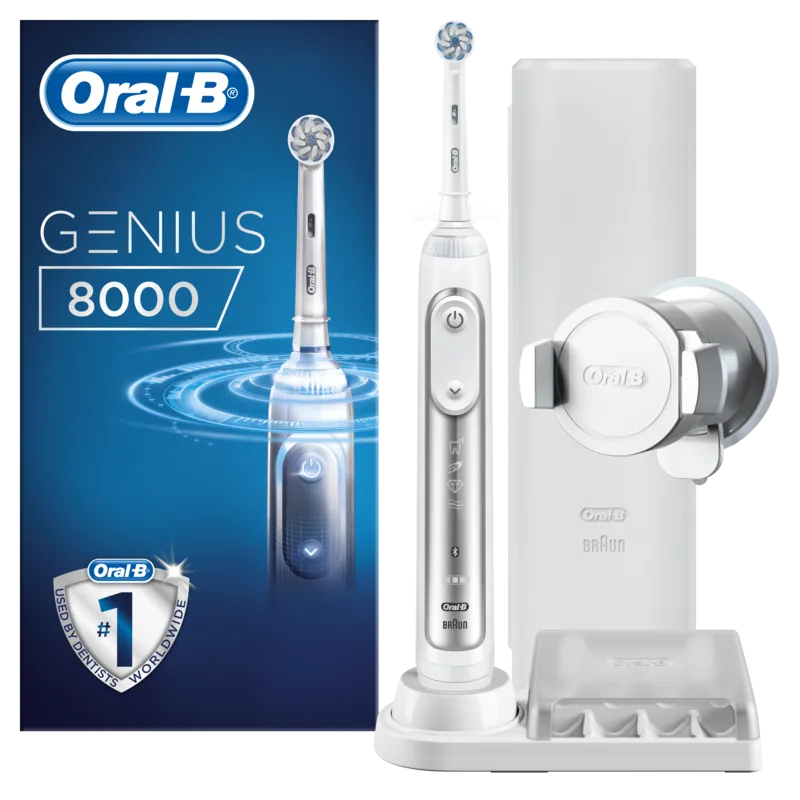
Oral-B Genius 8100s Manual
PDF manual · 101 Pages
English



Quick check
Incorrect answer, please try again.
Chat with your Oral-B Genius 8100s manual using AI
Get instant AI answers from your Oral-B Genius 8100s manual
Ask anything about the Oral-B Genius 8100s. Answers come from this manual, with the pages they are based on.
Ask a Question
Do you recommend Genius 8100s?
Yes NoFrequently Asked Questions
It is designed to provide guided, more precise brushing with features like timers, pressure sensing, multiple cleaning modes, and optional app connectivity. The goal is to help users brush more effectively and consistently.
Is this answer helpful?
Yes, it can connect to the Oral-B app through Bluetooth if your phone supports the required Bluetooth version. The app can help track brushing habits and improve coverage, but compatibility depends on the device.
Is this answer helpful?
Oral-B recommends replacing the brush head about every three months, or sooner if the bristles become worn. This helps maintain cleaning performance and keeps the brush working as intended.
Is this answer helpful?
Depending on the model, it may include Daily Clean, Pro Clean, Sensitive, 3D White, Gum Care, and Tongue Clean. These modes are meant for different cleaning goals and comfort levels.
Is this answer helpful?
The pressure sensor lights up when you are pressing too hard. It also reduces brush movement in certain modes, which helps protect gums and encourages lighter brushing.
Is this answer helpful?
Yes, many versions include a charging travel case and storage accessories. The travel case makes it easier to pack the handle and brush heads while keeping them protected and organized.
Is this answer helpful?
Advantages and Disadvantages
Advantages

- Pressure sensor helps reduce brushing force and supports gentler gum care.
- Multiple brushing modes let users choose a routine for cleaning, whitening, or sensitivity.
- Smart Ring and timer make it easier to brush for the recommended time.
- Bluetooth app support can improve tracking and coverage awareness.
- Travel case and smartphone holder add convenience for home and travel use.
Disadvantages

- Full charging time is relatively long compared with daily use expectations.
- Bluetooth and app features depend on phone compatibility and settings.
- Accessories and included features may vary by model.
- Brush heads need regular replacement, adding ongoing cost.
- Some users may find the advanced functions more complex than a basic toothbrush.
Product Specification
Type
Electric toothbrush
Operation mode
Battery operated (Li-Ion)
Brush head
round
Cleaning programs
5
Special features
App control, charging indicator light, charge level indicator, pressure control, storage for 2 brush heads
Included in delivery
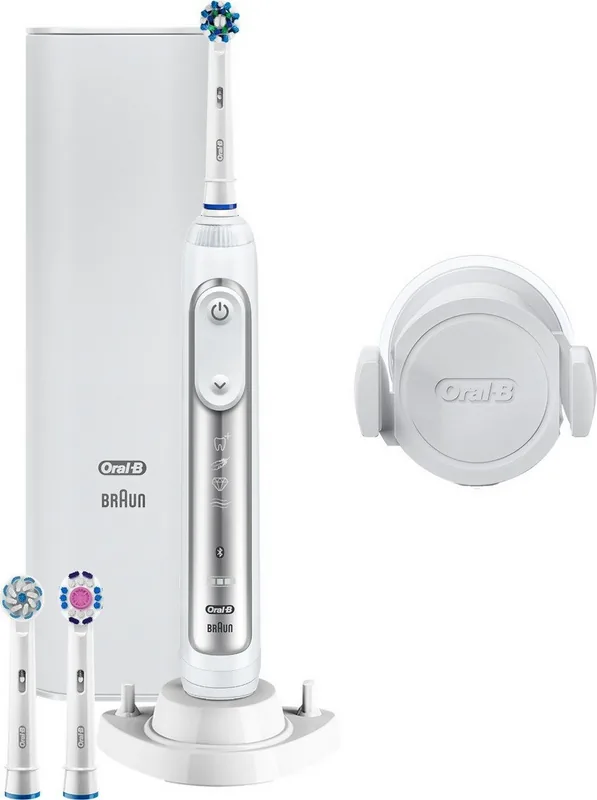
Charging station, case, 3x brush heads, smartphone wall mount
Product Description
Oral-B Genius 8100s Manual: A Smart Toothbrush Built for Better Daily Care
The Oral-B Genius 8100s is designed for people who want more control, better guidance, and a cleaner feeling after every brush. It combines oscillating-rotating technology with smart features that help turn a routine task into a more precise oral care habit. If you’re looking up the Oral-B Genius 8100s Manual, the biggest takeaway is simple: this brush is built to help you clean thoroughly while reducing guesswork.
What makes it stand out
At the center of the experience is the Smart Ring, which gives visual feedback for timing, Bluetooth pairing, and pressure control. That pressure sensor is especially useful because it warns you when you are brushing too hard, helping protect gums and enamel. The brush also offers multiple modes, including Daily Clean, Sensitive, Pro Clean, 3D White, Gum Care, and Tongue Clean, so it can adapt to different needs and preferences.
The built-in timer is another strong feature. You can use the standard 2-minute brushing guide or the professional-style 30-second quadrant reminders, making it easier to build a consistent routine. For many users, this kind of structure is what makes the Genius 8100s feel more advanced than a basic electric toothbrush.
Smart features and travel-friendly design
Bluetooth connectivity adds a layer of personalization through the Oral-B app, which can help track brushing habits and guide coverage around the mouth. The accessory set, depending on the version, may include a smartphone holder, charging travel case, and a compact bag for storage. That makes the toothbrush practical not only for home use but also for travel.
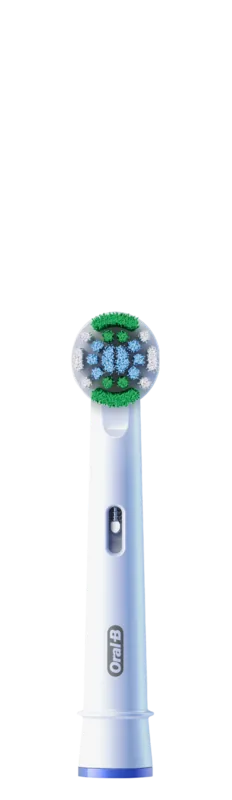
The handle is waterproof and designed for bathroom use, while battery life is strong enough for everyday routines after a full charge. Oral-B also recommends replacing the brush head every three months, which helps maintain cleaning performance over time. Brush-head compatibility and proper care are important parts of the overall experience.
Why it appeals to everyday users
The Oral-B Genius 8100s is a good fit for users who want guided brushing, pressure protection, and a polished, modern design. It is also useful for people with sensitive gums, those who prefer app support, or anyone who wants a toothbrush that feels more personalized than manual brushing.
Notes:
- Best results come from regular use and correct brushing technique.
- Bluetooth features depend on smartphone compatibility.
- Some accessories and functions vary by model.
Search for 67,706 Manuals online


Type-in Brand or Model
Lea Schmidt
9 months ago
How loud is the Oral-B Genius 8100S, and can I use it comfortably without the app?
Manual.ly
9 months ago
The Genius 8100S uses a strong 3D brushing motor, so it can feel quite loud compared to some entry-level brushes. Several users mention it is noticeable in the bathroom, but it is not a defect and most people adapt over time. You can also select a gentler mode (for example Sensitiv) if vibration feels too intense. Yes, you can use the brush without the app. It has an integrated 2-minute timer/interval pacing and an in-brush pressure sensor that warns and reduces speed when you press too hard. The app mainly adds convenience features like cleaning progress coaching and position recognition, but it is optional.