
Omnitronic KM-11.A Manual
PDF manual · 20 Pages
English



Quick check
Incorrect answer, please try again.
Chat with your Omnitronic KM-11.A manual using AI
Get instant AI answers from your Omnitronic KM-11.A manual
Ask anything about the Omnitronic KM-11.A. Answers come from this manual, with the pages they are based on.
KM-11.A Maintenance Schedule
Use a soft lint-free and moistened cloth. Never use alcohol or solvents. Disconnect from mains before cleaning.
Check the device and the power cord from time to time for signs of wear, crimping, or sharp edge damage.
Only replace with a fuse of same type and rating after disconnecting from mains. Open holder, swap fuse, close.
Ask a Question
Do you recommend KM-11.A?
Yes NoFrequently Asked Questions
The monitors support 115/230 V AC, 50/60 Hz power supply. You can adjust the voltage selector switch to match your local mains voltage. Ensure the connection meets the voltage and frequency requirements exactly to prevent damage.
Is this answer helpful?
Use the parallel output jack labeled LINK. Connect this output to the line input of the second monitor. This allows audio daisy-chaining so both units receive the same signal from a single source without requiring extra cables from the mixer.
Is this answer helpful?
Yes, but you must keep them far enough away to prevent feedback. If high-pitch squeals occur, adjust positioning or use the low cut filter. Avoid holding mics directly in front of the speaker grille during operation.
Is this answer helpful?
Use a soft, lint-free cloth dampened with water. Never use alcohol, solvents, or harsh detergents. Ensure the unit is disconnected from the mains before cleaning to avoid electrical hazards or component damage.
Is this answer helpful?
The 112A model offers a frequency range of 50-20000 Hz. This wide range handles deep bass notes and high highs effectively. It uses a 12-inch woofer paired with a 1.35-inch tweeter for the full range.
Is this answer helpful?
Yes, there is a Ground Lift selector switch. If you experience humming noises without a signal, engage this switch to separate signal ground and housing ground. This breaks any ground loops that cause unwanted interference noises.
Is this answer helpful?
Yes, it features a threaded flange on the bottom for standard PA stand mounting. Ensure the stand is stable and rated for the weight. Do not exceed the maximum point load of the mounting surface to prevent accidents.
Is this answer helpful?
Advantages and Disadvantages
Advantages

- High power output suitable for live events with Class D/AB amplifiers.
- Coaxial design ensures clear and consistent sound dispersion across the frequency range.
- Multiple equalizer presets for different positions like Monitor or FOH.
- Dual limiter and overload protection circuits safeguard speakers from damage.
- Modular system allows linking multiple units via parallel outputs easily.
Disadvantages

- Large cabinets can be heavy and difficult to transport manually alone.
- Requires careful placement to avoid feedback issues with microphones.
- Sensitivity to moisture and weather exposure limits outdoor use without protection.
- Ground lift switch sometimes requires troubleshooting if electrical hum persists.
- Fixed cabinet dimensions may not fit into tight stage spaces.
Product Specification
Type
2-Way
Tweeter
1x 1.35"
Amplification
Active
Impedance
30 Ohms
Product Description
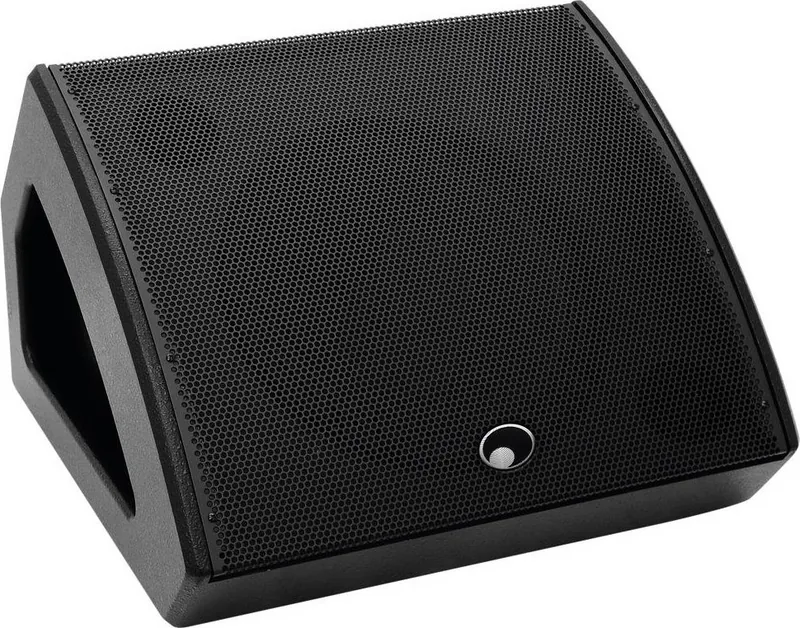
Unlocking Professional Sound with the Omnitronic KM-11.A Unit
Finding reliable audio monitoring on stage is crucial for performers and bands. The Omnitronic KM-11.A Unit series delivers exactly that with robust design and clear sound projection. These active coaxial stage monitors are built specifically for live performances and playback applications in various venues. Whether you need a compact solution for small gigs or high volume power for larger stages, the series offers distinct options to suit different stage needs perfectly without compromise. It is a top choice for audio engineers.
Performance is the core strength of these high-quality monitors. Equipped with Class D/AB bi-amp power amplifiers, the units ensure efficient power delivery without excessive heat generation during long sets. Users can choose between different driver configurations depending on the venue size. The smaller models feature a 10-inch bass driver paired with a 1.35-inch high frequency driver for crisp highs. Larger options step up to 12-inch or 15-inch woofers for deeper bass response and higher sound pressure levels needed for rock bands. Maximum power ratings vary significantly, allowing flexibility for small clubs or large stages while maintaining audio fidelity. The Class D technology ensures efficiency.
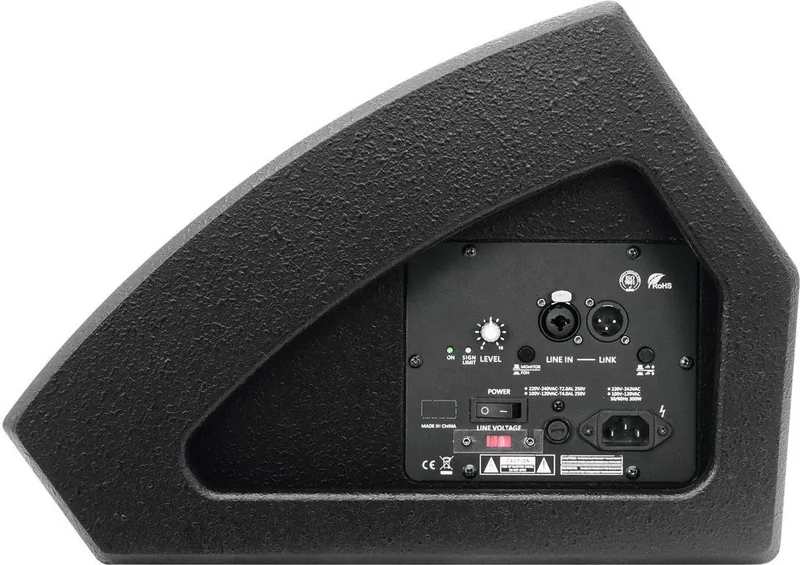
Control versatility sets these systems apart from standard passive alternatives found in many venues. A dedicated Monitor or FOH switch changes the equalizer characteristics instantly to match the acoustic situation perfectly. This saves time during sound checks. This allows the same box to serve as a stage monitor with attenuated bass for the musician or as a front-of-house speaker directed at the audience. The signal path includes a balanced line input via XLR or jack and an identical parallel output to daisy-chain additional units easily for wider coverage. Protection circuits like dual limiters safeguard the drivers from overloads while the sturdy MDF housing with impact-resistant steel grille resists physical damage during transport and set-up.
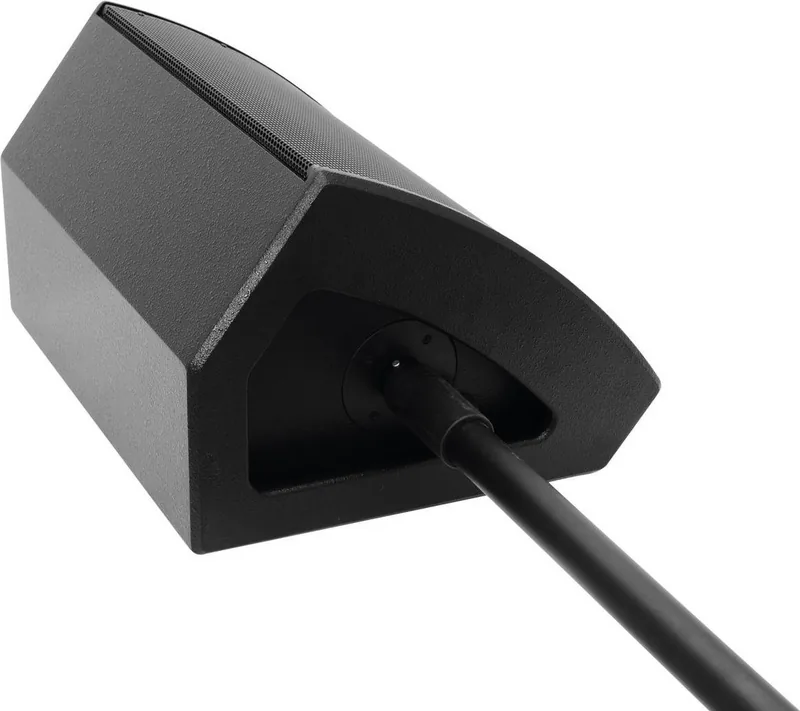
Installation requires strict attention to safety and environmental limits for optimal longevity. The unit features a threaded flange for standard PA stand mounting but must always be placed on a stable surface to prevent tipping due to heavy bass vibrations. Feedback remains a common issue so proper distance from microphones is vital to maintain clean audio during live vocal sets. Regular maintenance involves cleaning with a soft cloth and ensuring the power cable remains undamaged and not pinched during use. Maintain temperature within specified safe operating ranges. With proper handling and ventilation, these monitors provide years of reliable service in demanding environments.
Search for 67,706 Manuals online


Type-in Brand or Model