
NZXT N7 Z590 Manual
PDF manual · 56 Pages
English



Quick check
Incorrect answer, please try again.
Chat with your NZXT N7 Z590 manual using AI
Get instant AI answers from your NZXT N7 Z590 manual
Ask anything about the NZXT N7 Z590. Answers come from this manual, with the pages they are based on.
Ask a Question
Do you recommend N7 Z590?
Yes NoFrequently Asked Questions
This motherboard supports Intel 11th Generation Core i9, i7, and i5 processors using the LGA 1200 socket. It also offers backward compatibility with select 10th Gen Intel CPUs.
Is this answer helpful?
Yes, the NZXT Z590 comes pre-installed with an Intel Dual Band Wireless-AX210 module supporting Wi-Fi 6E, Bluetooth 5.2, and dual-band frequencies including the new 6GHz band.
Is this answer helpful?
It features four DIMM slots supporting up to 128GB of DDR4 memory. Overclocking speeds can reach up to 4600 MHz depending on the processor and memory modules used.
Is this answer helpful?
Yes, the board supports AMD CrossFireX technology with two PCIe x16 slots. However, ensure your power supply meets the requirements for multi-GPU setups.
Is this answer helpful?
NZXT provides a 3-year warranty for motherboards purchased directly from them. Proof of purchase is required for all warranty claims and service requests.
Is this answer helpful?
While not strictly required for basic operation, NZXT CAM is recommended to control fan speeds, RGB lighting, and monitor system temperatures effectively within Windows.
Is this answer helpful?
The board includes two M.2 slots supporting PCIe 4.0 and SATA modes, plus four SATA 6Gb/s ports for connecting traditional hard drives or SSDs.
Is this answer helpful?
Advantages and Disadvantages
Advantages

- Supports Intel 11th Gen CPUs with speeds up to 4600MHz RAM
- Integrated Wi-Fi 6E with 6GHz band support
- Premium all-metal design with effective cooling coverage
- Multiple M.2 slots supporting PCIe 4.0 for fast storage
- Dedicated NZXT RGB headers for easy lighting control
Disadvantages

- All-metal covers require careful removal to avoid bending
- High-end features may be overkill for budget builds
- No built-in WiFi antenna mounting holes on the case included
- Complex BIOS settings might overwhelm beginners
- Requires specific ATX power supply connectors for optimal performance
Product Specification
Form Factor
ATX
Socket
Intel LGA 1200
Chipset
Intel Z590
CPU Compatibility
Core i-11000, Core i-10000, Pentium Gold G6000, Celeron G5000
RAM
4x DDR4 DIMM, dual PC4-36800U/DDR4-4600 (OC), max. 128GB (UDIMM)
Expansion Slots
1x PCIe 4.0 x16, 1x PCIe 3.0 x16 (x4), 3x PCIe 3.0 x1, 1x M.2/M-Key (PCIe 4.0 x4, 2280/2260/2242), 1x M.2/M-Key (PCIe 3.0 x4/SATA, 2280/2260/2242), 1x M.2/E-Key (Intel CNVi, 2230, occupied by WiFi+BT module)
External Connectors
1x HDMI 2.0b (iGPU), 1x USB-C 3.2 (20Gb/s), 3x USB-A 3.1 (10Gb/s), 4x USB-A 3.0 (5Gb/s), 2x USB-A 2.0 (480Mb/s), 1x 2.5GBase-T (Realtek RTL8125BG), 5x Jack, 1x Toslink, 2x Antenna Connector RP-SMA
Internal Headers
1x USB-C 3.1 Key-A Header (10Gb/s, Z590), 2x USB 3.0 Header (5Gb/s, 4x USB 3.0), 3x USB 2.0 Header (480Mb/s, 6x USB 2.0), 4x SATA 6Gb/s (Z590)
Cooling Headers
1x CPU Fan 4-Pin, 5x Fan 4-Pin, 1x Pump 4-Pin
Lighting Headers
1x 4-Pin RGB (+12V/G/R/B, max. 3A), 1x 3-Pin ARGB (+5V/DATA/GND, max. 3A), 2x 4-Pin HUE+ (+5V/DATA/GND/DETECT)
Buttons/Switches
Power Button (internal), Reset Button (internal), Clear CMOS Button (external)
Audio
7.1 (Realtek ALC1220)
Graphics
iGPU
Wireless
Wi-Fi 6E (WLAN 802.11a/b/g/n/ac/ax, 2x2, Intel AX210), Bluetooth 5.3
RAID Levels
0/1/5/10 (Z590)
Multi-GPU
AMD 2-Way CrossFireX (x16/x4)
Power Connectors
1x 24-Pin ATX, 1x 8-Pin EPS12V, 1x 4-Pin ATX12V
Lighting
N/A
Features
Audio solid capacitors, Backplate, Diagnostic LED (LED indicators), Integrated I/O Shield, Onboard TPM 2.0 Support (Intel PTT)
Manufacturer Warranty
Three Years
USB Spelling
Link
Product Description
Unleash Performance with the NZXT Z590 Motherboard
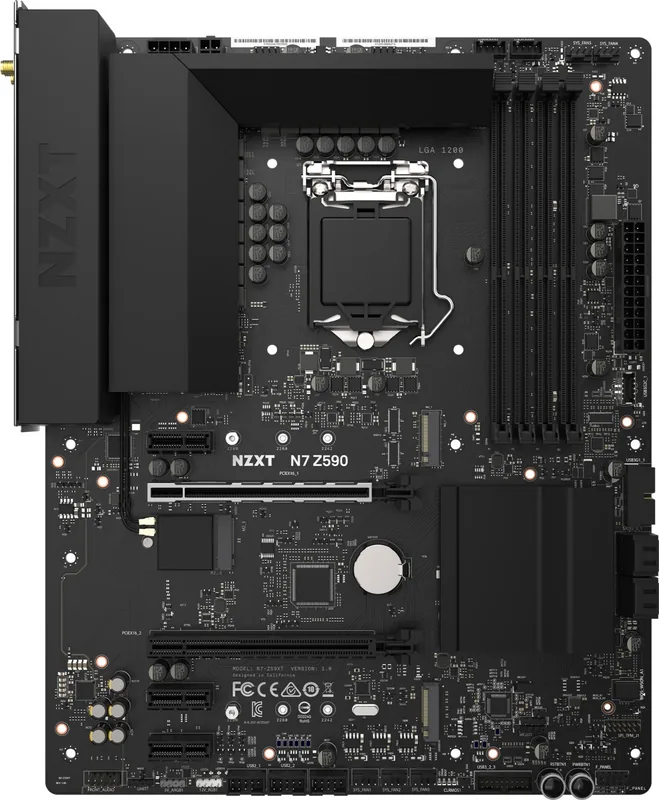
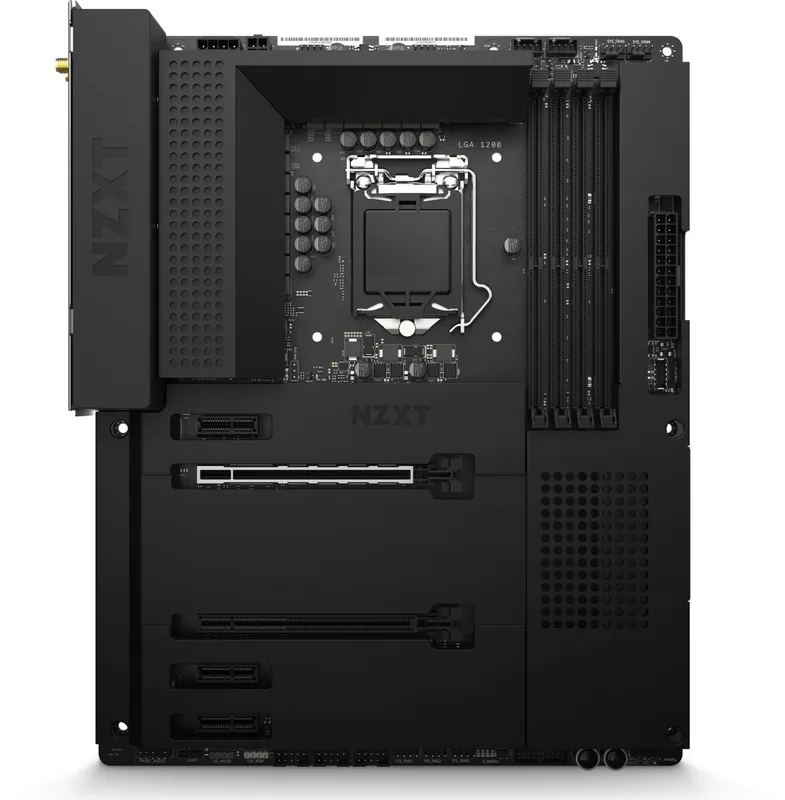
The NZXT Z590 ATX motherboard stands as a pinnacle of engineering designed for enthusiasts who demand both style and substance. Built to harness the full potential of Intel 11th Generation Core processors, this board offers a robust platform for high-performance computing. Its sleek all-metal cover pieces provide a premium aesthetic while ensuring efficient heat dissipation for critical components during intense gaming or productivity sessions.
At the heart of the system lies the LGA 1200 socket, supporting powerful Intel Core i9, i7, and i5 CPUs with advanced Turbo Boost technology. The board features four DDR4 DIMM slots capable of handling up to 128GB of memory, with speeds reaching an impressive 4600 MHz when overclocked via XMP profiles. This ensures seamless multitasking and rapid data access for demanding applications.
Connectivity is where the NZXT Z590 truly shines. It integrates the latest Wi-Fi 6E standard with the Intel AX210 module, offering blazing-fast wireless speeds across 2.4, 5, and even 6GHz bands. Wired connectivity is equally robust with a Realtek 2.5G LAN port for lag-free networking. Storage options are plentiful, featuring multiple M.2 slots that support PCIe 4.0 NVMe SSDs alongside traditional SATA drives, allowing for expansive RAID configurations.
Visual customization is a key feature, with dedicated headers for NZXT RGB lighting, 5V addressable RGB strips, and 12V RGB LEDs. Users can create stunning lighting effects synchronized through the NZXT CAM software. The rear I/O panel includes a comprehensive array of USB ports, including a USB 3.2 Gen 2x2 Type-C connector, HDMI output, and optical audio jacks. Whether you are building a new rig or upgrading an existing one, the NZXT Z590 provides the stability and features necessary for a top-tier experience.
Important Notes
- Always use a grounding strap when installing the motherboard to prevent static damage.
- Remove the AC power cord before making any hardware changes.
- Ensure the CPU heatsink is properly mounted before powering on the system.
Search for 67,706 Manuals online


Type-in Brand or Model