
NZXT Lift 2 Ergo Manual
PDF manual · 29 Pages
English



Quick check
Incorrect answer, please try again.
Chat with your NZXT Lift 2 Ergo manual using AI
Get instant AI answers from your NZXT Lift 2 Ergo manual
Ask anything about the NZXT Lift 2 Ergo. Answers come from this manual, with the pages they are based on.
Ask a Question
Do you recommend Lift 2 Ergo?
Yes NoFrequently Asked Questions
The NZXT Lift 2 Ergo supports a maximum polling rate of 8,000 Hz. This setting can be adjusted using the NZXT CAM software to match your specific needs.
Is this answer helpful?
The mouse features a 26,000 DPI sensor. Users can cycle through default settings ranging from 400 DPI to 6400 DPI using the side button or customize them further in the software.
Is this answer helpful?
Yes. After configuring your settings and saving them to one of the four onboard profiles, you can operate the mouse without the NZXT CAM software running.
Is this answer helpful?
The provided documentation does not mention RGB lighting features for this specific model. It focuses primarily on performance, ergonomics, and sensor technology.
Is this answer helpful?
The mouse uses optical switches. These provide faster actuation times and greater durability compared to traditional mechanical switches.
Is this answer helpful?
While the mouse can operate on nearly any surface, using a mouse pad or mat is highly recommended to achieve the best possible tracking performance.
Is this answer helpful?
Advantages and Disadvantages
Advantages

- Ultra-lightweight ergonomic design reduces hand fatigue
- Industry-leading 8,000 Hz polling rate for extreme responsiveness
- 26,000 DPI sensor ensures high-speed precision tracking
- Four onboard profiles store settings without needing software
- Optical switches provide fast actuation and long lifespan
Disadvantages

- Wired connection limits mobility compared to wireless models
- Requires NZXT CAM software for full feature customization
- No RGB lighting customization mentioned in specifications
- Fixed 2-meter cable may be restrictive for some setups
- Learning curve for advanced macro creation via software
Product Specification
Suitability
right hand
Keys
6 (total), 2 (main), 1 (top), 2 (side), 1 (scroll wheel click)
Scroll Wheel
1x 2-way
Tracking
LED-red/IR
Resolution
26000dpi, adjustable to 6400/3200/1600/800/400dpi
Sensor
PixArt PAW 3395
Switches
optical switches, 100 million clicks
Polling Rate
8000Hz, adjustable to 4000/2000/1000/500/250/125Hz
Lighting
N/A
Connection
wired (6.56ft), USB-A 2.0
Power Supply
USB
Dimensions (WxDxH)
2.56x1.63x5.05in
Approximate Volume
5.55in³ (approximate shape)
Weight
2.15oz
Features
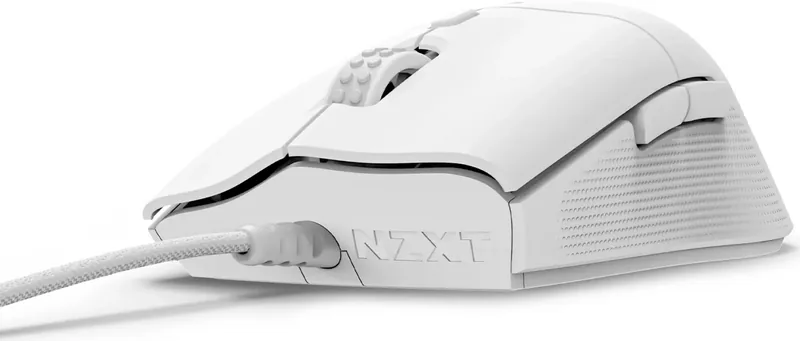
NVIDIA Reflex Compatible, Onboard Memory, non-slip surface (rubberized sides), fabric cable
Product Description
Elevate Your Gaming with the NZXT Lift 2 Ergo
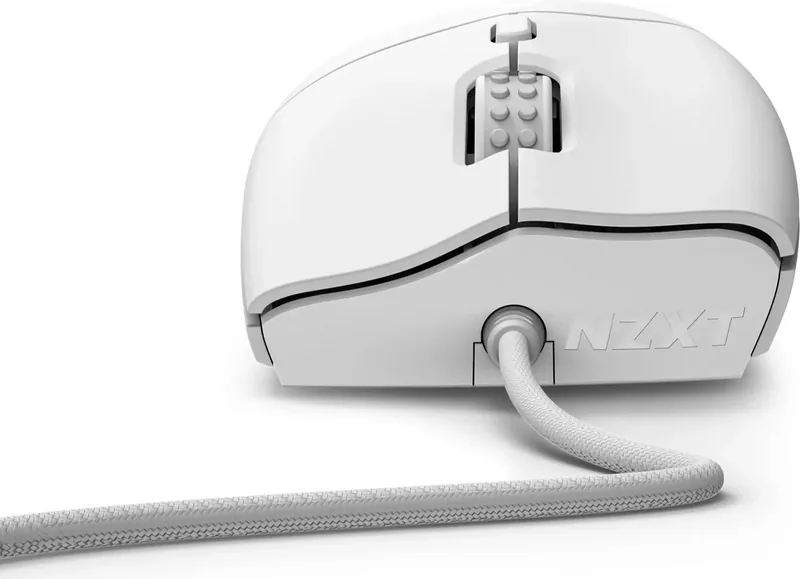
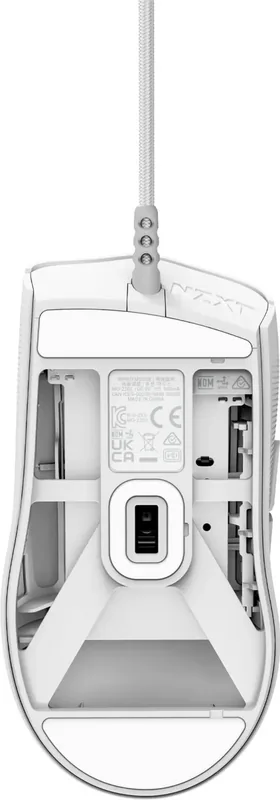
The NZXT Lift 2 Ergo is a lightweight, ergonomic wired gaming mouse designed for professionals and casual players alike. This device features an impressive 8,000 Hz polling rate, optical switches for rapid response, and a high-precision 26,000 DPI sensor. Whether you are streaming or competing, this mouse delivers the speed and accuracy needed to dominate.
Setup and Customization
Setting up the NZXT Lift 2 Ergo Manual process is straightforward. Simply connect the included 2-meter USB-A cable to your PC. You can cycle through default DPI settings from 400 to 6400 using the dedicated button on the mouse. For deeper customization, the NZXT CAM software allows you to adjust polling rates, create complex macros, and remap keys. The mouse supports four onboard profiles that store your settings locally, so you do not need the software running during gameplay.
Performance and Comfort
Designed with a lighter-weight frame, the Lift 2 Ergo reduces fatigue during long sessions. It operates on almost any surface, though a mouse pad is recommended for optimal tracking. The optical switches ensure durability and instant actuation. With its sleek design and robust feature set, this mouse stands out as a top-tier peripheral for serious gamers who demand precision and reliability.
Search for 67,706 Manuals online


Type-in Brand or Model