Chat with your NZXT Kraken Z Series manual using AI
Get instant AI answers from your NZXT Kraken Z Series manual
Ask anything about the NZXT Kraken Z Series. Answers come from this manual, with the pages they are based on.
Ask a Question
0/1000
Do you recommend Kraken Z Series?
YesNo
Frequently Asked
Questions
A
The series includes the Kraken Z53, Kraken Z63, and Kraken Z73. The Z53 includes two 120 mm Aer P fans, the Z63 includes two 140 mm Aer P fans, and the Z73 includes three 120 mm Aer P fans.
Is this answer helpful?
A
Supported Intel platforms include LGA 1700, 1200, 115X, 1366, 2011, and 2066. AMD AM4 is also supported. AMD Threadripper TR4 requires the dedicated mounting bracket supplied with the Threadripper CPU package.
Is this answer helpful?
A
Yes. The pump display orientation can be adjusted in 90-degree increments. This lets builders position the screen more cleanly around motherboard layouts and choose a tubing direction that better fits the system.
Is this answer helpful?
A
Connect the breakout cable SATA lead to the power supply, the pump tach lead to CPU_FAN or AIO_PUMP, and the Micro-USB cable to an available internal USB 2.0 motherboard header. Fans connect through the breakout cable.
Is this answer helpful?
A
NZXT CAM is used to manage the cooler and customize supported display settings. The software is installed after the cooler is connected to the system through its internal USB connection.
Is this answer helpful?
A
The cooler supports compatible NZXT RGB devices through the RGB connector on the breakout cable. Lighting accessories are optional and sold separately.
Is this answer helpful?
M: gpt-5.6-terra
Advantagesand
Disadvantages
Advantages
Integrated LCD display adds a personalized visual focal point to the CPU cooling setup.
Supports major Intel sockets, AMD AM4, and TR4-specific installation hardware.
Pump orientation can be adjusted in 90-degree increments for cleaner tubing and display alignment.
Available in 240 mm, 280 mm, and 360 mm radiator class configurations.
NZXT CAM enables cooler management through an internal USB 2.0 connection.
VS
Disadvantages
Compatible case radiator clearance must be confirmed before installation.
Optional RGB accessories are not included with the cooler.
Installation requires several power, fan, tachometer, and USB connections.
TR4 systems require the dedicated bracket supplied with the Threadripper CPU package.
AMD TR4 conversion kit is included with the Threadripper CPU. Warning! Mounting kit for socket 1700 may not yet be included (included from production date 12/2021). 1700 conversion kit available free of charge. Warning! Mounting kit for socket AM5 may not yet be included. AM5 conversion kit available free of charge.
M: gpt-5.6-terra
Product
Description
NZXT Kraken Z Series - Kraken Z 3 Manual: Premium LCD Liquid Cooling
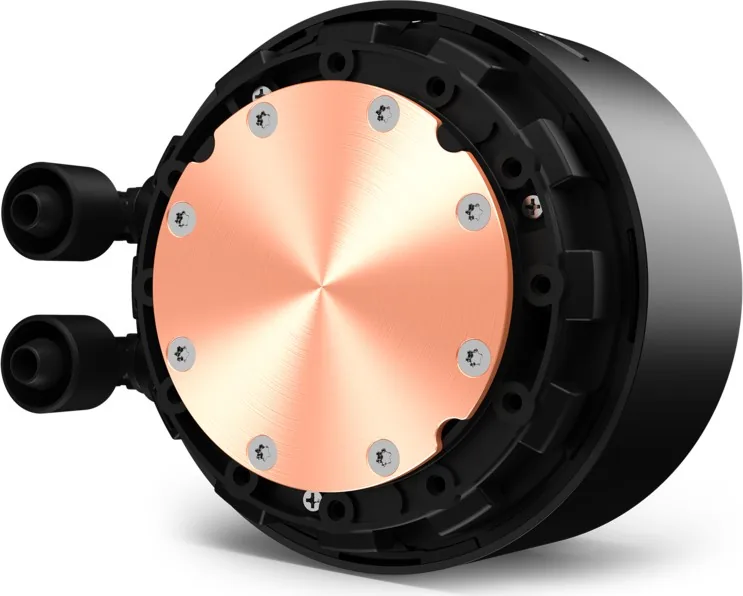
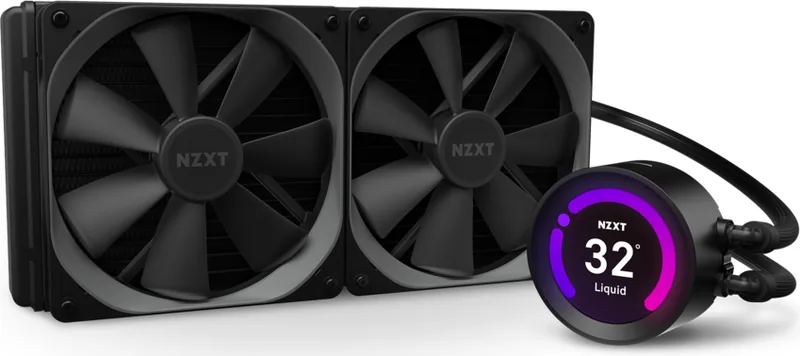
The NZXT Kraken Z Series - Kraken Z 3 brings advanced all-in-one CPU liquid cooling to performance-focused gaming PCs and professional workstations. Available in Z53, Z63, and Z73 configurations, this series combines a CPU pump, radiator, Aer P fans, and an integrated LCD display to deliver a clean, highly personalized cooling solution.
Designed for Modern Intel and AMD Builds
Installation support covers a broad range of platforms, including Intel LGA 1700, 1200, 115X, 1366, 2011, and 2066 sockets, along with AMD AM4. AMD Threadripper TR4 systems use the dedicated mounting hardware supplied with the CPU package. The package includes Intel and AMD brackets, socket-specific standoffs, a backplate, mounting screws, washers, a breakout cable set, and a Micro-USB cable to help builders prepare for a tidy installation.
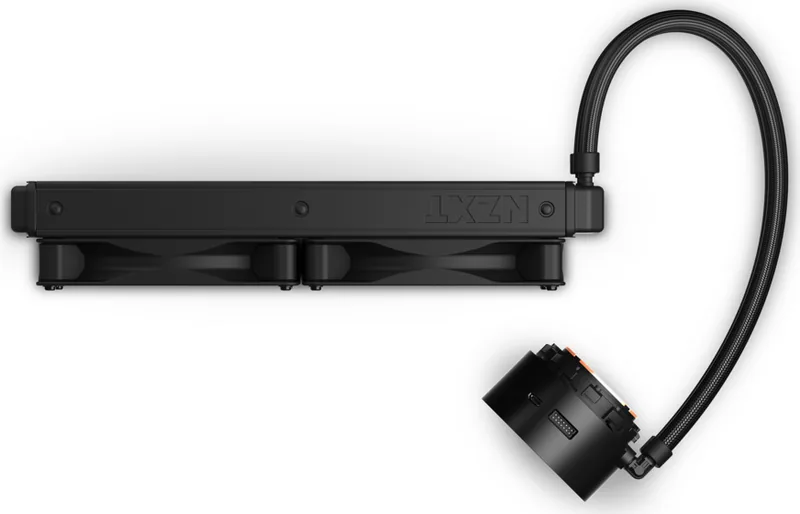
The pump head can be positioned in 90-degree increments, allowing the screen and tubing direction to suit different motherboard layouts. This flexibility helps maintain a polished appearance whether the radiator is installed at the top, front, or side of a compatible case.
LCD Personalization and CAM Control
A standout feature of the Kraken Z lineup is its LCD display. With NZXT CAM software, users can tailor the display orientation and manage the cooler within their system setup. The pump connects through an internal USB 2.0 header, while the included breakout cable provides fan, pump tachometer, SATA power, and optional NZXT RGB connections.
For dependable operation, the pump tach cable can connect to a motherboard CPU_FAN or AIO_PUMP header. Fan power is routed through the breakout cable, supporting the included Aer P fans. Optional compatible NZXT RGB accessories can also be connected to extend lighting control, although these accessories are sold separately.
Three Radiator Sizes for Different Cases
The Z53 includes two 120 mm Aer P fans, while the Z63 uses two 140 mm fans. The larger Z73 model includes three 120 mm fans. These configurations let builders select a radiator format that matches their available case space and cooling needs.
Radiator mounting can be direct or indirect. Direct mounting uses 30 mm fan screws for the fans and 5 mm case screws for the radiator, while indirect mounting places the fans between the radiator and case with 30 mm screws. Washers should always be used to help prevent damage during installation.
Notes
The NZXT Kraken Z Series - Kraken Z 3 Manual highlights careful socket preparation, secure mounting, SATA power, and internal USB connectivity as the foundation of a successful installation. Confirm radiator clearance and motherboard header availability before beginning your build.