智能设备通过单个 USB 2.0 接口连接到您的计算机。要想控制智能设备,请从 camwebapp.com 下载并安装 NZXT CAM。
智慧裝置透過一個內部的 USB 2.0 連接器連接至電腦。若要控制智慧裝置,請至 camwebapp.com 下載並安裝 NZXT CAM。
Интеллектуальное устройство подключается к ПК через внутренний портUSB2.0 Для управления интеллектуальным устройством
загрузите и установите NZXT CAM с сайта camwebapp.com.
El dispositivo inteligente se conecta a tu PC mediante un único conector USB 2.0 interno. Para activar el control del dispositivo
inteligente, descarga e instala NZXT CAM desde camwebapp.com.
SMART DEVICE V2
ACCESSORY BOX
CAJA DE ACCESORIOS
BOITE D'ACCESSOIRES
ZUBEHÖRSET
КОРОБКА С ПРИНАДЛЕЖНОСТЯМИ
SCATOLA DEGLI ACCESSORI
CAIXA DE ACESSÓRIOS
악세사리 박스
部品箱(説明書入り)
配件盒
零件盒
/2
%
Quick check
I'm not a robot
Incorrect answer, please try again.
Chat with your NZXT H710 manual using AI
Get instant AI answers from your NZXT H710 manual
Ask anything about the NZXT H710. Answers come from this manual, with the pages they are based on.
Ask a Question
0/1000
Do you recommend H710?
YesNo
Frequently Asked
Questions
A
Connect to the three available connectors or use the included splitters. Do not mix PWM and 3 pin fans on one channel. For best noise reduction, connect CPU fan to Smart Device and disable BIOS warnings.
Is this answer helpful?
A
The standard warranty covers parts for two years. Refurbished products have a one-year coverage. Proof of purchase is required for any service claims or replacements.
Is this answer helpful?
A
Yes, the H710i specifically supports vertical mounting with a bracket. Horizontal mount is also available using standard motherboard slots depending on your PCIe configuration.
Is this answer helpful?
A
It uses an internal USB 2.0 connection to link with NZXT CAM software. This allows control of fan curves and RGB lighting without needing motherboard headers directly.
Is this answer helpful?
A
It handles up to 360mm radiators on the front and 280mm on top. Ensure you have sufficient clearance for your chosen cooler model before installation.
Is this answer helpful?
A
Yes, tools are not required to unscrew the thumb screws for access. The glass panels are tempered for safety during frequent opening.
Is this answer helpful?
A
Yes, additional HUE 2 strips can connect to the end of the top strip. Aer RGB 2 fans plug directly into the second RGB channel for seamless integration.
Is this answer helpful?
M: QW-35-FL
Advantagesand
Disadvantages
Advantages
Smart Device V2 simplifies fan and RGB control through software integration and USB connectivity for streamlined management.
Dual tempered glass panels allow for fully showcasing custom PC builds while maintaining structural rigidity and safety.
Excellent cable management system with dedicated bar keeps wires hidden and improves interior airflow significantly.
Vertical GPU mounting option enhances visual presentation and saves space on the motherboard for other expansions.
Supports extensive radiator sizes and cooling solutions including top and front mounts for advanced liquid cooling setups.
VS
Disadvantages
Mixing PWM and 3 pin fans on the same splitter channel is not recommended and requires careful configuration management.
Smart Device connection disables CPU fan warnings in BIOS which users must manually adjust before system boot.
Requires connecting to power supply to function, meaning cables must be routed internally before closing the case.
Only one USB 2.0 cable is used for Smart Device connection which limits additional port expansion via USB hub.
Warranty does not cover standard accessories like cooling fans or headsets included with the system package entirely.
Motherboard and case manufacturers designate different dimensions as E-ATX. Motherboards with E-ATX/SSI EEB dimensions of 12.01"x12.99" or 12"x13" are not supported.
USB Layout
Left
M: QW-35-FL
Product
Description
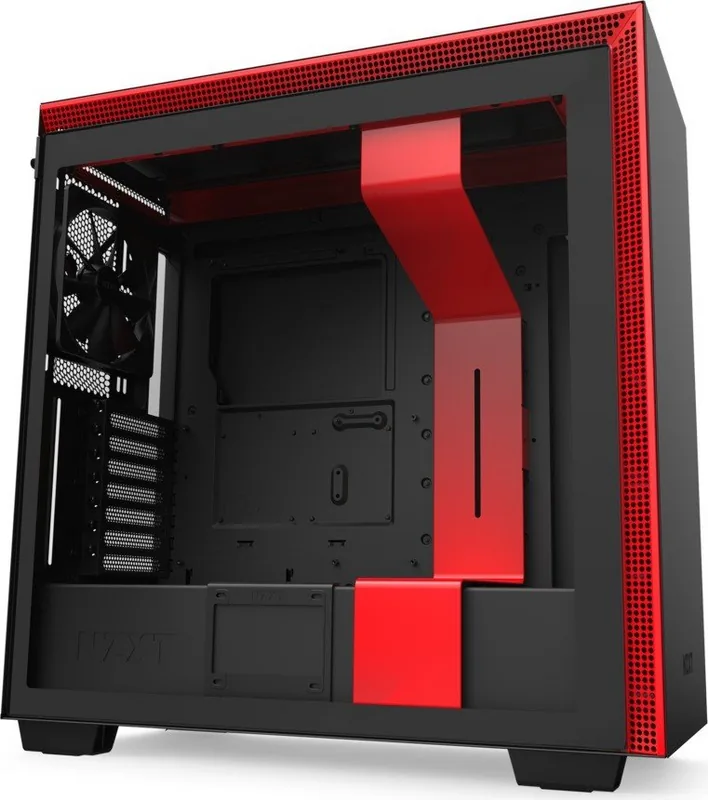
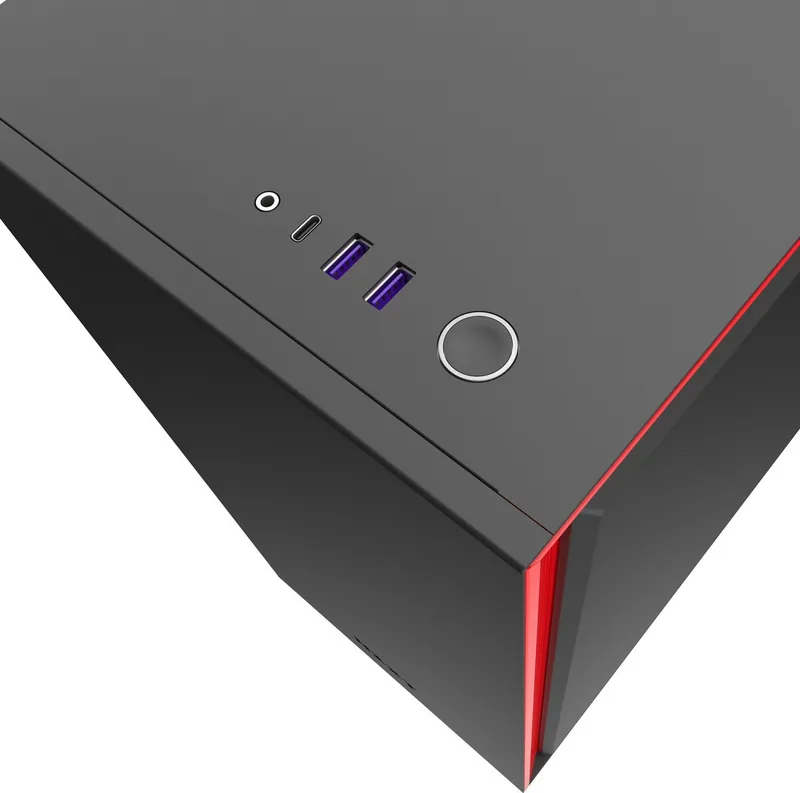
Building a high performance rig requires attention to detail and smart components. The NZXT H710 case stands out for enthusiasts seeking a balance of style and function. This mid-tower chassis features a sleek tempered glass side panel that showcases your internal hardware beautifully. At the heart of the system is the Smart Device V2, which simplifies control over fans and lighting directly from your motherboard or via software integration. Users appreciate the intuitive design that supports up to three fan connections across different channels. Cable management has been streamlined with a dedicated bar that keeps wires organized behind the panels. The front I/O module offers modern connectivity options including USB 3.1 Gen 1 and audio jacks for easy access. Lighting enthusiasts will find pre installed LED strips inside the case that add a vibrant touch to the build.
Integration with NZXT CAM software allows users to tweak fan speeds and RGB colors to match their specific aesthetic or performance needs. The adaptive noise reduction feature helps maintain a quiet system by adjusting speeds based on temperature. When installing your components, the vertical GPU mount support ensures graphics cards are secured in the optimal position. Cooling flexibility is abundant with mounts for radiators on the top and front, accommodating various water cooling setups. The smart device connects via internal USB 2.0 to bridge communication between your hardware and the control software.
Following the guidelines found in the NZXT H710 Manual ensures optimal setup conditions for airflow and electrical connections. It is important to note specific pin configurations to avoid mixing PWM and 3 pin fans on the same channel. Proper installation of the PSU bracket and drive trays maximizes storage and power delivery efficiency. For those looking to expand lighting further, additional HUE 2 strips can be connected without complex wiring. The design prioritizes ease of access for maintenance while maintaining a clean interior profile. Whether you are a competitive gamer or a content creator, this enclosure provides the stability needed for demanding workloads.
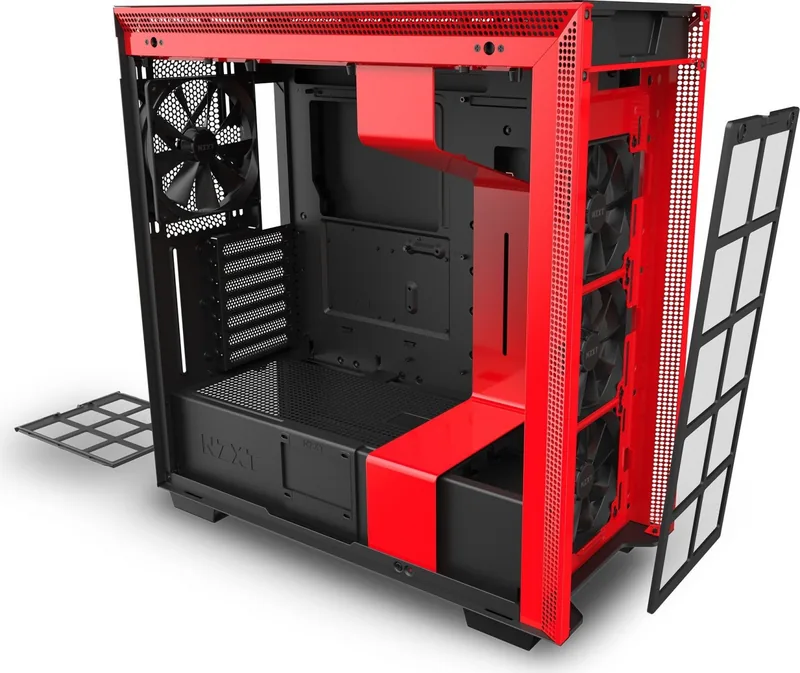
Maintenance is simplified with magnetic dust filters that can be removed without tools. The front steel panel features mesh designs to promote intake airflow. Ensure the PC is off when connecting the power connector to the smart device. Disable CPU fan warnings in BIOS if connecting the CPU fan to the smart device. Verify compatibility with your motherboard form factor, as the case supports Mini-ITX through EATX. Storage enthusiasts can utilize multiple SSD trays and HDD cages located for organized drive management.
In summary, this tower offers superior build quality and modern features. It caters to users who value both presentation and functionality in their computing environment. Proper setup ensures longevity and performance stability under load. Note that warranty coverage applies to components purchased within the eligible regions. Always check the latest firmware for the best performance experience.