備註︰若要以最有效的方式使用 CAM 的自主適應降噪功能,您應將 CPU 風扇連接到智慧型裝置。若選擇這樣做,您必須停用主機板 BIOS 設定中的 CPU
風扇警告。
RGB LED 接頭 - 機殼內建一條 LED 燈條。透過底部 LED 燈條的端點接頭,即可連接額外的 HUE+ LED 燈條。若要連接 Aer RGB,請直接連接至
RGB LED 接頭。
電源連接器 - 連接至電源供應器,為智慧裝置、風扇及 LED 燈條供電和啟用。
備註︰電腦電源開啟時,請勿連接。
Motherboard-Unterstützung
2,5-Zoll-SSD
3,5-Zoll-Festplatte
Erweiterungssteckplätze
GPU-Abstand
Kabelverwaltung
CPU-Kühler
Vorderer Kühlkörper
Mini-ITX
3+1
1
2
325mm
15.9mm
165mm
85mm
Scheda madre supportata
SDD 2.5”
HDD 3.5”
Alloggi d’espansione
Spazio necessario alla GPU
Gestione dei cavi
Dispersore di calore CPU
Radiatore frontale
Mini-ITX
3+1
1
2
325mm
15.9mm
165mm
85mm
210MM372MM
349MM
Châssis
Filtre à poussière du haut
Ventilateur en extraction du haut
Bande LED RVB du dessus
Ventilateur d'échappement arrière
Support du bloc d'alimentation SFX
Filtre à poussière du bloc d'alimentation
Vis à serrage à main pour le panneau en verre trempé
Panneau latéral gauche en verre trempé
Plateau SSD
E/S avant
Support du SSD
Smart Device (H200i)
Panneau métallique droit
Filtre à poussière avant
Cache avant
Support du dissipateur avant
Barre pour la gestion des câbles
Support du GPU
1.
2.
3.
4.
5.
6.
7.
8.
9.
10.
11.
12.
13.
14.
15.
16.
17.
18.
19.
Gehäuse
Top Filter
Lüfter für Luftauslass an Oberseite
RGB-LED-Streifen an Oberseite
Lüfter für Luftauslass an Rückseite
SFX-Netzteilhalterung
Netzteil-Staubfilter
Linke Hartglasblende
Hartglasfenster links
SSD-Fach
E/A an der Vorderseite
SSD-Halterung
Smart Device (H200i)
Seitliche Abdeckung rechts aus Metall
Staubfilter an Vorderseite
Einfassung an Vorderseite
Kühlerhalterung an Vorderseite
Reinigungsleiste
GPU-Ständer
1.
2.
3.
4.
5.
6.
7.
8.
9.
10.
11.
12.
13.
14.
15.
16.
17.
18.
19.
Chassis
Filtro superiore
Ventola di scarico superiore
Striscia LED RGB superiore
Ventola di scarico posteriore
Staffa alimentatore SFX
Filtro polvere alimentatore
Pannello laterale sinistro di vetro temperato
Pannello laterale sinistro in vetro temperato
Cassetto SDD
I/O anteriore
Staffa SSD
Dispositivo intelligente (H200i)
Pannello destro in metallo
Filtro polvere anteriore
Smussatura anteriore
Staffa raffreddamento anteriore
Barra di gestione dei cavi
Supporto GPU
1.
2.
3.
4.
5.
6.
7.
8.
9.
10.
11.
12.
13.
14.
15.
16.
17.
18.
19.
Chassi
Filtro de topo
Ventoinha de exaustão da parte superior
Tira de LED RGB da parte superior
Ventoinha de exaustão traseira
Suporte do PSU SFX
Filtro de pó do PSU
Painel esquerdo em vidro temperado
Vidro temperado do painel lateral esquerdo
Tabuleiro de SSD
E/S frontal
Suporte do SSD
Dispositivo inteligente (H200i)
Painel de metal direito
Filtro de pó frontal
Moldura frontal
Suporte da ventoinha frontal
Barra de limpeza
Suporte da GPU
1.
2.
3.
4.
5.
6.
7.
8.
9.
10.
11.
12.
13.
14.
15.
16.
17.
18.
19.
Корпус
Верхний фильтр
Верхний вытяжной вентилятор
Верхняя светодиодная лента RGB
Задний вытяжной вентилятор
Кронштейн блока питания SFX
Пылевой фильтр блока питания
Левая панель из закаленного стекла
Левая боковая панель из закаленного стекла
Лоток для твердотельных накопителей
Разъемы спереди
Крепление SSD-накопителя
Интеллектуальное устройство (H200i)
Правая металлическая панель
Передний пылевой фильтр
Передняя рамка
Кронштейн передней системы охлаждения
Панель Clean sweep
Подставка для графического процессора
1.
2.
3.
4.
5.
6.
7.
8.
9.
10.
11.
12.
13.
14.
15.
16.
17.
18.
19.
x1
Installed x0
Accessory Box x1
L
Breakout Cable
LED CONNECTOR
4
TOP RGB LED STRIP
18
CABLE BAR
19
GPU STAND
17
FRONT COOLER BRACKET
11
FRONT I/O
12
SSD BRACKET
13
SMART DEVICE (H200i)
14
RIGHT METAL PANEL
15
FRONT DUST FILTER
16
FRONT BEZEL
5
REAR EXHAUST FAN
6
SFX PSU BRACKET
7
PSU DUST FILTER
8
TEMPERED GLASS THUMB SCREW
9
LEFT TEMPERED GLASS SIDE PANEL
10
SSD TRAY
1
CHASSIS
2
TOP DUST FILTER
3
TOP EXHAUST FAN
/2
%
Quick check
I'm not a robot
Incorrect answer, please try again.
Chat with your NZXT H210 manual using AI
Get instant AI answers from your NZXT H210 manual
Ask anything about the NZXT H210. Answers come from this manual, with the pages they are based on.
Ask a Question
0/1000
Do you recommend H210?
YesNo
Frequently Asked
Questions
A
Yes, the case supports ATX power supplies. However, users must first remove the pre-installed bracket designed for SFX units. This process is detailed in the installation instructions. Once removed, an ATX unit can be mounted securely for higher wattage needs.
Is this answer helpful?
A
The Smart Device connects internally via USB 2.0 to manage fans and RGB lighting. It communicates with the CAM software allowing centralized control of speeds and colors without using motherboard headers.
Is this answer helpful?
A
The NZXT H210 carries a two-year warranty from the date of purchase. This covers parts and labor for manufacturing defects under normal use conditions as specified in the warranty terms.
Is this answer helpful?
A
Yes, the front panel supports two 120mm or two 140mm fans. This configuration enhances airflow for cooling the motherboard and GPU components effectively.
Is this answer helpful?
A
A dedicated GPU stand is included in the box. It attaches to the power supply shroud and supports the graphics card from below to maintain alignment.
Is this answer helpful?
A
The case supports DIY liquid cooling with a 120mm radiator mount on the front. The cable bar can also support tanks up to 150mm tall with M4 screws.
Is this answer helpful?
A
Yes, dust filters are provided for the top intake and front intake areas. They are easily removable to be cleaned regularly with compressed air.
Is this answer helpful?
M: QW-35-FL
Advantagesand
Disadvantages
Advantages
Advanced cable management system with dedicated bar for clean interiors
Integrated Smart Device simplifies fan control and RGB monitoring via CAM software
Tempered glass side panel provides premium visibility for custom builds
Dust filters on front and top reduce maintenance frequency and keep internals clean
Includes GPU stand to prevent hardware sagging and ensure structural integrity
VS
Disadvantages
Supports only Mini-ITX motherboards limiting expansion slot options
ATX PSU installation requires removing the SFX mounting bracket first
Limited internal space restricts length of graphics cards and coolers
Fan support depends on clearance which can be tight for thick radiators
Smart Device configuration requires CAM software installation for full functionality
Partially Closed, Fan Grille Top Right, PCI Slots (2x Horizontal)
Front I/O Position
Case Side: Top, Height: Front, Position: Right
USB Labeling
Left
M: QW-35-FL
Product
Description
Building the Ultimate Compact Rig
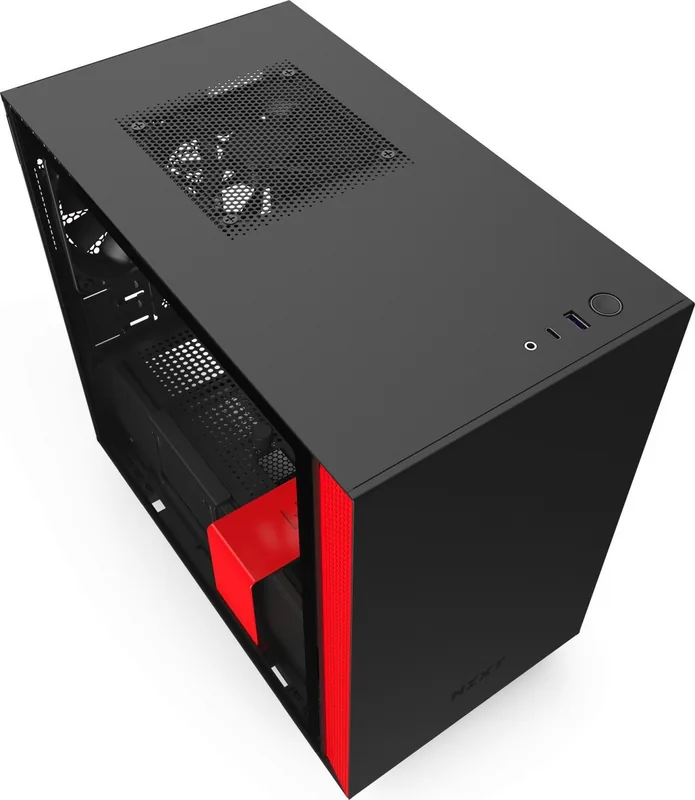
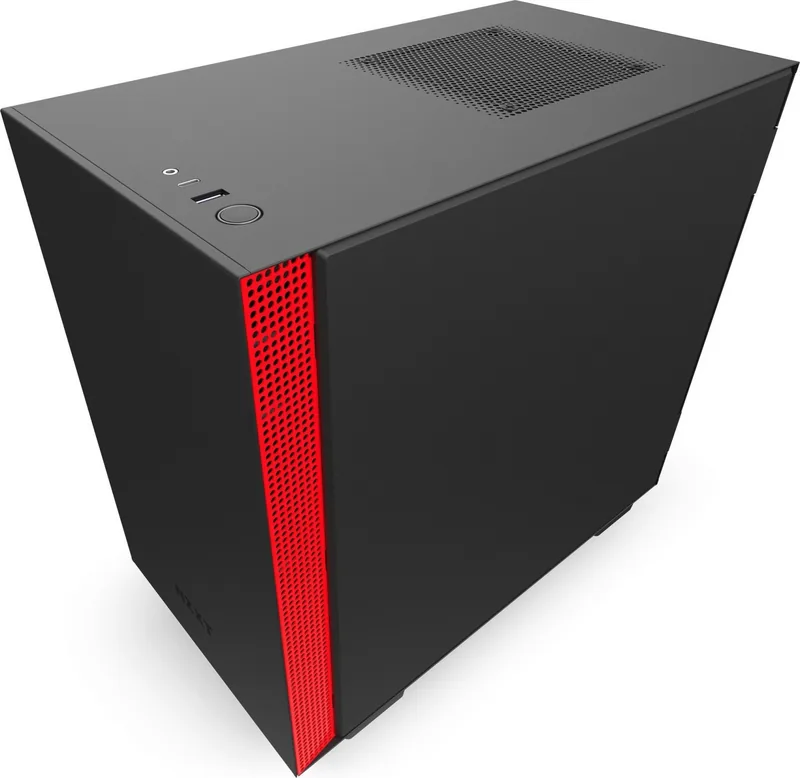
The NZXT H210 offers a sleek design for small form factor enthusiasts looking to maximize performance without a large footprint. This case prioritizes airflow and organization, making it ideal for entry-level builders or those seeking space efficiency. When exploring the NZXT H210 Manual, you will discover a focus on user-friendly installation for all skill levels. The pre-installed cable bar ensures clean aesthetics by hiding power cables and motherboard connectors effectively. This attention to detail separates high-end builds from cluttered setups and improves thermal efficiency. The front panel includes a dust filter which is easily removable for regular maintenance. Airflow is managed through flexible fan placement options accommodating 120mm or 140mm units on the front and top sections. RGB lighting integration is supported by an internal strip and additional HUE+ compatibility for customization. Cooling is robust despite the compact size, supporting large CPU coolers and dedicated graphics cards within the specified clearance. The included GPU stand prevents sagging over time, ensuring longevity for heavy hardware configurations. Power supply options vary between SFX and ATX, providing versatility for different build preferences and budgets. The Smart Device connects via USB to allow centralized fan control without multiple headers cluttering the motherboard. This feature enhances performance monitoring through the provided CAM application for precise tuning. Safety features include a comprehensive warranty and support network accessible via the official website for technical guidance. Overall, this chassis represents a balance of style and utility for Mini-ITX platforms worldwide. Users appreciate the tempered glass side panels that showcase internal components beautifully through the transparent design. Cleaning and maintenance are simplified thanks to accessible dust filters on the top and front sections ensuring longevity. Whether for gaming or productivity, the NZXT H210 delivers a premium experience in a minimal footprint suitable for desks and tight spaces. Storage options include drive trays for both solid state and mechanical hard drives. The installation guide highlights specific torque requirements and bracket removal steps for power supplies. GPU installation requires careful alignment with the stand to avoid interference with fans. The Smart Device setup requires downloading CAM from the web portal. Compliance with international regulations is noted within the product specifications.
Key features highlighted include a 2 year warranty period for parts and labor. Support for non-Intel front panel headers ensures broad compatibility with various motherboard brands. Users can access replacement parts through the dedicated support portal linked on the official site. The exploded view details every screw and bracket needed for a successful assembly process. Installation is straightforward with clear labeling for connectors like audio and USB ports ensuring ease of connection. This chassis is perfect for those who want premium features in a compact package without compromising on build quality.