
NZXT Function Manual
PDF manual · 28 Pages
English



Quick check
Incorrect answer, please try again.
Chat with your NZXT Function manual using AI
Get instant AI answers from your NZXT Function manual
Ask anything about the NZXT Function. Answers come from this manual, with the pages they are based on.
Ask a Question
Do you recommend Function?
Yes NoFrequently Asked Questions
You can easily remove keys with the included tool. The tools allow extraction of keycaps and switches without damage. This design ensures you can customize the feel easily.
Is this answer helpful?
Yes, basic lighting and profiles work in hardware mode. You can use saved profiles offline without the CAM software running actively on the system during use.
Is this answer helpful?
There are four onboard profiles for configurations. These are stored on the board hardware itself for easy access.
Is this answer helpful?
Warranty voids if unauthorized alterations are made. Only authorized repairs are covered under the global warranty policy.
Is this answer helpful?
It includes setup and maintenance diagrams for users. It details how to replace parts and troubleshoot common issues safely.
Is this answer helpful?
Press FN plus F1 through F4 keys together. Each number corresponds to a specific saved configuration on the board.
Is this answer helpful?
Yes, it is magnetic and included for Full models. Tenkeyless versions may have different packaging contents.
Is this answer helpful?
Advantages and Disadvantages
Advantages

- Hot-swap switches allow easy customization without soldering tools required.
- Physical volume knob provides immediate audio control without software.
- Four onboard profiles store settings directly on the hardware unit.
- Magnetic wrist rest included for ergonomic comfort during long sessions.
- USB-C connection supports fast data transfer and power delivery.
Disadvantages

- Full RGB customization requires the NZXT CAM software application.
- No dedicated media keys exist outside the function layer usage.
- Handrest is not included with Tenkeyless model variants sold separately.
- Onboard memory limits complexity compared to full software profiles.
- Warranty voids if unauthorized alterations are made to the hardware.
Product Specification
Layout
German
Type
Mechanical
Lighting
RGB, per-key individually
Keycap Profile
Raised, Frameless
Keycap Shape
Regular
Keycap Top
Concave
Enter Key
Standard
Delete Key
Standard
Housing
Metal
Keycap Material
ABS, Solid, Black (Matte)
Keycap Legend
Solid, White (Translucent)
Connection
Wired (6.56 ft), USB-A 2.0, Detachable Cable (USB-C Port)
Power Supply
USB
Features
3 Multimedia Keys (WinLock, Mute, Brightness), 1x Volume Control Knob (Scroll Wheel Horizontal, Left Side), Anti-Ghosting (N-Key Rollover), Swappable Switches (Hot-Swap), Fn Key
Switch Brand
Gateron
Switch Model
Red
Switch Actuation Type
Linear
Tactile Feedback
None
Damping
None
Actuation Force
1.58 ozf (+/- 0.53 ozf Tolerance) ~ 1.59 ozf (+/- 0.53 ozf Tolerance)
Key Travel
0.16 in (+/- 0.02 in Tolerance)
Activation Point Force
N/A
Pre-Travel
0.08 in (+/- 0.02 in Tolerance)
Lifespan
50 Million
Product Description
NZXT Function Keyboard Review
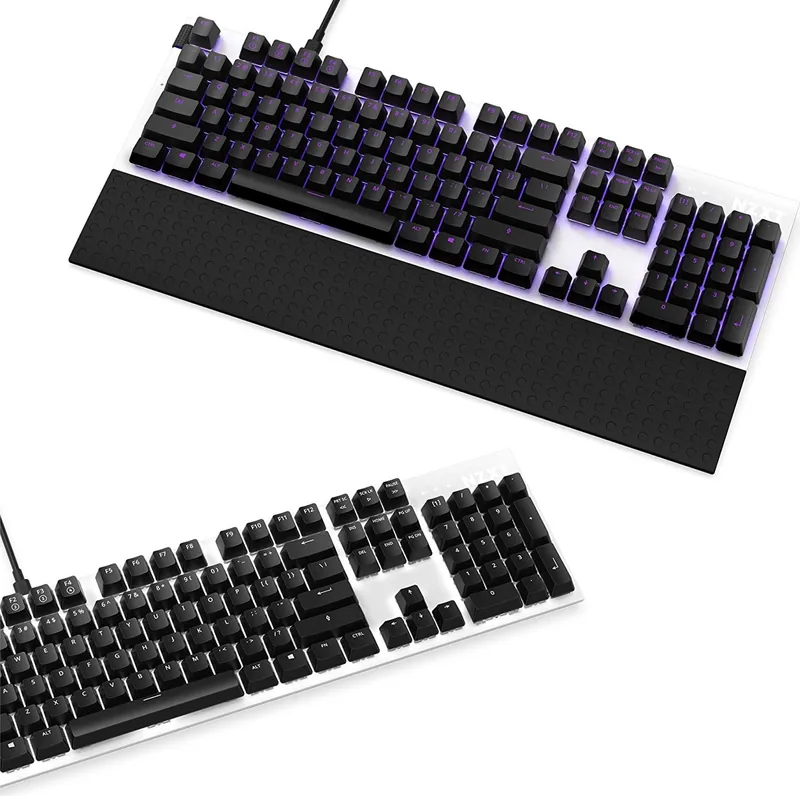
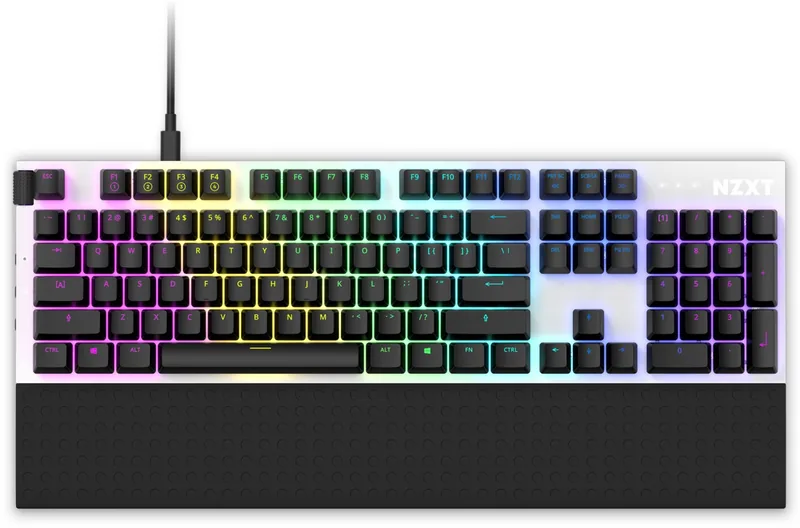
Welcome to the ultimate upgrade for your digital workspace. The NZXT Function keyboard brings professional-grade customization to every enthusiast setup. Designed with hot-swap compatible keys across the entire board, this peripheral allows effortless switch changes without needing complex soldering tools. This flexibility enables personalization of the typing feel instantly for different tasks. A dedicated physical volume knob sits prominently on the top left for quick audio adjustments during intense gaming moments. The sleek aesthetic complements any modern desk environment perfectly.
Configuration and Customization
Configuration options are extensive through dedicated software or onboard storage memory. Four distinct profiles store your custom settings directly on the board hardware unit. You can switch between them effortlessly using a simple key combination with the FN key plus F1 through F4. RGB lighting is fully customizable per individual key or specific zone patterns allowing vibrant visuals. Macros can be programmed for complex gaming actions or productivity shortcuts effectively. The lower keyboard rows ensure standard compatibility for most preferred layouts.
Setup and Maintenance
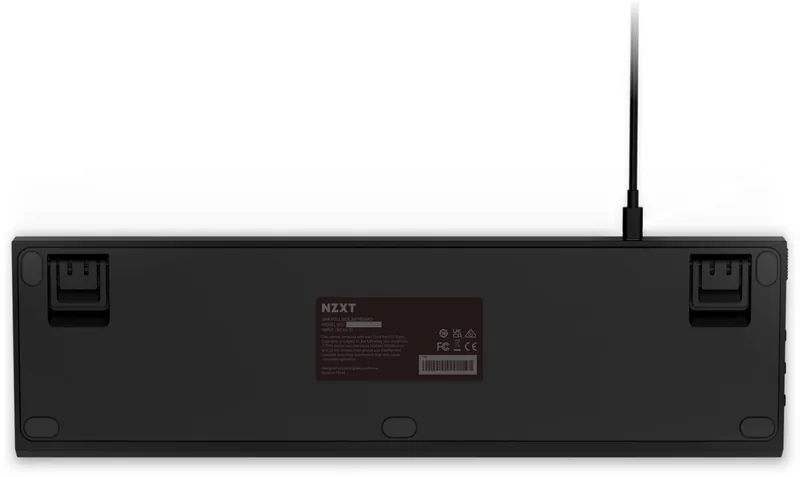
Initial setup requires minimal effort from the user to get started. Connect the USB-C cable securely and attach the included wrist rest magnetically. Adjust the adjustable feet to find your preferred typing angles easily. Detailed instructions regarding switch removal are available within the NZXT Function Manual for advanced maintenance needs. This tool-free maintenance capability keeps your gear looking pristine over time. Warranty coverage protects your investment against manufacturing defects for two years globally. Support teams are readily available via email for any technical inquiries regarding the device specifics.
Daily usage and Software
Whether you stream content frequently or play games casually, this peripheral integrates seamlessly into your daily workflow. It adapts to your environment with functional hardware modes running even if specific software is not launching. The durable build quality supports years of rigorous daily use without physical degradation. Explore the broader ecosystem of NZXT peripherals to enhance your overall desk experience today. Your next competitive gaming session deserves this high level of performance, precision, and style.
Conclusion
Proper care ensures longevity for all internal components involved. Regular cleaning prevents dust accumulation in the delicate switch mechanisms. Software updates keep features compatible with new operating system versions. Experience the difference that quality hardware makes in your daily routine significantly. The handrest provides significant ergonomics for long sessions. The tactile response remains consistent under heavy usage. The software suite allows deep customization of key behaviors. You can remap any key to suit your specific game or application needs. This level of control empowers users to create efficient workflows instantly. The CAM interface is intuitive and connects directly with the hardware. It ensures that your macro recordings are saved exactly as intended. Each profile allows distinct lighting schemes for different scenarios. This capability saves time during tournaments or work hours instantly.
Search for 67,706 Manuals online


Type-in Brand or Model