
NZXT Capsule Mini Manual
PDF manual · 28 Pages
English



Quick check
Incorrect answer, please try again.
Chat with your NZXT Capsule Mini manual using AI
Get instant AI answers from your NZXT Capsule Mini manual
Ask anything about the NZXT Capsule Mini. Answers come from this manual, with the pages they are based on.
Ask a Question
Do you recommend Capsule Mini?
Yes NoFrequently Asked Questions
Plug the included USB-C to USB-A cable into the microphone and the other end into your PC’s USB port. The microphone will power on and begin automatic installation. Ensure the USB cable is fully seated at both ends for proper operation.
Is this answer helpful?
Insert your headset into the 3.5mm headphone output on the bottom of the microphone. Use the headset volume knob to adjust playback. This provides direct, low-latency monitoring of PC audio routed through the microphone.
Is this answer helpful?
Press the microphone gain knob to toggle mute. The LED ring at the bottom will show red when muted and white when active. Adjust gain by rotating the knob clockwise to increase sensitivity and counterclockwise to decrease.
Is this answer helpful?
Yes. Insert the included 1/4" to 3/8" thread adapter into the bottom of the microphone, then attach it to a boom arm with a male 3/8" thread. The adapter enables compatibility with standard microphone boom arms.
Is this answer helpful?
Check that the USB cable is fully plugged into both the microphone and PC. Ensure your headset is firmly inserted into the 3.5mm jack, confirm NZXT USB MIC is selected as the default input/output in your OS audio settings, and verify the mute state of the mic.
Is this answer helpful?
The NZXT Capsule Mini is covered by NZXT’s global warranty policy (USB microphones typically have a 2-year warranty). For support, visit nzxt.com/customer-support, email [email protected], or call +1 (800) 228-9395 and provide proof of purchase for warranty claims.
Is this answer helpful?
Advantages and Disadvantages
Advantages

- Plug-and-play USB-C connection for easy setup and power.
- Cardioid pickup design reduces background noise for focused voice capture.
- Integrated headphone output with zero-latency monitoring.
- Gain knob doubles as mute button with LED ring status indicator.
- Includes stand quick-release cover and thread adapter for flexible mounting.
Disadvantages

- Designed for single-source use; not optimal for multi-person recording.
- Limited onboard controls compared to more advanced audio interfaces.
- Dependence on PC drivers/settings for some OS audio configuration.
- May require gain adjustments to avoid clipping in loud environments.
- Build and feature set aimed at streamers—pro studio users might want higher-end mics.
Product Specification
Type
Streaming microphone, desktop microphone
Design
digital (24bit/96kHz)
Transducer principle
Condenser
Polar pattern
Cardioid
Connection
USB-C
Frequency range
20Hz-20kHz
Max. SPL
120dB
Power supply
USB-C
Included
Desktop stand
Features
Headphone jack (0.14in), switch
Dimensions
2.36x2.56x6.69in
Weight
0.69lb
Product Description
NZXT Capsule Mini Manual — NZXT Capsule Mini
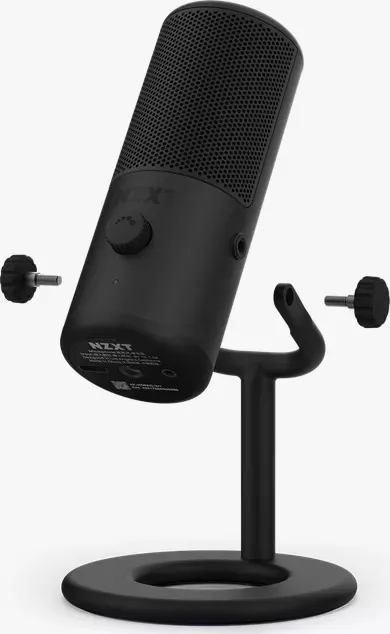
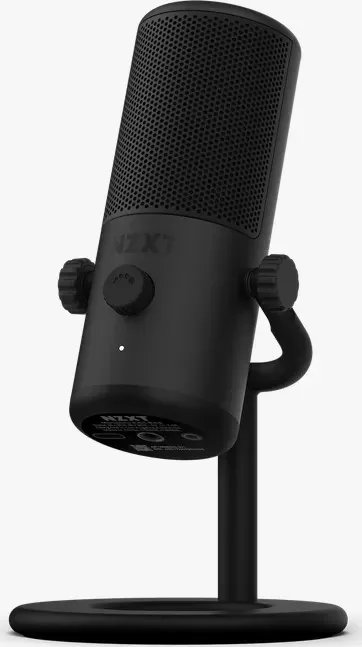
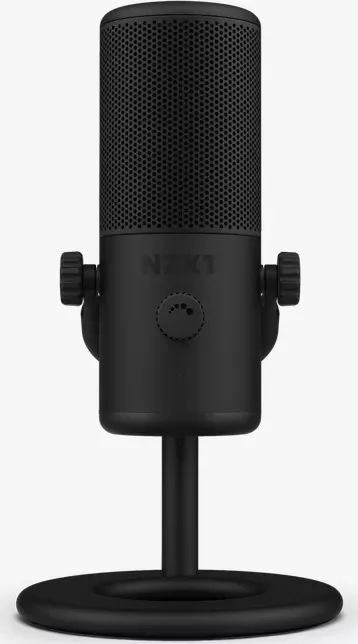
The NZXT Capsule Mini is a compact USB microphone built for streamers, podcasters, and gamers who need clear, focused voice capture without bulky setups. Engineered for single-source recording, the Capsule Mini uses a cardioid pickup pattern to prioritize on-axis voice while reducing background noise, making it ideal for live streaming, in-game chat, and quick recording sessions.
Equipped with a USB-C connection for straightforward plug-and-play operation, the Capsule Mini powers on immediately when connected to a PC and begins automatic setup. An integrated 3.5mm headphone output provides zero-latency monitoring, while the headset volume knob gives simple local control of playback levels. The mic gain knob adjusts input sensitivity and doubles as a push-to-mute control; a status LED ring signals mute (red) and active (white) states so you always know whether you’re live.
Physical accessories include a quick-release stand cover for desktop use and a thread adapter for mounting on standard 3/8" boom arms. The microphone’s bottom insert accepts the adapter for boom-arm compatibility, and the quick-release cover fits into the back when detached from the built-in stand, enabling flexible positioning whether desk-mounted or arm-mounted.
Setup is straightforward: connect the USB-C cable to the PC, plug headphones into the 3.5mm jack, and set NZXT USB MIC as the default input and output in your OS sound settings. For boom arm users, insert the included 1/4" to 3/8" adapter into the mic base and thread onto the arm. NZXT provides a basic troubleshooting checklist for common issues—check cable seating, headset connection, and mute status—plus global warranty and support details for repair or replacement.
The Capsule Mini combines intuitive controls, clear voice capture, and flexible mounting options in a small footprint, making it a reliable choice for creators who need dependable vocal clarity without a complex audio chain.
Notes
- LED ring: white = active/unmuted, red = muted.
- Gain knob: rotate to adjust sensitivity; press to toggle mute.
- Use included adapter to mount on 3/8" boom arms.
- Ensure cables are fully seated to avoid interference.
- For warranty and support, visit nzxt.com/customer-support or [email protected].
Search for 67,706 Manuals online


Type-in Brand or Model