
NVIDIA Mellanox ConnectX-6 EN Manual
PDF manual · 73 Pages
English


Quick check
Incorrect answer, please try again.
Chat with your NVIDIA Mellanox ConnectX-6 EN manual using AI
Get instant AI answers from your NVIDIA Mellanox ConnectX-6 EN manual
Ask anything about the NVIDIA Mellanox ConnectX-6 EN. Answers come from this manual, with the pages they are based on.
Ask a Question
Do you recommend Mellanox ConnectX-6 EN?
Yes NoFrequently Asked Questions
ConnectX-6 EN supports 1/10/25/40/50/100/200 GbE modes via QSFP56 connectors. Models are available as single- or dual-port cards and in Socket Direct variants that enable full 200Gb/s operation even on PCIe Gen3 platforms.
Is this answer helpful?
Firmware can be updated online using mlxfwmanager or mlxup, manually by downloading a BIN and burning with mlxfwmanager_pci, or automatically on boot via the mlx-fw-updater package (disabled by default). Ensure firmware images match your adapter PSID and reboot when instructed.
Is this answer helpful?
Supported stacks include MLNX_OFED for Linux, WinOF-2 for Windows, and Mellanox NATIVE ESXi drivers for VMware. Packages provide DKMS or KMP support depending on distribution; use the provided installer scripts or package repositories for YUM/apt-based installs.
Is this answer helpful?
Socket Direct requires two PCIe x16 slots plus Cabline CA-II Plus harnesses and proper retention clips. Follow color-coded harness connections (white/black), observe minimal bending radius, and ensure both cards are secured and installed in compatible slots.
Is this answer helpful?
MLNX_OFED kernel modules are signed with an x.509 key. To boot with Secure Boot enabled, import Mellanox's public key into the platform MOK/UEFI key database using mokutil and complete enrollment via MokManager during reboot.
Is this answer helpful?
Use ethtool, ifconfig/ip, lspci, ibstat, mst, mlxup, mlxfwmanager, and system logs (dmesg, journalctl) for device detection, link status, firmware queries, and driver/firmware issues. Mellanox MFT and mlx tools provide firmware and MST utilities.
Is this answer helpful?
Yes. ConnectX-6 offers hardware VXLAN/NVGRE encapsulation/decapsulation, Open vSwitch offload, SR-IOV for VM isolation, and other virtualization offloads to improve performance and reduce CPU load for overlay and virtualized networks.
Is this answer helpful?
Advantages and Disadvantages
Advantages

- Extremely high throughput (up to 200Gb/s per port) with sub-600ns latency for HPC and AI workloads.
- Rich hardware offloads (RDMA/RoCE, VXLAN/NVGRE, OVS offload, NVMe-oF) that reduce CPU overhead.
- Flexible form factors (PCIe x16 and Socket Direct 2x PCIe x16) enabling Gen3/Gen4 deployment options.
- Comprehensive software support (MLNX_OFED, WinOF-2, VMware) and firmware management tools (mlxup, mlx-fw-updater).
- Enterprise manageability and security features including MCTP support and signed drivers for UEFI Secure Boot.
Disadvantages

- Requires careful attention to PCIe slot power and system airflow to meet thermal and performance specs.
- Socket Direct installations need additional harnesses and more complex mechanical steps.
- Firmware and driver updates may require specific tools and signed key enrollment for Secure Boot.
- Engineering-level installation and tuning (DKMS/KMP, initramfs) may be needed on some Linux distributions.
- Certain OEM cards or unsupported PSIDs can prevent automatic firmware updates and require manual handling.
Product Specification
Type
LAN Adapter
Power supply
Power supply only via connection
Chipset
Mellanox ConnectX-6 (LAN Adapter, QSFP56)
Dimensions
6.61x2.72in (WxH, without bracket, PCIe card), 5.08x2.32in (WxH, without bracket, PCIe card)
Compatibility
universal
Special features
VLAN, LACP, VXLAN, NVGRE, GENEVE, RoCE (v1/v2), NFSoRDMA, SR-IOV, NVMe over Fabric (NVMe-oF), MPLS, iSCSI, iSER, NC-SI, PXE-Bootrom
Manufacturer's warranty
one year
Product Description
NVIDIA Mellanox ConnectX-6 EN Manual
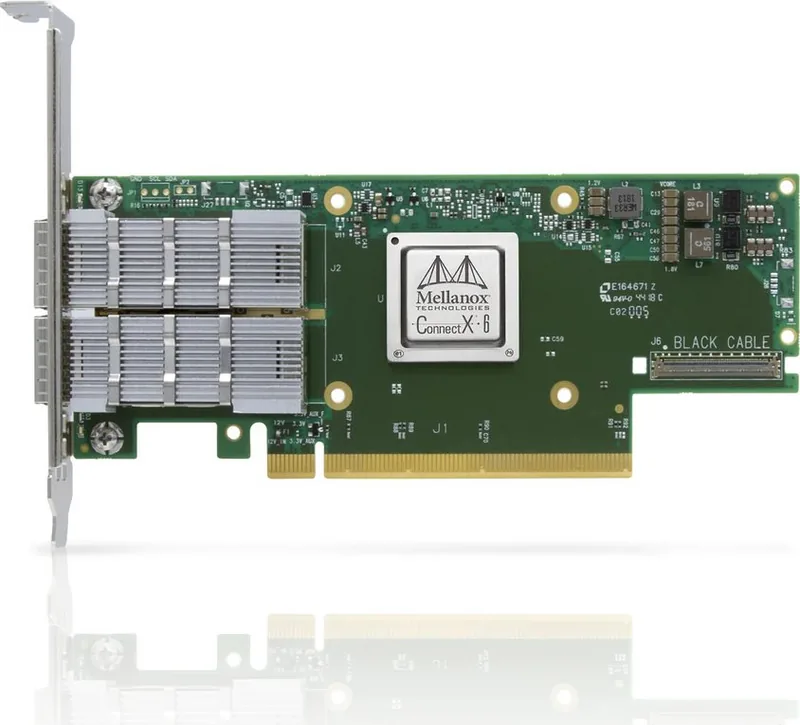
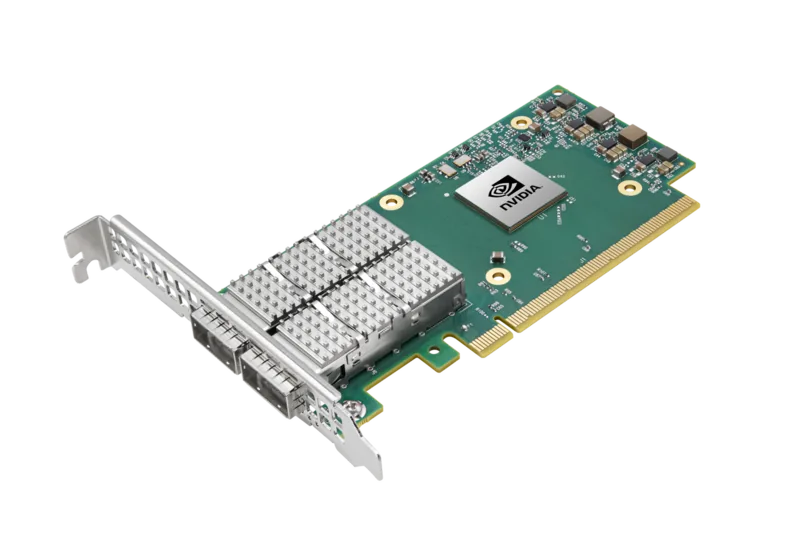
The NVIDIA Mellanox ConnectX-6 EN is a high-performance Ethernet adapter family engineered for modern data centers, HPC clusters, and storage systems. Built around the ConnectX-6 ASIC, these adapters deliver multi-hundred-gigabit throughput, low latency, and advanced offload features to accelerate networking, virtualization, and storage workloads. Available in PCIe x16 and Socket Direct 2x PCIe x16 form factors, ConnectX-6 EN supports 1/10/25/40/50/100/200 GbE modes via QSFP56 connectors and offers flexible deployment options for servers with PCIe Gen3 or Gen4 capabilities.
ConnectX-6 EN emphasizes performance and scalability. It provides up to two 200Gb/s ports, sub-600ns latency, and extremely high messaging rates, making it suitable for RDMA, RoCE, and NVMe-oF environments. Hardware offloads include RDMA acceleration, VXLAN/NVGRE tunnel encapsulation and decapsulation, Open vSwitch offload, SR-IOV for VM isolation, and PeerDirect for efficient GPU/CPU data paths. These capabilities reduce CPU overhead and improve application throughput for HPC, AI, and storage applications.
The adapters include robust manageability and compatibility features. They support MCTP over SMBus/PCIe for BMC integration, standard LED status indications for link and speed, and thermal safety via heatsink interfaces and thermal shutdown. Firmware and driver management are supported by Mellanox utilities (MLNX_OFED, WinOF-2, mlxup, mlx-fw-updater, MFT), enabling online or manual firmware updates and signed drivers for Secure Boot environments. Installation covers detailed mechanical, airflow, and power requirements, with special Socket Direct harness instructions for enabling full 200Gb/s on Gen3 platforms.
Software and platform support is broad: Linux (MLNX_OFED), Windows (WinOF-2), VMware (NATIVE ESXi drivers), and FreeBSD are supported. Installation guides include driver packages, DKMS/KMP handling, YUM/apt repository setup, and unattended install options. Firmware update paths (online, manual, on-boot) and UEFI Secure Boot key enrollment are documented. Diagnostics and troubleshooting sections explain tools and logs (mst, mlxup, mlxfwmanager, ibstat, ethtool) and provide guidance for common issues like link problems, driver conflicts, and firmware mismatches.
Physically, ConnectX-6 EN cards come in multiple SKUs (single/dual-port, Socket Direct variants) with detailed power, thermal, and airflow specifications. Auxiliary PCIe connection cards and Cabline harnesses allow installation in systems lacking PCIe Gen4 single-slot electrical lanes. Regulatory compliance and mechanical drawings are provided to support integration and rack deployments.
Notes:
- Deploy in PCIe slots that meet power and airflow requirements to ensure thermal and performance stability.
- Use Mellanox-provided drivers and firmware tools for compatibility, firmware updates, and Secure Boot support.
- Socket Direct installations require careful harness and retention-clip procedures and correct slot pairing.
Search for 67,706 Manuals online


Type-in Brand or Model