
NVIDIA Jetson Nano Manual
PDF manual · 24 Pages
English


Quick check
Incorrect answer, please try again.
Chat with your NVIDIA Jetson Nano manual using AI
Get instant AI answers from your NVIDIA Jetson Nano manual
Ask anything about the NVIDIA Jetson Nano. Answers come from this manual, with the pages they are based on.
Ask a Question
Do you recommend Jetson Nano?
Yes NoFrequently Asked Questions
It is ideal for edge AI, computer vision, robotics, and learning projects. It gives makers and developers a compact platform for running inference and experimenting with NVIDIA’s software stack.
Is this answer helpful?
It typically boots from a microSD card. Users flash an OS image to the card, insert it into the board, then connect display, keyboard, mouse, network, and power.
Is this answer helpful?
JetPack includes a Linux-based OS image, NVIDIA drivers, AI and vision libraries, sample applications, developer tools, and documentation. It simplifies building and testing AI applications.
Is this answer helpful?
Yes. It includes a camera connector for CSI cameras and is compatible with IMX219-based modules, including common developer and Raspberry Pi camera variants.
Is this answer helpful?
The board is designed for 5V power. Light setups may use Micro-USB, while larger builds with peripherals often need a stronger supply through the power jack or expansion header.
Is this answer helpful?
Yes. The 40-pin header exposes GPIO, I2C, UART, and power pins, making it suitable for sensors, motors, and other external electronics projects.
Is this answer helpful?
Advantages and Disadvantages
Advantages

- Low-power AI platform that still supports modern workloads and edge inference.
- JetPack bundles OS, drivers, AI libraries, samples, and developer tools.
- Flexible hardware with camera, GPIO, USB 3.0, Ethernet, and expansion headers.
- Good for makers and learners who want fast setup and hands-on experimentation.
Disadvantages

- Power requirements can vary a lot once peripherals and add-ons are attached.
- Some workflows need Force Recovery mode and SDK Manager, which adds complexity.
- Passive cooling may be insufficient for heavier use cases without a fan.
- Micro-USB power is limited for demanding builds, so planning the supply is important.
Product Specification
Platform
NVIDIA Tegra
Manufacturer
NVIDIA, Waveshare
Type
Bundle, Developer Board, Learning Kit
SoC
NVIDIA Tegra, 4x 1.43GHz (ARM Cortex-A57)
Memory
4GB LPDDR4 RAM, 16GB Flash (eMMC 5.1)
Power Supply
1x Barrel Jack (0.22/0.08in) 5V/4A, 1x USB 2.0 Micro-B 5V/2A (clock reduction may be necessary)
GPU
NVIDIA Maxwell, 921MHz
Video Outputs
1x HDMI 2.0 (via Breakout Board), 1x DisplayPort 1.2 (via Breakout Board), 1x eDP 1.4 (via Breakout Board), 1x MIPI DSI 2 (via Breakout Board)
Video Inputs
1x MIPI CSI 2 (via Breakout Board)
External Ports
4x USB-A 3.0, 1x USB 2.0 Micro-B, 1x Card Reader (SDXC)
Internal Ports
1x PCIe 2.0 x1 (M.2 E-Key)
GPIO Standards
UART, 3x I2C, I2S, 2x SPI
Wireless
N/A
LAN
1x Gb LAN (RJ-45)
Other Interfaces
1x 4-Pin Fan Header, 1x PoE Header
Additional Microcontroller
N/A
Dimensions
3.94x3.15in (WxD, Breakout Board), 2.76x1.77in (WxD, SoC Module)
Weight
0.30lb
Features
requires Carrier Board, requires SoC Module, Power Button, Reset Button, Diagnostic LED
Package Contents
1x SoC Module, 1x Breakout Board, 1x Heat Sink
Product Description
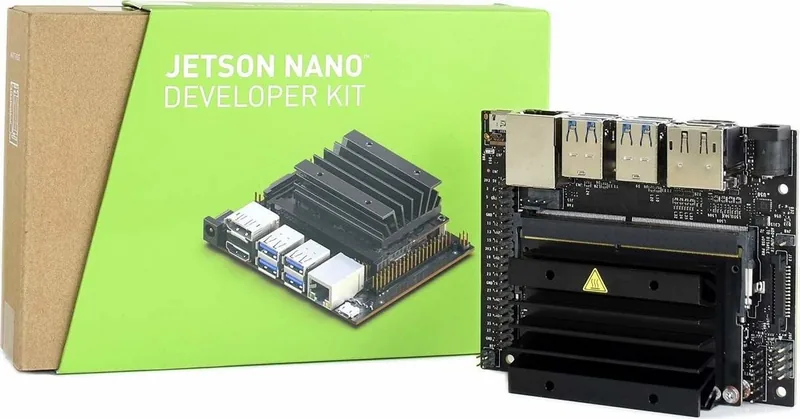
NVIDIA Jetson Nano Developer Kit: Compact AI Power for Makers
The NVIDIA Jetson Nano Developer Kit is designed for builders who want real AI capability in a small, approachable form factor. For anyone searching for the NVIDIA Jetson Nano Developer Kit Manual, the key takeaway is simple: this platform combines a low-power Linux computer with the tools needed to experiment with modern machine learning, vision, and robotics projects.
What makes it stand out
Jetson Nano is built for learners, developers, and hobbyists who need more than a basic single-board computer. It supports popular peripherals, add-on modules, and camera hardware, making it a strong starting point for edge AI applications. Whether you're prototyping object detection, experimenting with computer vision, or building a smart device, the kit offers a practical balance of performance and accessibility.
A major advantage is the JetPack SDK, which brings together the operating system image, NVIDIA drivers, AI libraries, sample code, and development tools in one ecosystem. That means users get access to CUDA, TensorRT, cuDNN, OpenCV, and multimedia APIs without assembling everything manually. This makes setup more structured and helps shorten the path from first boot to working prototype.
Hardware and setup overview
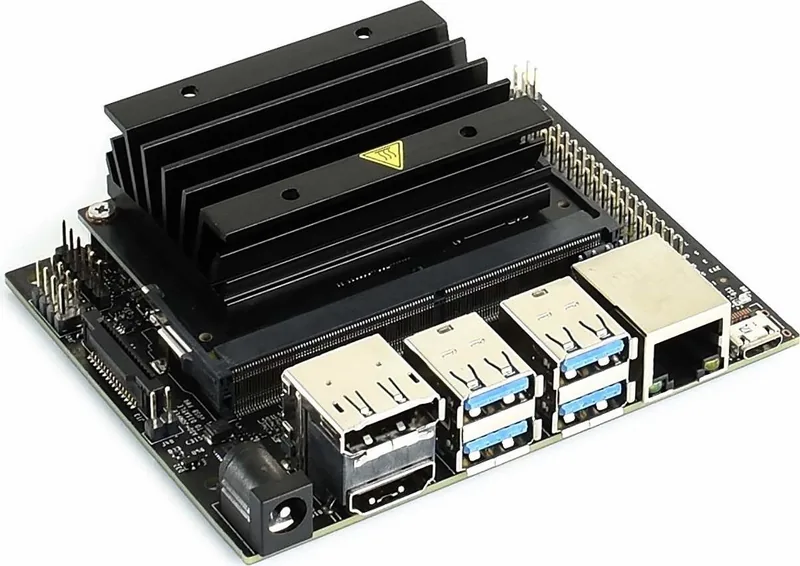
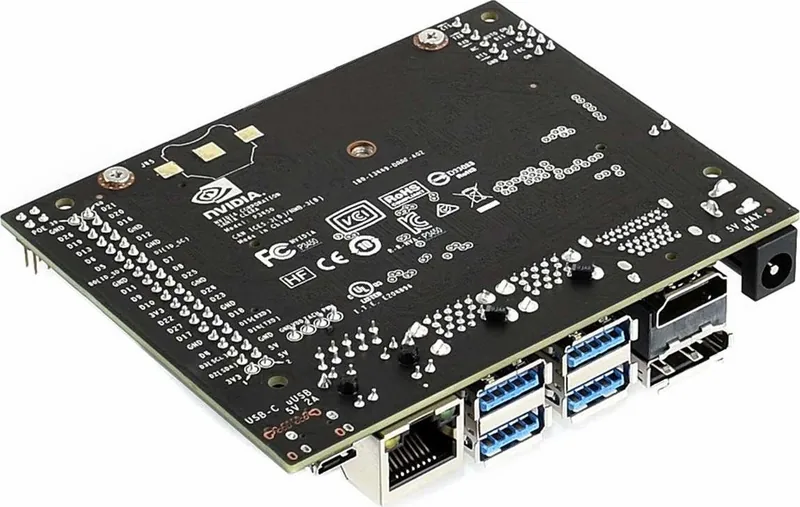
The developer kit includes the Jetson Nano module, a reference carrier board, and basic quick-start materials. It boots from a microSD card, and the setup flow is straightforward for most users: flash an image, insert the card, connect display and input devices, and power it on. The board also provides useful expansion options such as USB 3.0 ports, Ethernet, camera support, GPIO, UART, fan control, and a 40-pin header for custom hardware.
Power planning matters. The board can run from Micro-USB in lighter setups, but heavier projects may need a stronger 5V supply through the barrel jack or expansion header. NVIDIA also highlights two software power modes, helping users tune the board for efficiency or higher responsiveness depending on the workload.
Why it’s useful
The Jetson Nano Developer Kit is especially appealing for AI demos, edge inference, robotics, and vision-based projects where compact size and energy efficiency are important. Its ecosystem, community support, and development tools make it easier to move from experimentation to real application work.
Notes
- Best suited for edge AI, computer vision, and learning projects.
- Cooling and power delivery should be planned for demanding workloads.
- JetPack and L4T provide the core software stack for development.
Search for 67,706 Manuals online


Type-in Brand or Model