
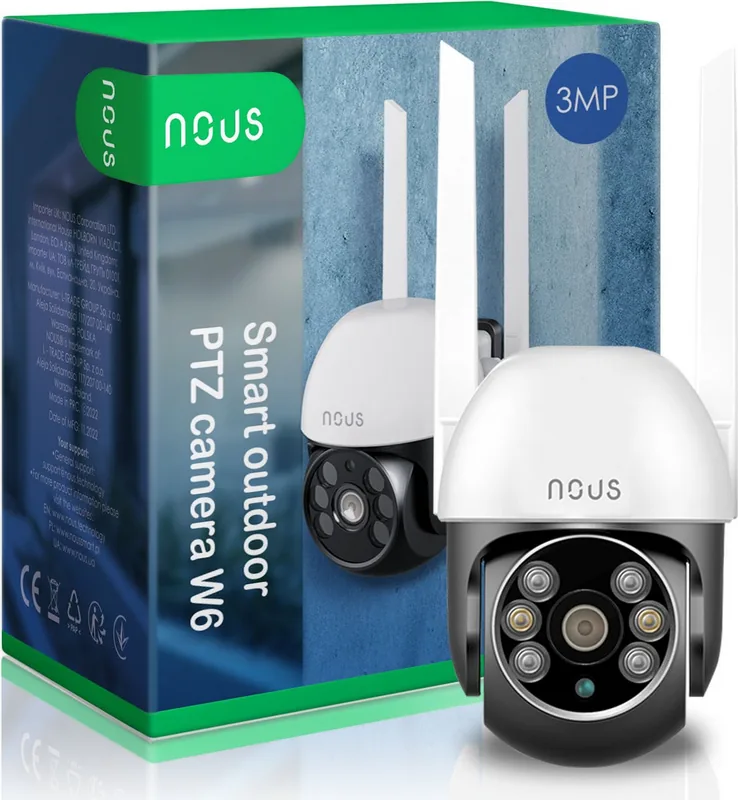
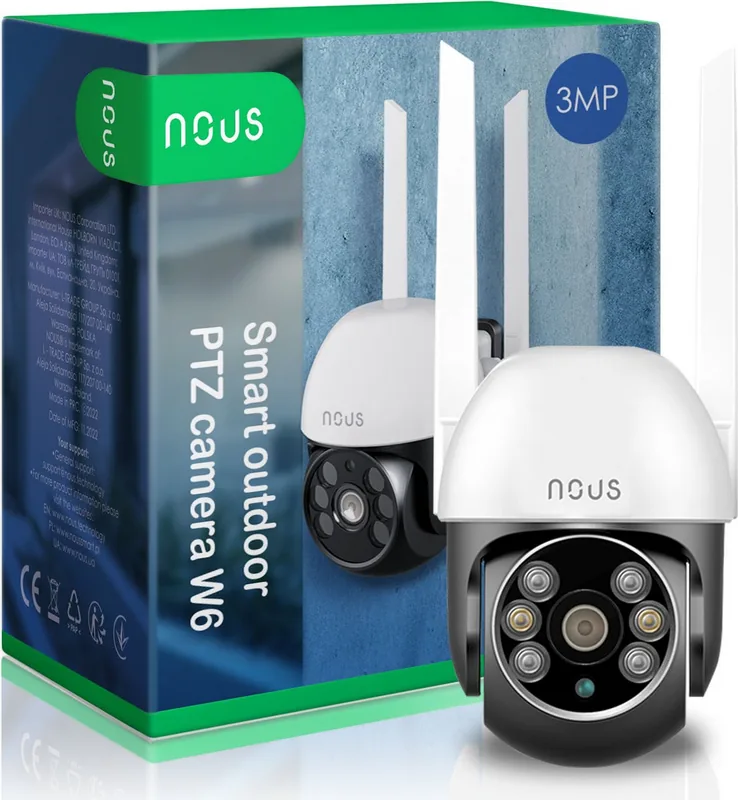
Nous W6 Manual
PDF manual · 6 Pages
English



Quick check
Incorrect answer, please try again.
Chat with your Nous W6 manual using AI
Get instant AI answers from your Nous W6 manual
Ask anything about the Nous W6. Answers come from this manual, with the pages they are based on.
Ask a Question
Do you recommend W6?
Yes NoFrequently Asked Questions
Open the app, add device, choose Smart Camera, ensure light blinks, enter password, scan QR code.
Is this answer helpful?
Yes, visit the provided website URL and scan the QR code from your monitor to login.
Is this answer helpful?
Press and hold the reset button for five seconds until the indicator resets and blinks quickly.
Is this answer helpful?
You must download the Nous Smart Home App from the App Store or Google Play Store.
Is this answer helpful?
Firmware updates are released periodically to enhance compatibility and address bug fixes for security.
Is this answer helpful?
Yes, the system uses encrypted data transmission protocols to maintain privacy and prevent unauthorized access.
Is this answer helpful?
Advantages and Disadvantages
Advantages

- Simple installation process with clear visual indicators
- Supports both mobile app and desktop browser viewing
- QR code pairing simplifies Wi-Fi network connection
- Remote pan and tilt control covers wider areas
- Secure encryption protects user data and privacy
Disadvantages

- Requires stable internet connection for optimal performance
- Translation text may contain inaccuracies based on notes
- Pairing depends on specific distance from phone screen
- Desktop login relies on specific website availability
- Setup failure requires physical reset button access
Product Specification
Type
PTZ
Image Sensor
1/3" CMOS
Resolution
2304x1296 Pixels (15fps)
Lens
3.6mm
Field of View
85° (horizontal), 135° (diagonal)
Zoom Function
8x Digital
Compression / Codecs
H.264
Multistreaming
Supported
Wireless
Wi-Fi 4 (WLAN 802.11a/b/g/n)
Data Storage
1x microSD Slot (max. 128GB), Cloud connection (optional)
Microphone
Integrated
Speaker
Integrated
Lighting
IR Illumination (16.40 ft)
Protection Class
IP66
System Control & Operation
Mobile App (Android, iOS)
Zone & Analysis Functions
Motion Detection, Sound Detection, IR Filter
Manufacturer Warranty
2 Years
Product Description
Advanced Home Security Solutions
Modern living demands robust security solutions for every household seeking peace of mind. Homeowners prioritize safety measures to protect valuable possessions effectively. The Nous W6 Smart PTZ WiFi Camera delivers comprehensive indoor monitoring. Many users find guidance similar to the Nous W6 Smart PTZ WiFi Camera Manual useful for operational insights. It combines video with smooth motion control. Installation is streamlined to reduce technical barriers. Families can set up systems without external assistance easily. Privacy concerns are addressed through encrypted data transmission protocols. You gain total control over your digital space.
Setup Process and Configuration
Configuration begins with obtaining the software on your mobile device. Search for the Nous Smart Home App in your marketplace. Register using a valid email address or number immediately. Tap the plus icon to add a new item. Select Smart Camera from the available options listed. Verify that the LED indicator is blinking fast. If not, hold the reset button for five seconds. Input your network password correctly to proceed. Align the camera with the displayed QR code image. Wait fifteen centimeters away and observe scanning results. Confirm the audio beep to finalize pairing completely. Name the device for easy identification later.
Viewing Options and Desktop Access
Accessing views occurs directly through the app interface. Choose the assigned device name to open the window. Desktop users benefit from browser access via URL link. Navigate to the login page on the website address. Scan the code on your monitor to authenticate. Watch the live feed from your larger screen. Pan and tilt features allow remote angle adjustment. High resolution captures details in lower lighting. Alerts notify you of motion detected within area. Integration works across different operating systems easily.
Reliability and Future Proofing
Stability is key when selecting long-term equipment. This model maintains connections under typical residential speeds. Updates enhance compatibility with newer mobile versions. Support teams handle inquiries regarding regions or power. Enjoy peace of mind knowing premises are observed. The system adapts to usage patterns manually. Invest in quality technology supporting a safer lifestyle. Seamless transitions occur between modes daily. Reliable performance ensures you stay informed about activity securely.
Search for 67,706 Manuals online


Type-in Brand or Model