
Nous W5 Manual
PDF manual · 6 Pages
English



Quick check
Incorrect answer, please try again.
Chat with your Nous W5 manual using AI
Get instant AI answers from your Nous W5 manual
Ask anything about the Nous W5. Answers come from this manual, with the pages they are based on.
Ask a Question
Do you recommend W5?
Yes NoFrequently Asked Questions
The device supports memory cards up to 128 GB inclusive. It requires a Microsd Class 10 memory card for proper recording and functionality.
Is this answer helpful?
No. The video camera is not designed for working with Wi-Fi 5 GHz networks. It requires a 2.4 GHz Wi-Fi wireless adapter for connection.
Is this answer helpful?
Press and hold the Reset button for 5 to 7 seconds. This action resets the settings of the video camera and the Wi-Fi network connection.
Is this answer helpful?
Yes. You can access the website https://ipc-eu.ismartlife.me/login in a browser and use the QR code scan button to view the camera.
Is this answer helpful?
Yes. A light sensor automatically switches the image from the color mode to black and white, including the inclusion of IR backing for night vision.
Is this answer helpful?
When a device is removed from the application user's device list, the camera settings are reset to factory defaults and the Wi-Fi connection procedure will need to be repeated.
Is this answer helpful?
No. Do not install the product near heat sources, for example, heating radiators, to ensure it operates within the correct temperature range.
Is this answer helpful?
Advantages and Disadvantages
Advantages

- 360-degree pan and 65-degree tilt mechanisms for full room visibility
- Built-in microphone and speaker allow for two-way audio communication
- Supports microSD cards up to 128 GB for continuous or motion recording
- Push notifications alert users instantly when motion is detected
- Light sensor automatically switches between color and black-white mode
Disadvantages

- Device only supports 2.4 GHz Wi-Fi networks and not 5 GHz
- Requires cloud server connection via P2P protocol for communication
- Resetting settings requires a specific 5 to 7 second button hold
- Desktop access requires scanning a QR code from the mobile app
- Cleaning must be done with a damp flannel to avoid chemical damage
Product Specification
Type
PTZ
Image Sensor
1/3" CMOS
Resolution
2304x1296 Pixels (15fps)
Lens
3.6mm
Field of View
85 deg (horizontal), 135 deg (diagonal)
Zoom Function
8x digital
Compression/Codecs
H.264
Multi-streaming
Supported
Wireless
Wi-Fi 4 (WLAN 802.11a/b/g/n)
Data Storage
1x microSD Slot (max. 128GB), Cloud connection (optional)
Microphone
Integrated
Speaker
Integrated
Illumination
IR Illumination (16.40 ft)
Protection Rating
N/A
System Control & Operation
Mobile App (Android, iOS)
Zone & Analytics Functions
Motion Detection, Sound Detection, IR Filter
Manufacturer Warranty
2 Years
Product Description
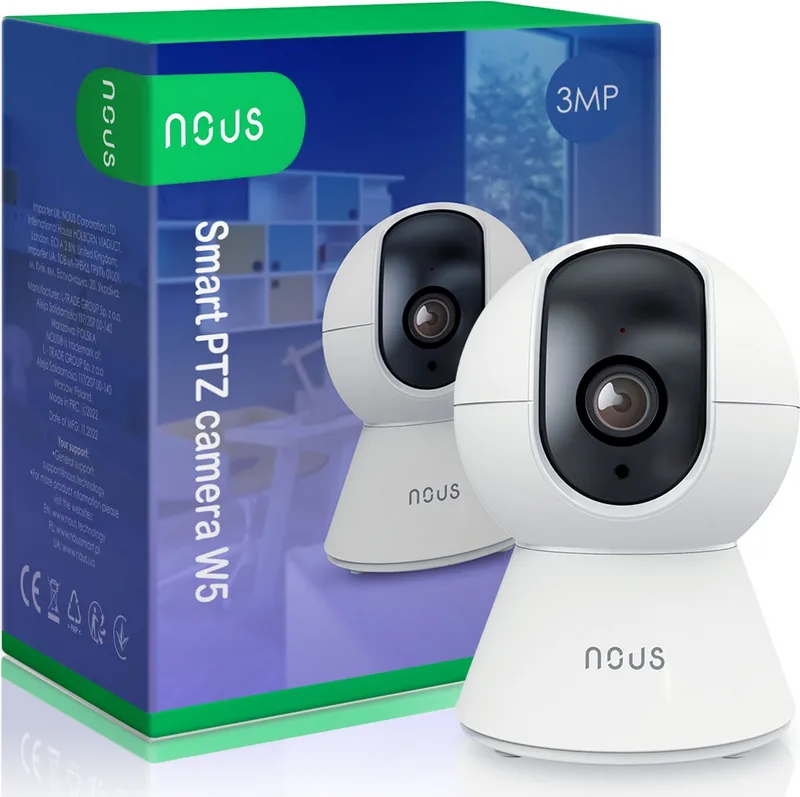
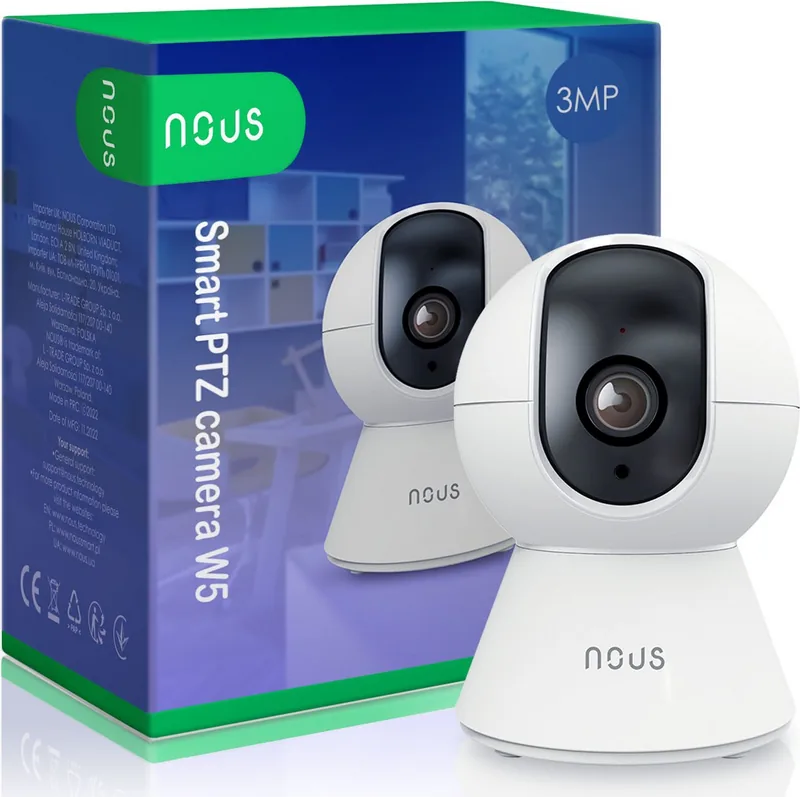
Secure Your Home with the Nous W5 Smart PTZ WiFi Camera
Modern security systems require flexibility and ease of use for everyone. The Nous W5 Smart PTZ WiFi Camera delivers comprehensive monitoring solutions for today's homeowners. This advanced device allows users to maintain constant surveillance via remote internet access using a compatible smartphone or tablet. The communication infrastructure relies on a secure cloud server using the P2P protocol supported by a 2.4 GHz Wi-Fi wireless adapter.
Advanced Features for Coverage
The camera includes pan and tilt mechanisms supporting 360-degree horizontal pan and 65-degree tilt. Users can monitor every corner of a room effectively without blind spots. The device features a built-in microphone and speaker enabling two-way audio communication. This allows parents or pet owners to speak through the camera remotely. Video records onto a microSD card slot supporting up to 128 GB expandable capacity. Continuous or motion detection recording options exist for saving storage space. Push notifications alert users immediately when motion is detected. The Nous Smart Home application manages these functions efficiently for a seamless experience day and night. A light sensor switches the image from color to black and white mode for night vision. The manual details how to interpret the indicator light accurately.
Installation and Connectivity
Installation involves fixing the mounting plate or placing the camera on a flat surface. The base is rubberized to prevent sliding on smooth shelves. Power is supplied via a 12 V DC connection port included in the kit. Connecting requires a smartphone running Android or iOS with the Nous Smart Home application installed. Note that the device does not support 5 GHz networks. Users must register in the app and connect the camera to the Wi-Fi network manually using the setup wizard. Resetting requires holding the reset button for 5 to 7 seconds for defaults.
Why Use the Manual
Referencing the Nous W5 Smart PTZ WiFi Camera Manual helps users avoid common installation errors. It details precautionary measures regarding operating temperature, humidity, and cleaning protocols. Disassembling the product is strictly prohibited outside certified service centers to maintain warranty validity. Desktop access is available via a specific website for browser viewing without the app. Cloud archives are purchasable for extended video record retention.
This guide ensures optimal performance and longevity of the device. Following the provided steps guarantees a stable connection and clear video feed quality. Whether for security or monitoring loved ones, this camera provides peace of mind for users. It covers all aspects of operation from setup to maintenance. Do not expose to excessive wire connection stress to prevent shock hazards. Avoid heat sources like radiators during placement. Ensure proper ventilation around the unit.
Search for 67,706 Manuals online


Type-in Brand or Model