
Nous W2 Manual
PDF manual · 6 Pages
English



Quick check
Incorrect answer, please try again.
Chat with your Nous W2 manual using AI
Get instant AI answers from your Nous W2 manual
Ask anything about the Nous W2. Answers come from this manual, with the pages they are based on.
Ask a Question
Do you recommend W2?
Yes NoFrequently Asked Questions
Use the Nous Smart Home app on Android or iOS. Select add device manually and choose the camera model. Scan the QR code displayed on your phone screen towards the camera lens or enter your network password manually if supported.
Is this answer helpful?
The device supports microSD cards with a maximum capacity of 128 GB. This allows for extended local recording history independent of cloud subscription services.
Is this answer helpful?
Yes, you can access the stream via a web browser on a desktop. Visit the designated secure website and scan the provided QR code within the mobile app to link your account for remote viewing.
Is this answer helpful?
Absolutely. The camera includes an infrared sensor that automatically switches images to black and white in low light conditions ensuring visibility during nighttime hours.
Is this answer helpful?
No, the unit is designed exclusively for 2.4 GHz wireless networks. You must configure your router to broadcast a 2.4 GHz signal for successful registration and operation.
Is this answer helpful?
Press and hold the small reset button located on the side of the unit for approximately five to seven seconds until the indicator flashes or speaks confirming the reset process is complete.
Is this answer helpful?
Advantages and Disadvantages
Advantages

- Supports full 360 degree rotation and 65 degree tilt for complete room coverage.
- Enables two-way audio communication through integrated microphone and speaker.
- Saves video locally using microSD cards with support up to 128 GB capacity.
- Compatible with standard WeChat and App Store applications for easy setup.
- Features automatic infrared night vision switching based on ambient light levels.
Disadvantages

- Requires specific 2.4 GHz Wi-Fi frequency which excludes 5 GHz networks.
- Internet connection stability heavily influences real-time streaming quality and access.
- Removing device from user account forces full factory reset of settings.
- Limited resistance to dust and moisture makes outdoor installation inadvisable.
- No battery option exists making continuous wired power supply mandatory.
Product Specification
Type
PTZ
Image Sensor
1/2.7" CMOS
Resolution
1920x1080 Pixels (15fps)
Lens
3.6mm
Field of View
85° (horizontal), 135° (diagonal)
Pan
355°
Tilt
90°
Zoom Function
8x Digital
Compression / Codecs
H.264
Multistreaming
Supported
Wireless
Wi-Fi 4 (WLAN 802.11a/b/g/n)
Data Storage
1x microSD Slot (max. 128GB), Cloud Connection (optional)
Microphone
Integrated
Speaker
Integrated
Lighting
IR Lighting (16.40 ft)
Protection Class
N/A
System Control & Operation
Mobile App (Android, iOS)
Zone & Analysis Functions
Motion Detection, Sound Detection, IR Filter
Manufacturer Warranty
2 Years
Product Description
Secure Your Home with Advanced Monitoring Solutions
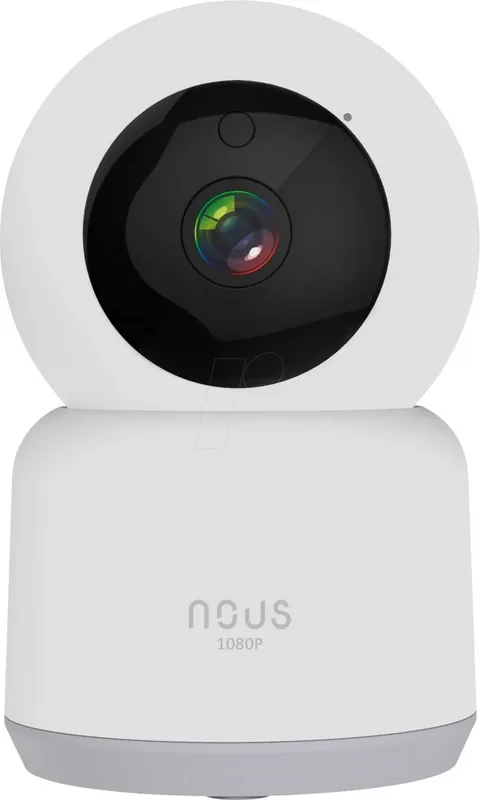
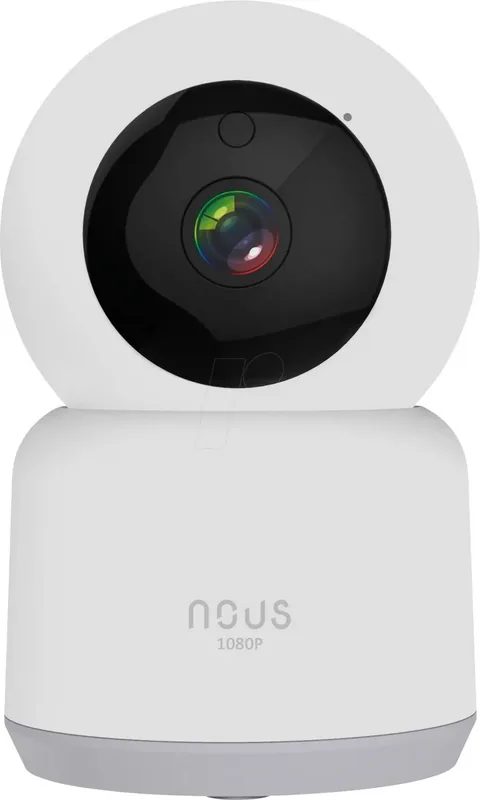
Maintaining safety requires reliable technology. The Nous W2 Smart PTZ WiFi Camera offers comprehensive coverage for indoor spaces. Users reviewing the Nous W2 Smart PTZ WiFi Camera Manual discover flexible installation options. Mounting is simple on ceilings or flat surfaces using the rubberized base. Connectivity relies on stable Wi-Fi networks specifically operating at 2.4GHz frequencies. This ensures compatibility with most routers while optimizing data transmission for continuous streaming.
Comprehensive Feature Set
Rotation capabilities span a full 360 degrees horizontally with 65 degrees vertical tilt. This pan-tilt mechanism eliminates blind spots effectively. Integrated microphones and speakers enable two-way communication. You can listen and speak through the device using the companion application. Night vision functionality switches automatically between color and black-and-white modes based on ambient light levels. Infrared support ensures visibility even in total darkness. Storage options include microSD cards up to 128 GB for local recording during motion events. Push notifications alert your smartphone immediately upon detecting movement.
Application and Access
Control occurs through the Nous Smart Home application available for both Android and iOS platforms. Registration is straightforward within the app interface. Scanning QR codes facilitates quick pairing between your phone and the camera unit. Cloud archives remain optional but enhance backup capabilities for subscribers. Desktop access via browser login provides additional viewing angles outside mobile restrictions. Always verify internet stability as connection quality impacts performance significantly. Safety warnings emphasize keeping units away from heat sources and avoiding mechanical damage during cleaning procedures. Maintenance requires professional service centers if internal repair becomes necessary. Understanding these specifications helps maximize utility.
Security systems evolve rapidly to meet modern demands. This device integrates seamlessly into existing smart home ecosystems. Setup involves resetting the hardware button for five to seven seconds to clear old configurations. Password entry confirms network credentials accurately during initial linking. Removing the device from the user list resets settings permanently requiring reinstallation. Frequency bands matter since 5GHz networks lack support currently. Dust and moisture resistance is limited so placement matters greatly. Regular firmware updates maintain security standards against external threats. Video quality remains sharp capturing essential details clearly. Audio clarity supports distinct voice transmission in real time. Battery life is not applicable due to wired power supply via MicroUSB port. Physical buttons allow direct control if remote access fails temporarily. These attributes define the operational scope. Community feedback suggests ease of use outweighs complexity barriers significantly. Budget conscious consumers find value within this segment of market offerings. Proper lighting conditions enhance image recognition accuracy for visitors versus wildlife differentiation. Cloud costs vary depending on retention duration chosen by the owner. Privacy controls ensure personal footage stays accessible only to authorized accounts linked to the system. Continuous monitoring provides peace of mind regardless of location status.
Installation guidelines suggest securing the MicroUSB cable to prevent strain. Voltage requirements are fixed at five volts ensuring consistent power delivery. Environmental factors play a critical role in longevity expectations over time. Keep cords organized to avoid tripping hazards within the home layout. Testing connections prior to final mounting saves effort during initial deployment phases. Support channels exist online for troubleshooting network issues quickly.
This concludes the overview of essential functions and limitations for effective usage in any residential setting today.
Search for 67,706 Manuals online


Type-in Brand or Model