
Ninebot by Segway KickScooter P65I Manual
PDF manual · 43 Pages
English


Quick check
Incorrect answer, please try again.
Chat with your Ninebot by Segway KickScooter P65I manual using AI
Get instant AI answers from your Ninebot by Segway KickScooter P65I manual
Ask anything about the Ninebot by Segway KickScooter P65I. Answers come from this manual, with the pages they are based on.
Ask a Question
Do you recommend KickScooter P65I?
Yes NoFrequently Asked Questions
Typical range is listed around 65 km under ideal test conditions (75 kg rider, 25°C, steady moderate speed). Real-world range will vary with rider weight, speed, terrain, temperature, and stop-start frequency.
Is this answer helpful?
You can unlock the scooter via a four-digit password entered on the dashboard, an NFC card tapped on the NFC area, or through the Segway-Ninebot app. The scooter supports locking and an anti-theft alarm that triggers if moved while powered off.
Is this answer helpful?
Yes. Install the Segway-Ninebot app, activate your scooter, and connect via Bluetooth to receive firmware updates, enable/disable features (like password unlock and Walk mode), and monitor diagnostics and ride data.
Is this answer helpful?
The scooter has a battery management system (BMS) with protections against overheating, short-circuit, over-current, over-discharge, and over-charge. It also includes combined disc and electric braking and displays temperature warnings and error codes on the dashboard.
Is this answer helpful?
A single full charge typically takes about four hours using the provided charger under recommended charging conditions. Charging time can vary with ambient temperature and charger specifications.
Is this answer helpful?
The P65I uses 10.5-inch self-sealing tubeless tires (recommended pressure 30–45 psi) designed to reduce punctures. Regular maintenance includes checking tire pressure, brake function, firmware updates, and inspecting folding and safety mechanisms.
Is this answer helpful?
The scooter has an IPX5 rating (splash resistant). It’s suitable for bike lanes, parks, campuses, and most flat urban roads, but avoid heavy water exposure and extreme temperatures outside the recommended operating range (-10 to 40°C).
Is this answer helpful?
Advantages and Disadvantages
Advantages

- Long-range potential (up to ~65 km typical under ideal test conditions).
- 561 Wh battery with BMS protections against overheat, over-charge and short circuits.
- Multiple ride modes (Walk, ASSIST, ECO, DRIVE, SPORT) for versatile use.
- App connectivity, NFC unlock, password lock and anti-theft alarm enhance security.
- Adaptive headlight, USB charging port and IPX5 splash resistance for practical daily use.
Disadvantages

- Actual range and performance depend heavily on speed, rider weight, and temperature.
- At ~20 km/h top speed (P65I), may be slower than performance-focused scooters.
- Weight (~28 kg for P65E variant; P65I similar) can be cumbersome for frequent carrying.
- Some advanced features require the Segway-Ninebot app and Bluetooth activation.
- Repair codes and failures may need dealer or technician intervention for resolution.
Product Specification
Type
Electric Scooter
Colors
black, gray
Battery
561Wh
Motor power
500W
Charging time
4h
Max. incline
12deg / 22%
Range
up to 40.39 mi
Max. speed
12.43 mph
Front brake
Hydraulic disc brake (handbrake)
Rear brake
Motor brake (handbrake)
Max. user weight
264.55 lb
Tire type
Plastic
Tire diameter
10.5"
Suspension
none
Lighting
Front light, Rear light, Brake light
Weight
61.73 lb
Special features
foldable, Bluetooth, Battery status indicator, Side stand, Turn signal function, Reflectors, Bell (electronic)
Product Description
Ninebot by Segway KickScooter P65I Electric Scooter Manual
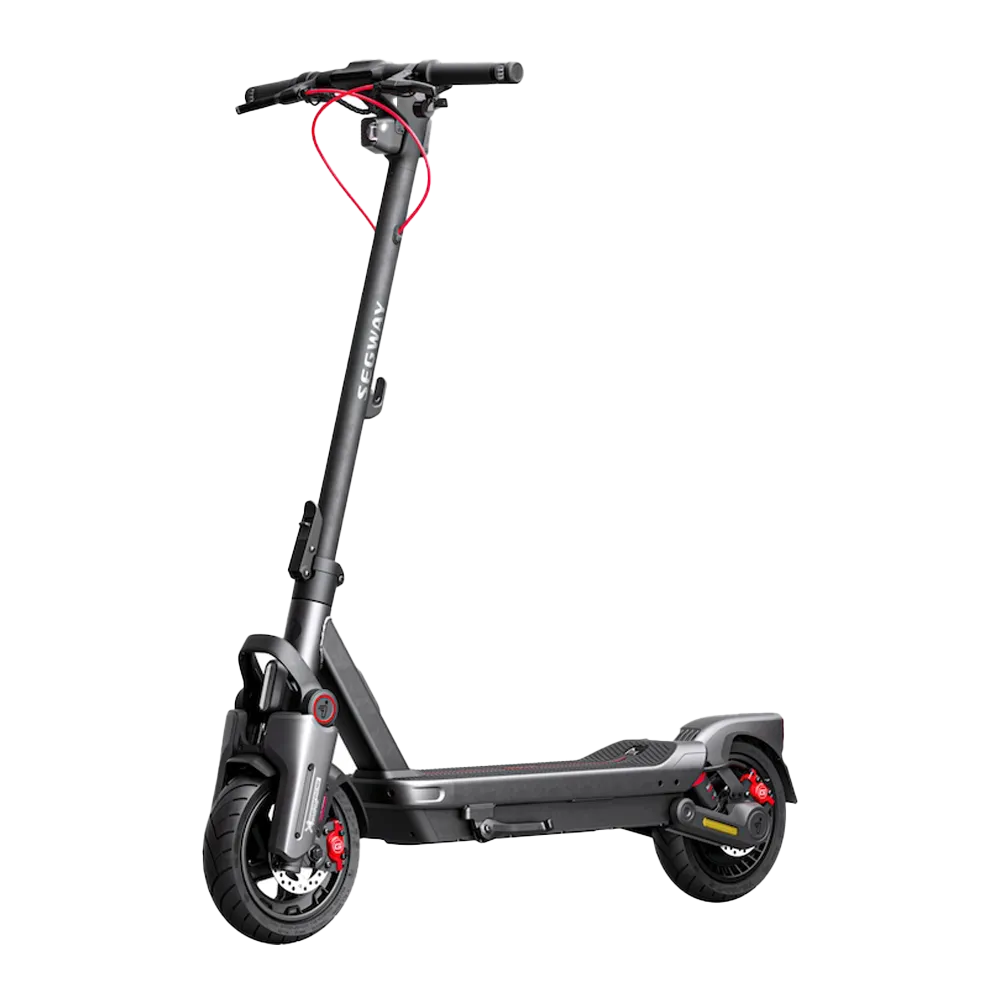
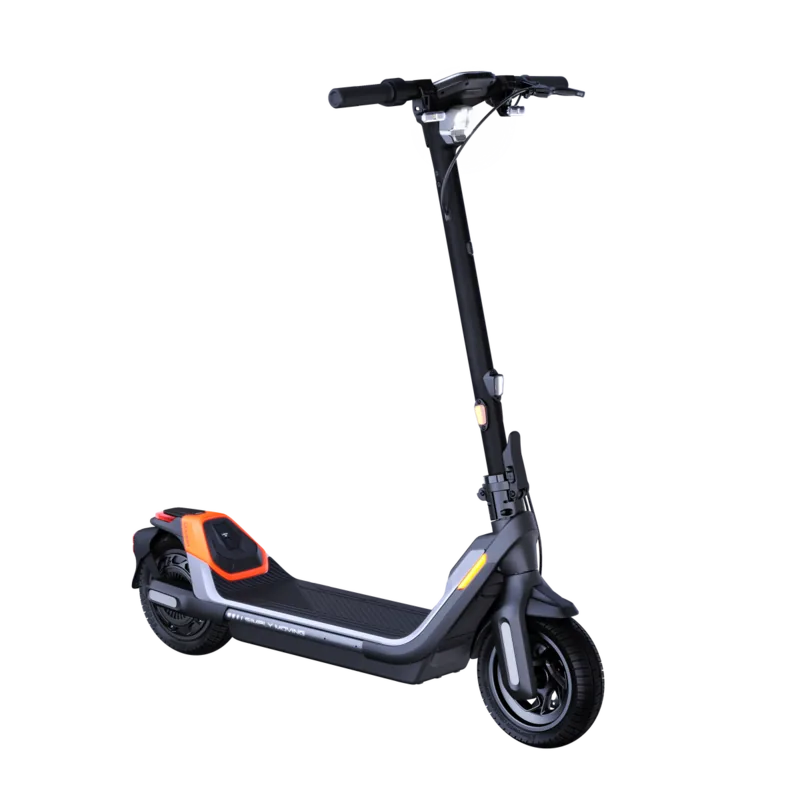
The Ninebot by Segway KickScooter P65I blends commuter practicality with thoughtful engineering. Built for everyday urban use, the P65I emphasizes safety, range, and convenience with features such as adaptive headlights, a robust battery pack, multiple ride modes, and app connectivity. This model is designed to suit riders seeking a dependable electric scooter for city streets, campus runs, and recreational trips.
Key features and overview
The P65I comes with a 561 Wh battery (12 Ah) and a brushless DC motor that balances efficiency and performance. Typical range claims reach up to ~65 km under ideal test conditions, while the top speed for the P65I is limited to around 20 km/h depending on regional variants and settings. A sealed tubeless 10.5-inch tire setup helps reduce punctures and maintenance, while combined disc and electric braking provides reliable stopping power.
User interaction centers on a clear dashboard and multifunction controls: a power button, multifunction knob for headlight and ASSIST toggles, mode switching for ECO/DRIVE/SPORT and walk/assist options, a throttle, horn, and direction indicators. NFC unlock, Bluetooth connectivity via the Segway-Ninebot app, and a USB charging port for external devices expand usability. The scooter supports password and NFC-based unlocking and features an anti-theft alarm that activates if the scooter is moved while powered off.
Construction and practical details include a folding mechanism for portability, a safety button to prevent accidental folding, integrated ambient and tail lighting (on applicable trims), IPX5 splash resistance, and a typical full-charge time of about four hours. The P65I also integrates battery management protections against overheating, short circuit, over-current, over-discharge, and over-charge.
Riding modes and safety
Multiple speed and assistance modes let riders tune performance and range: Walk mode for pushing the scooter, ASSIST mode for low-speed aided riding, ECO for efficiency, DRIVE for normal commuting, and SPORT for more responsive acceleration. An adaptive headlight automatically adjusts to conditions for better visibility. The onboard diagnostics display error codes on the dashboard and list common failure categories in the manual for troubleshooting and technician reference.
Final impression
The Ninebot P65I is a feature-rich commuter scooter focused on practicality, safety, and connected control. Its battery capacity, integrated protections, and user-friendly controls make it suitable for riders who prioritize range, everyday reliability, and the convenience of app-enabled features.
Notes:
- Range varies with rider weight, speed, terrain, temperature, and stop-and-go frequency.
- Always install and pair the Segway-Ninebot app to receive firmware updates, set security features, and access the most current safety guidance.
- Dispose of batteries and the scooter at designated collection points following local regulations.
Search for 67,706 Manuals online


Type-in Brand or Model