
Nacon Revolution Unlimited Pro Manual
PDF manual · 17 Pages
English



Quick check
Incorrect answer, please try again.
Chat with your Nacon Revolution Unlimited Pro manual using AI
Get instant AI answers from your Nacon Revolution Unlimited Pro manual
Ask anything about the Nacon Revolution Unlimited Pro. Answers come from this manual, with the pages they are based on.
Revolution Unlimited Pro Maintenance Schedule
Press the PS button until the Player LED turns off to preserve battery life after use.
Use a soft, clean, damp cloth only for external cleaning. Do not use detergents as they may damage the finish.
Ask a Question
Do you recommend Revolution Unlimited Pro?
Yes NoFrequently Asked Questions
It offers multiple play modes, remappable controls, adjustable weights, and profile-based customization. That makes it more adaptable than a typical controller and better suited to players who want a personalized feel.
Is this answer helpful?
Yes. It supports PS4 Normal mode, PS4 Advanced mode, and PC Advanced mode. The PC functions require the companion app for setup and customization.
Is this answer helpful?
Yes. You can connect it by cable for wired play or use the included USB Bluetooth receiver for wireless play. Both options are supported, depending on your setup and preference.
Is this answer helpful?
You can remap buttons, adjust stick response, set trigger dead zones, change vibration intensity, and save up to four custom profiles. Some changes are made through the onboard switches, while deeper settings use the companion app.
Is this answer helpful?
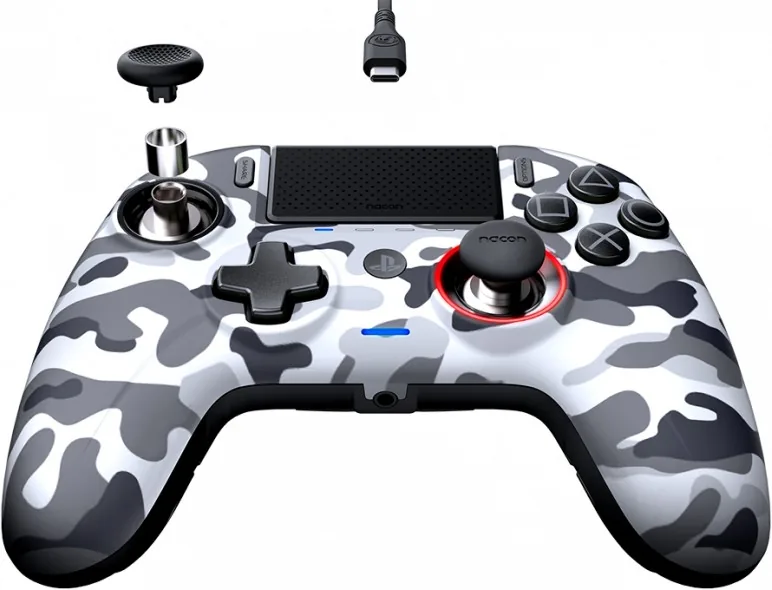
The package includes the controller, a 3m cable, a USB Bluetooth receiver, extra stick heads, multiple weight sets, several joystick shafts, a storage case, a cleaning cloth, and the instruction manual.
Is this answer helpful?
Hold the microphone mute button for more than one second. The profile LEDs will light up to show the battery level, so you can quickly see whether the controller needs charging.
Is this answer helpful?
Advantages and Disadvantages
Advantages

- Works in wired and wireless modes for flexible play.
- Offers deep customization through profiles, remapping, and app-based tuning.
- Adjustable weights and stick parts help tailor comfort and precision.
- Includes headset controls, battery indicators, and useful accessories.
Disadvantages

- Advanced customization depends on the PC or Mac companion app.
- PC Advanced mode is not endorsed by Sony Interactive Entertainment Europe.
- Not suitable for moisture, dust, or rough physical handling.
- Lost accessories such as dongles or stick parts are not covered under warranty.
Product Specification
Type
Gamepad
Compatibility
PS4, PC
Connectivity
wireless (Bluetooth) or wired (9.84 ft), USB (Type-C)
Buttons
21 (total), 7 (function buttons), 8 (action buttons), 2 (trigger buttons), 2 (shoulder buttons), 2 (analog sticks)
Analog Sticks
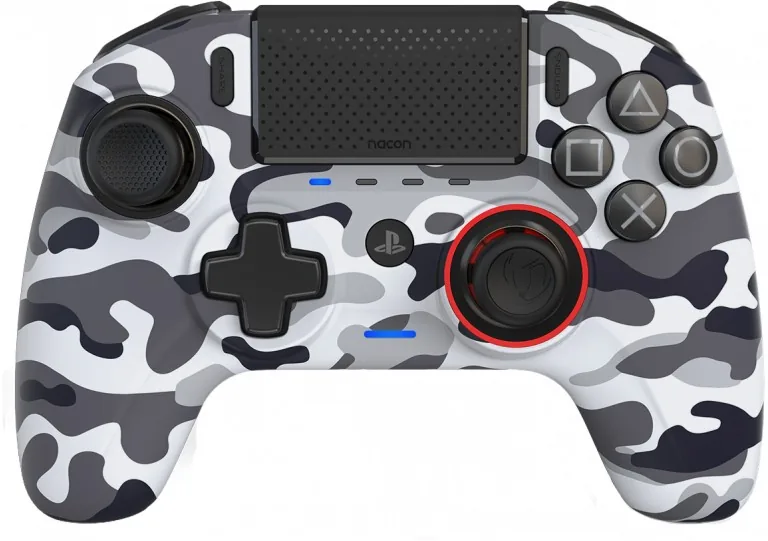
1 concave (left above D-pad), 1 convex (right below action buttons)
D-pad
concave
Features
0.14 in jack, 2 vibration motors, 4 programmable buttons, customizable controls, customizable geometry, touchpad, textile cable, detachable cable
Product Description
Nacon Revolution Unlimited Pro Controller (PS4/PC): Tuned for Serious Play
The Nacon Revolution Unlimited Pro Controller is built for players who want a more adaptable and competitive feel from their PS4 or PC setup. With the Nacon Revolution Unlimited Pro Controller (PS4/PC) Manual as a guide, it becomes easier to unlock the controller’s flexible modes, custom inputs, and hardware tuning options. Instead of offering a one-size-fits-all layout, this controller gives you tools to shape the way you play.
Flexible modes for console and computer
One of the strongest points of this controller is its three-mode design. You can use it in standard PS4 mode for familiar play, move into PS4 Advanced mode for deeper personalization, or switch to PC Advanced mode for compatible computer gaming. The companion app opens the door to refined stick settings, trigger dead zones, remapping, profile creation, and vibration adjustments. That makes the controller especially appealing for players who jump between genres and platforms.
Built for comfort, precision, and control
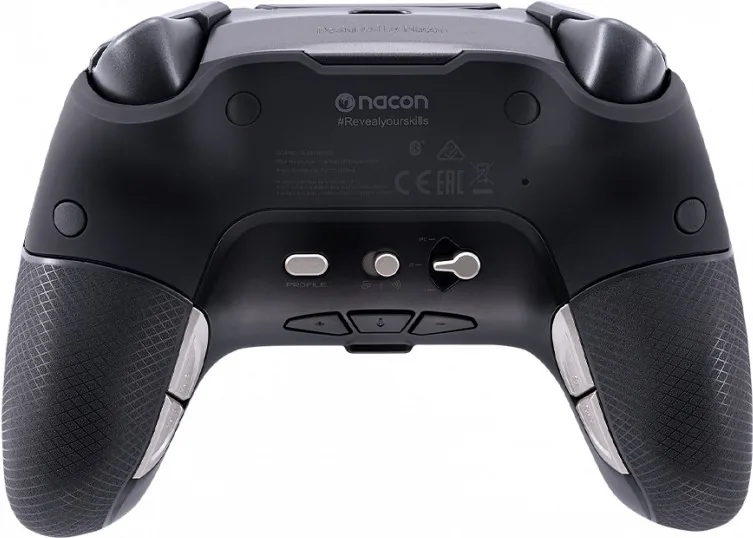
The controller includes adjustable weights, alternate stick heads, and different joystick shafts, letting you fine-tune balance and responsiveness. Lighter settings can support faster movement, while a heavier setup may feel steadier in long sessions. Rear shortcut buttons add quick access to custom commands, and the headset controls on the underside make volume and mute changes easy during gameplay. It is a thoughtful design for action, racing, and shooter fans alike.
Practical features that matter every day
Wireless play keeps the setup clean, while wired mode is available when you want a direct connection or charging flexibility. The built-in rechargeable battery, LED indicators, and easy battery check help you stay prepared before a match begins. The controller also includes useful extras such as a storage case, cleaning cloth, Bluetooth receiver, and cable, which adds value right out of the box.
Notes
- Keep your proof of purchase for warranty support.
- Charge the controller when the battery light turns red or starts flashing red.
- Use the companion app to get the full benefit of advanced customization.
- Protect the controller from moisture, dust, and strong impacts to preserve performance.
Search for 67,706 Manuals online


Type-in Brand or Model