
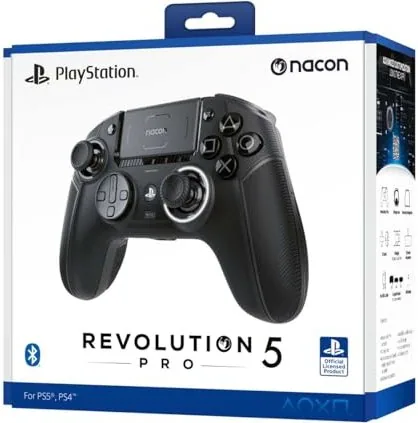
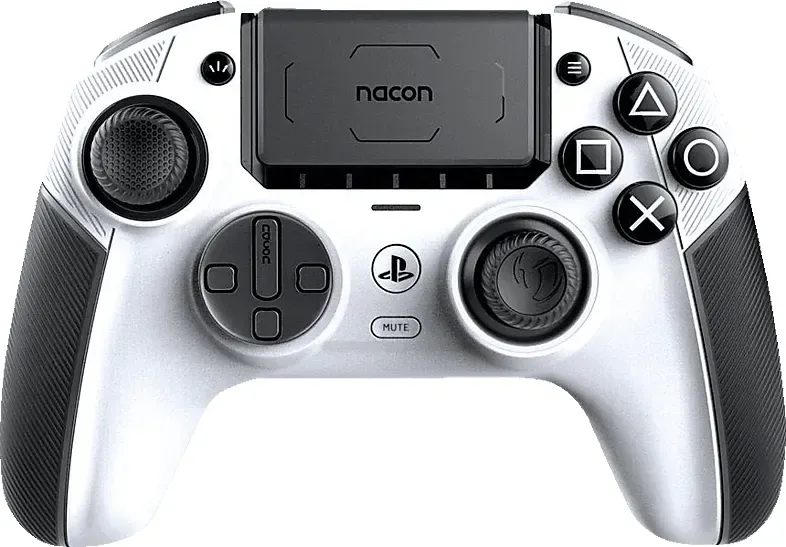
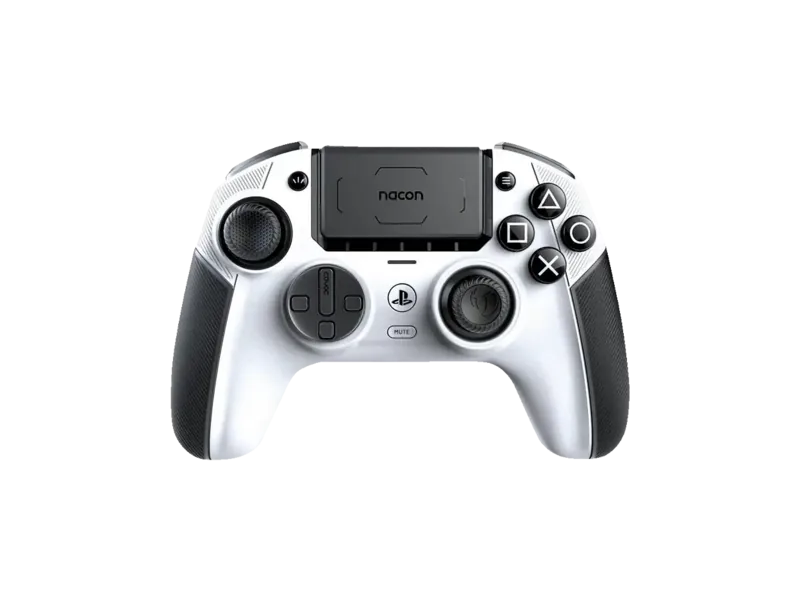
Nacon Revolution Pro 5 Manual
PDF manual · 22 Pages
English



Quick check
Incorrect answer, please try again.
Chat with your Nacon Revolution Pro 5 manual using AI
Get instant AI answers from your Nacon Revolution Pro 5 manual
Ask anything about the Nacon Revolution Pro 5. Answers come from this manual, with the pages they are based on.
Ask a Question
Do you recommend Revolution Pro 5?
Yes NoFrequently Asked Questions
Connect using the USB-C cable or the included 2.4GHz RF dongle. An icon appears on screen to confirm connection. Direct Bluetooth to console is not supported.
Is this answer helpful?
No. Vibration motors are only compatible with PC and PS4 titles. PS5 mode on PS5 console disables vibration functionality.
Is this answer helpful?
Yes, it works on Windows 10 and 11. Note that this compatibility is not officially tested or approved by Sony Interactive Entertainment.
Is this answer helpful?
Hold the Bluetooth button for six seconds. The halo ring flashes blue during pairing and stops when successful.
Is this answer helpful?
Yes, always use the provided USB cable when charging the battery. Using other cables is not recommended.
Is this answer helpful?
Press the unlock button, hold it, and slide up or down to change the position. This alters stop functionality.
Is this answer helpful?
No. This controller cannot connect directly to the console via Bluetooth. You must use the cable or RF dongle for input.
Is this answer helpful?
Advantages and Disadvantages
Advantages

- Versatile connectivity with wired and wireless options for PS5 and PS4
- Innovative trigger stop features for competitive gaming precision
- Compatible with Bluetooth headphones for immersive audio without lag
- Clear halo ring indicator helps identify connection status easily
- Includes USB-C cable and RF dongle for flexible setup options
Disadvantages

- Vibration motor does not work on native PS5 games on PS5 console
- PC compatibility not officially tested or approved by Sony Interactive Entertainment
- Battery drains faster if used while charging compared to powering off
- Cannot connect directly to console via Bluetooth without dongle or cable
- Radio frequency interference possible due to 2.4 GHz operational range usage
Product Specification
Type
Gamepad
Compatibility
PC, PS4, PS5
Connectivity
Wireless (2.40GHz) or wired (9.84 ft), USB (Type-C)
Power Supply
USB, Battery (integrated)
Buttons
18 (total), 4 (function buttons), 8 (action buttons), 2 (triggers), 2 (shoulder buttons), 2 (joysticks)
Joysticks
1 concave (left above D-pad), 1 concave (right below action buttons), Hall Effect
D-Pad
concave
Features
3.5mm jack, 2 vibration motors, LED lighting, 4 programmable buttons, adjustable controls, customizable geometry, touchpad, detachable cable
Product Description
Discovering the Nacon Revolution Pro 5 Controller
Gaming enthusiasts are always looking for the next step in immersion and precision. The Nacon Revolution Pro 5 represents a significant leap forward in competitive controller technology. Designed for high-stakes gameplay, this peripheral offers flexibility across multiple platforms. Whether you are on PlayStation 5 or PlayStation 4, the performance remains consistent and impressive for casual players.
Versatile Connectivity Options
The device supports both wired and wireless connections to suit different playstyles effectively. A USB type C cable ensures a stable link when latency must be zero for competitive matches. Alternatively, the included RF dongle allows for freedom of movement without signal lag. Users often refer to the Nacon Revolution Pro 5 Controller (PC/PS4/PS5) Manual for specific configuration details regarding trigger stops and vibration settings. The tactile feedback on this unit is distinct and responsive during intense moments.
Important Technical Details
It is important to note that vibration motors function only on PC and PS4 titles. Native PS5 games do not utilize this feature on the console system effectively. This technical detail helps manage user expectations during the initial setup phase. Charging is another critical aspect of daily use. Using the controller while plugged in results in slower battery recovery because of trickle charging mechanics. Turning the device off ensures the fastest charge time available for your gaming sessions.
Customization and Control
The Halo ring around the button provides clear visual indicators for status. A blue flash signals pairing mode for your Bluetooth headphones. Once connected, the light stabilizes to show active status. Bluetooth connectivity is excellent for headsets but not for the console itself. You cannot pair the system directly via wireless radio to the PS5. You must use the USB dongle or cable for system input. Trigger stops add a competitive edge worth noting for shooters.
Build Quality and Support
Build quality focuses on durability for long gaming sessions without strain. The design fits most hand sizes comfortably without fatigue. Compatibility extends beyond Sony consoles to Windows 10 and 11 systems. Support resources are available online for troubleshooting. Integrating this hardware into a gaming setup requires attention to connection methods. Whether you prefer cable stability or wireless liberty, the options exist. Understanding the limitations regarding vibration in PS5 titles prevents potential confusion. The hardware remains a strong choice for those valuing input precision. Gamers seeking a robust solution for PS5, PS4, or PC will find value here. The investment pays off through improved control and reduced input lag. Read the guidelines provided to maximize potential performance from the start.
Search for 67,706 Manuals online


Type-in Brand or Model