
Nacon MG-X Pro Manual
PDF manual · 45 Pages
English



Quick check
Incorrect answer, please try again.
Chat with your Nacon MG-X Pro manual using AI
Get instant AI answers from your Nacon MG-X Pro manual
Ask anything about the Nacon MG-X Pro. Answers come from this manual, with the pages they are based on.
MG-X Pro Maintenance Schedule
If the controller is not used for an extended period, fully charge it at least once a year to maintain functionality.
To prevent hand pain from prolonged use in the same position, take a 15-minute break every hour of gameplay.
Free maintenance reminders
Timed to your purchase date. Always free, unsubscribe anytime.
Ask a Question
Do you recommend MG-X Pro?
Yes NoFrequently Asked Questions
No, this controller is specifically designed for Android devices running version 6.0 or later. It is not compatible with Apple products due to software and hardware restrictions.
Is this answer helpful?
Go to your phone's Bluetooth menu and search for devices. Press the Nexus button on the controller, then hold the Bluetooth sync button for three seconds. Select 'Nacon MG-X PRO' from your phone's list to complete pairing.
Is this answer helpful?
When the battery is low, the LED flashes red slowly. If it is very low, it flashes rapidly. The controller also powers off automatically after 15 minutes of inactivity to conserve energy.
Is this answer helpful?
It is recommended to remove your phone case before inserting the device. Cases can prevent the phone from fitting securely into the dedicated slot, increasing the risk of dropping your phone.
Is this answer helpful?
Charging takes more than two hours using the provided USB-C cable connected to a PC or charger. The LED turns green once the battery is fully charged.
Is this answer helpful?
Advantages and Disadvantages
Advantages

- Long-lasting 20-hour battery life for extended gaming sessions
- Universal compatibility with Android phones up to 6.7 inches
- Asymmetrical joystick layout provides precise control
- Fast charging via USB-C port with clear LED indicators
- Seamless Bluetooth connectivity with automatic reconnection
Disadvantages

- Not compatible with iOS or Apple devices
- Phone cases may prevent proper fitting in the holder
- Maximum operating temperature limited to 35 degrees Celsius
- Non-replaceable internal battery requires careful handling
- Sliding mechanism poses a minor risk of pinching fingers
Product Specification
Type
Mobile Gaming
Compatibility
Xbox Series X, Android
Connection
Wireless (Bluetooth LE)
Power Supply
Battery (fixed)
Buttons
13 (total), 3 (function keys), 4 (action buttons), 2 (triggers), 2 (shoulder buttons), 2 (analog sticks)
Analog Sticks
1 concave (left over D-pad), 1 concave (right below action buttons)
D-Pad
Concave
Features
Mount for 6.7"
Product Description
Elevate Your Mobile Gaming with the Nacon MG-X Pro Holder
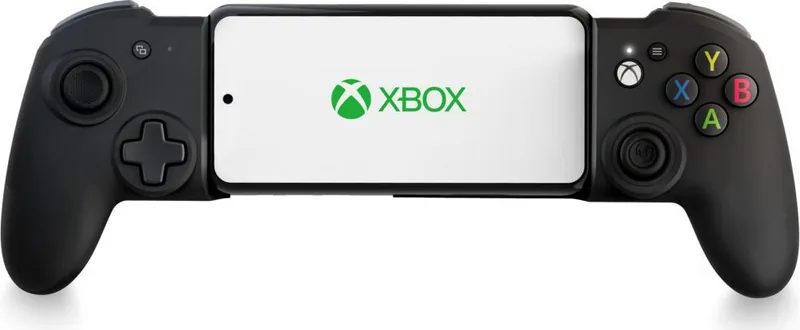
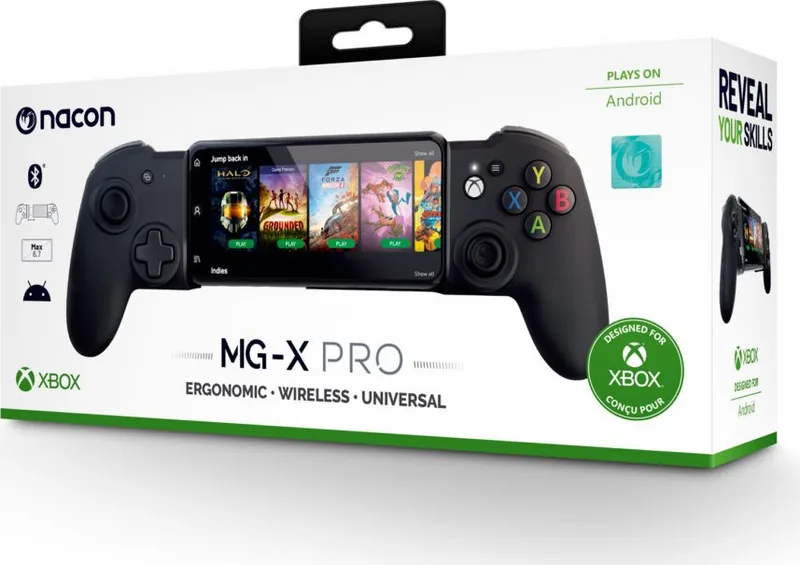
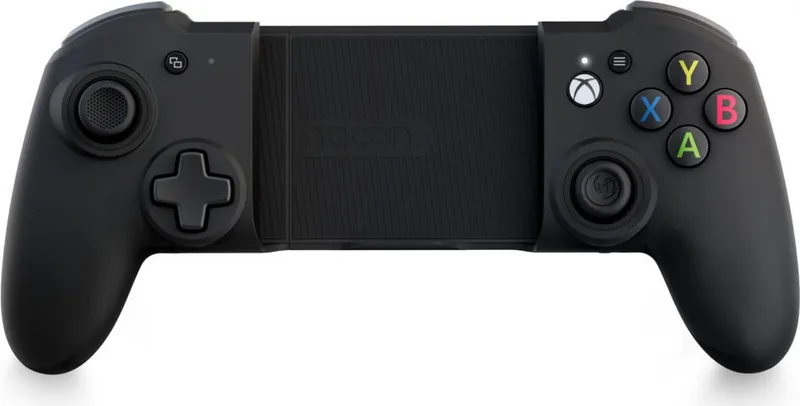
The Nacon MG-X Pro Holder (Xbox SX/Android) transforms your smartphone into a dedicated gaming console, offering a premium experience for Android users. Designed to enhance your gameplay, this controller features asymmetrical joysticks that mimic traditional gamepad layouts, ensuring precision and comfort during extended sessions. With a built-in rechargeable battery providing up to 20 hours of playtime, you can dive deep into your favorite titles without constant interruptions.
Compatibility is a key strength of this device. It connects seamlessly via Bluetooth 4.2+BLE to any Android phone running version 6.0 or later. The universal holder accommodates screens up to 6.7 inches, with a maximum opening size of 163 mm, making it suitable for most modern smartphones. Whether you are accessing Microsoft cloud gaming services with an Xbox Game Pass subscription or playing native Android games that support controllers, the MG-X Pro delivers responsive control.
Setup is straightforward. Simply press the Nexus button to power on the device, which will automatically reconnect to your last paired phone. For new connections, activate pairing mode by holding the Bluetooth sync button for three seconds until the player LED flashes rapidly. The intuitive interface includes clear indicators for battery levels, flashing red when low and turning green when fully charged. A USB-C cable is included for easy recharging in just over two hours.
Ergonomics are prioritized to prevent fatigue. The compact design keeps your hands in a natural position, though taking a 15-minute break every hour is recommended for long-term comfort. Please note that the controller is not compatible with Apple products, and removing phone cases may be necessary for a secure fit in the sliding holder mechanism. Always keep the device indoors and away from moisture to ensure longevity.
Important Notes
- Ensure your phone case does not interfere with the sliding slot to prevent drops.
- Avoid exposing the device to temperatures above 35°C.
- Do not attempt to open the internal battery as it is non-replaceable.
- Recycle old batteries at designated collection centers to protect the environment.
Search for 67,706 Manuals online


Type-in Brand or Model