
Nacon GM-180 Manual
PDF manual · 48 Pages
English



Quick check
Incorrect answer, please try again.
Chat with your Nacon GM-180 manual using AI
Get instant AI answers from your Nacon GM-180 manual
Ask anything about the Nacon GM-180. Answers come from this manual, with the pages they are based on.
Ask a Question
Do you recommend GM-180?
Yes NoFrequently Asked Questions
No, the manual specifies compatibility only with Windows 7, 8, and 10 operating systems.
Is this answer helpful?
When the battery level is low, the LED indicator on the mouse will start flashing to alert you to recharge it.
Is this answer helpful?
Yes, you can use the mouse while it is connected to the USB charging cable.
Is this answer helpful?
The product comes with a manufacturer guarantee of two years from the date of purchase.
Is this answer helpful?
No, it is a Plug-and-Play device that installs drivers automatically upon first connection to a PC.
Is this answer helpful?
Yes, the battery is located in a compartment under the mouse and can be replaced using the provided instructions.
Is this answer helpful?
Advantages and Disadvantages
Advantages

- Plug-and-play USB connectivity works instantly on Windows 7/8/10
- Ergonomic side grips reduce hand fatigue during extended use
- Rechargeable battery eliminates the need for disposable replacements
- Six programmable buttons offer enhanced control and customization
- RGB backlighting adds a customizable aesthetic to any gaming desk
Disadvantages

- Maximum DPI of 2200 may be lower than high-end professional mice
- USB receiver must remain plugged in at all times to function
- Cable length is fixed at 70cm which limits placement options
- Battery life varies significantly based on RGB usage settings
- Not suitable for outdoor use or exposure to moisture and dust
Product Specification
Suitability
right hand
Keys
7 (total), 2 (main), 2 (top), 2 (left), 1 (scroll wheel click)
Scroll Wheel
1x 2-way
Scanning
LED-red/IR
Resolution
2200dpi, reducible to 2000/1600/800dpi
Lighting
RGB
Connection
wireless (2.40GHz), USB-A (USB-A receiver), detachable cable (USB 2.0 Micro-B port)
Power Supply
battery (replaceable)
Dimensions (WxDxH)
2.48x1.38x4.96in
Approximate Volume
4.45in³ (approximated shape)
Weight
3.46oz
Color
solid, black, logo
Features
non-slip surface (rubberized sides), stowable receiver
Product Description
Elevate Your Gaming with the Nacon GM-180 Wireless Mouse
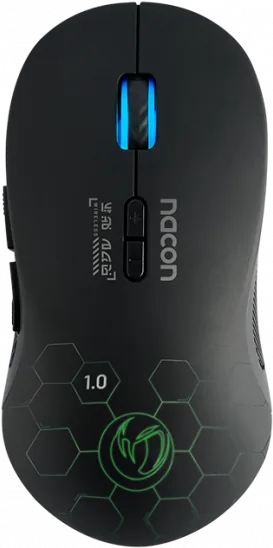
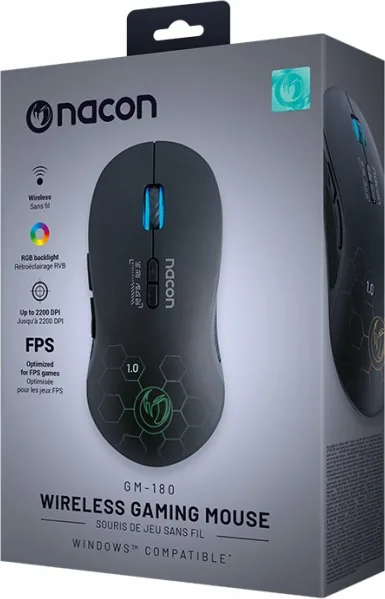
The Nacon GM-180 Wireless Gaming Mouse in sleek black is designed to transform your gaming sessions. This device combines comfort, precision, and style to meet the demands of modern gamers. Whether you are engaging in fast-paced shooters or strategy games, this mouse offers the reliability you need.
Seamless Connectivity and Performance
Equipped with a Plug-and-Play USB connection, the GM-180 ensures instant setup on Windows 7, 8, and 10 systems. The optical sensor provides a maximum resolution of 2200 DPI, allowing for smooth cursor movement and precise aiming. The wireless capability eliminates cable clutter, giving you freedom of movement without sacrificing performance.
Ergonomic Design and Customization
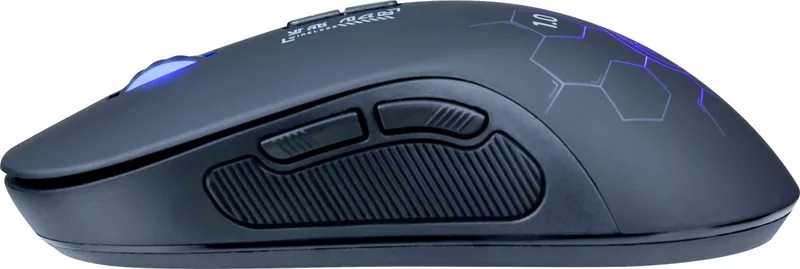
Comfort is paramount during long gaming marathons. The GM-180 features side grips that provide a secure hold, reducing hand fatigue. It includes six buttons, including two dedicated side buttons for quick access to game actions. An RGB backlight adds a vibrant aesthetic touch to your setup, while a three-position switch allows you to toggle the light or turn it off entirely to save power.
Power Management
The mouse comes with a rechargeable AA battery, eliminating the need for disposable batteries. A USB charging cable is included, allowing you to charge the device directly through your PC. A low battery indicator flashes when power runs low, ensuring you are never caught off guard mid-game. Remember to keep the USB receiver connected at all times for optimal functionality.
Final Thoughts
The Nacon GM-180 is an excellent choice for gamers seeking a reliable, comfortable, and stylish wireless mouse. Its combination of high-resolution tracking, ergonomic design, and user-friendly features makes it a standout option in the competitive market.
Search for 67,706 Manuals online


Type-in Brand or Model