Manual.ly Logo

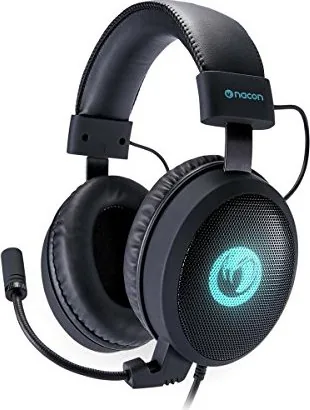
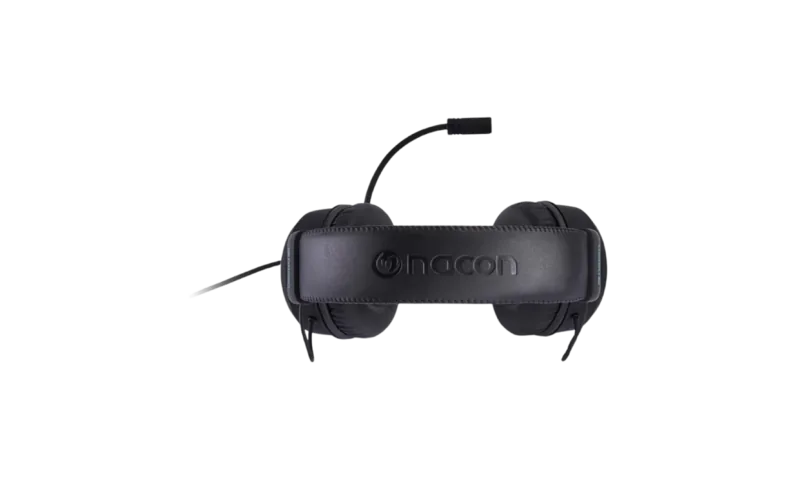
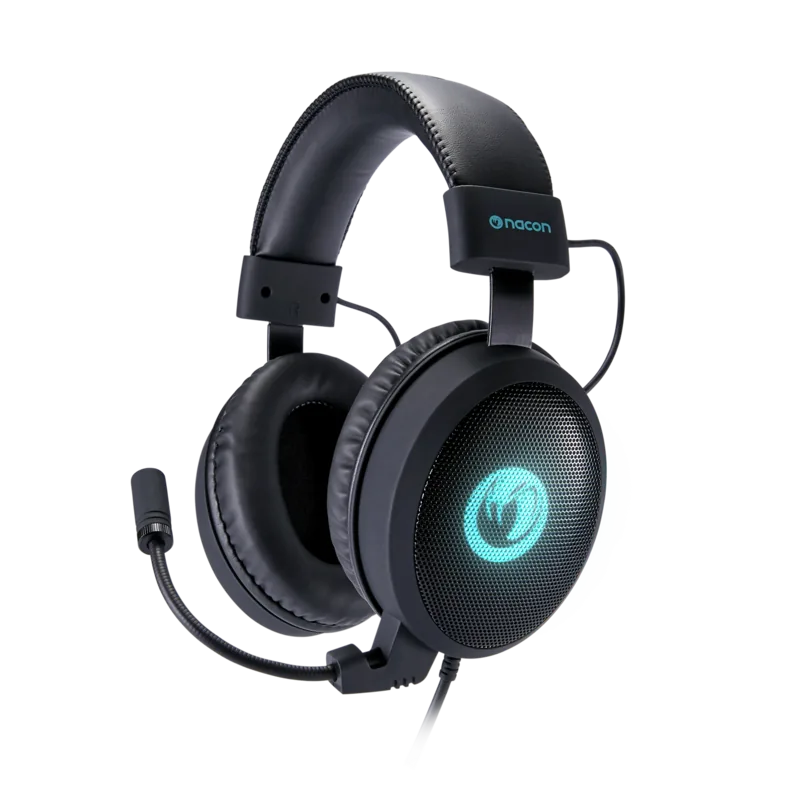
Nacon GH-300SR Manual

4.3 · 3 Ratings

PDF manual · 2 Pages

English

M: OA-GPT-54-NAN
page

/ 2

Loading...
792104e851c278d4eaf78ef867faf881f879 page 1
Merci d’avoir acheté le NACON GH-300SR Gaming Headset. Ce produit a été conçu pour améliorer votre expérience de jeu.
Veuillez conserver ce manuel d’instructions pour toute référence ultérieure. Si vous avez besoin d’aide ou de conseils, veuillez contacter le
Service d’assistance.
GARANTIE
Dit product met het handelsmerk van BIGBEN wordt door de fabrikant vanaf de datum van aankoop voor een periode van 2 jaar gegarandeerd,
en zal gedurende deze periode gratis door ons worden vervangen door eenzelfde of gelijkwaardig model als er materiaal- of fabricagefouten
zijn. Deze garantie geldt niet voor defecten die voorkomen uit incidentele schade, verkeerd gebruik of slijtage en is alleen beschikbaar voor
de oorspronkelijke koper van het product. Dit heeft echter geen gevolgen voor uw wettelijke rechten. We vragen u het aankoopbewijs van het
product te bewaren voor het geval zich een klacht voordoet. De originele verpakking dient ook bewaard te worden indien de aankoop op afstand
gedaan is (Postorderverkoop & Internet). Om de verklaring van overeenstemming te raadplegen, ga naar de website: www.nacongaming.com
GARANTIE
Dieses Produkt mit dem BIGBEN-Markenzeichen verfügt über eine Herstellergarantie von 2 Jahren ab Kaufdatum und wird in diesem Zeitraum
gratis durch dasselbe oder ein ähnliches Modell nach unserer Wahl ersetzt, wenn es aufgrund von Materialfehlern oder Verarbeitung einen
Defekt aufweist. Diese Garantie deckt keine Defekte ab, die aus Unfallschäden, falscher Handhabung oder Abnutzung entstehen und wird
nur dem Originalkäufer des Produkts gewährt. Dies hat keinen Einuss auf Ihre gesetzlichen Rechte. Bitte bewahren Sie den Kaufbeleg des
Produkts für eventuelle Reklamationen sorgfältig auf. Die Originalverpackung muss auch bei allen Fernverkäufen (Versandhandel & Internet)
aufbewahrt werden. Um auf die Konformitätserklärung zuzugreifen, gehen Sie bitte auf die Website: www.nacongaming.com
WARRANTY
This product bearing the NACON trademark, is guaranteed by the manufacturer for a period of 2 years from the date of purchase, and will,
during this period be replaced with the same or a similar model, at our option, free of charge, if there is a defect due to faulty material, or
workmanship. This guarantee does not cover defects arising from accidental damage, misuse or wear and tear, and is available only to
the original purchaser of the product. This does not aect your statutory rights. Please keep the proof of purchase receipt for any future
claim. The original packaging must be kept for all distance purchases (mail order & Internet). To access the declaration of conformity,
please visit: www.nacongaming.com
Pour utiliser les fonctions du son spatial virtuel, vous devez installer l’application NACON GH-300SR. Application et manuel d’instructions
complet disponibles sur www.nacongaming.com. L’installation terminée, vous pouvez accéder au logiciel en cliquant sur l’icône de casque
rouge dans la barre des tâches. Le logiciel propose 4 menus diérents pour gérer les paramètres sonores.
- Égaliseur : Ici, vous pouvez régler le son en augmentant ou diminuant certaines bandes de fréquences. Vous pouvez également ajouter un eet
3D. Ces paramètres peuvent être stockés dans 5 prols diérents maximum.
- Eet : Ce menu vous permet d’ajouter diérents eets de réverbération au prol actif. Les options sont les suivantes :
. Cinéma . Salon
. Salle de bain . Couloir
- Microphone : Ici, vous pouvez augmenter le gain du microphone du casque an de booster le volume. Notez qu’un niveau trop élevé de gain
peut entraîner la distorsion de la voix ou être perçu comme désagréable par les autres partenaires de chat.
- Virtuel 7.1 : Cette option vous permet d’activer et de désactiver la fonctionnalité Son 7.1. En cliquant sur les positions de haut-parleur (les 8
cercles diérents sur l’image), vous pouvez placer librement chaque source sonore dans l’espace entourant l’utilisateur.
Om de virtual sound eigenschappen te gebruiken dient u de NACON GH-300SR applicatie te installeren. De applicatie en de volledige
handleiding kunnen gevonden worden op www.nacongaming.com. Nadat de installatie is voltooid, kan de software worden geopend door te
klikken op het rode headset-pictogram op de taakbalk. De software biedt 4 verschillende menu’s om de geluidsinstellingen te beheren.
- EQ : Hier kunt u het geluid aanpassen door bepaalde frequentiebanden te benadrukken of te verminderen. U kunt ook een 3D-eect toevoegen.
Deze instellingen kunnen worden opgeslagen in maximaal 5 verschillende proelen.
- Eect : In dit menu kunt u verschillende galmeecten toevoegen aan het actieve proel. De opties zijn:
. Theater . Woonkamer
. Badkamer . Gang
- Microfoon : Hiermee kunt u het versterkingsvolume van de microfoon van de headset verbeteren om het volume te verhogen. Houd er
rekening mee dat teveel versterking kan resulteren in stemvervorming of in een onaangename ervaring voor andere chatpartners.
- Virtual 7.1 : Hiermee kunt u de 7.1 Sound-functies in- en uitschakelen. Door te klikken op de luidsprekerposities (de 8 verschillende cirkels op
de afbeelding) kunt u elke geluidsbron vrij positioneren in de ruimte rond de luisteraar.
Für Zugri auf die Virtual Sound-Merkmale muss die NACON GH-300SR Software installiert werden. Diese Anwendung und die vollständige
Bedienungsanleitung nden Sie unter www.nacongaming.com. Nach Abschluss der Installation kann die Software durch Anklicken des roten
Headset-Symbols in der Taskleiste gestartet werden. Die Software bietet 4 verschiedene Menüs zur Klangeinstellung.
- EQ : Hier kann der Klang durch Anheben oder Absenken bestimmter Frequenzbänder eingestellt werden. Auch ein 3D-Eekt lässt sich
einstellen. Zur Speicherung der Einstellungen stehen 5 verschiedene Prole zur Verfügung.
- Eekt : In diesem Menü können dem aktiven Prol verschiedene Halleekte hinzugefügt werden. Es gibt folgende Optionen:
. Theater . Wohnzimmer
. Badezimmer . Flur
- Mikrofon : Hier wird der Gain-Pegel des Headset-Mikrofons eingestellt, um die Lautstärke zu erhöhen. Ein zu hoher Pegel kann aber zu
Verzerrungen der Stimme führen oder von Chat-Partnern als störend empfunden werden.
- Virtual 7.1 : Hier werden die 7.1 Sound-Funktionen ein- und ausgeschaltet. Durch Anklicken der Lautsprecherpositionen (die 8 verschiedenen
Kreise auf dem Bild) lässt sich jede Klangquelle im Raum um den Hörer herum frei positionieren.
For utilising the Virtual Sound features you need to install the NACON GH-300SR application. The application and full instruction manual can be
found at www.nacongaming.com. After installation is nished, the software can be accessed by clicking on the Red headset icon in the taskbar.
The software oers 4 dierent menus to manage the sound settings.
- EQ: Here you can adjust the sound by emphasising or reducing certain frequency bands. You can also add a 3D eect. These settings can be
stored in up to 5 dierent proles.
- Eect: This menu lets you add dierent reverb eects to the active prole. Options are:
. Theatre . Living room
. Bathroom . Floor
- Microphone: Let’s you increase the gain volume of the microphone of the headset to boost the volume. Please note that too high gains might
result in a voice distortion or might be perceived as unpleasant by other chat partners.
- Virtual 7.1: Let’s you turn the 7.1 Sound features on and o. By clicking on the speaker positions (the 8 dierent circles in the picture) you can
position each sound source freely in the space around the listener.
Vielen Dank für Ihren Kauf des NACON GH-300SR Stereo Gaming Headsets. Dieses Produkt wurde entwickelt, um das Spieleerlebnis
mitIhren Videospielen zu verbessern. Bitte bewahren Sie diese Bedienungsanleitung als Referenz auf.
Falls Sie Hilfe benötigen, kontaktieren Sie bitte die Hotline.
Thank you for purchasing the NACON GH-300SR Stereo Gaming Headset. This product has been designed to enhance your
video gamingexperience. Please keep this instruction manual for future reference. If you require any assistance or help please
contact the Helpline.
Bedankt voor uw aankoop van de NACON GH-300SR Gaming Headset. Bewaar deze instructies voor eventuele naslag.
Neem voor meer ondersteuning contact op met de klantenservice.
Important Safeguards & Precautions
1. This product is designed for indoor use only,
2. Do not expose it to direct sunlight or bad weather,
3. Do not expose it to splashes, rain, drips or high levels of humidity,
4. Do not expose it to dust, extreme temperatures or mechanical shock,
5. Do not immerse it in liquid,
6. Do not under any circumstances use it if it is damaged,
7. Do not disassemble it under any circumstances; it contains no parts that can be repaired,
8. For external cleaning of the product only use a soft, clean, slightly damp cloth. The use of detergents should be avoided as they can
damage the nish and get inside the product.
Keep the product out of the reach of children and do not leave it unsupervised.
Not suitable for children under 7 years of age, the cord can coil around the neck.
GARANTIE
Ce produit portant la marque NACON, est garanti par le fabricant pour une période de 2 ans à compter de la date d’achat et sera, pendant
cette période, remplacé à l’identique ou par un modèle similaire, à notre convenance, et sans frais supplémentaires, dans le cas où
il existerait un défaut matériel ou de fabrication. Cette garantie ne couvre pas les défauts résultant de dommages accidentels, d’une
mauvaise utilisation ou d’une usure normale du produit en question. Merci de conserver le justicatif d’achat du produit pour toute
réclamation. L’emballage d’origine doit aussi être conservé pour tout achat à distance (VPC & Internet). Pour accéder à la déclaration de
conformité, veuillez-vous rendre sur le site : www.nacongaming.com
TECHNICAL HELPLINE INFORMATION
The Technical Helpline is a live one-to-one service
support contact: [email protected]
Disposal of Old Electrical & Electronic Equipment
This symbol on the product or on its packaging indicates that this product shall not be treated as household waste. Instead it should be taken
to an applicable collection point for the recycling of electrical and electronic equipment. By ensuring that this equipment is disposed of
correctly you will help prevent potential negative consequences for the environment and human health, which could otherwise be caused
by inappropriate waste handling of this product. The recycling of materials will help to conserve natural resources. For more information
please contact your local council or waste disposal service.
AVERTISSEMENT : risque d’altération de l’ouïe
- Réglez le lecteur sur un faible niveau sonore
avant de brancher le casque d’écoute à la
source sonore.
- An d’éviter des dommages auditifs
éventuels, ne pas écouter à un niveau sonore élevé pendant
une longue durée. Un volume élevé peut engendrer une
altération durable de l’ouïe.
WARNUNG vor Gehörschäden
- Stellen Sie am Wiedergabegerät eine geringe
Lautstärke ein, bevor Sie den Kopfhörer an die
Tonquelle anschließen.
- Vermeiden Sie eine zu hohe Lautstärke,
insbesondere über längere Zeiträume oder bei häuger
Benutzung. Zu große Lautstärke kann zu dauerhaften
Gehörschäden führen.
WAARSCHUWING voor gehoorschade
- Stel een laag volume op het
weergaveapparaat in, voordat u de
koptelefoon op de geluidsbron aansluit.
- Voorkom een te hoog volume, met name
gedurende langere periodes of bij frequent gebruik. Een te
luid volume kan leiden tot permanente gehoorschade.
WARNING! Risk of hearing damage
- Set a low volume on the playback device
before you connect the headphones to the
sound source.
- Avoid excessive volumes, particularly over
extended periods or in the case of frequent use. Excessive
volume can result in permanent hearing damage.
Volume
Microphone
Lautstärke
Mikrofon
Volume
Microfoon
Volume
Microphone
Précautions d’usage
1. Ce produit est conçu pour une utilisation en intérieur uniquement,
2. Ne pas l’exposer à la lumière directe du soleil ou aux intempéries,
3. Ne pas l’exposer aux éclaboussures, à la pluie, aux égouttements ni à l’humidité élevée,
4. Ne pas l’exposer à la poussière, à des températures extrêmes ou à des chocs mécaniques,
5. Ne pas le plonger dans un liquide,
6. Ne pas l’utilisez en aucun cas s’il est endommagé,
7. Ne pas le démonter en aucun cas ; il ne contient aucune pièce susceptible d’être réparée,
8. Pour le nettoyage externe du produit, utiliser exclusivement un chion doux, propre légèrement humidié. L’usage de détergents
est à éviter car ils sont susceptibles d’endommager les nitions et de pénétrer à l’intérieur du produit.
Maintenir le produit hors de la portée des enfants, et ne pas le laisser sans surveillance.
ATTENTION ! Ne convient pas aux enfants de moins de 7 ans, le câble peut s’enrouler autour du cou.
HOTLINE
Pour tout renseignement vous pouvez prendre contact avec un service
de Hotline. Avant tout appel, assurez-vous avoir pris le maximum
d’informations sur le problème rencontré et sur le produit.
Site Internet : www.nacongaming.com
Adresse : NACON
396 - 466 Rue de la Voyette, CRT2 59273 Fretin, France
Du lundi au vendredi (sauf jours fériés) : De 9h à 19h
EN BELGIQUE :
Site Internet : www.nacongaming.com
Adresse : Bigben Interactive Belgium s.a./n.v.
Waterloo Oce Park / Bâtiment H
Drève Richelle 161 bte 15, 1410 Waterloo,
Belgium
Disposition sur les appareils électriques et électroniques
Ce symbole présent sur votre produit ou sur son packaging indique que ce produit ne peut être traité comme un déchet ménager. Il doit
être déposé auprès d’un centre de tri an d’en récupérer les composants électriques et électroniques. En déposant ce produit dans un
endroit approprié, vous aidez à prévenir de tout risque éventuel pour l’environnement ou pour la santé humaine, suite à diérentes fuites de
sources naturelles. Pour plus d’informations, veuillez prendre contact auprès de votre mairie ou de tout organisme de recyclage des déchets.
Wichtige Vorkehrungen & Vorsichtsmaßnahmen
1. Dieses Produkt ist ausschließlich für den Gebrauch in Innenräumen bestimmt,
2. Setzen Sie es weder direkter Sonneneinstrahlung noch Unwettern aus,
3. Setzen Sie es weder Spritzern, Regen, Tropfwasser noch starker Feuchtigkeit aus,
4. Setzen Sie es weder Staub, höheren Temperaturen noch mechanischen Stößen aus,
5. Tauchen Sie es nicht Flüssigkeiten,
6. Benutzen Sie es keinesfalls, wenn es beschädigt ist.
7. Bauen Sie es niemals auseinander; es enthält keine Teile, die repariert werden können,
8. Benutzen Sie für die Reinigung des Produkt nur ein weiches, leicht angefeuchtetes Tuch. Benutzen Sie keine Reinigungsmittel, da
diese die Oberächebeschädigen könnten und in das Innere des Produkts eindringen könnten.
Das Produkt außerhalb der Reichweite von Kindern aufbewahren, Kinder nicht unbeaufsichtigt lassen.
ACHTUNG! Nicht geeignet für Kinder unter 7 Jahren, das Kabel kann sich um den Hals schnüren.
TECHNISCHER KUNDENDIENST
Telefon: 02271-9047997
Montag bis Freitag von 09:00 bis 18:00 Uhr (außer an
Feiertagen)
Distribution Deutschland:
Bigben Interactive GmbH
Walter Gropius Str. 28, 50126 Bergheim,
Deutschland
www.nacongaming.com
Entsorgung alter elektrischer und elektronischer Geräte
Dieses Symbol auf dem Produkt oder seiner Verpackung zeigt an, dass dieses Produkt nicht in den Hausmüll gehört. Stattdessen sollte es
zu einem Sammelpunkt für das Recycling elektrischer und elektronischer Geräte gebracht werden. Mit der korrekten Entsorgung dieses
Produkts verhindern Sie potentiell negative Auswirkungen auf die Umwelt sowie die menschliche Gesundheit, die sich ansonsten aus der
unsachgemäßen Abfallbehandlung ergeben könnten. Das Recycling von Materialien unterstützt die Bewahrung natürlicher Ressourcen.
Weitere Informationen erhalten Sie beim Händler, Ihrer Gemeindeverwaltung oder Ihrem örtlichen Entsorgungsunternehmen.
Gebruiksvoorschriften
1. Dit product is enkel ontwikkeld voor een gebruik binnenshuis.
2. Het mag niet worden blootgesteld aan direct zonlicht of aan weer en wind.
3. Het mag niet worden blootgesteld aan waterspetters, regen, druppels noch aan een verhoogde luchtvochtigheid.
4. Het mag niet worden blootgesteld aan stof, extreme temperaturen noch aan mechanische schokken.
5. Het mag niet in een vloeistof gedompeld worden.
6. Het mag in geen enkel geval gebruikt worden als het beschadigd is.
7. Het mag in geen enkel geval gedemonteerd worden; Het bevat geen enkel onderdeel dat gerepareerd kan worden.
8. Gebruik voor de schoonmaak van de buitenkant van dit product een lichtvochtige, zachte en schone doek. Het gebruik van
schoonmaakmiddel dient te worden vermeden omdat deze de afwerking kan beschadigen en dit product binnen kan dringen.
Het product buiten bereik van kinderen houden en het niet zonder toezicht laten.
WAARSCHUWING! Niet geschikt voor kinderen onder de 7 jaar, het snoer kan zich rond de nek wikkelen.
KLANTENSERVICE
In Nederland gedistribueerd door:
Bigben Interactive NEDERLAND b.v.
’s-Gravelandseweg 80,
1217 EW Hilversum,
Nederland
www.nacongaming.com
In België gedistribueerd door:
Bigben Interactive Belgium S.A./N.V.
Waterloo Oce Park / Bâtiment H
Drève Richelle 161 bte 15,
1410 Waterloo, Belgium
www.nacongaming.com
Voorschriften voor elektrische en elektronische apparaten
Dit symbool weergegeven op uw product of verpakking betekent dat het product niet bij het gewoon huishoudelijk afval gegooid mag
worden. Het product moet naar een sorteercentrum gebracht worden waar de elektrische en elektronische componenten gerecupereerd
worden. Door dit te respecteren, worden eventuele risico’s voor met milieu of voor uw eigen gezondheid en die van de personen in uw
omgeving, te wijten aan een lekkend product, voorkomen. De recyclage van de materialen helpt de natuurlijke hulpbronnen in stand te
houden. Voor meer informatie kunt u terecht bij de gemeente of elk organisme voor afvalrecyclage.
EN FR DE NL

Chat with your Nacon GH-300SR manual using AI

Get instant AI answers from your Nacon GH-300SR manual

Ask anything about the Nacon GH-300SR. Answers come from this manual, with the pages they are based on.

Ask a Question

0/1000

Do you recommend GH-300SR?

Yes No
0
User Pic

Sophie Keller

10 months ago

How comfortable are these headsets for longer sessions, and is the volume loud enough for music (not just gaming)?

0
User Pic

Manual.ly

10 months ago

They are generally praised for sound quality, including adjustable bass and a removable microphone. For comfort, some users report that after about an hour the ear pads can press on the ears, so the fit may depend on your head size and ear shape. We recommend adjusting the headband height and taking short breaks during long sessions. For volume, gaming levels are typically fine, but a few customers felt they were quieter for music listening. If you plan to use them for music, check the volume on your source device and use your player or equalizer settings to boost output.

M: OA-GPT-5-NAN
M: OA-GPT-5-NAN

Frequently Asked Questions

A

It is designed to improve the gaming audio experience by offering sound customization, spatial effects, and microphone control for better communication during play.

Is this answer helpful?

A

Yes. The virtual sound tools, including EQ, effects, microphone gain, and Virtual 7.1, require the NACON GH-300SR application to be installed first.

Is this answer helpful?

A

You can store up to five different profiles, which makes it easy to switch between settings for different games, moods, or audio preferences.

Is this answer helpful?

A

Virtual 7.1 helps place sound sources around the listener, creating a more directional and immersive audio field that can improve awareness in games.

Is this answer helpful?

A

No. Raising the gain can make your voice louder, but setting it too high may distort speech or sound unpleasant to other chat participants.

Is this answer helpful?

A

The headset includes a two-year manufacturer warranty for defects in materials or workmanship, valid for the original purchaser with proof of purchase.

Is this answer helpful?

A

Use it indoors, avoid water and dust, do not expose it to extreme heat or shocks, and clean it only with a soft slightly damp cloth.

Is this answer helpful?

M: OA-GPT-54-NAN

Advantages and Disadvantages

Advantages

  • EQ, 3D sound, and Virtual 7.1 help create a more immersive gaming experience.
  • Up to five sound profiles let users save custom settings for different games.
  • Microphone gain control improves voice clarity for chat and team play.
  • Preset reverb modes make sound shaping simple and accessible.
  • Two-year warranty and support contacts add peace of mind.
VS

Disadvantages

  • Virtual sound features require installing the NACON GH-300SR software.
  • Too much microphone gain can cause voice distortion or unpleasant audio.
  • The headset is intended for indoor use only and should stay dry.
  • It cannot be disassembled or repaired, limiting maintenance options.
  • Users must be careful with volume to avoid hearing damage over time.
M: OA-GPT-54-NAN

Product Specification

Design

Headphones (Over-Ear)

Form Factor

Headband

Microphone

Microphone arm

Connection

USB

Wireless

no

Cable

98.43 in, single-sided

Control

Volume control, Mute button

Driver

1.57 in

Software Features

Virtual 7.1-Surround

Color

black

M: OA-GPT-54-NAN

Product Description

Nacon GH-300SR Manual: A Practical Gaming Headset Overview

The Nacon GH-300SR is positioned as a stereo gaming headset built to make play sessions more immersive and communication more effective. In the spirit of the Nacon GH-300SR Manual, the headset is presented as a tool for players who want straightforward audio control, useful voice options, and a setup that can be tailored to different games.

One of its biggest strengths is the companion software. After installation, users can open the program from the red headset icon in the taskbar and work through four sound-focused menus. The EQ section allows frequency adjustments and a 3D-style effect, which can help sharpen details or deepen the sense of space. The Effects menu adds preset reverb environments such as theatre, living room, bathroom, and hallway, giving the audio a more personalized feel.

For multiplayer gaming, the microphone settings are especially important. The headset software includes a gain control that can raise voice volume for clearer chat, team coordination, or streaming-style communication. At the same time, the guide makes it clear that too much gain can create distortion, so the best results come from careful tuning rather than maximum boost. That balance is a recurring theme throughout the product’s guidance.

The Virtual 7.1 feature is another highlight. It is designed to create a more directional sound field, letting players place audio sources around the listener and better judge where action is coming from. This can be useful in competitive titles where footsteps, movement, and environmental cues matter. The software also supports up to five profiles, which makes it easier to save different settings for different genres or personal preferences.

The manual does not focus only on features; it also stresses safe and responsible use. The headset is intended for indoor use, should be kept away from moisture, dust, extreme temperatures, and mechanical shock, and should never be disassembled. Hearing protection is also emphasized, with warnings to start at low volume and avoid long sessions at excessive loudness. These notes reflect a product that is meant to be practical, but also handled carefully.

A two-year warranty adds extra confidence, covering material and manufacturing defects for the original buyer. Users are advised to keep proof of purchase and, for online or distance purchases, the original packaging. Overall, the GH-300SR comes across as a feature-rich gaming headset with a clear emphasis on sound customization, voice control, and user safety.

Notes

  • Install the software to unlock the virtual audio tools.
  • Keep mic gain moderate to avoid voice distortion.
  • Use low volume first to protect your hearing.
  • Save your receipt for future warranty claims.
M: OA-GPT-54-NAN

© Copyright 2026 Manual.ly