
Nacon GC-200WL Manual
PDF manual · 24 Pages
English



Quick check
Incorrect answer, please try again.
Chat with your Nacon GC-200WL manual using AI
Get instant AI answers from your Nacon GC-200WL manual
Ask anything about the Nacon GC-200WL. Answers come from this manual, with the pages they are based on.
Ask a Question
Do you recommend GC-200WL?
Yes NoFrequently Asked Questions
Use the included 2.4 GHz USB dongle. Plug it into an unused USB port on your Windows PC. Windows should detect the new device and automatically install the required drivers. Once installation completes, you can start using the controller.
Is this answer helpful?
Many PC games support either DirectInput 8 or XInput. The GC-200WL includes a D/X switch to select the appropriate protocol. If a game does not recognize your controller, switching modes can improve compatibility. After switching, allow a short moment for the change to take effect.
Is this answer helpful?
No. The controller cannot be used during the charging process. The LEDs indicate when charging starts and also show charging level, so charging is best done between sessions.
Is this answer helpful?
It has a built-in 700 mAh lithium-ion battery. Charge it using the supplied USB-A to Micro-USB cable by connecting Micro-USB to the charging port on the top of the controller, then plugging USB-A into a free USB port on your PC. The four LEDs provide charging and battery feedback.
Is this answer helpful?
When the controller is not in use, you can store the dongle in the dedicated socket on the bottom of the controller. This compartment is for storage only and has no electronic function.
Is this answer helpful?
The specifications state compatibility with Windows VISTA/7/8/10. That means it is intended to work across a broad range of Windows PC generations within that span, assuming standard driver installation succeeds during first connection.
Is this answer helpful?
Use the controller indoors only. Keep it away from rain, splashes, high humidity, dust, extreme temperatures, and mechanical shock. Do not immerse it in liquid and do not disassemble it. For external cleaning, use only a soft, clean cloth slightly dampened with water, and avoid detergents.
Is this answer helpful?
Advantages and Disadvantages
Advantages

- Supports DirectInput 8 and XInput via a D/X switch for broad PC game compatibility.
- Wireless 2.4 GHz RF connection with a USB dongle for simpler setup than wired controllers.
- Soft-touch grip and two analog sticks for comfortable, controlled aiming and movement.
- Includes vibration motors for added feedback during gameplay.
- Rechargeable 700 mAh internal battery with LED charging and battery level indicators.
Disadvantages

- Cannot be used during charging, so plan sessions around battery top-ups.
- Protocol changes require a short switching time after using the D/X switch.
- Indoor-use-only safety limitations (avoid moisture, sunlight, dust, and extreme temperatures).
- Dongle compartment is storage-only and provides no extra functionality.
- Weight is listed as 226 g, which may feel substantial for some players.
Product Specification
Type
Gamepad
Compatibility
PC
Connectivity
wireless (2.40GHz)
Buttons
14 (total), 4 (function buttons), 4 (action buttons), 2 (Trigger), 2 (shoulder buttons), 2 (analog sticks)
Analog sticks
1 concave (left above D-pad), 1 concave (right below action buttons)
D-pad
convex
Colors
black, turquoise
Features
2 vibration motors
Product Description
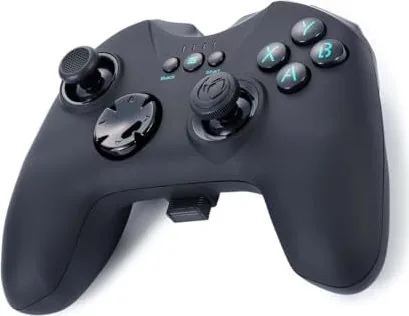
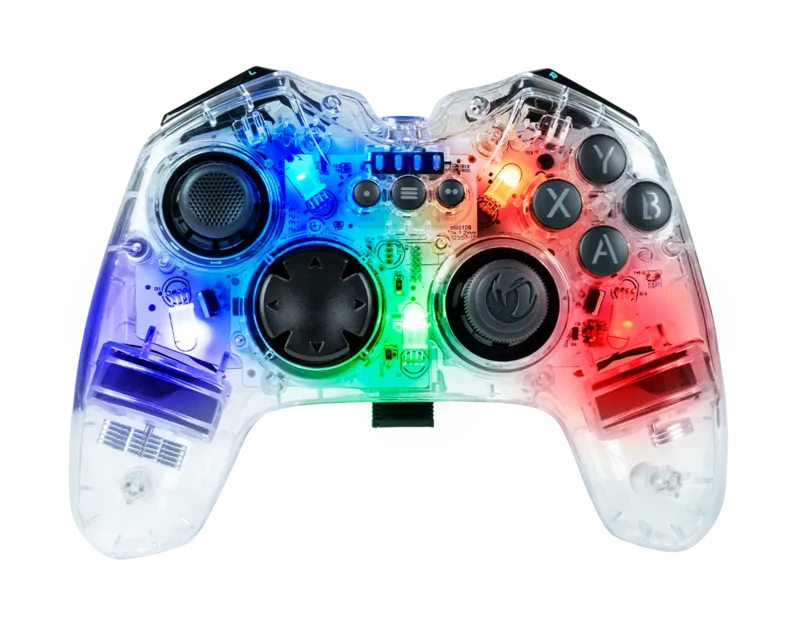
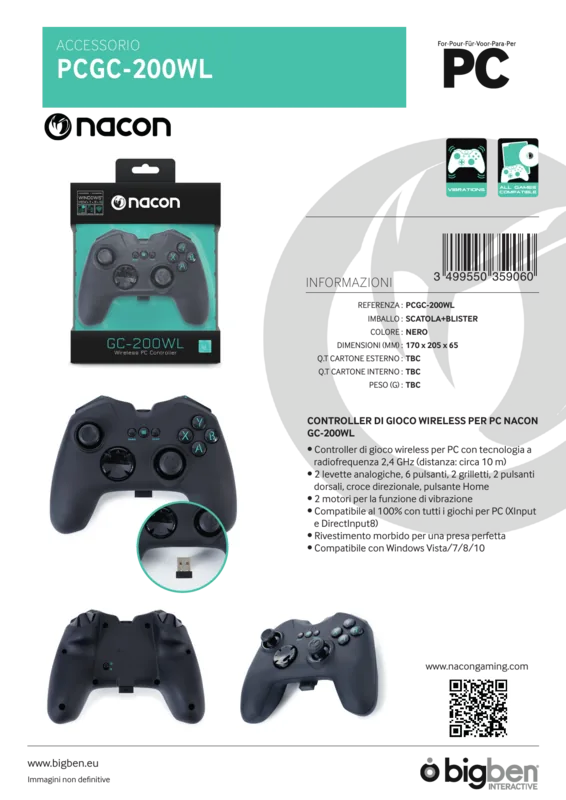
Nacon GC-200WL Controller (PC)
Bring console-style control to your Windows PC with the Nacon GC-200WL Controller (PC). Designed for comfortable, responsive play, it pairs a classic button layout with dual analog sticks, responsive triggers, and supportive vibration feedback. Its 2.4 GHz RF connection helps you stay untethered while maintaining reliable gameplay performance across compatible PC titles.
Built for compatibility and comfort
The GC-200WL supports both DirectInput 8 and XInput, switching between them with a dedicated D/X switch. This is especially useful when a game only recognizes one input protocol. With soft-touch treatment, two vibration motors, and a full set of action and system buttons (BACK, START, MODE), you can map and control key moments with less friction and more confidence.
The controller runs on an internal 700 mAh lithium-ion battery. Charging is simple using the included USB-A to Micro-USB cable, and four LEDs indicate battery and charging status. For longer sessions, the ergonomic guidance recommends short breaks to reduce hand fatigue.
Getting started quickly
Out of the box, the GC-200WL behaves like a Plug-n-Play controller for Windows PCs. Plug the 2.4 GHz USB dongle into an unused USB slot, and Windows should automatically install the required driver software. Once installed, you are ready to play. When changing between DirectInput 8 and XInput, allow a brief moment for the controller to switch protocols.
To keep your setup tidy, the dongle can be stored in the bottom compartment when not in use. Note that this compartment is storage only and does not provide any electronic function.
Key results
- Dual-protocol D/X support (DirectInput 8 and XInput) helps the controller work across more PC games.
- Wireless 2.4 GHz RF connection with a USB dongle for a straightforward, low-latency feel.
- Internal 700 mAh rechargeable battery with LED indicators for charging and battery level.
- Soft-touch grip plus vibration motors for more comfortable, feedback-rich play.
Notes
- Designed for indoor use only: keep it away from rain, high humidity, dust, and extreme temperatures.
- Do not use the controller while it is charging.
- If you need guidance during setup, the Nacon GC-200WL Controller (PC) Manual highlights D/X switching and connection steps.
Search for 67,706 Manuals online


Type-in Brand or Model
Sofia Kowalski
10 months ago
Will this controller work right away on Windows 10, and do I need to install drivers? Some reviews claim it will not connect or has no driver.
Manual.ly
10 months ago
It should work on Windows 10 using the included 2.4G USB stick (dongle). In most cases it is plug-and-play: plug the dongle into a USB port, then turn the controller on, and it should be detected automatically without any separate driver download. If it does not connect, try these steps: use a different USB port (preferably directly on the PC), restart the PC, and remove/reinsert the dongle. Check Windows Device Manager to see if a new HID/game device appears. For persistent pairing or disconnect issues, also try a fresh charge and keep the controller within close range during setup. If charging or the USB/charging port is defective, please contact support for warranty replacement.