
Nacon Asymmetric Manual
PDF manual · 14 Pages
English



Quick check
Incorrect answer, please try again.
Chat with your Nacon Asymmetric manual using AI
Get instant AI answers from your Nacon Asymmetric manual
Ask anything about the Nacon Asymmetric. Answers come from this manual, with the pages they are based on.
Ask a Question
Do you recommend Asymmetric?
Yes NoFrequently Asked Questions
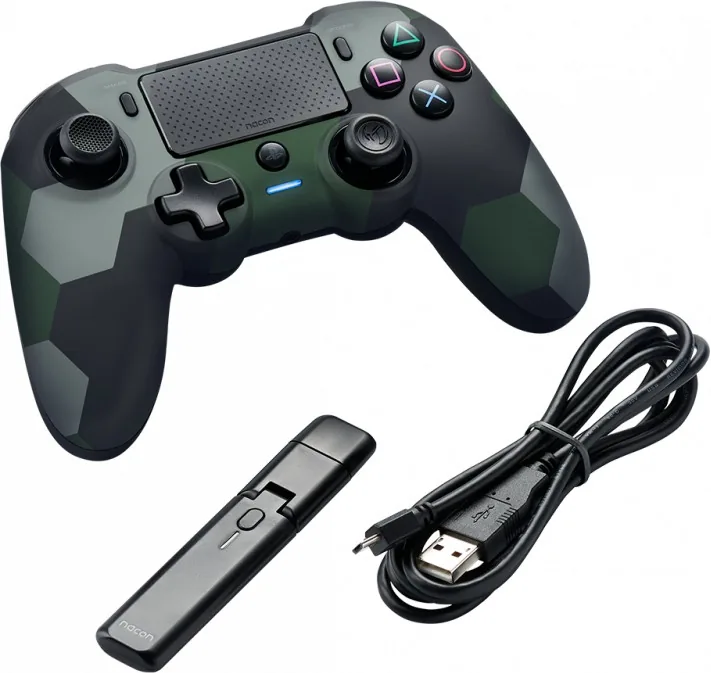
The package includes one wireless controller, one USB Bluetooth receiver, one USB charging cable, and one quick guide. It is designed for simple setup and immediate use with a compatible PS4 system.
Is this answer helpful?
Turn the controller off, then hold the SYNC button on the USB receiver until its light flashes. Next, hold PS and SHARE on the controller until its light flashes. When both lights stop flashing, pairing is complete.
Is this answer helpful?
The built-in lithium-polymer battery can provide up to 7 hours of playtime on a full charge. Actual battery life may vary depending on game intensity and usage habits.
Is this answer helpful?
Press and hold the battery indicator button for more than one second. The LED color shows the charge level, ranging from green for high battery to red flashing for very low battery.
Is this answer helpful?
No. It does not include some DUALSHOCK 4 functions such as the light bar, integrated speaker, motion sensors, or wired support. It focuses on core gameplay input and wireless convenience.
Is this answer helpful?
The controller is often mentioned for PS4/PC use, but PC compatibility is not officially tested or endorsed by Sony. It may work in some setups, but results can vary by system and game.
Is this answer helpful?
Advantages and Disadvantages
Advantages

- Asymmetric stick layout offers a comfortable feel for many players.
- Wireless USB receiver keeps the gaming area tidy and flexible.
- Battery indicator helps track charge without guessing.
- Includes a 3.5 mm headset jack for convenient audio support.
Disadvantages

- Does not support all DUALSHOCK 4 features, such as the light bar and motion sensors.
- PC compatibility is not officially tested or endorsed.
- Battery life is limited to about 7 hours per charge.
- Wireless performance can be affected by distance or nearby Bluetooth/Wi‑Fi devices.
Product Specification
Type
Gamepad
Compatibility
PS4, PC
Connectivity
wireless (Bluetooth)
Buttons
14 (total), 4 (function buttons), 4 (action buttons), 2 (triggers), 2 (shoulder buttons), 2 (analog sticks)
Analog sticks
1 concave (left above D-pad), 1 concave (right below action buttons)
D-pad
concave
Special features
0.14 in jack, 2 vibration motors, Touchpad
Product Description
Nacon Asymmetric Wireless Controller (PS4/PC)
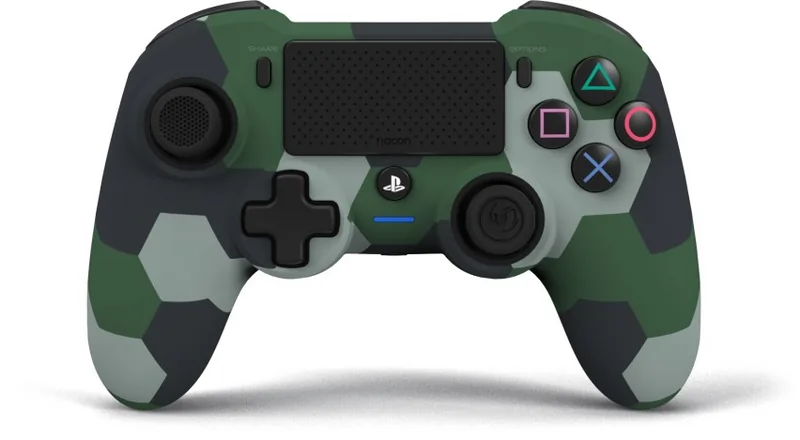
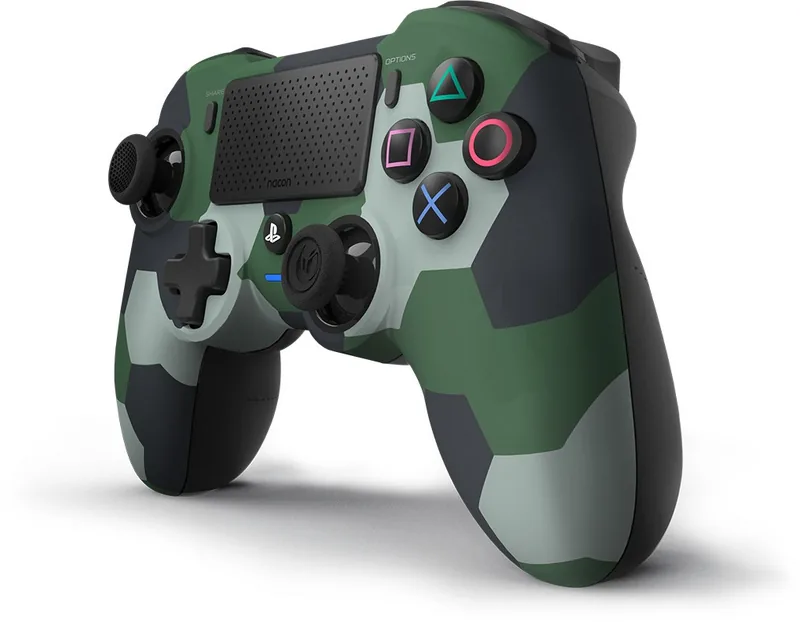
The Nacon Asymmetric Wireless Controller is built for players who want a comfortable, responsive, and more ergonomic alternative to the standard DualShock layout. Its standout feature is the asymmetrical stick placement, which is designed to feel natural during long sessions and may be especially appealing to fans of classic console-style controllers. If you are looking for a simple upgrade to your PS4 setup, this model aims to deliver a solid balance of convenience and control.
This controller comes with a wireless connection through a USB Bluetooth receiver, so you can enjoy a clutter-free play area without being tied to the console. The package also includes a USB charging cable and a quick guide, making setup straightforward. For players who like to keep an eye on power levels, the front LED indicator provides clear battery feedback, while the battery indicator button lets you check charge status at any time. In the spirit of the Nacon Asymmetric Wireless Controller (PS4/PC) Manual, the design focuses on easy use and practical gaming support.
Battery performance is another strong point. The built-in lithium-polymer battery offers up to 7 hours of playtime and takes around 6 hours to recharge. When the controller is off, the LED glows yellow while charging; when it is on, it glows white. This makes it easy to understand charge status at a glance, and it helps players avoid unexpected power loss during a match.
The controller also includes useful extras such as a 3.5 mm headset jack, action buttons, analog triggers, a touch pad, and shoulder buttons. These features make it suitable for a wide range of games, from action titles to competitive sessions. At the same time, it is important to note that it does not support every feature found on a DUALSHOCK 4 controller, which helps explain its lower-key, performance-first approach.
For multiplayer or shared spaces, the wireless setup works best with a bit of distance and proper receiver placement. That makes it a practical choice for living room gaming, though wireless interference can happen near other Bluetooth or Wi‑Fi devices. Overall, this controller is a good fit for players who value comfort, simplicity, and a clean wireless experience.
Notes
- Best suited for PS4 play with a wireless receiver
- PC compatibility is mentioned, but not officially endorsed
- Keep the controller charged and stored safely to protect battery life
Search for 67,706 Manuals online


Type-in Brand or Model