
MOZA RM Manual
PDF manual · 1 Pages
English


Quick check
Incorrect answer, please try again.
Chat with your MOZA RM manual using AI
Get instant AI answers from your MOZA RM manual
Ask anything about the MOZA RM. Answers come from this manual, with the pages they are based on.
Ask a Question
Do you recommend RM?
Yes NoFrequently Asked Questions
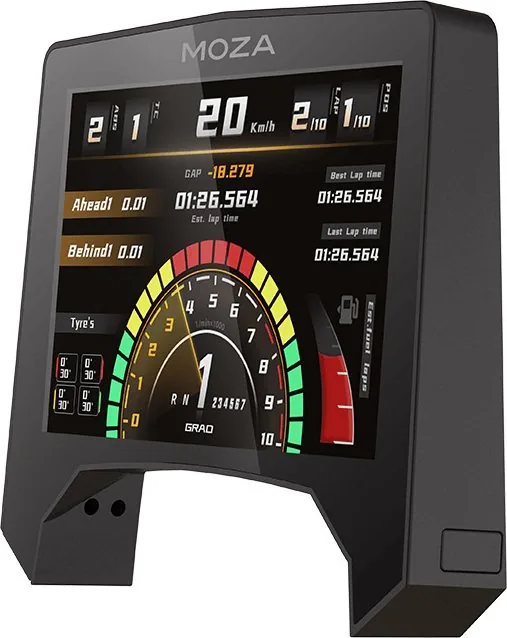
The dashboard features an 800x480 resolution capable of displaying 16.7 million colors with a 60Hz refresh rate for smooth visuals.
Is this answer helpful?
The base, steering wheel, pedals, and display warranty last for twelve months from the date of purchase for the original owner.
Is this answer helpful?
The warranty excludes the device shell, manual, wires, screws, tools, and packaging from the standard free service coverage.
Is this answer helpful?
Press the top pin into the base interface and secure it with four M3 screws, then plug the rubber cap into the opening.
Is this answer helpful?
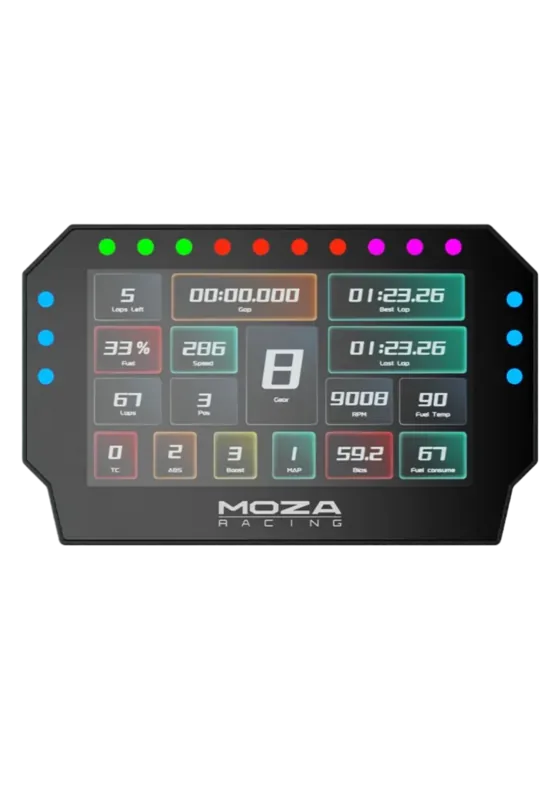
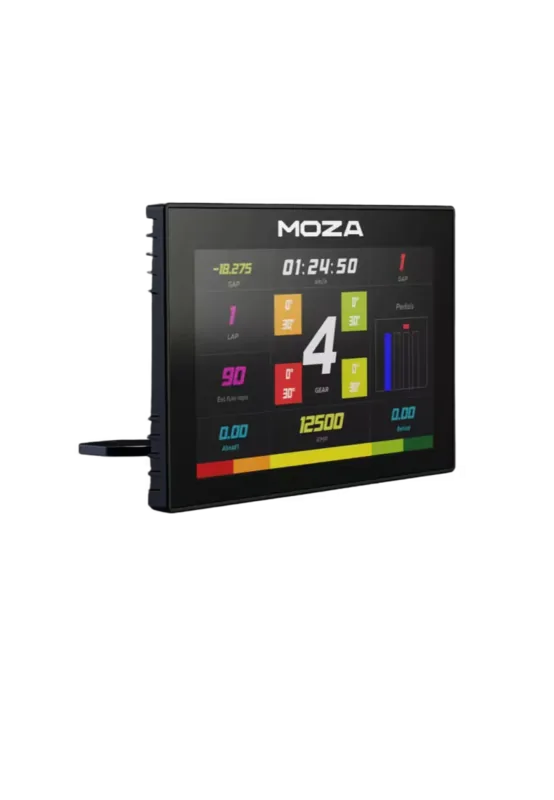
There are at least seven digital dash UIs available to choose from via the pit house display setting interface.
Is this answer helpful?
You will need a hex screwdriver provided in the pack to install the four M3 screws during the setup process.
Is this answer helpful?
Ensure the pin is vertically aligned, unplug completely, and re-insert the thimble without moving the screen while pressed.
Is this answer helpful?
Advantages and Disadvantages
Advantages

- High definition 5-inch screen with 800x480 resolution
- Supports ten plus analog racing software titles
- Customizable with seven distinct UI display interfaces
- Quick assembly mechanism with included tools
- Real-time data display for competitive parameters
Disadvantages

- Warranty excludes accessories like cables and screws
- Installation requires manual screw tightening
- Screen may be damaged if moved while compressed
- Mixed language instructions in packaging manual
- Fixed size does not accommodate larger setups
Product Specification
Type
Accessories
Compatibility
MOZA R21, MOZA R16
Product Description
Elevate Your Sim Racing Setup with MOZA RM High-Definition Digital Dashboard
When competing in virtual motorsport, every single detail matters significantly to the driver and the overall experience. The MOZA RM High-Definition Digital Dashboard transforms your simulator cockpit into a professional racing environment instantly. This compact powerhouse fits perfectly with your existing rig, offering a seamless blend of modern technology and sleek industrial design. Visual performance is absolutely key with a large 5 inch screen capable of displaying over 16 million rich colors. With an 800x480 resolution and a 60 Hz refresh rate, motion looks remarkably fluid and text remains extremely sharp on the HD Racing Meter display. Drivers enjoy at least seven distinct UI display interfaces to customize the view according to their specific personal preference. You can toggle between these views within the pit house settings to adjust brightness or layout dynamically. Ten plus key competition data parameters are shown constantly in real-time for maximum situational awareness.
Installation is straightforward with the included tools found in the packing list provided with each unit. The quick assembly tech allows the display to pair perfectly with the base structure mechanically. Simply press the top pin into the interface on the base carefully. Secure it using four M3 round head screws through the screen side notch firmly. Seal the opening with the rubber plug to complete the physical installation securely. It supports dozens of popular analog racing software titles out of the box for realistic simulation experience. Important installation notes suggest ensuring the thimble is vertically aligned during insertion for best function. Do not move the screen while compressed to avoid damage to the connector structure permanently. Use two people for safety during the physical assembly process to prevent accidental drops. If the screen does not light up after connection, unplug the thimble completely and re-insert it again.
A critical note for users states to verify vertical alignment carefully. If the screen remains dark, remove and reinsert the connector. Avoid moving the unit while it is pressed to prevent structural failure. Having a second person assist during installation is highly recommended for safety and alignment precision. Warranty coverage starts immediately from the official purchase date of the original owner. The base, steering wheel components, pedals, and display warranty last for twelve months consistently from that specific date. Cases, manuals, wires, and screws are strictly excluded from this free service annually. Check the official website or contact your authorized dealer regarding specific regional laws regarding warranty protection. There are specific conditions where free service is not available. Conditions include exceeding valid limits, no receipt, mismatched model, unauthorized repair, force majeure, or misuse. These factors prevent standard coverage under the manufacturer guidelines. Please ensure you adhere to the user manual requirements to maintain your product status. Many users rely on this screen for telemetry data logging and analysis during races. The manual provides a detailed list of required tools for the user to assemble the unit safely. It covers all necessary instructions for the user to understand the maintenance requirements properly. Packaging contains specific items like rubber plugs for sealing the unit tightly. Enhance your drive today with better clarity and reliability. Contact MOZA Racing for more information about the product line today.
Search for 67,706 Manuals online


Type-in Brand or Model