
MOZA HBP Manual
PDF manual · 1 Pages
English


Quick check
Incorrect answer, please try again.
Chat with your MOZA HBP manual using AI
Get instant AI answers from your MOZA HBP manual
Ask anything about the MOZA HBP. Answers come from this manual, with the pages they are based on.
Ask a Question
Do you recommend HBP?
Yes NoFrequently Asked Questions
The MOZA HBP handbrake measures approximately 153 × 68.3 × 365.5 mm and has a net weight of about 0.7 kg, providing a compact yet robust form factor suitable for most sim rigs.
Is this answer helpful?
Yes. The handbrake supports adjustable resistance and travel through mechanical adjustments and spring replacement. MOZA Pit House software also allows you to set start/end points and remap the output curve for precise travel-to-signal behavior.
Is this answer helpful?
The unit supports horizontal lever mounting out of the box and offers an optional side-mount bracket for lateral installation. Mounting uses an M6 bolt pattern; confirm compatibility with your rig or use appropriate adapters.
Is this answer helpful?
The package includes the handbrake base and lever, springs (including a blue spring), damper and spacers, multiple hex and umbrella-head screws with pads, three Allen wrenches, Philips and flathead screwdrivers, open-end wrenches, and USB-B/RJ45 data cables.
Is this answer helpful?
To replace the spring: remove the spring cover with a Philips screwdriver, remove baffles with an Allen wrench, pull the lever to expose the spring, swap using the flat screwdriver as needed, readjust baffles, and reassemble, tightening all screws.
Is this answer helpful?
Use MOZA Pit House to set start and end points, adjust the output curve, and recalibrate the sensor via the calibration button if outputs are abnormal. The software also switches between button (on/off) and axis (continuous) modes.
Is this answer helpful?
Yes. The handbrake supports direct PC connection via supplied data cables (USB-B and RJ45). Install MOZA Pit House for configuration, drivers, and calibration to ensure full functionality.
Is this answer helpful?
Advantages and Disadvantages
Advantages

- Aviation-grade aluminum construction for durability and a premium feel.
- 16-bit high-precision angle sensor enables accurate, consistent input.
- Adjustable resistance, height, angle, and travel for personalized ergonomics.
- Dual-mode operation (axis or button) supports varied sim racing styles.
- Comprehensive hardware kit and tools included for easy installation and maintenance.
Disadvantages

- Requires manual adjustment and calibration for optimal performance.
- Optional side-mount bracket sold separately, adding cost for some setups.
- Mechanical setup may be fiddly for beginners unfamiliar with tools.
- At 0.7 kg, may need additional reinforcement on lightweight rigs.
- Limited to M6 mounting pattern which may not match all custom rigs.
Product Specification
Type
Accessory
Compatibility
PC
Product Description
MOZA HBP Handbrake Manual — Precise Control for Sim Racing
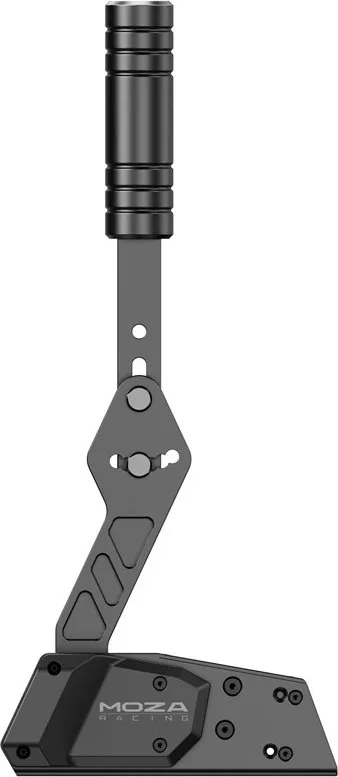
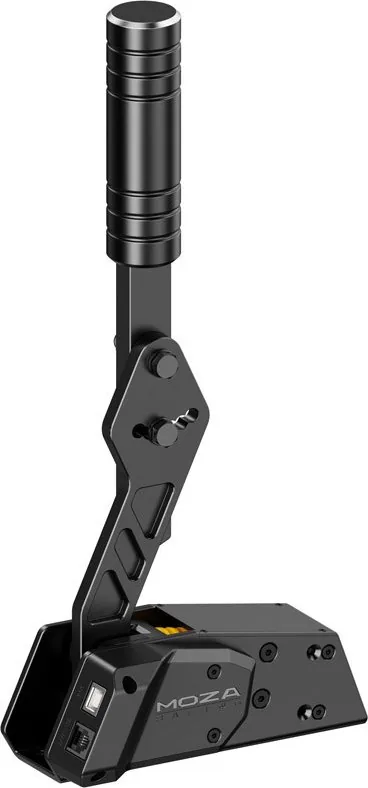
The MOZA HBP Handbrake Manual introduces a premium, aviation-grade aluminum handbrake designed for sim racers who want realistic, adjustable braking control. The handbrake measures 153 × 68.3 × 365.5 mm and weighs 0.7 kg, offering a sturdy build and a compact footprint suitable for cockpits and rigs. It supports horizontal lever mounting and optional side-mount brackets, with M6 mounting holes for secure installation.
Designed with a 16-bit high-precision angle sensor and dual-mode operation, the MOZA HBP delivers accurate input whether used as a continuous axis or a simple on/off switch. The device features adjustable resistance and travel, enabling fine-tuning of feel and response. The lever height and angle are user-adjustable to suit different seating positions and ergonomic preferences. Installation and mechanical adjustments are straightforward, aided by included mounting hardware and tools.
The package contains the handbrake base and lever, multiple fasteners and pads, a damper and spacers, a selection of springs (including a blue spring), three Allen wrenches, Philips and flathead screwdrivers, open-end wrenches, and data cables (USB-B and RJ45) for direct PC connection. The toolkit ensures users can swap springs, replace the damper, and adjust lever geometry without extra purchases.
Maintenance and customization are covered step-by-step. Spring replacement requires removing the spring cover, undoing the spring baffles, pulling the lever to expose components, swapping springs, and reassembling. Height and angle adjustments use dual nuts tightened with open-end wrenches; users are advised to include the supplied flat and spring pads to prevent scratches.
Software configuration is handled in MOZA Pit House. Users can set start and end travel points to remove dead zones, modify the output curve to map mechanical travel to signal output, and recalibrate sensors if outputs become inconsistent. The software also toggles between button mode (on/off) and axis mode (continuous), allowing the handbrake to emulate either a simple switch or a progressive brake pedal.
The MOZA HBP Handbrake Manual emphasizes reliability and adaptability: robust materials, precision sensing, multiple mounting options, and extensive hardware for personalization. Whether you prefer a firm progressive pull or a crisp switch action, the unit supports tailored setups for drifting, rallying, or track use.
Notes
- Includes tools and multiple fasteners for comprehensive setup and maintenance.
- Use supplied pads when tightening to avoid cosmetic damage.
- Recalibrate in MOZA Pit House after mechanical changes.
- Two operation modes accommodate diverse sim disciplines.
Search for 67,706 Manuals online


Type-in Brand or Model