
MOZA AirCross 2 Manual
PDF manual · 19 Pages
English



Quick check
Incorrect answer, please try again.
Chat with your MOZA AirCross 2 manual using AI
Get instant AI answers from your MOZA AirCross 2 manual
Ask anything about the MOZA AirCross 2. Answers come from this manual, with the pages they are based on.
Ask a Question
Do you recommend AirCross 2?
Yes NoFrequently Asked Questions
The AirCross 2 supports a wide range of mirrorless and DSLR models from Canon, Nikon, Sony, Panasonic and Fujifilm. Supported functions vary by model and cable type; consult the compatibility list for shutter, video and focus controls and use the correct shutter cable type.
Is this answer helpful?
You can use Auto-tune (menu > Gimbal > Motor > Power > Auto-tune) after balancing the camera. Alternatively choose preset power gears or manually set motor power (0–100) per axis. Adjust filters and power to reduce low- or high-frequency vibration.
Is this answer helpful?
For accelerometer and gyroscope calibration, turn off motors, keep the gimbal stationary and use menu > Advanced > Calibrate (Acc/Gyro). For balance check, mount on a tripod, enter menu > Advanced > Balance chk and follow on-screen guidance for tilt and roll adjustments.
Is this answer helpful?
Use MOZA Master App (phone or PC) or connect via USB-C in Boot Mode. For PC upgrade, enter Boot Mode (long press center and press power), connect via USB, let the software detect the device and run the upgrade. Do not disconnect power during the process.
Is this answer helpful?
AirCross 2 offers pan/tilt/roll follow, PFV/FPV, Sport gear mode for faster response, Inception mode for roll rotations, manual positioning, and configurable wheel/focus controls. Follow speed and initiation angles are adjustable in the menu.
Is this answer helpful?
The gimbal uses a 7.4 V 3000 mAh Li-ion battery (M2S30QB) with around 12 hours runtime under typical conditions. Charge via USB-C; charging time is about 1.5 hours. Monitor battery level on the OLED indicator and recharge when low.
Is this answer helpful?
Ensure motors are unlocked before powering on, check balance and reduce motor power if needed. If protection mode occurs, power off, allow motors to cool, rebalance the camera and run Auto-tune or manually lower motor output to minimize vibration.
Is this answer helpful?
Advantages and Disadvantages
Advantages

- Wide payload range (300–3200 g) accommodates mirrorless to light cinema cameras.
- Full 360° continuous pan/tilt/roll with Inception and FPV modes for creative shots.
- Auto-tune, preset gears and custom motor output for precise stabilization tuning.
- Manfrotto/Arca quick release compatibility and two mounting directions for flexibility.
- OLED display, smart wheel, and customizable buttons provide extensive on-gimbal control.
Disadvantages

- Requires careful balancing and calibration; improper setup can cause motor protection.
- Some camera control cables and models need specific connector types or half-plugging.
- Advanced menu and many options present a learning curve for beginners.
- Phone pairing requires MOZA Master app; direct Bluetooth pairing without the app not supported.
- Auto-tune may be less accurate at extreme lens/camera combinations; manual tuning may be needed.
Product Specification
Compatibility
DSLR
Pan axis
360°
Roll axis
360°
Tilt axis
360°
Max. payload
7.05lb
Display
yes, OLED, mounting option for monitor
Connection
Bluetooth 4.2
Power supply
Battery (18650, replaceable)
Operating time
12h
App control
yes
Handling
one-handed
Special features
mechanical axis locking, control wheel, charging function for external devices, accessory port (1x 1/4", 2x 3/8"), tripod (detachable)
Dimensions
14.17x8.66x3.94in
Weight
2.09lb
Product Description
Gudsen MOZA AirCross 2 Manual — Product Overview
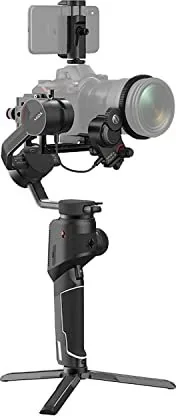
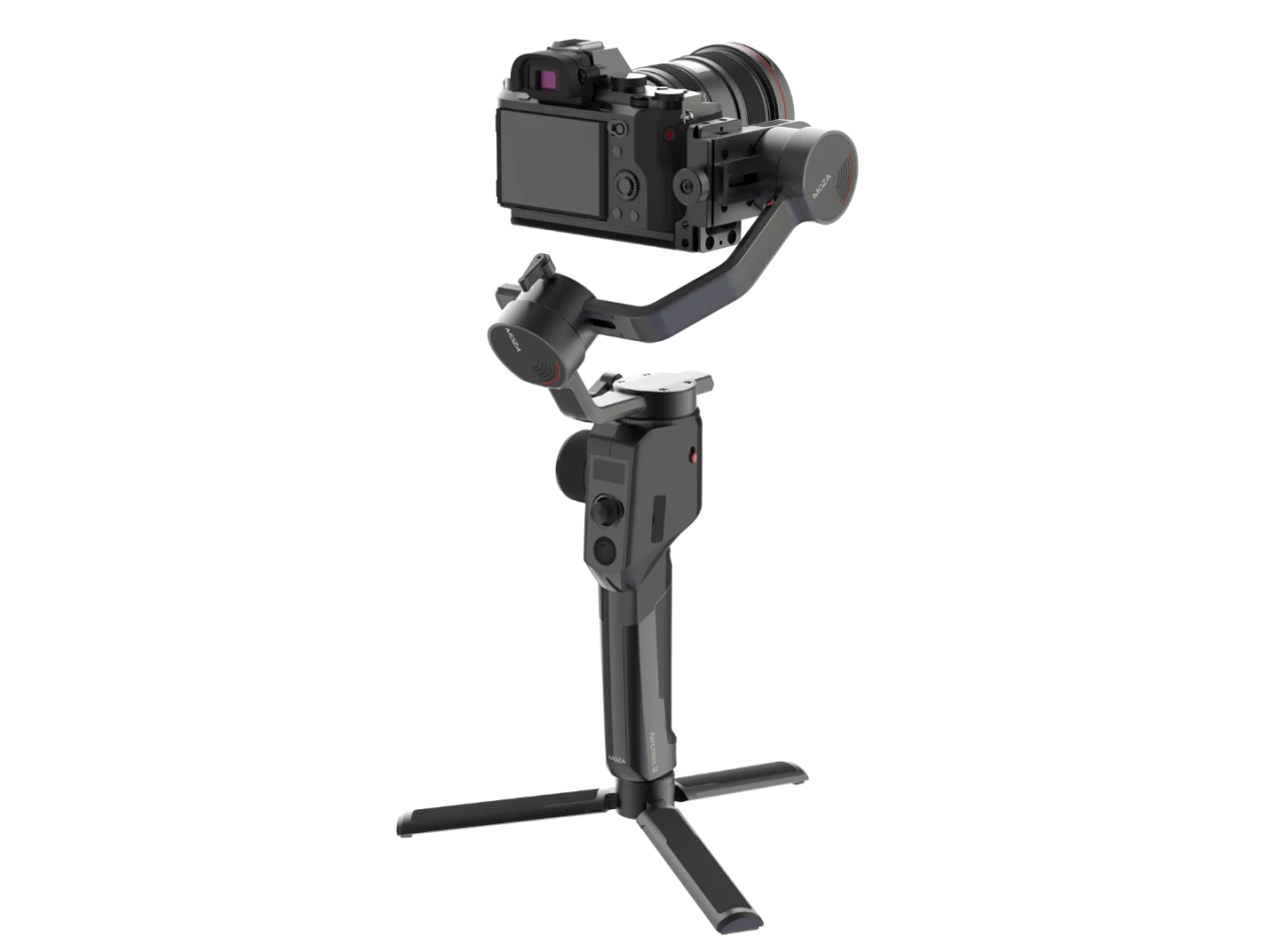
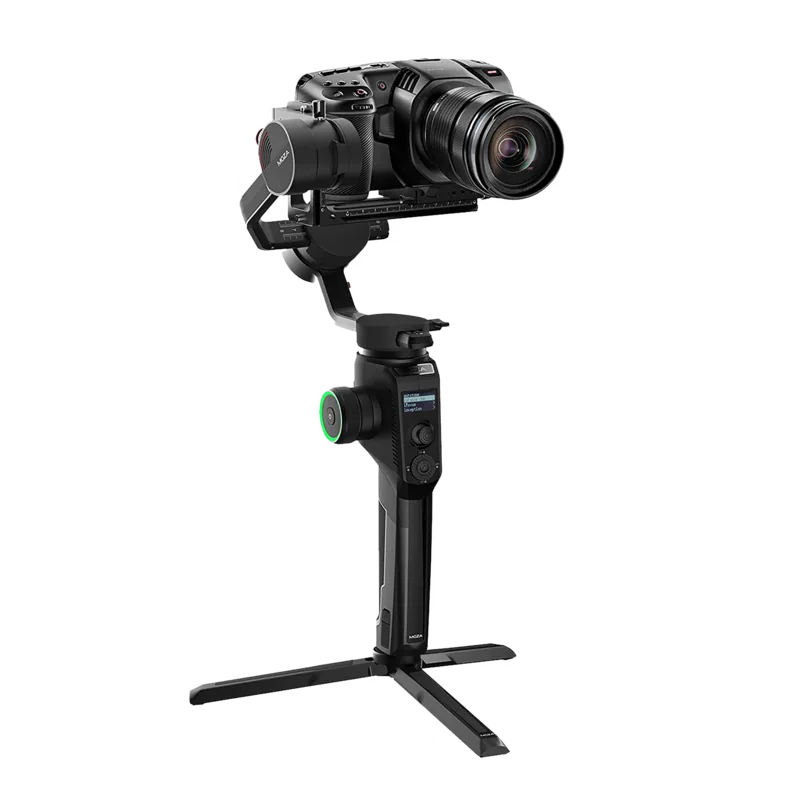
The Gudsen MOZA AirCross 2 is a lightweight, versatile 3-axis gimbal stabilizer designed for mirrorless and compact cinema cameras. With a payload range of 300–3200 g and a body weight of about 950 g (without battery), the AirCross 2 balances portability and power for run-and-gun shooters, wedding videographers, and indie filmmakers. It features full 360° continuous rotation on pan, roll, and tilt axes, a Manfrotto-compatible quick release, and flexible camera mounting directions for varied rigs and cages.
Key Features and Controls
AirCross 2 offers adjustable motor output (auto-tune, preset gears, and custom values) to match different camera and lens combinations. A full set of physical controls — joystick, multi-function dial, smart wheel, trigger and customizable buttons — gives on-the-fly control over follow modes, sport/FPV modes, inception (roll rotation) and camera functions like record and shutter. The OLED display and LED ring provide clear status feedback for battery, mode, and motor protection.
The gimbal supports wired camera control for many major models (Canon, Nikon, Sony, Panasonic, Fujifilm) and two external follow-focus motors. It integrates Bluetooth 4.0, a MOZA Master mobile/desktop app for parameter tuning, firmware upgrades, object tracking with an on-camera phone holder, and configuration management (3 save slots) to recall camera-specific settings quickly.
Balancing, Calibration and Advanced Tools
Balance adjustment is straightforward with Arca/Manfrotto quick plates and an included L-bracket for vertical and horizontal mounts. Built-in balance check guides users through axis adjustments. Accelerometer and gyroscope calibration, manual offset corrections, and motor filtering let users optimize stability and reduce vibration across varied payloads. Auto-tune and manual motor power control help dial in ideal motor output for stable footage.
Practical Notes
The AirCross 2 supports firmware upgrades via app or PC (boot mode required) and needs the MOZA Master app for Bluetooth pairing. The unit uses a 7.4 V, 3000 mAh Li-ion battery (M2S30QB) with roughly 12 hours runtime and USB-C charging. Follow safety guidance: unlock motor locks before powering on, avoid motor overheating, and keep the gimbal still during sensor calibrations.
Conclusion
The MOZA AirCross 2 balances advanced stabilization features with compact portability. It is well suited for users who need robust customization, camera control integration, and versatile mounting options without the bulk of heavier stabilizers.
Notes:
- Payload: 300–3200 g; adjust motor output accordingly.
- Supports multiple camera control cables and many camera models; consult compatibility lists.
- Use MOZA Master App for Bluetooth pairing, advanced settings, and firmware upgrades.
Search for 67,706 Manuals online


Type-in Brand or Model