
Moog Etherwave Theremini Manual
PDF manual · 36 Pages
English



Quick check
Incorrect answer, please try again.
Chat with your Moog Etherwave Theremini manual using AI
Get instant AI answers from your Moog Etherwave Theremini manual
Ask anything about the Moog Etherwave Theremini. Answers come from this manual, with the pages they are based on.
Ask a Question
Do you recommend Etherwave Theremini?
Yes NoVideo Manual
Moog Etherwave Theremin | Full Demo and Review
Frequently Asked Questions
Calibrate each time you move the Theremini to a new location or after long periods of inactivity. Calibration adapts pitch and volume antenna ranges to your environment and playing posture for reliable tracking and responsiveness.
Is this answer helpful?
Pitch Correction quantizes the pitch to steps within a selected scale and root. Use light correction to assist accuracy while retaining expressive bends, or max correction to constrain output to scale notes—great for beginners and live performances.
Is this answer helpful?
Instability often stems from improper grounding or using a non-supplied power adapter. Ensure you use the included 12V DC grounded supply, plug into a properly grounded outlet, and use the rear ground lug if needed. Keep metal objects away from the antennae.
Is this answer helpful?
Yes. The Theremini offers USB MIDI for DAW integration and a CV output (selectable 0–5V or 0–10V) to control analog gear. MIDI CC assignments for pitch, volume, presets, effects, and more are available in the MIDI CV Setup menu.
Is this answer helpful?
Enable Auto Mute in the Setup menu to mute when your pitch hand is out of range. Alternatively, drape the audio or power cable over the volume antenna to quickly muffle the sound when not in use.
Is this answer helpful?
Adjust display contrast in the Advanced Menu: from the main screen press SETUP+SCALE, then turn PRESETS to access the Advanced Menu and locate Contrast. Adjust to the desired level and exit to save.
Is this answer helpful?
No. Use only the supplied 12V DC center-positive power adapter. Using a different adapter can cause unpredictable behavior and may void warranty. Contact Moog for authorized replacement adapters.
Is this answer helpful?
Advantages and Disadvantages
Advantages

- Adjustable pitch correction makes the theremin accessible to beginners and usable live.
- Built-in tuner, backlit LCD, and internal speaker enable quick practice and visual feedback.
- 32 presets and stereo delay provide varied timbres and atmospheric effects.
- USB MIDI and CV outputs allow integration with DAWs and modular systems.
- Compact design with antenna storage and mount point makes it portable and stage-ready.
Disadvantages

- Highly sensitive to environment and metal objects; requires careful placement and frequent calibration.
- Internal speaker is small and not ideal for performance monitoring.
- Requires supplied grounded 12V adapter and proper grounding to avoid instability.
- Expressive control still demands significant practice despite pitch correction assistance.
- No tactile interface for precise finger placement makes precise intonation challenging.
Product Specification
Type
Theremin
Product Description
Moog Etherwave Theremini Manual — An Introductory Guide
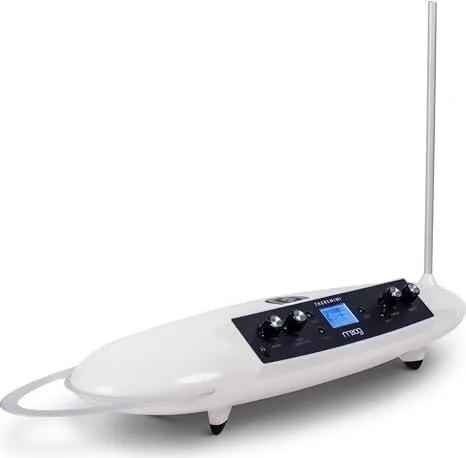
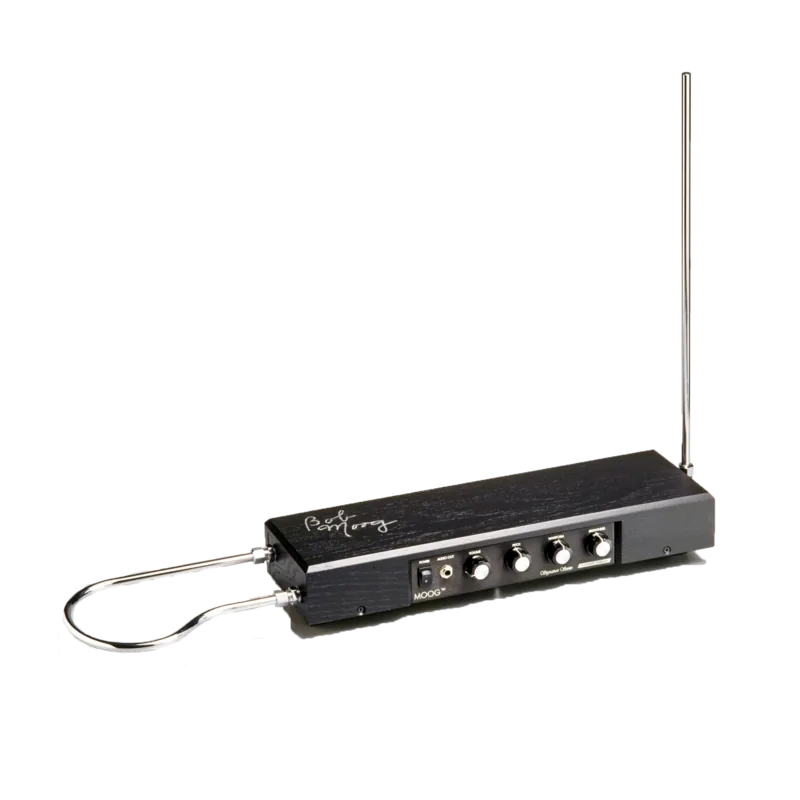
The Moog Etherwave Theremini is a modern reimagining of the classic theremin, blending historic proximity-based play with contemporary features designed for beginners and performers alike. Featuring two antennae—one for pitch (vertical rod) and one for volume (horizontal loop)—the Theremini responds to subtle hand gestures to produce tones. Unlike early theremins that produce continuous pitch sweeps, the Theremini adds an adjustable Pitch Correction system that can quantize pitch to 22 selectable scales and 12 root notes, making it far easier to produce musical intervals and melodies while retaining the option for expressive glissandi and vibrato.
At its core is an Animoog-derived wavetable sound engine offering 32 presets and a built-in stereo delay effect with selectable short, medium, or long types. A multi-function backlit LCD provides tuner feedback (showing note and tuning accuracy), preset names, and access to setup menus. The instrument includes a small internal speaker, a headphone jack for private practice, stereo line outputs for external amplification or recording, CV output for modular/analog gear, and USB MIDI for DAW or controller integration. The Theremini supports MIDI CC mappings for many parameters (master volume, pitch correction, wave selection, effect mix, and more) and can output fine (14-bit) or standard (7-bit) MIDI data.
Getting started is straightforward: unpack the unit, attach the pitch antenna, mount or place the Theremini on a stable non-metallic surface or mic stand, and use the automated calibration routine. Calibration adapts the instrument to your playing space and defines highest/lowest pitch positions and volume range. Recommended note ranges (3–4 octaves) reduce the required hand travel, easing learning. Setup mode provides global controls such as Master Volume, Note Range, Auto Mute, Tuning (A4 reference), MIDI/CV routing, and display contrast.
Playing the Theremini centers on coordination between the pitch hand (right) and the volume hand (left). The manual includes practical exercises: pitch matching, glissando and snapped note (legato) techniques, volume articulation (attack/decay), combined pitch/volume coordination, vibrato technique, and posture/positioning tips inspired by historic theremin virtuosos. Safety and operational notes emphasize proper power usage (12V DC supply), grounding practices to reduce instability, distance recommendations when using multiple theremins, and avoidance of metal surfaces near the antennae.
The manual also covers specifications (speaker, outputs, power requirements, dimensions, weight), MIDI CC mappings and scale/root enumerations, preset/ effect SysEx naming instructions, troubleshooting tips (no sound, volume behavior, display contrast, auto mute), and warranty/service procedures. Historical context highlights Leon Theremin’s invention and Clara Rockmore’s influence, while Moog’s lineage connects Robert Moog’s early theremin work to the modern Etherwave and Theremini instruments.
Notes:
- Calibrate each time you relocate the instrument for best tracking and responsiveness.
- Use Pitch Correction to tailor difficulty from full free pitch to strictly quantized notes.
- For stable operation, use the supplied grounded power adapter and consider the rear ground lug if needed.
Pros and Cons
Pros:
- Adjustable pitch correction makes the theremin accessible to beginners and useful onstage.
- Built-in tuner, LCD, and internal speaker enable quick practice and visual pitch feedback.
- 32 presets and stereo delay provide diverse timbres and ambient textures.
- USB MIDI and CV outputs enable integration with modern studios and modular rigs.
- Compact, mountable design with antenna storage and headphone output for portability and private practice.
Cons:
- Sensitive to environment and metal surfaces; requires careful placement and calibration.
- Small internal speaker limits monitoring quality for performance use.
- Relying on supplied power adapter and proper grounding can be inconvenient in some venues.
- Learning expressive control still requires significant practice despite pitch correction.
- Limited physical interface can be challenging for players used to tactile reference points.
Search for 67,706 Manuals online


Type-in Brand or Model