

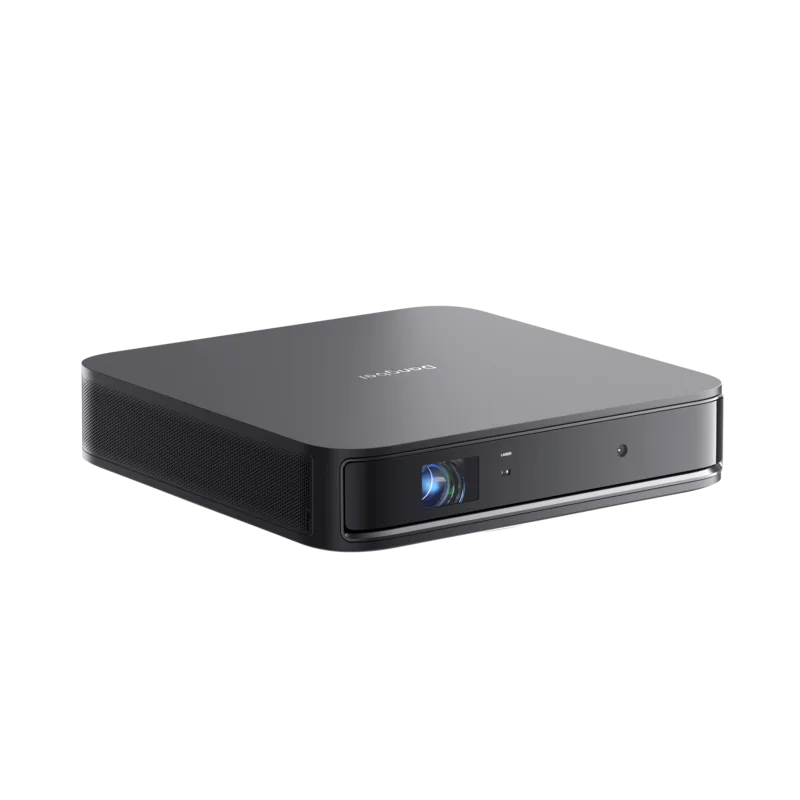
Miroir M220 Manual
PDF manual · 8 Pages
English



Quick check
Incorrect answer, please try again.
Chat with your Miroir M220 manual using AI
Get instant AI answers from your Miroir M220 manual
Ask anything about the Miroir M220. Answers come from this manual, with the pages they are based on.
Ask a Question
Do you recommend M220?
Yes NoFrequently Asked Questions
Connect the supplied USB-C charging cable and power adapter to the USB-C Charge Input. A full charge typically takes about 4 to 5 hours before the projector is ready for longer use.
Is this answer helpful?
Yes. A MacBook or laptop can connect through the included USB-C video cable if the device supports USB-C video output. You can also use HDMI with the proper cable or adapter.
Is this answer helpful?
Check the cable type, adapter compatibility, and source device output settings. For USB-C, make sure you are using the included USB-C Video Connector cable. For laptops, choose a duplicate or multiple-display mode.
Is this answer helpful?
Press the mode control to run auto focus and keystone adjustment. Also make sure the projection surface is flat, the lens area is clean, and nothing blocks the auto focus sensor.
Is this answer helpful?
Yes, the USB power output can provide power to a streaming stick or charge a smartphone. It cannot be used as a video input.
Is this answer helpful?
Not always, but external speakers can improve sound in larger spaces. The projector includes a 3.5 mm audio out, so you can connect headphones or a speaker when needed.
Is this answer helpful?
Advantages and Disadvantages
Advantages

- Portable design with a built-in battery for flexible use away from outlets.
- USB-C and HDMI inputs make it compatible with many devices.
- Auto focus and keystone adjustment help simplify setup.
- USB power output can support a streaming stick or phone charging.
- Audio out allows connection to speakers or headphones for better sound.
Disadvantages

- Battery needs several hours to fully charge before first use.
- Some adapters and accessories may need to be purchased separately.
- Not all USB-C cables support video, so the correct cable matters.
- Audio may be limited without external speakers for larger rooms.
Product Specification
Type
DLP
Light source
LED
Resolution (displayable)
WXGA (1280x720)
Resolution (native)
WXGA (1280x720)
Brightness
-/400/- ANSI Lumen (High/Standard/Eco)
Contrast
400:1
Throw ratio
1.12:1
Lens shift
no
Video connectors
1x HDMI In
Audio connectors
1x Jack Audio Out
Other connectors
1x USB-C, 1x USB 2.0
Features
Battery (6500mAh), integrated speaker (2x 2W)
Lamp life
20000/-/- hours (Standard/Eco/Eco+)
Weight
0.44 lb
Manufacturer's warranty
1 year
Product Description
Miroir M220: Portable Projection Made Simple
The Miroir M220 is designed for people who want a compact projector that is easy to carry, quick to set up, and flexible enough for movies, presentations, and casual everyday viewing. If you are searching for the Miroir M220 Manual to understand how it works, the core idea is refreshingly simple: charge it, connect your device, and start projecting.
One of the strongest points of the M220 is its built-in battery, which makes it far more versatile than a projector that always needs a wall outlet. The battery indicator lights help you keep track of charge status, while the USB-C charging input makes recharging straightforward. For short sessions at home or on the go, this portability is a major advantage.
The projector also focuses on ease of use. The mode control can trigger auto focus and vertical keystone adjustment, helping the image look clearer and more square with less manual effort. That means less time fiddling with settings and more time actually watching or presenting. The auto focus sensor is an important detail too, since it supports sharper image quality when the sensor is kept clean and unobstructed.
Connectivity is another highlight. The M220 supports both USB-C video and HDMI, giving users multiple ways to hook up laptops, phones, tablets, and streaming devices. It can also provide USB power output, which is useful for powering a streaming stick or charging a smartphone while in use. For sound, the 3.5 mm audio out offers an easy path to external speakers or headphones when built-in audio is not enough.
That said, the Miroir M220 works best when you use the correct accessories. Some setups require an Apple Digital AV Adapter, and not every USB-C cable supports video. The projector’s quick-start experience is smoothest when cables are matched properly and the projection surface is flat and non-reflective. For viewers who want a practical, travel-friendly projector with helpful automatic features, the M220 is a strong everyday option.
Notes
- Fully charge the battery before first use.
- Keep the cooling vent and auto focus sensor clear.
- Use the included USB-C video cable for USB-C video connections.
- A tripod can help improve positioning, but it is not included.
Search for 67,732 Manuals online


Type-in Brand or Model