Manual.ly Logo

Midas M32R Manual

0.0 · 0 Ratings

PDF manual · 67 Pages

English

M: claude-opus-5-5
page

/ 67

Loading...
midas-m32r-digital-console-user-manual-35080df3-a5bc-49cc-88ca-5bc200d96529 page 3b
59 DIGITAL RACK MIXER M32R User Manual
4.5 Appendix E: Service Information
This appendix contains routine service information for the M32R Digital Console.
Routine Maintenance
To help keep your M32R Digital Console unit in good working order and to make
sure it gives you optimum performance, we recommend that you carry out the
following about once every month.
• Clean the control centre, as detailed in ‘Cleaning the control centre’
(below)
• Check controls for freedom of operation. As the controls are
‘self-cleaning’, this operation will help to prevent them from sticking
• Check the functionality of all controls, that is, control knobs, faders,
pushbuttons, LEDs, etc.
• Check the functionality of equipment.
Cleaning The Control Centre
Switch o the control centre and electrically isolate it from the mains
before cleaning.
Clean the control centre using a dry, lint-free cloth. Do not use harsh abrasives or
solvents. When cleaning the equipment, take great care not to damage faders,
pushbuttons etc.
Cleaning a GUI Screen
Switch o the control centre and electrically isolate it from the mains
before cleaning.
Carefully wipe the surface of the GUI screen with a soft, lint-free cloth or screen
wipe specially designed for the purpose. When cleaning the GUI screen, observe
the following precautions:
• Avoid putting pressure on the screen
• Don’t use harsh abrasives, for example, paper towels
• Don’t apply liquids directly to the screen
• Don’t use ammonia-based cleaners and solvents, such as acetone.
If you are in doubt or have any queries about cleaning the GUI screens,
contact Midas Technical Support.
Equipment Disposal
When this equipment has come to the end of it useful life, its disposal may
come under the DIRECTIVE 2012/19/EU OF THE EUROPEAN PARLIAMENT
AND OF THE COUNCIL of 27 January 2003 on waste electrical and electronic
equipment (WEEE).
Hazardous substances in WEEE contaminate water,
soil and air and ultimately put at risk our environment
and health. The directive aims to minimize the impacts
of WEEE on the environment during their lifetimes and
when they become waste.
The WEEE directive addresses the disposal of products
when they have reached the end of their life and
contributes to the reduction of wasteful consumption
of natural resources. This will help to reduce pollution,
and protect the environment and ourselves.
If this equipment carries a ‘crossed-out wheelie bin’ (shown left), please do
not dispose of WEEE as unsorted municipal waste but collect and dispose of in
accordance with local WEEE legislation. The horizontal bar underneath indicates
that the product was placed on the EU market after 13th August 2005.
For WEEE disposal see our website at midasconsoles.com for information.
4.6 Appendix F: Glossary
This glossary provides an explanation of the symbols, terms and abbreviations
used in this manual.
5.1 surround: A surround sound system created from six channels that form
a discrete signal, which is played back over a speaker system comprising
ve speakers (three front and two rear) and a subwoofer (which is the ‘.1’ or
LFE channel). See LFE.
μ: Micro- prex symbol that represents 10
-6
or one millionth.
A
A/D: Abbreviation for ‘analogue to digital’. The conversion of a continuous signal
into a numeric discrete sample sequence.
AC: Abbreviation for ‘alternating current’.
AES/EBU: Abbreviation for ‘Audio Engineering Society/European Broadcasting
Union’. See AES3.
Acoustic feedback: A sound loop existing between an audio input and
audio output that is amplied on each cycle. For example, a mic input signal
is amplied and passed to a loudspeaker. The output from the loudspeaker is
picked up the mic, which amplies it again and passes it back to the loudspeaker,
and so on.
AES3: Also known as ‘AES/EBU’, this is a serial interface for transferring digital
audio between devices.
AES50: AES digital audio engineering standard. AES50 is a high resolution,
multi-channel audio interconnection (HRMAI). Rather than a network, it is a
high-performance, point-to-point audio interconnection, although the auxiliary
data may operate as a true network, independently of the audio. HRMAI provides
a professional multi-channel audio interconnection that uses Cat 5e data cable
and is compatible with Ethernet networks.
AFL: Abbreviation for ‘after fader listen’. A function that allows the signal to be
monitored post-fader, that is, after it has been acted upon by the fader.
Algorithm: In computing, a set of instructions for accomplishing a specic task.
amp (A): Abbreviation for ‘ampere’. A unit of current.
Anti-aliasing: When referring to digital images, a technique that avoids
poor pixelation.
Area A: Primary input control area.
Area B: A secondary input control area.
Assignable controls: User-assignable controls that can be set up to operate
other functions.
Auto safe: Prevents channel from accepting scene recall.
Auto-mute: A function that automatically mutes the channel’s signal under
certain conditions.
Auto-mute group: A function that automatically mutes a number of selected
channels under certain conditions.
Automation: 1. Memorization and playback of changes made to mixer settings.
2. An area on the master bay that controls these.
Aux: Abbreviation for ‘auxiliary send’ or ‘aux send’. A designation for extra
buses, typically used for sending signal to eects, headphone amps and other
destinations. See Bus.
Aux send: See Aux.
B
Balanced audio: A type of audio connection that uses the three leads in a cable,
connector and jack as part of a phase-cancelling arrangement to boost the signal
and reduce noise.
Band: In EQ, a range of frequencies.
Bandwidth: In EQ, the width of a band, that is, the number of frequencies that
will be boosted/cut above and below a centre frequency.

Chat with your Midas M32R manual using AI

Get instant AI answers from your Midas M32R manual

Ask anything about the Midas M32R. Answers come from this manual, with the pages they are based on.

M32R Maintenance Schedule

Remind me when maintenance is due
Monthly
Clean the control centre and GUI screen

Switch off and isolate from mains. Clean with a dry, lint-free cloth. Avoid harsh abrasives, solvents, ammonia-based cleaners, or direct liquid application on the screen.

Show in the manual (page 59)
Monthly
Check controls for freedom of operation

Verify that all control knobs, faders, and pushbuttons move freely to prevent sticking, as the controls are self-cleaning.

Show in the manual (page 59)
Monthly
Check functionality of all controls and equipment

Inspect the operation of all hardware controls (knobs, faders, buttons, LEDs) and verify the overall functionality of the equipment.

Show in the manual (page 59)

Free maintenance reminders

Timed to your purchase date. Always free, unsubscribe anytime.

By submitting you agree to the privacy policy. Unsubscribe with one click in any email.
M: qwen/qwen3.8-flash

Ask a Question

0/1000

Do you recommend M32R?

Yes No

Frequently Asked Questions

A

The Midas M32R features 16 Midas PRO Series digitally-controllable microphone preamplifiers. Each input can accept balanced or unbalanced mic- or line-level signals and includes switchable phantom power, a 72 dB gain range, and a maximum level of +23 dBu before clip.

Is this answer helpful?

A

Yes, you can record any stereo signal directly onto a USB stick or compatible USB hard drive using the front panel USB port. However, note that multi-channel recording is only available via the Klark Teknik DN32-USB interface card.

Is this answer helpful?

A

The M32R has a total count of 168 x 168 accessible sources and destinations. This is achieved through its onboard I/O and the dual AES50 Ethernet jacks which employ Klark Teknik SuperMAC technology to contribute 96 x 96 signals.

Is this answer helpful?

A

Yes, the M32R supports 16 channels of ULTRANET personal monitoring. It also integrates seamlessly with the Behringer P-16 personal monitoring system, allowing for a complete live, studio, and installed sound solution.

Is this answer helpful?

A

To update the firmware, download the new file to the root level of a FAT-formatted USB thumb drive. Plug the drive into the front panel USB connector while the console is off, then hold the USB View button while switching the console on. The update takes 2-3 minutes longer than a regular boot.

Is this answer helpful?

M: qwen/qwen3.8-flash

Advantages and Disadvantages

Advantages

  • Includes 16 award-winning Midas PRO Series digitally-controllable microphone preamps
  • Features 16 Midas PRO motorised faders rated for one million cycles for reliable performance
  • Offers extensive connectivity with 96 bi-directional channels over SuperMAC AES50
  • Integrates seamlessly with other M32 consoles, DL16 stageboxes, and P-16 monitoring systems
VS

Disadvantages

  • Multi-channel recording is only available via the separate DN32-USB expansion card
  • No user serviceable parts inside; repairs must be performed by qualified personnel
  • USB socket is not suitable for non-memory devices like keyboards or mice
  • Equipment must be used in tropical or moderate climates as per safety guidelines
M: qwen/qwen3.8-flash

Product Description

Midas M32R Digital Console Overview

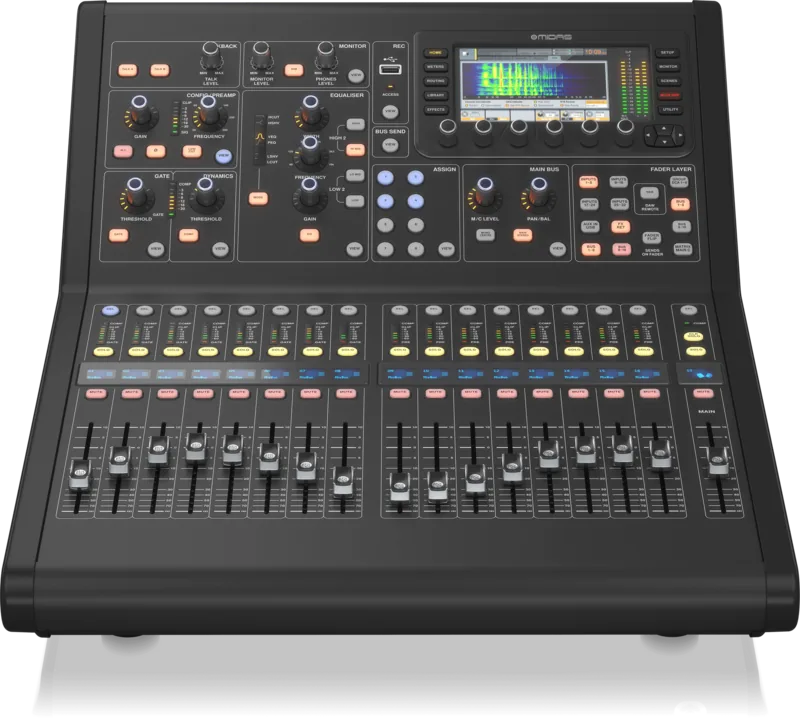
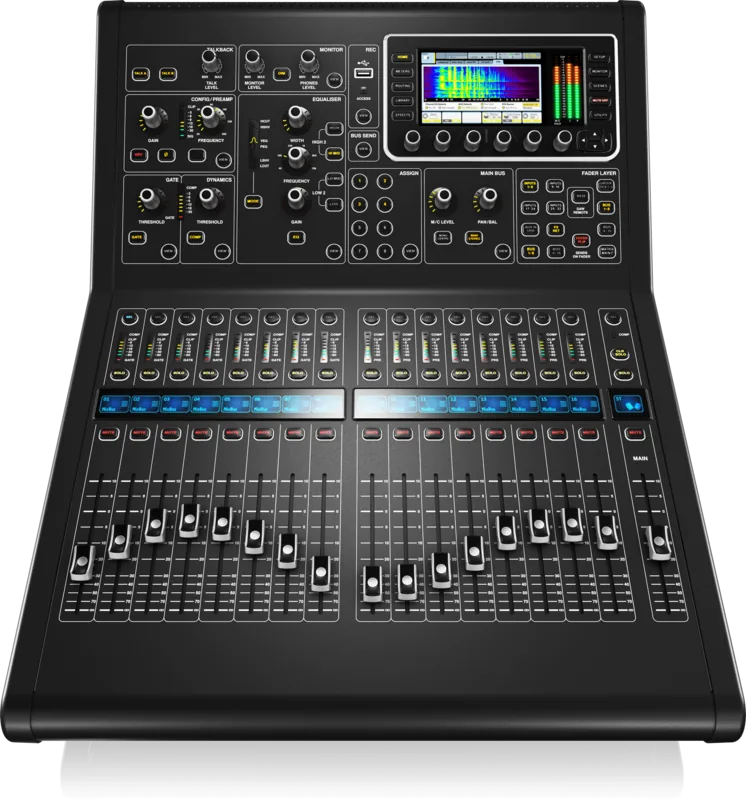
The Midas M32R is a digital rack mixer designed for both live sound and studio applications. It combines the renowned audio quality of the Midas PRO series with a compact, desktop-friendly form factor. This console features 40 input channels, powered by 16 Midas PRO microphone preamplifiers and equipped with 25 mix buses. The unit is engineered to provide extensive connectivity and signal processing capabilities in a streamlined package.

Key Features and Connectivity

The M32R integrates award-winning Midas PRO Series microphone preamplifiers that offer switchable phantom power, a 72 dB gain range, and a maximum level of +23 dBu before clipping. Each of the 16 microphone inputs accepts balanced or unbalanced mic- or line-level signals. The control surface includes eight high-resolution 100 mm motorised faders for the input section and another set of eight faders for controlling DCA groups, bus masters, and matrices. These faders are rated for one million cycles, ensuring durability during frequent use.

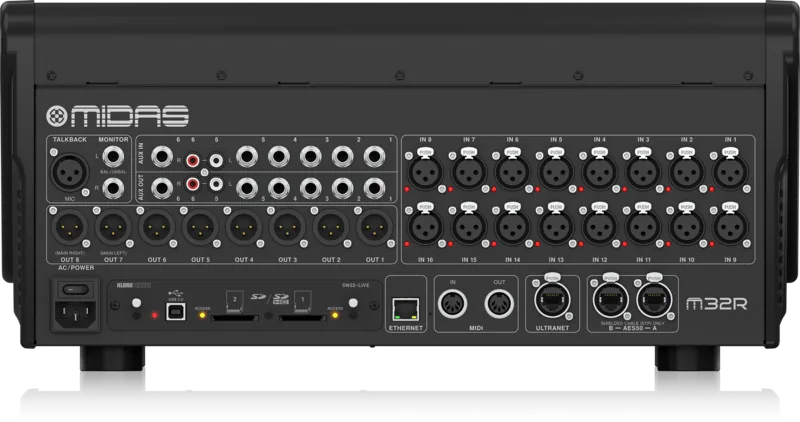
Connectivity options are abundant, featuring dual AES50 Ethernet jacks utilizing Klark Teknik SuperMAC technology. This allows for 96 bi-directional channels over AES50, contributing to a total count of 168 x 168 accessible sources and destinations. Additionally, the rear panel provides six line-level auxiliary inputs and outputs, eight XLR outputs, stereo monitoring outs on XLR/TRS, and dual phone outputs. For personal monitoring, the console supports 16 channels of ULTRANET output.

Recording and Effects

The M32R includes a top-panel USB connector that enables system data storage or direct recording of board mixes to external flash or hard drives. While multi-channel recording requires the DN32-USB card, stereo uncompressed WAV files can be recorded directly via USB. The internal effects rack offers eight true-stereo processors with over 60 effects models, eliminating the need for additional outboard gear. Users can run four high-quality effects concurrently, including delay, chorus, and reverb, along with eight channels of 31-band graphic equalization.

Workflow and Control

Designed for intuitive workflow, the console features a daylight-viewable TFT screen and dedicated channel editing controls for instant access to gain, dynamics, EQ, and other functions. A five-inch wide, high-contrast colour display aids in navigating complex parameters. The system supports remote control via iPad application or editing software connected through Ethernet. Scene saving and recall capabilities allow for quick setup changes, making it ideal for installed and production sound environments.

M: claude-opus-5-5

© Copyright 2026 Manual.ly