
MERCUSYS MW325R Manual
PDF manual · 59 Pages
English



Quick check
Incorrect answer, please try again.
Chat with your MERCUSYS MW325R manual using AI
Get instant AI answers from your MERCUSYS MW325R manual
Ask anything about the MERCUSYS MW325R. Answers come from this manual, with the pages they are based on.
Ask a Question
Do you recommend MW325R?
Yes NoFrequently Asked Questions
The MW325R is a 300Mbps Wireless N router for home and small-office networks. It combines Wi-Fi, a four-port LAN switch, NAT routing, and firewall functions for sharing a broadband Internet connection among wired and wireless devices.
Is this answer helpful?
It supports Dynamic IP, Static IP, and PPPoE Internet connections. The setup interface also provides an Auto Detect option for users who are unsure of their provider's connection type.
Is this answer helpful?
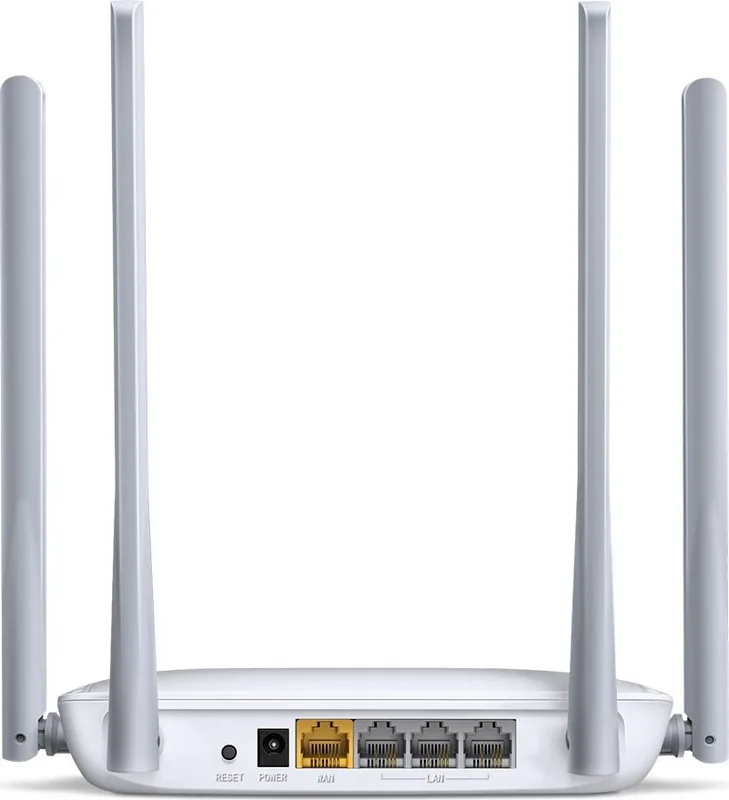
The router has four LAN ports for local wired devices. A separate WAN port connects to a modem, an Ethernet wall connection, or another Internet source.
Is this answer helpful?
Yes. The guest network can use its own network name and password. You can control guest access time, upload and download bandwidth, and whether guests may access devices on the local network.
Is this answer helpful?
Yes. Parental controls can restrict Internet access for selected devices during chosen time periods. Access Control can also create allow or block rules for devices, domains, IP addresses, services, ports, and schedules.
Is this answer helpful?
With the router powered on, press and hold the RESET button for at least five seconds until the LEDs respond, then release it and wait for reboot. This restores factory settings, so Internet and Wi-Fi settings must be configured again.
Is this answer helpful?
Advantages and Disadvantages
Advantages

- 300Mbps Wireless N connectivity with 2x2 MIMO support for everyday home or small-office networking.
- Four LAN ports allow stable wired connections for PCs, consoles, TVs, and other Ethernet devices.
- Guest network includes separate credentials, access timing, bandwidth controls, and local-network access options.
- Includes parental controls, access rules, device blocking, IP and MAC binding, and speed management.
- Supports PPPoE, Dynamic IP, Static IP, WDS bridging, UPnP, DDNS, DMZ, and virtual server settings.
Disadvantages

- Uses 2.4 GHz 802.11n Wi-Fi and does not offer modern dual-band or Wi-Fi 5/6 performance.
- Actual wireless coverage and throughput can vary significantly with interference, obstacles, and client capabilities.
- Advanced controls may require networking knowledge to configure correctly.
- Factory resetting removes custom settings and requires the network to be configured again.
Product Specification
Modem
N/A
WAN
1x 100Base-TX
LAN
3x 100Base-TX
Wireless
WLAN 802.11b/g/n (Wi-Fi 4)
Data rate
300 Mbps (2.4 GHz)
Security
WPA, WPA2, WPS
Antennas
4x external
Power consumption
not specified (operating consumption), not specified (maximum power supply output)
Dimensions
6.57 x 4.65 x 1.3 in
Band capability
Single band
Manufacturer warranty
2 years
Product Description
MERCUSYS MW325R - Read, Download & Print Free
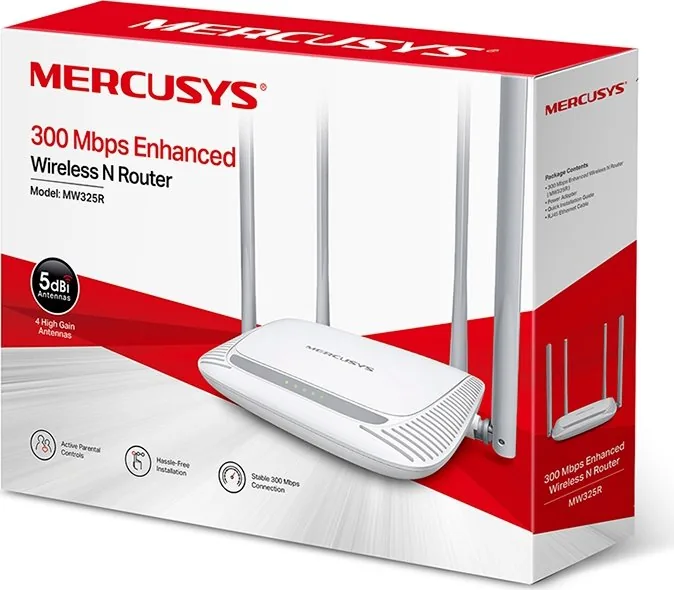
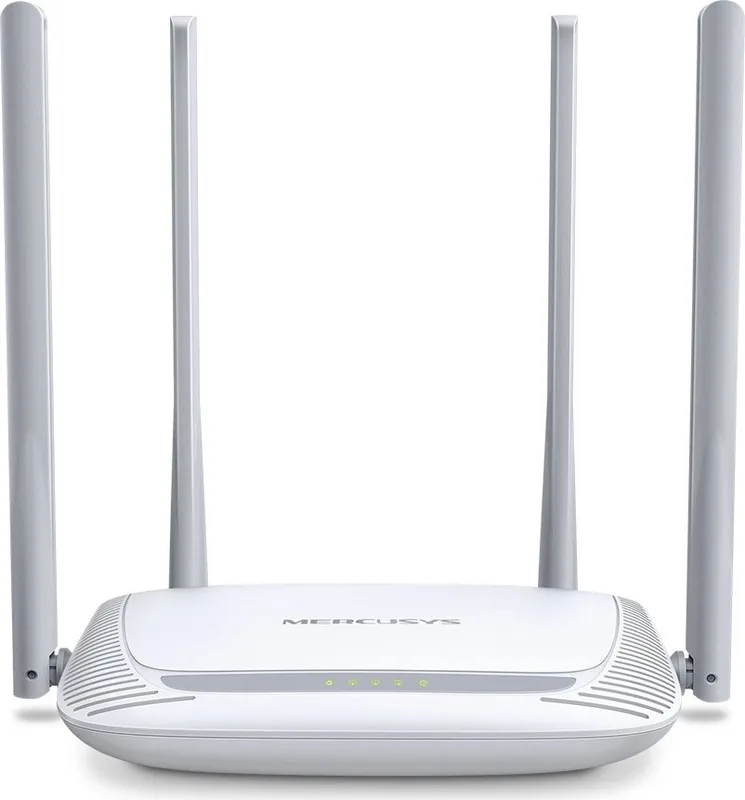
The MERCUSYS MW325R is a 300Mbps Enhanced Wireless N Router designed for dependable everyday connectivity in homes and small offices. It combines a wireless access point, NAT router, firewall, and four-port Ethernet switch in one compact networking solution. With 2x2 MIMO technology, it is built to provide wider wireless reach and stable connections for common online tasks such as browsing, streaming, video calls, and connecting multiple household devices.
Straightforward Setup for Daily Networks
Getting started with the MW325R is simple. Connect the Internet source to the WAN port, power on the router, and use the browser-based setup process to select the appropriate connection type. It supports Dynamic IP, Static IP, and PPPoE connections, making it suitable for many cable, DSL, and Ethernet-based services. Users can also use automatic detection when they are unsure which connection method their provider requires.
The router lets you personalize the wireless network name and create a password with 8 to 63 characters. WPA2-PSK/WPA-PSK security with AES encryption helps protect the network from unauthorized access. The default wireless mode supports mixed 802.11b/g/n clients, allowing compatibility with a broad selection of older and newer Wi-Fi devices.
Wired Ports and Useful Wi-Fi Controls
Four LAN ports provide wired connections for desktop computers, televisions, game consoles, and other Ethernet-ready devices. Front LED indicators show power, LAN, and Internet activity, helping users quickly check connection status. The rear reset button can restore settings when troubleshooting is needed.
Beyond basic connectivity, the MERCUSYS MW325R offers practical network controls. Device management displays connected clients and can set upstream or downstream speed limits. A blocked-device list makes it easy to prevent selected devices from reconnecting. DHCP settings, IP and MAC binding, and MAC cloning offer additional flexibility for local network setup and Internet provider requirements.
Features for Guest Access and Advanced Needs
A separate guest network can be enabled for visitors, with its own name, password, access duration, and bandwidth settings. By default, guest devices can be isolated from the local network, helping keep personal devices and shared resources more private. WDS bridging is also available for extending wireless coverage through a compatible existing network.
For households, parental controls can limit Internet access by time periods. Access Control supports whitelist and blacklist rules based on devices, IP addresses, domains, services, ports, and schedules. Advanced options include virtual server rules, DMZ hosting, UPnP, static routing, and Dynamic DNS for users with more specialized networking requirements.
Notes
- Actual Wi-Fi speed and coverage depend on building materials, interference, connected devices, and network traffic.
- Place the router in a ventilated location away from water, heat sources, and direct sunlight.
- Use the supplied power adapter and set a strong management password after installation.
Search for 67,706 Manuals online


Type-in Brand or Model