

MERCUSYS MW305R Manual
PDF manual · 60 Pages
English



Quick check
Incorrect answer, please try again.
Chat with your MERCUSYS MW305R manual using AI
Get instant AI answers from your MERCUSYS MW305R manual
Ask anything about the MERCUSYS MW305R. Answers come from this manual, with the pages they are based on.
Ask a Question
Do you recommend MW305R?
Yes NoFrequently Asked Questions
Open a web browser and enter http://mwlogin.net. Create a login password if prompted, then use it to access the configuration page.
Is this answer helpful?
You must perform a factory reset by pressing and holding the RESET/WPS button for more than 5 seconds until the LED blinks quickly.
Is this answer helpful?
Yes, navigate to Network settings and configure the IPTV menu according to your ISP's requirements to enable the service.
Is this answer helpful?
Yes, the router supports PPPoE connections commonly used by DSL services, allowing you to enter your ISP credentials directly.
Is this answer helpful?
Download the latest file from the official website, go to System Tools, select Firmware Upgrade, and follow the on-screen instructions.
Is this answer helpful?
Advantages and Disadvantages
Advantages

- Supports 2x2 MIMO technology for enhanced signal range and speed
- Includes comprehensive parental controls and guest network isolation
- Features a user-friendly quick setup wizard for rapid installation
- Compatible with multiple WAN connection types including PPPoE and Static IP
Disadvantages

- Maximum wireless speeds are theoretical and vary based on environmental factors
- Reset function requires holding the button for five seconds which may be tricky
- Guest network bandwidth limits require manual configuration for specific needs
- Default firmware version may need updating for latest security patches
Product Specification
Modem
N/A
WAN
1x 100Base-TX
LAN
3x 100Base-TX
Wireless
WLAN 802.11b/g/n (Wi-Fi 4)
Transfer Rate
300Mbps (2.4GHz)
Security
WPA, WPA2, WPS
Antennas
3x external
Power Consumption
No information provided (operating consumption), no information provided (max. power supply output)
Dimensions
5.79x4.53x1.34 inches
Band Capability
Single Band
Manufacturer Warranty
two years
Product Description
MERCUSYS MW305R: Your Gateway to Reliable Home Networking
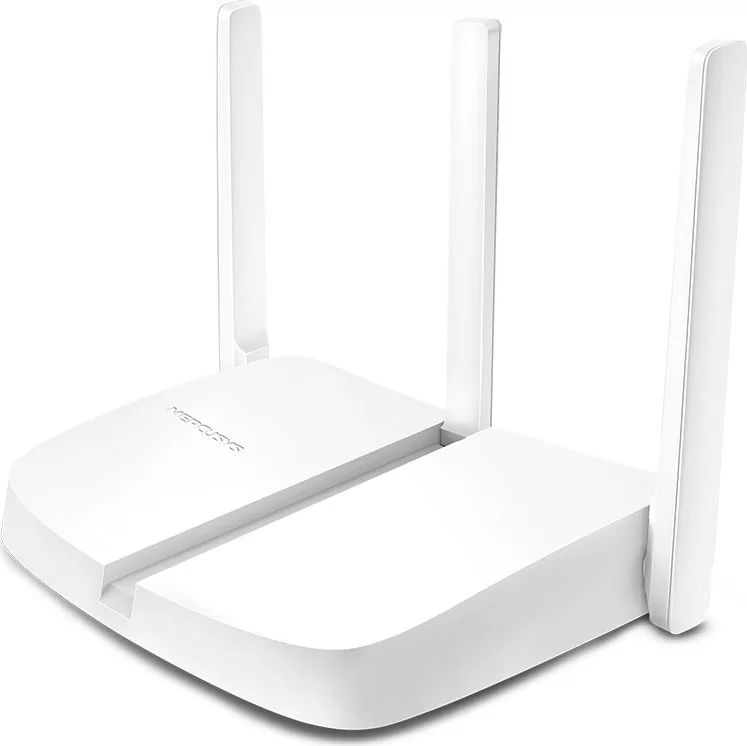
The MERCUSYS MW305R stands as a robust solution for Small Office and Home Office environments, delivering seamless connectivity through its 300Mbps Wireless N capabilities. Powered by advanced 2x2 MIMO technology, this router ensures exceptional range and speed, effectively handling the demands of modern digital lifestyles. Whether you are streaming high-definition content, engaging in online gaming, or managing multiple devices simultaneously, the MW305R provides the stability required for uninterrupted performance.
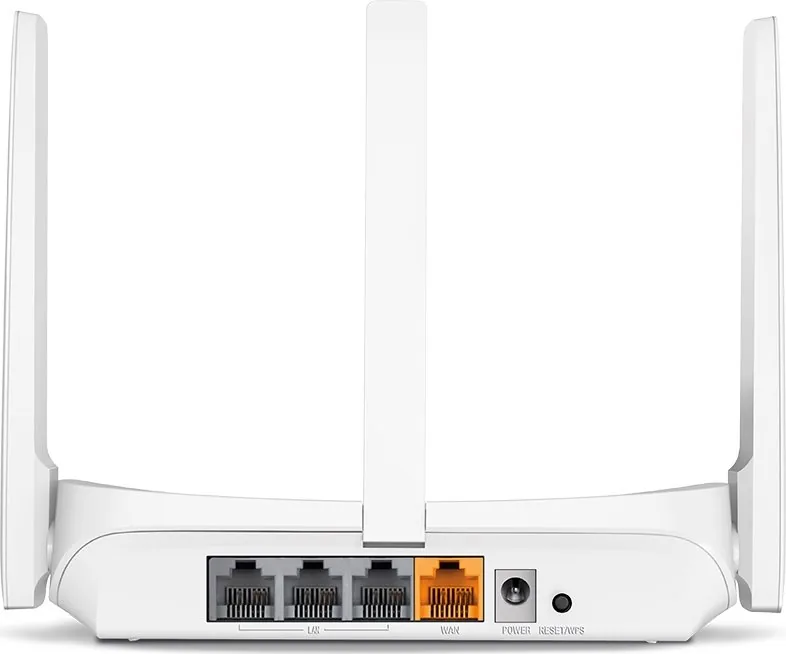
Setting up your network has never been simpler with the intuitive Quick Setup Wizard available via the web management interface at mwlogin.net. The device features a user-friendly design with clearly marked ports on the rear panel, including dedicated LAN and WAN connections, alongside a power socket and a reset button for easy maintenance. The front panel LED indicators provide real-time status updates, guiding you through connection processes like WPS pairing with visual cues for success or ongoing activity.
Beyond basic connectivity, the MW305R offers extensive configuration options for users seeking greater control over their network. The wireless settings allow for custom SSIDs and strong WPA2-PSK encryption to secure your data. Advanced users can leverage features such as Parental Controls to manage children's internet access, Guest Networks to isolate visitors, and Virtual Server configurations for hosting local services. The router also supports various WAN connection types, including PPPoE, Static IP, and Dynamic IP, ensuring compatibility with diverse ISP requirements.
Safety and compliance are paramount in the design of this device. It adheres to strict EU directives regarding electromagnetic fields and radio interference, ensuring it operates safely within domestic environments. Users are advised to keep the unit away from moisture and heat sources while utilizing only the provided power adapter to maintain optimal safety standards. With its blend of ease-of-use and powerful features, the MERCUSYS MW305R Manual serves as an essential guide to unlocking the full potential of your home network infrastructure.
Search for 67,706 Manuals online


Type-in Brand or Model