
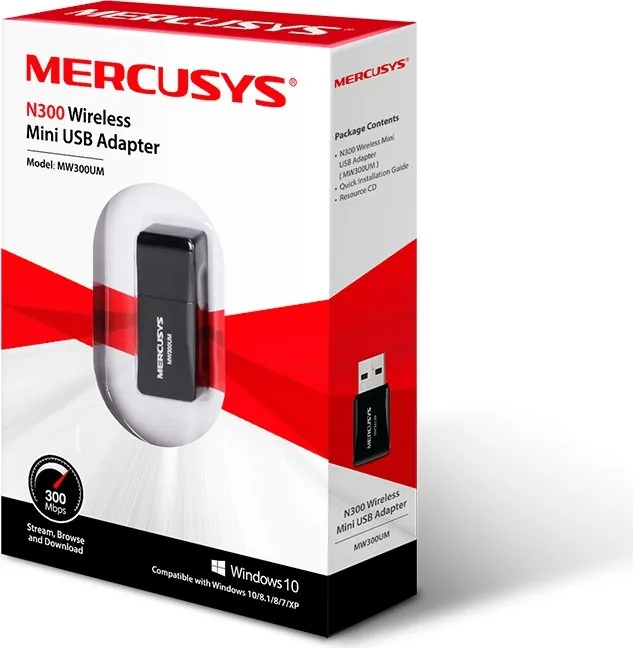
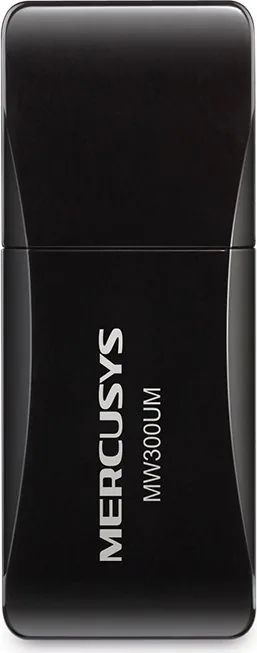
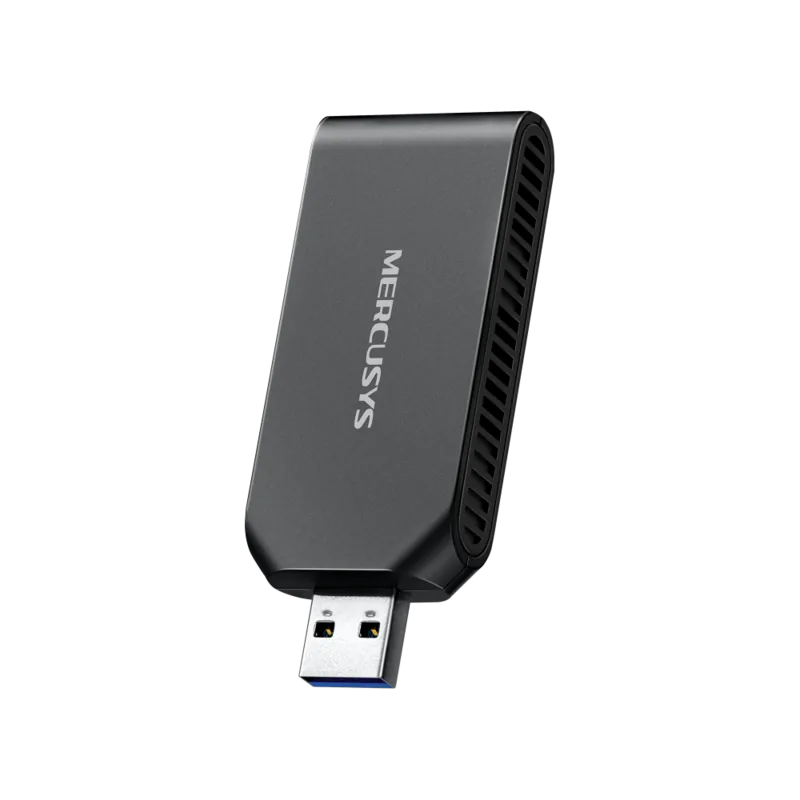
MERCUSYS MW300UM Manual
PDF manual · 28 Pages
English



Quick check
Incorrect answer, please try again.
Chat with your MERCUSYS MW300UM manual using AI
Get instant AI answers from your MERCUSYS MW300UM manual
Ask anything about the MERCUSYS MW300UM. Answers come from this manual, with the pages they are based on.
Ask a Question
Do you recommend MW300UM?
Yes NoFrequently Asked Questions
It adds 2.4 GHz Wi-Fi connectivity to a compatible computer through a USB-A 2.0 port. It is useful for desktops or notebooks that lack wireless networking or need an additional Wi-Fi adapter.
Is this answer helpful?
The MW300UM model supports 802.11n physical data rates of up to 300 Mbps. Real-world throughput will be lower or higher depending on router capability, signal quality, interference, distance, and local network traffic.
Is this answer helpful?
It supports IEEE 802.11b, 802.11g, and 802.11n networks operating in the 2.4 GHz frequency range. It is intended for backward-compatible connections with older 2.4 GHz wireless equipment.
Is this answer helpful?
Yes. Supported security options include WEP, WPA, WPA2, WPA-PSK, WPA2-PSK, TKIP, and AES. For a typical home network, use the security settings required by the router, preferably WPA2 with AES when available.
Is this answer helpful?
Yes, when the wireless router or access point supports WPS. Connection can be established using push-button configuration or a PIN method. Follow the router's WPS instructions and use the selected connection method.
Is this answer helpful?
The MW300UM supports Windows 10. However, its MERCUSYS configuration utility is not supported in Windows 10, so connect and manage wireless networks through the built-in Windows Wi-Fi controls.
Is this answer helpful?
Advantages and Disadvantages
Advantages

- Compact USB-A 2.0 design adds Wi-Fi to compatible desktop and notebook computers.
- Supports 802.11b/g/n networks on the widely used 2.4 GHz Wi-Fi band.
- Offers up to 300 Mbps 802.11n physical link rate under suitable conditions.
- Supports WPA/WPA2 security, including WPA2-PSK and AES encryption.
- Includes WPS, saved profiles, and SoftAP capabilities on supported systems.
Disadvantages

- Uses only the 2.4 GHz band and does not provide 5 GHz Wi-Fi connectivity.
- Actual speed and coverage can vary with distance, obstacles, interference, and router limits.
- The MERCUSYS utility is not supported for MW300UM on Windows 10.
- USB 2.0 interface and older Wi-Fi standards may not suit high-demand modern networks.
- SoftAP availability and performance depend on the computer configuration and shared connection.
Product Specification
Type
Wi-Fi adapter
Form factor
1x USB dongle
Interface
1x USB-A 2.0 (plug)
Connection
1x Wi-Fi 802.11b/g/n (1x 2.4 GHz), 1x transmit power (<20 dBm), 1x antenna (integrated, non-adjustable)
Transmission
1x 2.4 GHz Wi-Fi (300 Mbps, 2x2)
Power supply
Power supplied via interface only
Dimensions
0.68 x 0.33 x 1.69 in (W x H x D)
Compatibility
universal
USB notation
Link
Product Description
MERCUSYS N300 Mini, 2.4GHz Wi-Fi, USB-A 2.0 [Plug] - Read, Download & Print Free
The MERCUSYS N300 Mini, 2.4GHz Wi-Fi, USB-A 2.0 [Plug] is a compact wireless adapter designed to add Wi-Fi connectivity to a compatible desktop or notebook computer. Built around 802.11b/g/n technology, it operates on the 2.4 GHz band and offers wireless speeds of up to 300 Mbps under suitable network conditions. Its small USB-A 2.0 connection makes it a practical choice for systems that need a simple wireless upgrade without opening the computer case.
Compact Wi-Fi for Everyday Connections
The mini form factor is well suited to everyday tasks such as web browsing, email, online learning, music playback, and standard-definition or moderate video streaming. It can connect with 802.11b, 802.11g, and 802.11n wireless networks, helping it work with many existing routers and access points. Actual speed, range, and stability depend on the router, signal interference, distance, walls, and network traffic.
The adapter supports automatic speed adjustment when wireless conditions change. This can help maintain a connection when the computer is farther from the router or when the local 2.4 GHz environment is busy. Its anti-interference capability is intended to support more dependable wireless communication in common home and office settings.
Security and Connection Options
Wireless security support includes WEP, WPA, WPA2, WPA-PSK, WPA2-PSK, TKIP, and AES options. For current home networks, WPA2 with AES is generally the stronger practical choice among the listed settings. The adapter can be used in Infrastructure mode for connecting through a router or access point, and it also supports Ad-hoc networking for direct device-to-device connections.
Connection can be set up through the operating system's built-in Wi-Fi controls. Where supported, WPS can simplify pairing with a compatible router through push-button or PIN methods. Profile management can save settings for frequently used networks, making it easier to move between locations such as home, work, or study spaces.
Flexible Software Features
On supported Windows versions, the optional MERCUSYS configuration utility provides connection status, saved network profiles, advanced settings, and driver information. The adapter may also support SoftAP mode, allowing a connected computer to share its internet connection as a local wireless hotspot. This feature is useful when nearby devices need temporary Wi-Fi access through the computer.
Note: The MW300UM supports Windows XP, 7, 8, 8.1, and 10. The MERCUSYS utility is not supported on Windows 10 for this model, so the built-in Windows wireless controls should be used instead.
Note: Use the adapter in a dry location and connect it only to a computer USB port that complies with Limited Power Source requirements.
Search for 67,706 Manuals online


Type-in Brand or Model